
Overview
The Mirror Modifier duplicates an object symmetrically along a specified axis. It's commonly used when modeling characters, symmetrical buildings, and other objects where you only need to create one half and have the other side generated automatically.
However, you may encounter issues where the Mirror Modifier doesn't duplicate the object correctly, or the mirrored side appears offset. This article covers the two most common causes — an offset origin and unapplied transforms — along with how to diagnose and fix each one.
Origin is Offset
The Mirror Modifier creates a mirrored copy around the object's origin (the orange dot).
If the origin is at the center of the object, the mirrored copy overlaps in place, making the mirror effect invisible.

Solution: Move the Origin
Move the origin to the world center (0,0,0) or another appropriate point, and the object will mirror correctly around that axis.
-
Place the 3D Cursor at World Origin
- Press
Shift + C(moves the 3D cursor to position 0,0,0)
- Press
-
Make Sure You're in Object Mode
- If in Edit Mode, press
Tabto switch to Object Mode
- If in Edit Mode, press
-
Move Origin to 3D Cursor Position
- With the object selected, right-click
- Select
Set Origin→Origin to 3D Cursor
The origin will now be at the world center, and the Mirror Modifier will work correctly.
Unapplied Transforms
If the mirror is still offset after setting the origin correctly, the object's transforms (scale/rotation) may not be applied.
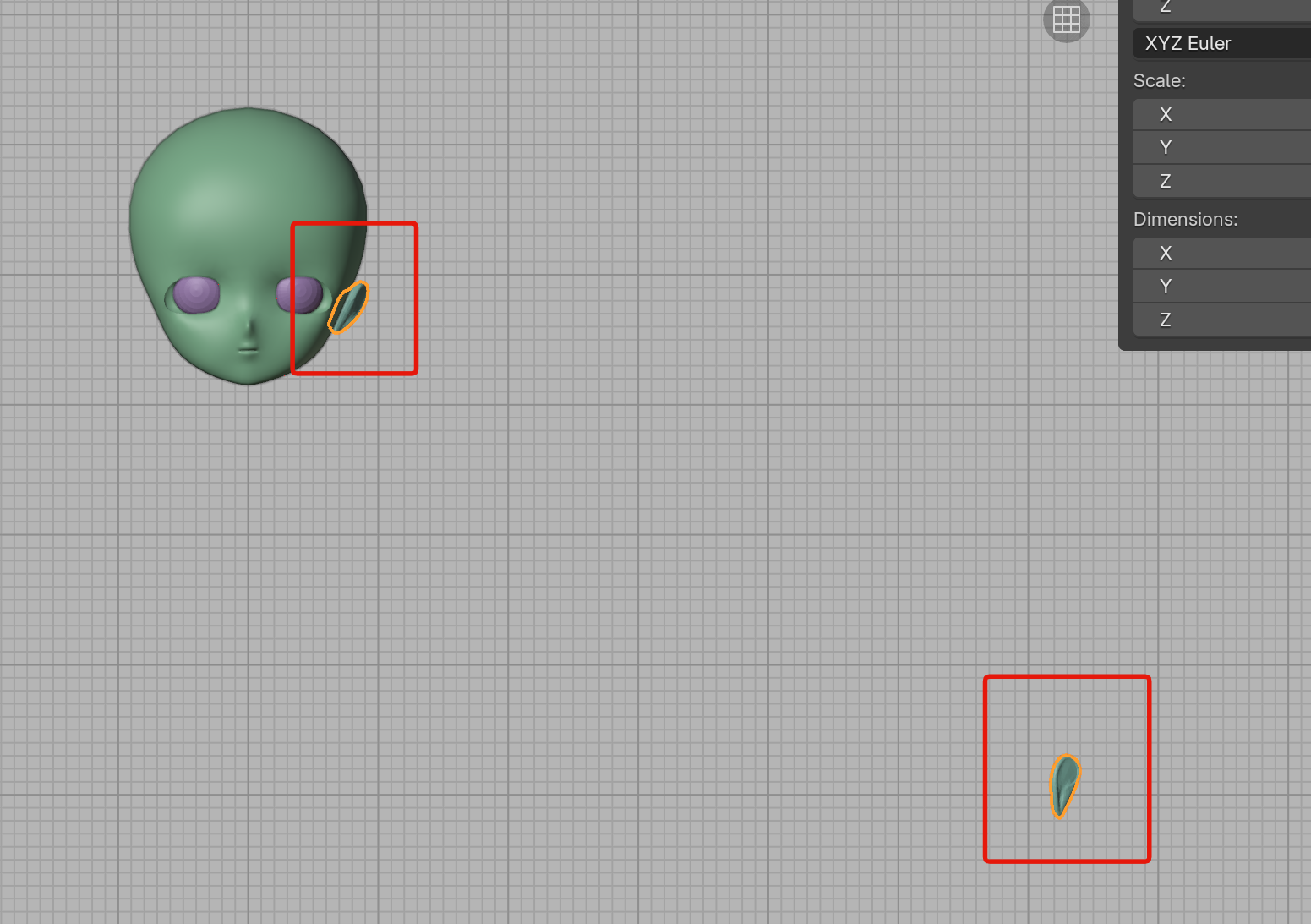
Check the Scale values in the sidebar (N key) under the "Transform" panel. If Scale is anything other than 1.000, the mirror position will be offset.
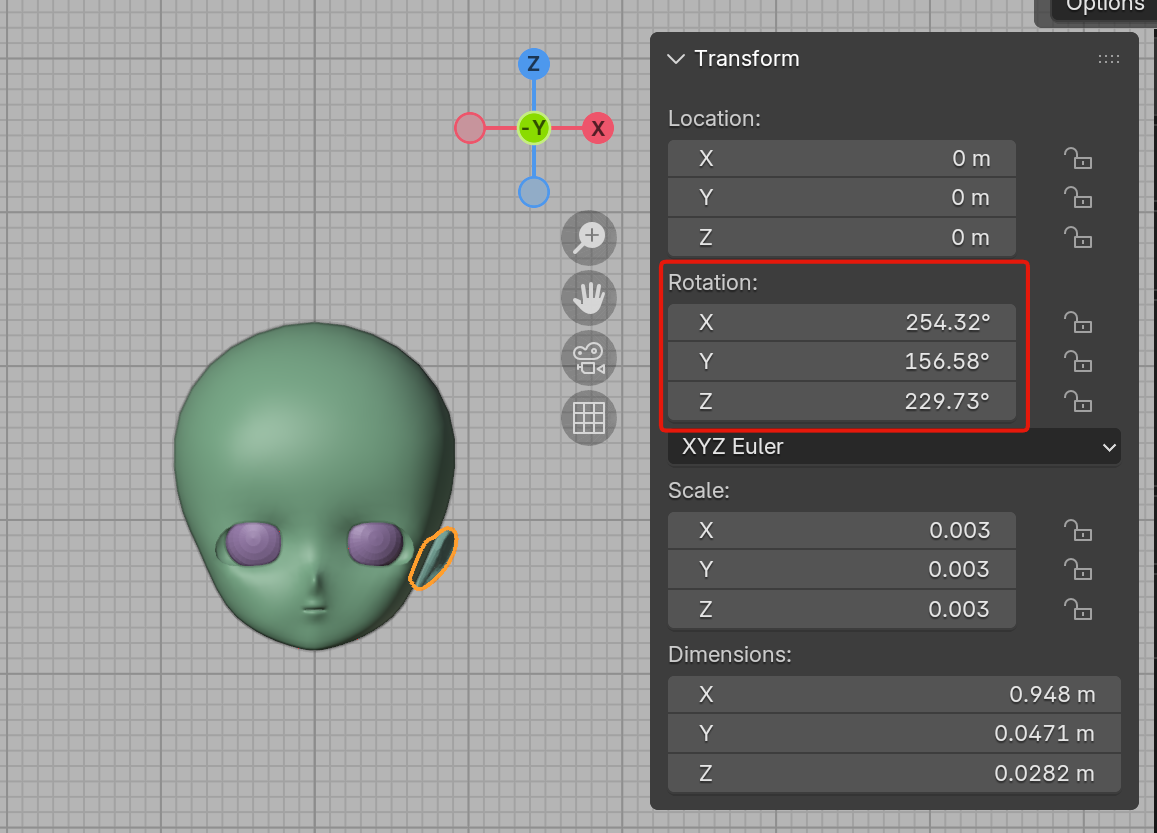
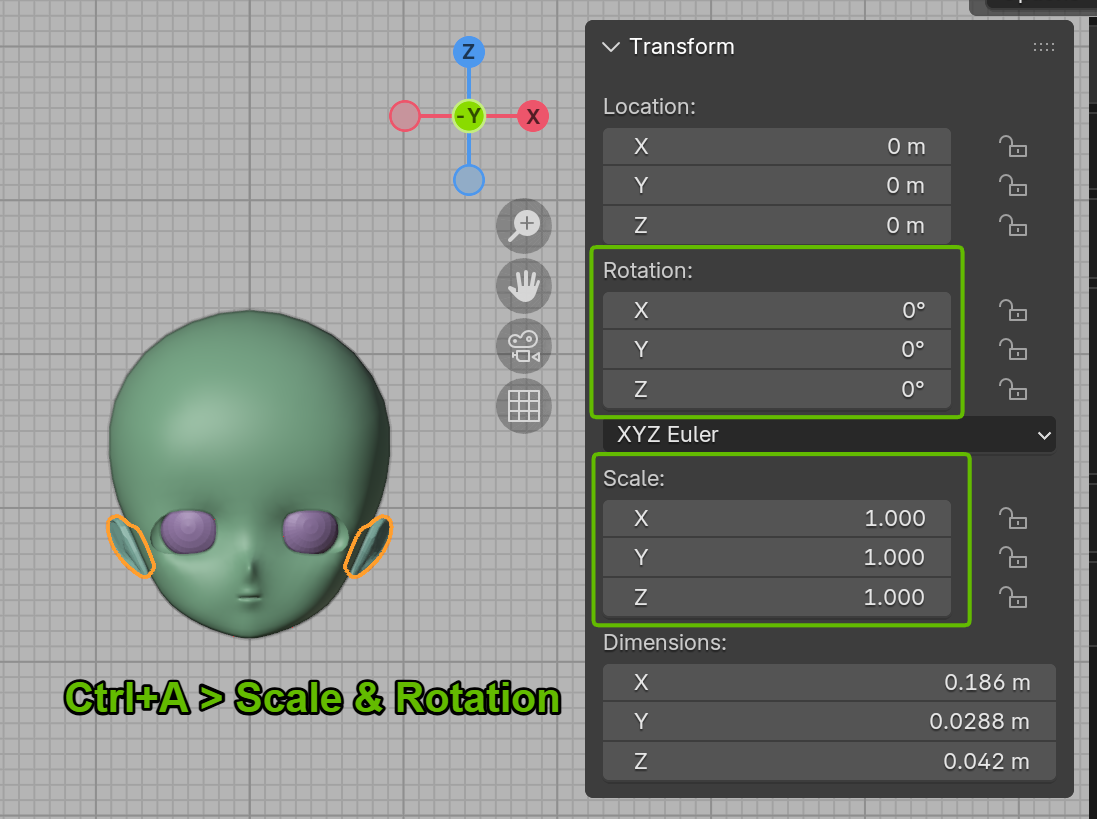
Solution: Apply Transforms
- Select the object in Object Mode
- Press
Ctrl + A - Select "All Transforms"
This resets Scale to 1.000, and the mirror will work correctly.
Additional Notes
- Origin: The reference point for an object. Acts as the center for translation, rotation, and scale operations
- 3D Cursor: A tool in Blender used to specify positions
- You can change the mirror axis (X/Y/Z) in the modifier properties as needed