When designing UIs for web or game development, there are times when you just need a placeholder image. During the wireframing and prototyping stage, you often need dummy images of specific sizes.
But opening an image editor to create one is a hassle, and searching for free stock images takes time. I thought, "If only I could just specify a size and color and get one instantly" -- so I built a browser tool that generates sample images.
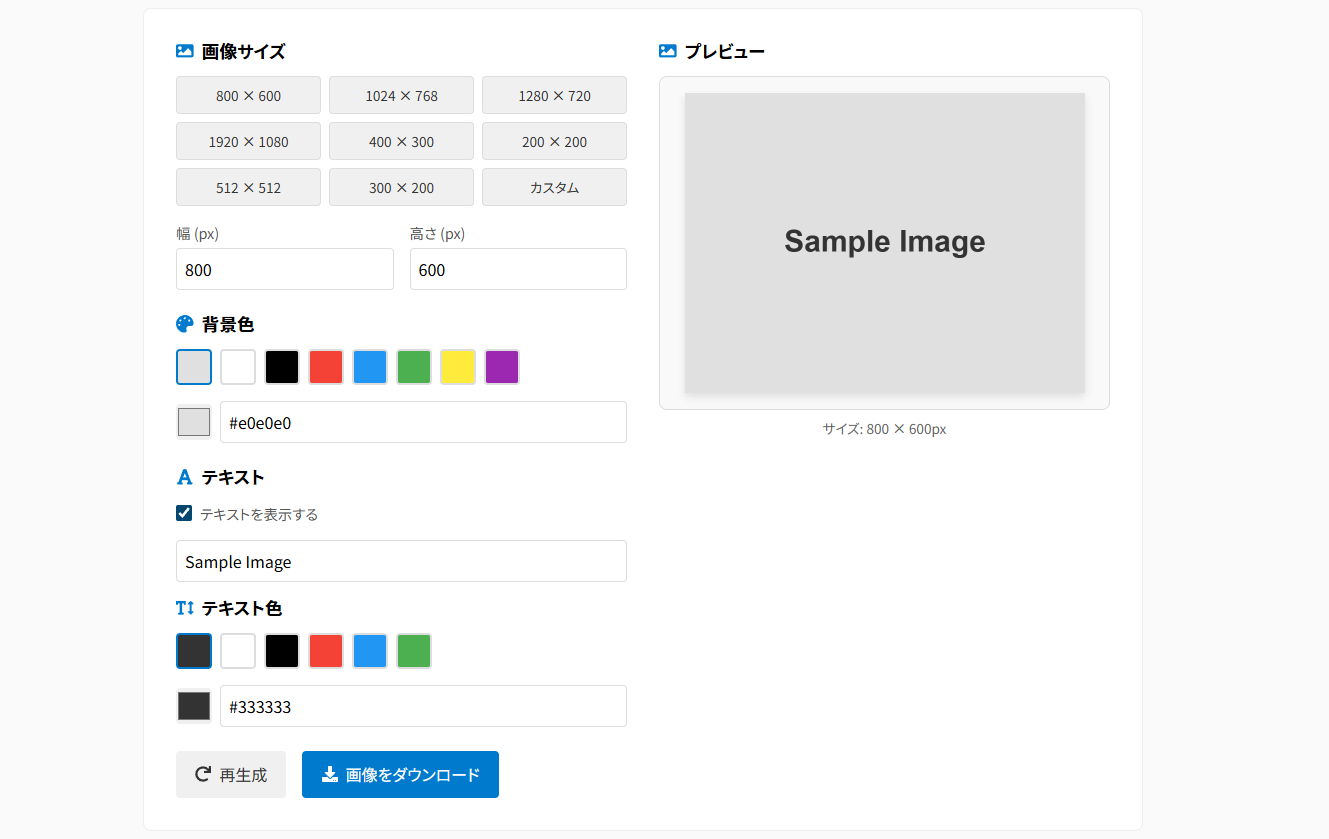
Just specify the size, background color, and text to instantly download a PNG image.
Why I Needed Dummy Images
When working on UI design, there are plenty of situations where you need placeholder images. During the wireframing and prototyping stage, the actual images often don't exist yet.
But opening an image editor just for that is annoying. All you want is something simple, like "an 800x600 gray image."
That's why I built this tool -- just specify the size, background color, and text in your browser and generate a PNG image instantly.
Here are some examples of images you can create:



Features
- Specify size, background color, text color, and text content in detail
- Text visibility toggle
- Automatic text sizing with center alignment
- Instant preview and download of generated images
- Wide selection of preset sizes and preset colors
How to Use
-
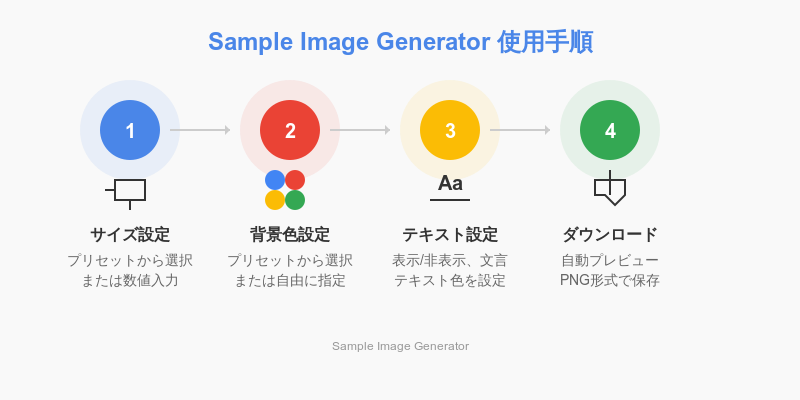
Set the size Choose from a preset or enter the width and height manually.
-
Set the background color Choose from a preset or pick any color from the color palette.
-
Set the text Toggle text on/off and specify the text content. Change the text color as needed.
-
Preview & Download The preview updates automatically as you change settings. Click the download button to get a PNG file.
Supported Formats
Currently supports PNG export. It works on any browser that supports the canvas feature, regardless of whether you're on desktop or mobile.