When I started creating VRChat assets (such as outfits), I first wanted to get a broad overview of what products were available on Booth. While Booth has a massive collection of VRChat-related products, there was no way to browse them by criteria like "style," "color," or "body type," so gathering information was time-consuming.
That's why I built "VRCFinder" - a web service that assigns custom tags to Booth products for organized searching and browsing. In this article, I'll share the story behind its development and how it works.
Why I Built This
VRChat has been growing its user base year after year, becoming increasingly prominent as a metaverse platform. I've been actively participating in tech and academic meetups hosted in VRChat, using them to stay up-to-date on the latest AI technology and development environments.
One of the most vibrant aspects of VRChat culture is "kaihan" (avatar customization). Users take a base avatar and swap outfits, add accessories, modify textures, and create a completely unique look. The creators' marketplace Booth is what drives this customization culture. Countless creators sell VRChat avatars, outfits, and accessories on Booth, creating a massive product ecosystem.
However, Booth isn't a VRChat-specific marketplace. It's a general-purpose marketplace for all kinds of products - doujinshi, music, handmade goods, and more. VRChat-related products are just one of many categories.
Because of this, when searching for VRChat outfits, non-VRC products would appear mixed in with tag and category search results. There was no way to filter by VRChat-specific criteria like compatible avatars, aesthetic style, or body type, making it time-consuming to find what you were looking for.
Booth has creators listing new products every day, making it a very active ecosystem. I'd long thought it would be convenient to organize this product data by clothing type, color, and style for easier searching.
Then in October 2025, Booth updated their scraping guidelines. Among their examples of welcomed applications was "applications that collect publicly available information for custom search and recommendation purposes." When I saw this, I knew it was exactly what I wanted to build, and I committed to developing VRCFinder. (Details on guideline compliance are discussed later.)
VRCFinder Overview
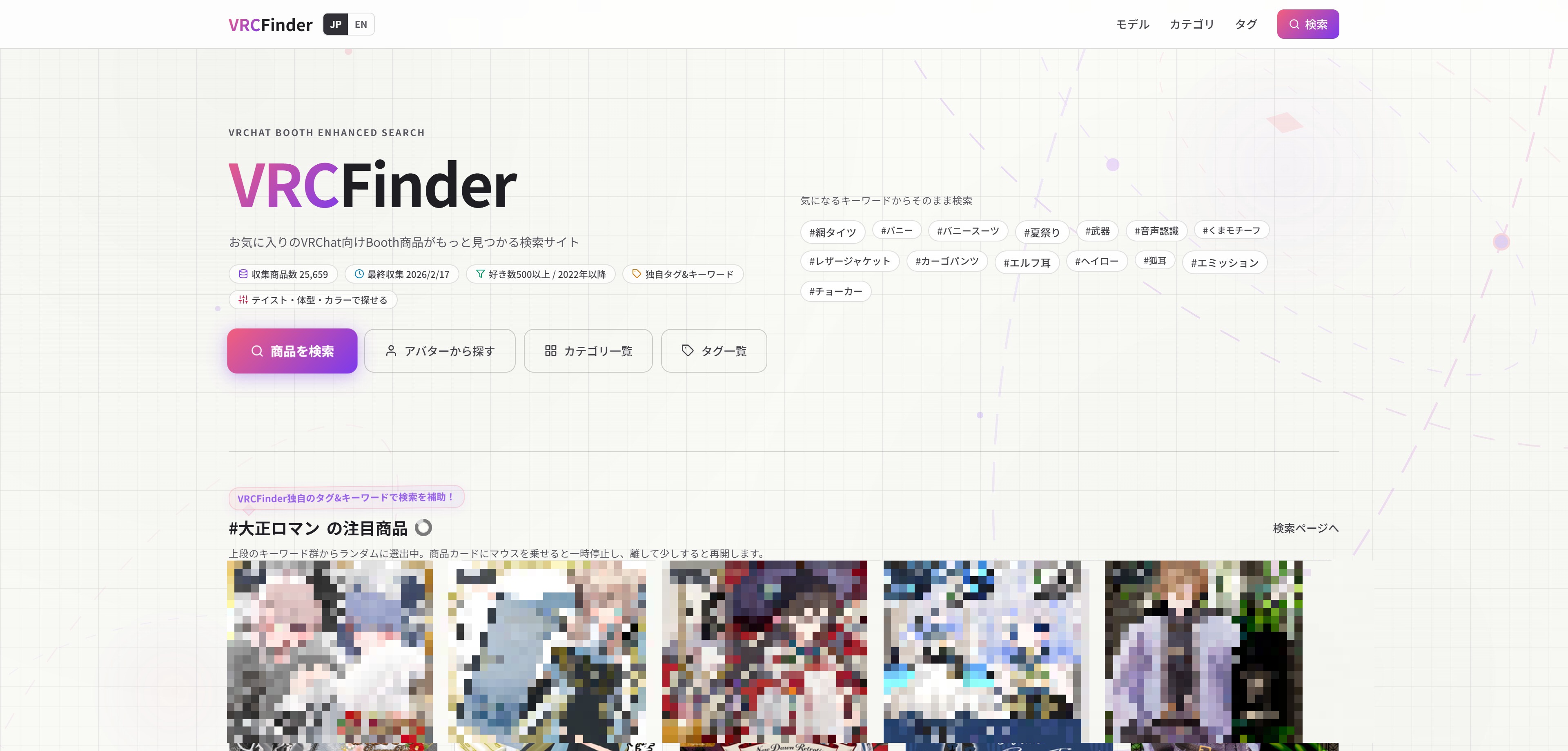
VRCFinder is a free web service that assigns custom tags and keywords to VRChat-related products on Booth, enabling multi-faceted searching and browsing. No account registration is required, and it works on both desktop and mobile.
An important note: VRCFinder is not a real-time search engine. It covers products released since 2022 with 500 or more likes (favorites), with data collected and analyzed periodically. Since the tag assignment analysis takes time for each product, we also limit the year range.
For checking the latest new products, going directly to Booth is the fastest option. What VRCFinder excels at is scenarios like "I want to find swimwear for summer" or "I'm planning a gothic-themed avatar customization - what outfits are out there?" It helps you efficiently find related products by style, outfit type, and other criteria when you have a specific season or customization theme in mind.
Data Collection and Custom Tags
Background on Collection Criteria
The "since 2022, 500+ likes" threshold was set as a practical operational baseline. Making it too strict reduces the number of listed products, while making it too lenient increases the volume too much, slowing down analysis and reducing data update frequency. This threshold represents a balance between coverage and update speed.
Tag Generation Process
Custom tags are generated by combining multiple information sources.
- Text Analysis: Extracts compatible avatars, outfit types, and distinctive keywords from product titles, registered tags, and descriptions
- Image Analysis: Determines color and style (cute, cool, etc.) from thumbnail images
- Manual Curation: Reviews automated analysis results, corrects misclassifications, and fills in missing tags
From Text Analysis to Image Analysis
Initially, tags were generated through text analysis alone - extracting outfit types and compatible avatar names from titles and descriptions. While this worked to some extent, there were limits to what text could provide.
Booth product pages include the seller-set title, tags, and description. However, information that can be gleaned from visual appearance - like outfit style (cute, cool, etc.), main color, decorative features, and body type impression - is rarely explicitly stated on product pages. Sellers don't typically write "this outfit is pink with a cute aesthetic."
That's where thumbnail image analysis came in. By analyzing images, we can assign tags for outfit type, style, visual characteristics, color, decorations, and body type - objective information that isn't even registered on the Booth product page itself. This enables searches like "gothic outfits" or "cool-toned long coats" based on abstract visual concepts.
Key Features
Custom Tag and Keyword Search
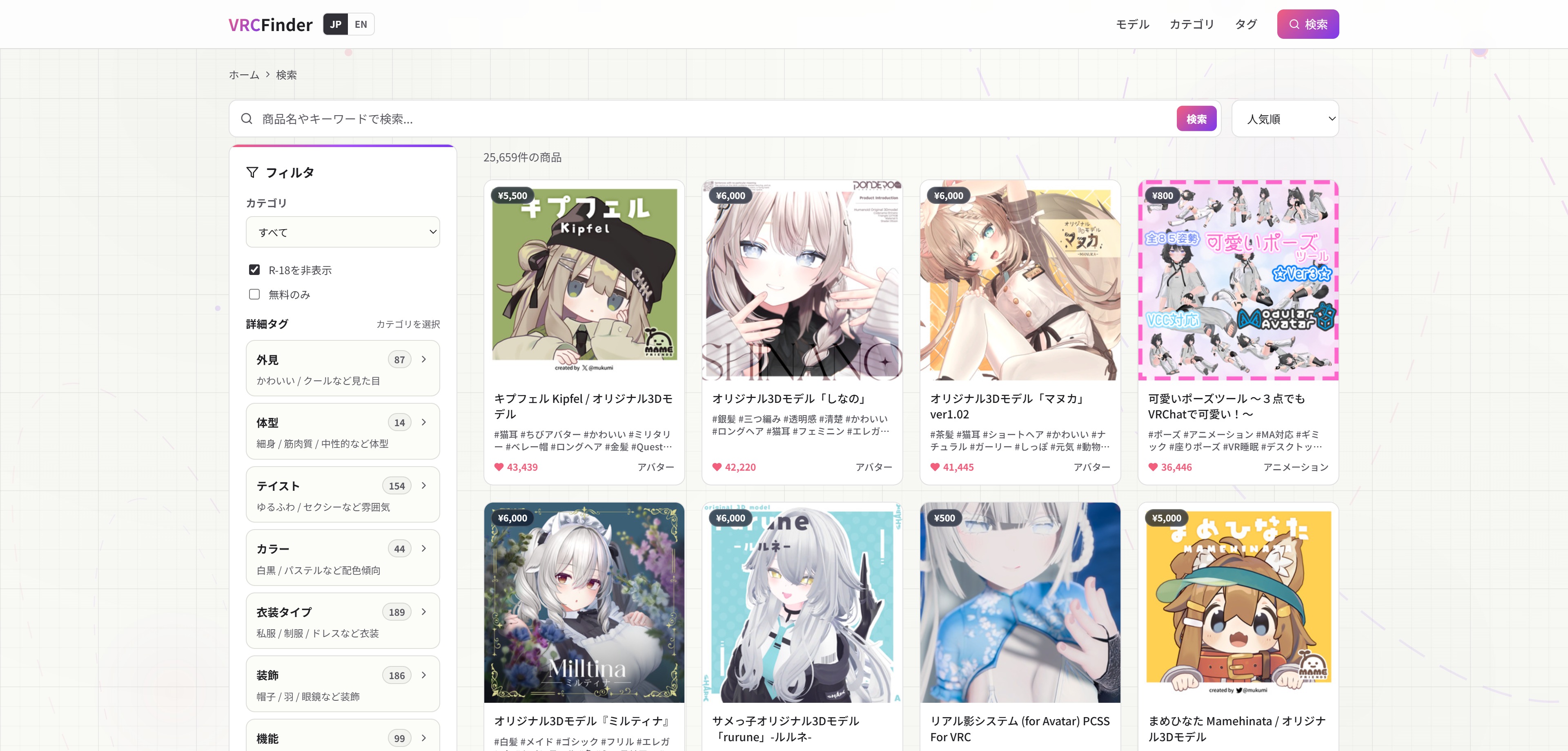
Search across products using custom tags and keywords that don't exist on Booth. You can find products using intuitive terms like style tags ("cute," "cool," "gothic," "Japanese-style") and item type tags ("mini skirt," "long coat," "maid outfit," etc.).
Compatible Model Directory
Browse products organized by popular VRChat avatar models. Simply select your avatar to efficiently find outfits and accessories designed for it.
Category and Tag Directory
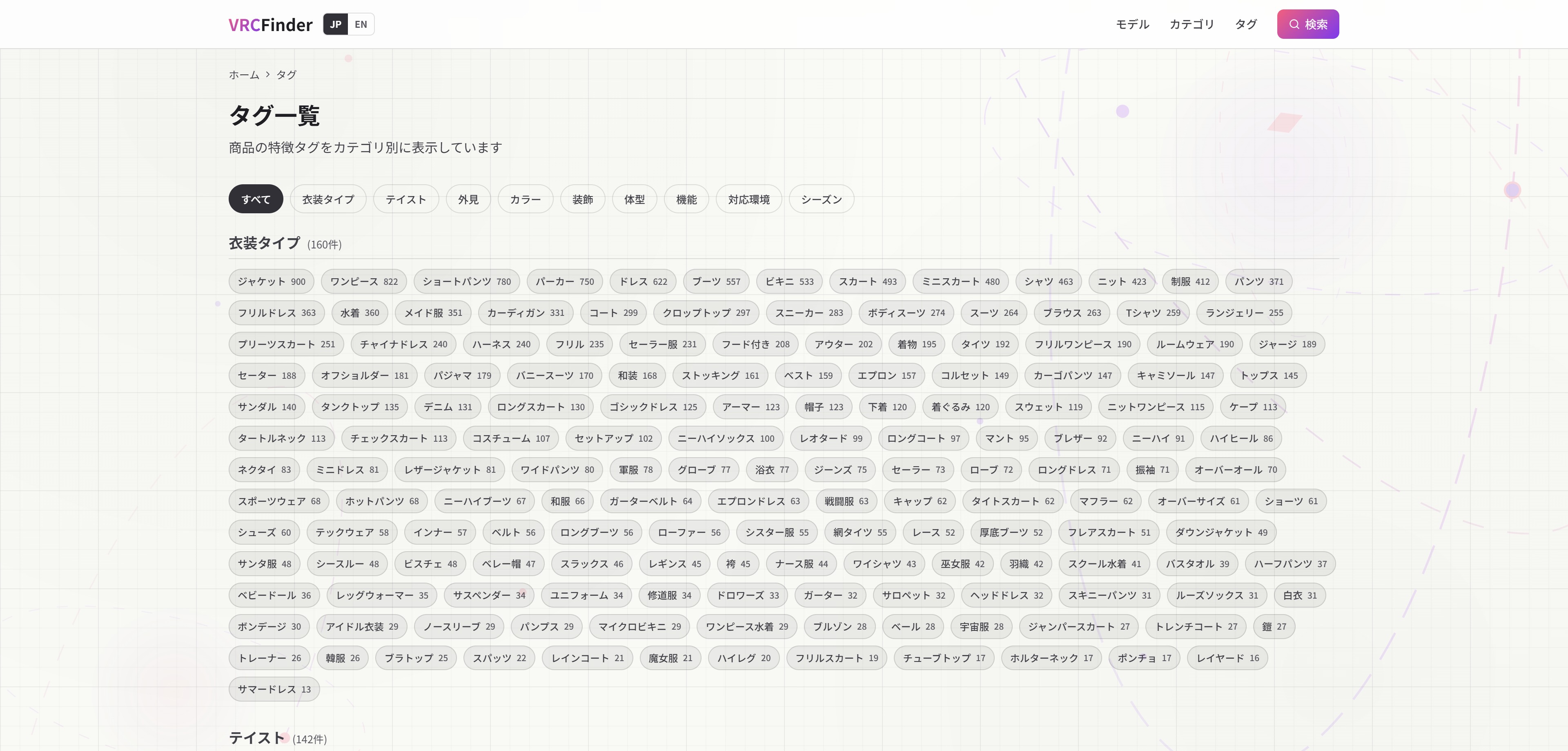
We provide organized category and tag directory pages. Even if you don't know what tags are available, you can simply tap on interesting tags from the list to browse related products.
Style, Body Type, and Color Filters
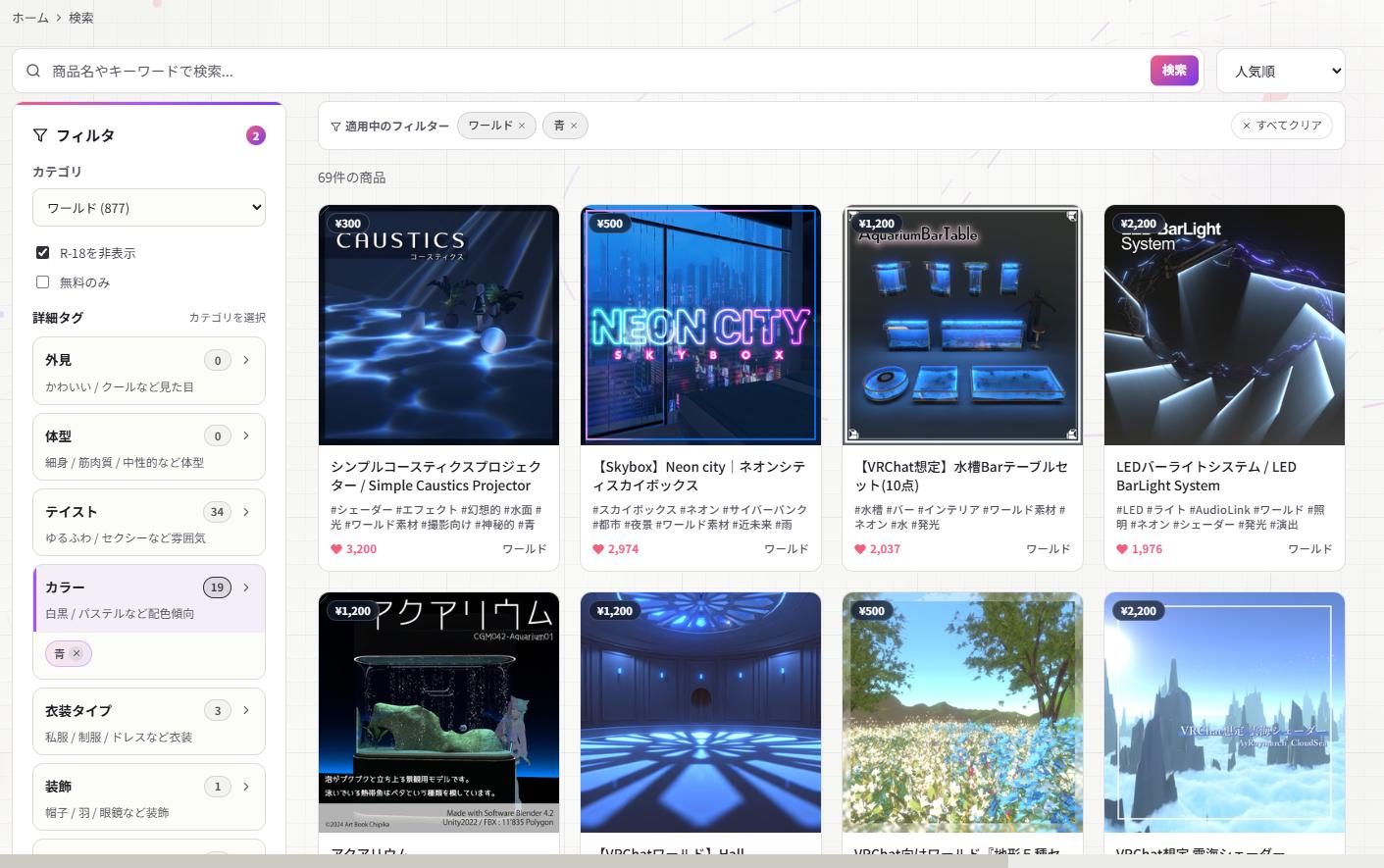
Filter by visual aesthetic (style), avatar body type, main color, and other criteria. Search works not only for outfits but also for worlds. This is especially useful when you have a customization theme in mind - for example, if you want a "blue-themed coordination," just select blue in the color filter to find blue outfits and worlds together. Combining multiple criteria helps you narrow down to items that match your vision more closely.
Technical Challenges
Here are some of the real challenges I encountered during development and how I addressed them.
Obtaining Neutral Product Names
On Booth, creators sometimes run limited-time sales, and it's common practice to prepend sale text like "[50% OFF]" or "[ON SALE]" to the product name during the promotion.
While this is helpful information for buyers, displaying it as-is in VRCFinder's product list would push the actual product name out of view, frequently breaking the layout. Plus, when the sale ends, the name reverts to normal, making the display inconsistent.
To handle this, I implemented processing to detect and hide sale-related text from the list display.
Unifying Tag Variations
Some creators diligently register detailed tags for their products. However, the same concept often appears under different spellings.
- "Angel ring" and "Halo"
- "Gloves" and "Mittens"
- "Horns" and "Antlers"
- "Modular Avatar" and "ModularAvatar"
- "Magic wand" and "Magic staff"
Treating these as separate tags would fragment search results too much. It would be a shame if someone searching for "halo" missed products tagged as "angel ring." VRCFinder addresses this with a synonym dictionary that merges equivalent tags.
Handling Model Name Variations
The spelling variation issue also affected compatible avatar model listings. For example, the popular model "Lapwing" appears in various katakana spellings across different creators' listings.
This is one of the subtle reasons searching on Booth can be frustrating. Searching for the official name won't find products registered under alternative spellings. VRCFinder creates a variation dictionary for each compatible model to ensure all spelling variants are properly captured.
A Research Tool for Creators Too
VRCFinder originally started as a tool I built for my own asset creation research.
Since custom tags enable cross-cutting product browsing, it doubles as a convenient research tool for creators.
- Trend Analysis: See what aesthetic styles are popular for outfits
- Competitive Research: Check how many products exist in a specific category
- Niche Discovery: Find categories with few products
- Target Avatar Selection: Gauge which avatars have the highest demand
By focusing on popular products with 500+ likes, it's also useful for understanding design trends and what users favor. As a result, it's become a handy search tool not just for creators but for buyers as well.
Guideline Compliance
VRCFinder's data collection follows Booth's guidelines and their revised scraping guidelines (October 10, 2025), and is limited to publicly available information.
Among Booth's examples of welcomed applications is "applications that collect publicly available information for custom search and recommendation purposes," and VRCFinder operates in line with this policy.
Reference: Booth Guidelines / About the Revised Scraping Guidelines (October 10, 2025)
Conclusion
What started as a desire to more efficiently research Booth product data as a VRChat asset creator has taken shape as VRCFinder.
Booth has an incredible selection of products. VRCFinder adds search dimensions on top of that ecosystem. By enabling searches across style, color, body type, and compatible models, it helps connect you with your ideal items.
I'll continue working on expanding listed products and improving tag accuracy. Please note that since VRCFinder displays periodically collected data, always check the Booth product page for the latest pricing and availability information.