After finishing an illustration, have you ever wondered, "What does my color scheme actually look like from an objective standpoint?" Since we choose colors intuitively while creating, looking back at the finished piece often reveals surprises -- "I didn't realize that color took up so much area" or "Maybe the accent color was too subtle."
Using the eyedropper to sample colors only tells you "this color is used" -- it doesn't show you the overall color balance. If you could see "which colors occupy how much area" in actual numbers, your color habits and areas for improvement would become much clearer.
That's why I built the "Character Color Analyzer" -- a tool that visualizes color composition ratios in a pie chart just by uploading an illustration. All processing runs entirely in the browser, so you can safely analyze even unpublished works.
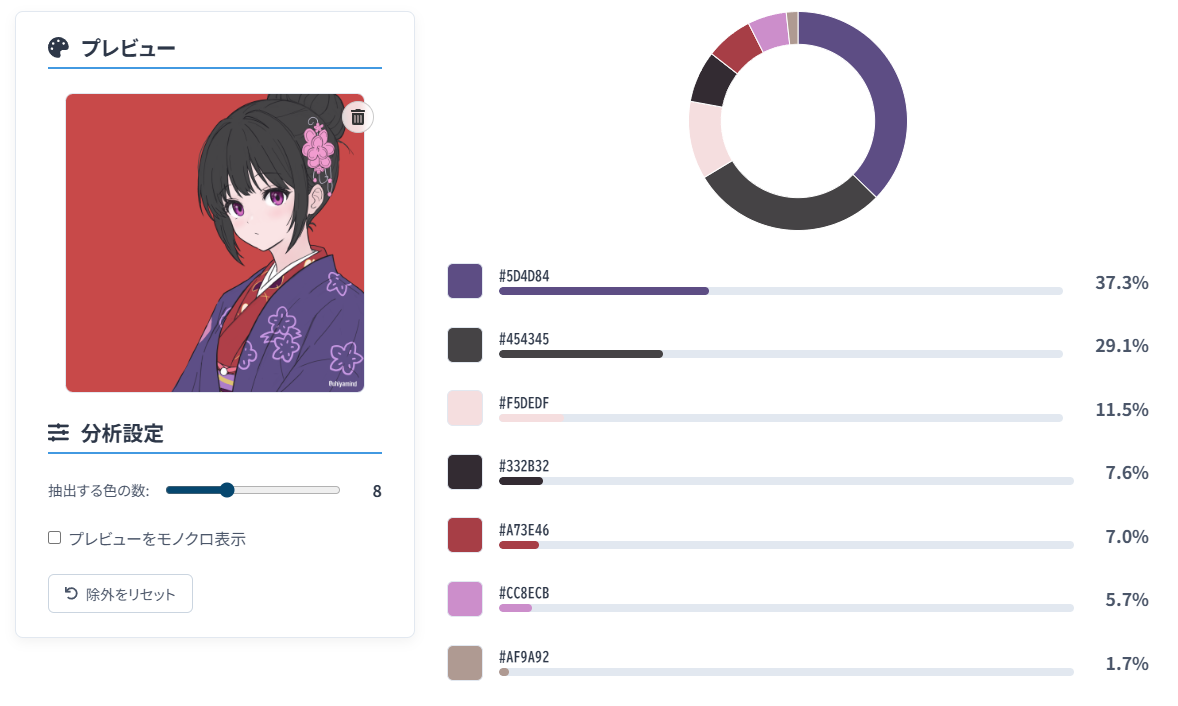
Why I Wanted to Know My Color Balance
When illustrating, I tend to choose colors by instinct. I'll think "this color feels right" as I paint, and after finishing, I wonder, "But objectively, what's the balance really like?"
Sampling colors with the eyedropper only tells you that a color is present -- it doesn't reveal the proportions. By understanding "which colors occupy how much area," you can uncover your own color habits and find areas to improve.
That's what motivated me to build a tool that visualizes color composition ratios in a pie chart.
What Is This Tool?

It's a tool that analyzes an uploaded illustration image and displays the types of colors used along with their proportions in a pie chart and list.
Use it whenever you want to check the color balance of your illustrations in concrete numbers. A feature to exclude unwanted colors (like backgrounds) from the analysis lets you focus specifically on the character's color scheme.
Features
- Start analysis by simply dragging and dropping an image -- nothing is sent to a server
- Visualize results with a pie chart and percentages
- Colors extracted using CIELAB color space (perceptually uniform) and k-means clustering
- Click unwanted areas (backgrounds, etc.) on the preview image to exclude them
- Manage excluded colors in a list, with the option to restore any of them
- Copy analyzed HEX codes with a single click
- All processing happens entirely in the browser -- safe for unpublished works
- Works on both PC and smartphone
How to Use It
The basic workflow is 3 steps:
- Upload an image
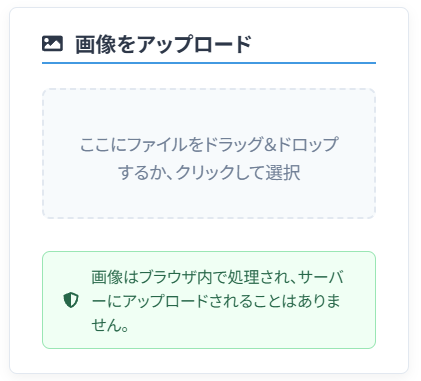
Drag and drop the illustration you want to analyze onto the left area, or click to select a file. The image stays in your browser -- it's never sent to a server.
- Review and adjust the analysis results
A pie chart and color list showing the color composition appear on the right. Use the slider on the left panel to adjust the number of colors to extract.
- Exclude unwanted colors (optional)

To exclude colors unrelated to the character (like backgrounds), click on the relevant area in the preview image on the left. The clicked region's color is added to the exclusion list, and the analysis results update in real time.
How to Use the Analysis Results
The analysis results can yield all kinds of insights:
- View your work objectively: Analyze a completed illustration and you might discover things like "a particular color dominates more than I expected" or "the accent color was too weak." It's a great way to identify your color habits and areas for improvement.
- Expand your color toolkit: Analyze your past works and ask yourself, "Why does this color scheme feel good?" By understanding main-to-sub color ratios and accent color usage in numbers, you can turn intuitive "sense" into concrete "technique."
- Build a color reference library: Analyze various illustrations and collect the results to create your own personal color reference library. You'll learn practical color rules like "energetic characters tend to have high warm-color ratios" or "cool characters use neutral tones effectively."
When analyzing others' works as color references, please be mindful of copyright and limit use to personal study.
How the Analysis Works
Behind its simple appearance, the tool uses carefully chosen techniques for accurate analysis.
CIELAB Color Space -- Closer to Human Perception: Instead of standard RGB values, color calculations use the "CIELAB" color space, which closely models human color perception. This groups pixels that "look similar to the human eye" rather than pixels that are merely "numerically close" in RGB.
k-Means Clustering -- Smart Average Color Extraction: Illustrations contain countless colors and gradients. To extract "representative colors" from this complexity, the tool uses k-means clustering. It automatically classifies the image's pixels into the specified number of color groups and extracts the average color from each group.
Safe and Browser-Based
This tool is designed with privacy as the top priority. From image selection through analysis to displaying results, all processing happens entirely within the browser.
Image data is never sent to or stored on any external server. The tool even works offline, so you can analyze unpublished works and personal illustrations without any risk of data leaks.