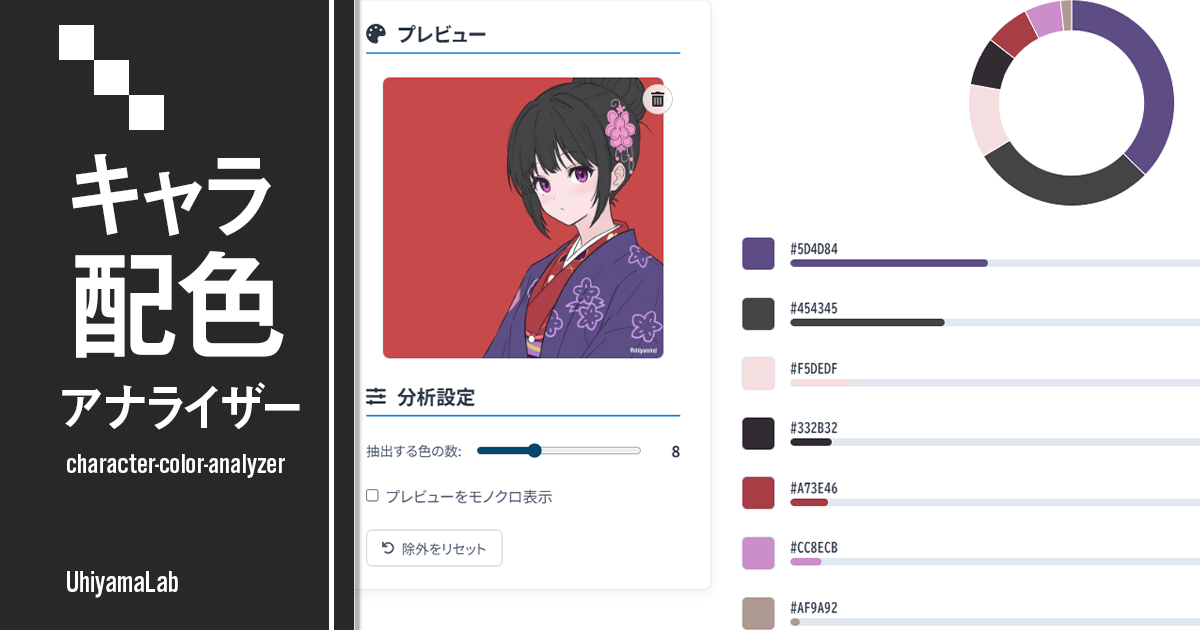
Character Color Analyzer
Analyze the color balance of character illustrations locally in your browser. Upload an image to visualize palette balance and study your own work or reference pieces.
Turn your illustration's colors into insight
Upload an image
Drag and drop a file here, or click to choose one
Auto color extraction
A palette with base, main, and accent roles
Color wheel
Hue and saturation relationships at a glance
Tone map
Value × saturation describes your style
Palette card
Download the analysis as a PNG card
Click to exclude
Remove the background and focus on your character
Analyze colors in 3 steps
Upload an image
Drag and drop a file or click to choose the illustration you want to analyze. Everything stays in your browser.
Refine the palette
Click background areas to exclude them, and adjust how many colors are shown (3–8). All analyses update instantly.
Analyze and export
Review the color wheel, temperature, tone map, and value steps, then save the palette as a single PNG card.
How this tool works
This tool is designed for illustrators and designers who want to inspect color balance in detail. It extracts the dominant colors from an image, plots them on a color wheel with saturation mapped to distance from the center, and visualizes the tonal structure on a value × saturation tone map together with value steps and color temperature. Rather than prescribing an ideal, it focuses on describing your palette objectively — the 70:25:5 ratio is shown only as a reference. Extraction uses a fixed random seed, so the same image always produces the same palette. All processing is completed locally in the browser, and uploaded images are never sent to a server.
- Smart resizing: To balance speed and accuracy, large images are resized while keeping their aspect ratio, up to roughly 160,000 pixels.
- CIELAB color space: Color clustering is performed in CIELAB space, which better matches human color perception than raw RGB values.
- Deterministic k-means++: Similar pixels are grouped with k-means++ initialization and a fixed random seed, so results are reproducible: the same image always yields the same palette.
Character Color Navigator
A palette assistant focused on character color design. Pick a base color and get seven color schemes based on color theory. Copy HEX codes with one click or save the palettes as an image.
v3.0.0(2026/07/04)
- Complete visual redesign (preview and palette on the left, analysis on the right)
- Save the analysis as a palette card (PNG)
- Added eyedropper (copy) and exclude buttons to each color for clearer controls
- Added a tone map that shows the palette's character by value and saturation
- Added value steps (dark to light) and a value range display to the brightness analysis
- Each analysis card now shows a green check (good) or a lightbulb (suggestion), with concrete color examples for suggestions
- Improved the color wheel to show saturation as well as hue
- Added a role balance display (70:25:5 is just a reference)
- The number of displayed colors can now be adjusted from 3 to 8
- The same image now always produces the same analysis result
- Added a color bar under the preview (click to copy)
- Added light animations when analysis results appear
- Added English support
- Improved color temperature detection (low-saturation colors such as gray count as neutral)
- The palette balance chart and saturation bars were merged into the palette percentages and the tone map
- Redesigned the upload screen and removed the tutorial modal
- Copy notifications now use toast messages
v2.1.0(2025/10/15)
- UI improvement: Major tool layout update with optimized analysis progress display
v2.0.0(2025/08/08)
- Color circle analysis: Plot 5 colors on the color wheel to visualize color relationships. Detect color harmony patterns (monochromatic, analogous, complementary, triad, etc.)
- Color temperature balance analysis: Visualize warm/cool/neutral color ratios to analyze color temperature feel
- Lightness & saturation distribution: Analyze brightness and vividness distribution in 3 levels to evaluate color balance
- Improvement advice: Provide color balance improvement hints based on analysis results
v1.1.1(2025/06/21)
- UI/UX improvement: Adjust magnifier position on mobile so it is not hidden by finger
- UI/UX improvement: Allow color selection on drag end to unify tap and drag behavior
- UI/UX improvement: Move monochrome toggle to preview area to streamline settings
v1.1.0(2025/06/21)
- UI/UX improvement: Expand preview area for improved usability
- New feature: Add magnifier (loupe) to preview image for more precise color picking
- Enhance mobile support: Display magnifier on touch interaction and fix page scrolling issue
v1.0.0(2025/06/09)
- Initial release. Support image upload, color analysis with CIELAB color space and k-means clustering, interactive color exclusion, extracted color count adjustment, and monochrome preview.