
"The Miliastra Wonderland tutorial videos use English UI and I can't follow along..."
Sound familiar? Genshin Impact's "Miliastra Wonderland" is an amazing UGC (User-Generated Content) feature, but since the official tutorials use English UI, many Japanese-speaking users struggle to find the corresponding nodes in their Japanese interface.
This article provides screenshots of every node configuration from the tutorial videos, captured in the Japanese UI. Use it alongside the videos for a smoother learning experience.
Related Links:
- Miliastra Wonderland Official Site
- Miliastra Wonderland Official X (formerly Twitter)
- Miliastra Wonderland Official YouTube
What Is Genshin - Miliastra Wonderland?
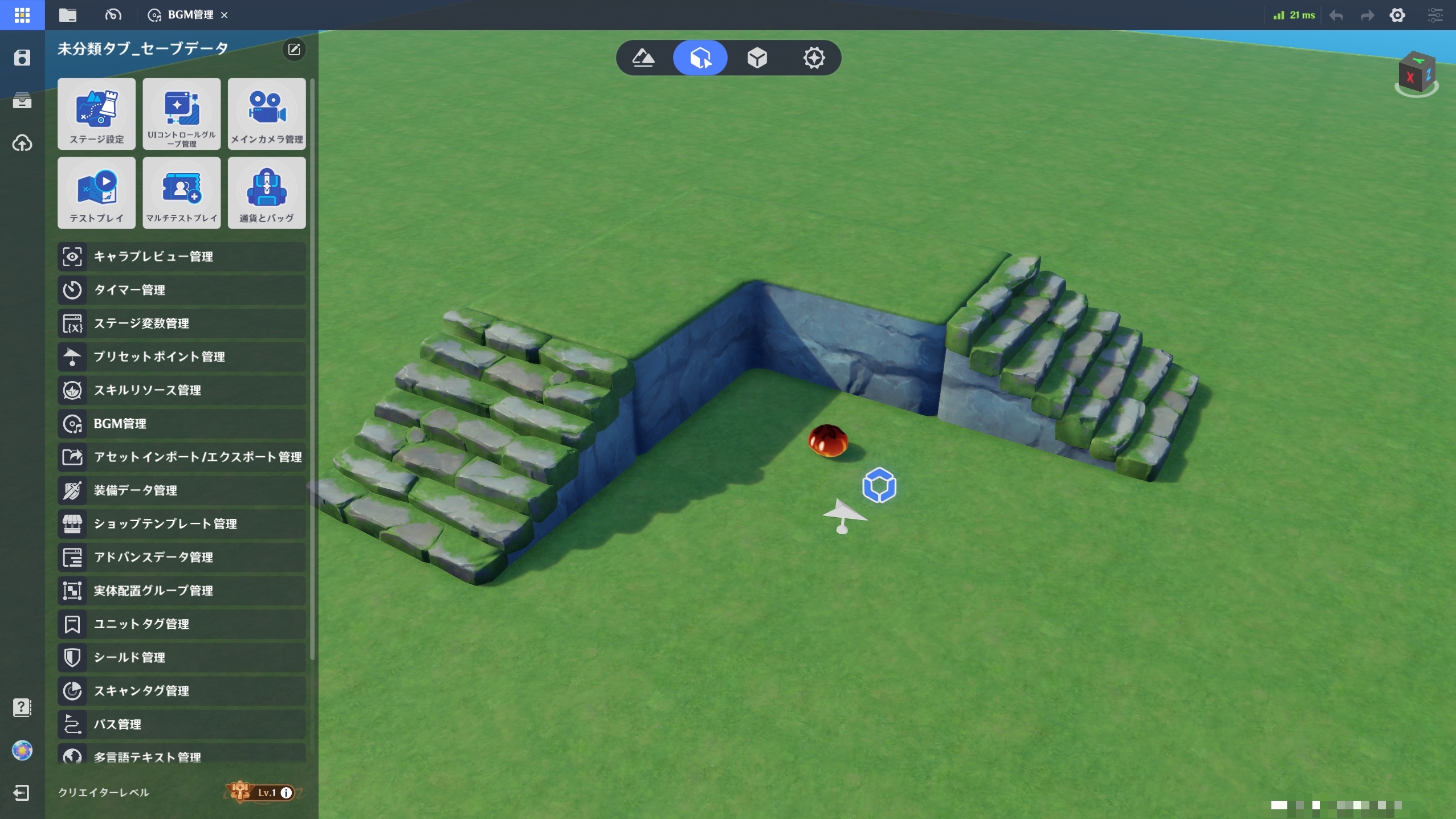
"Genshin Impact - Miliastra Wonderland" is a UGC (User-Generated Content) feature added to Genshin Impact on October 22, 2025. It lets you create original games using Genshin's assets through a visual scripting system.
Getting Started
- Complete the Genshin Impact prologue
- The "Miliastra Wonderland" mode becomes unlocked
- Select "My Wonderland"
- Start node editing in the editor
Node editing opens in a separate window where you connect visual nodes to build game logic.
About Creator Level
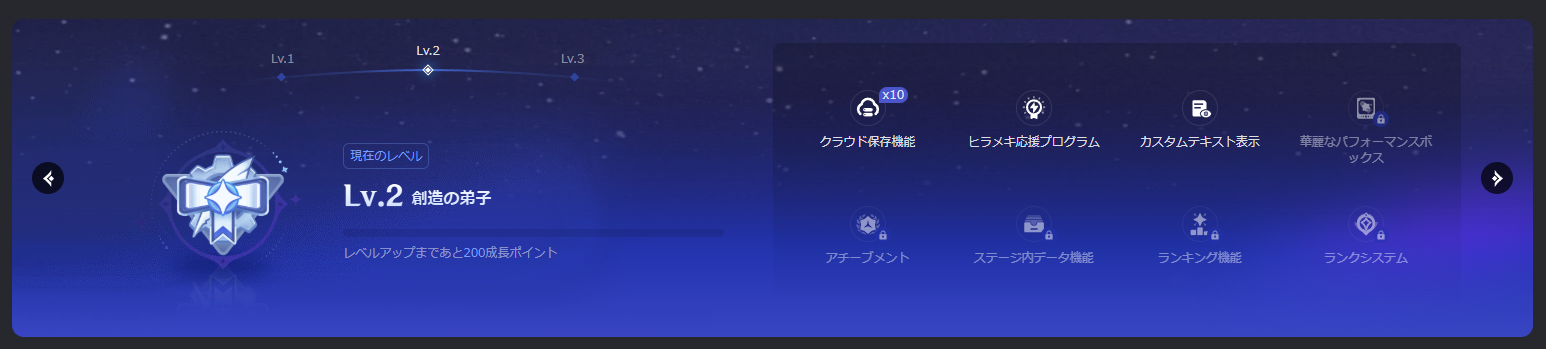
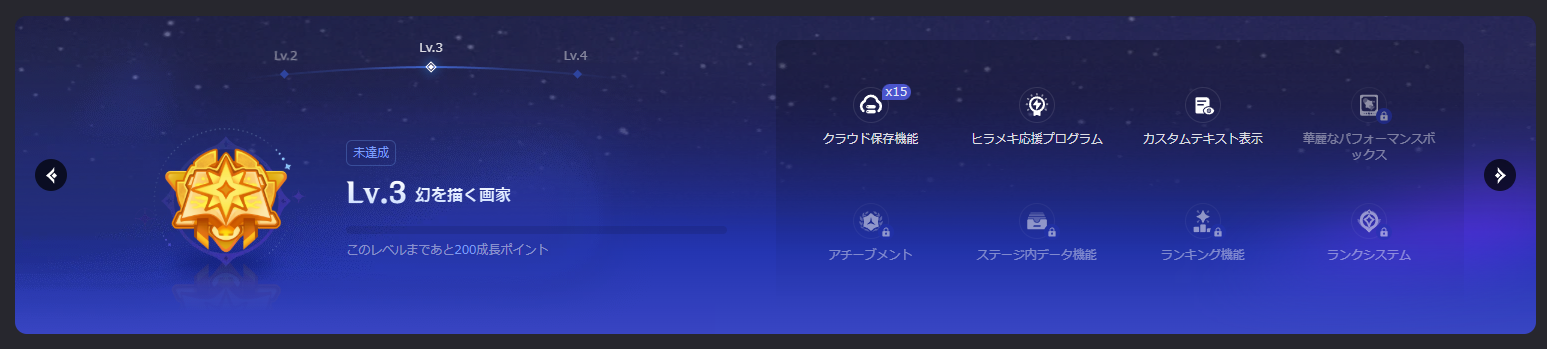
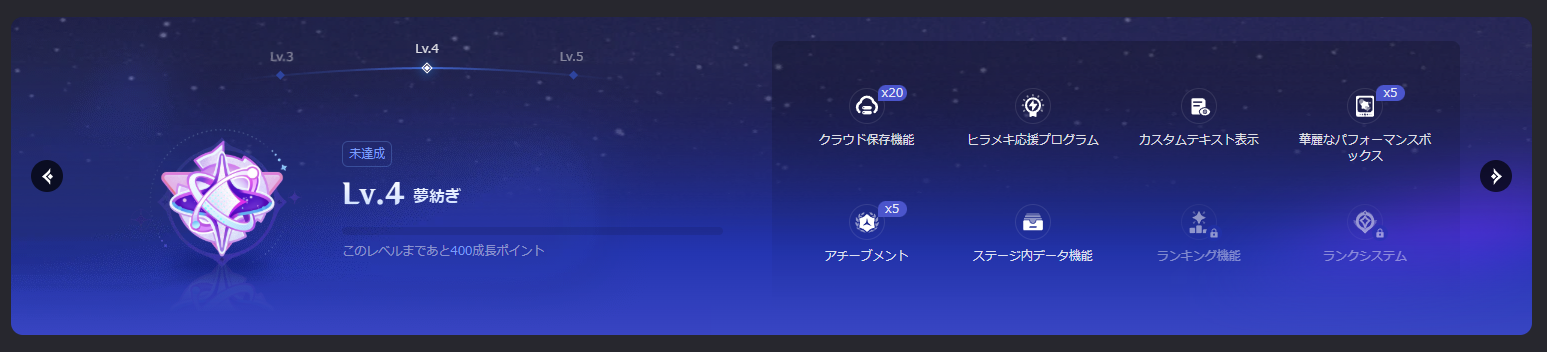
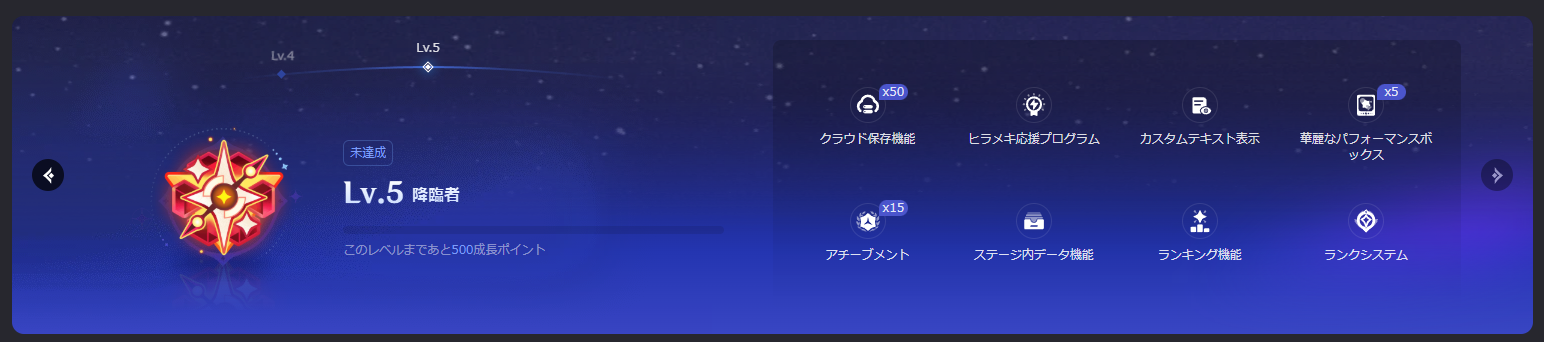
In Genshin's Miliastra Wonderland, some features require a "Creator Level" to access. Levels range from 1 to 5, with various features being unlocked or expanded at each level.
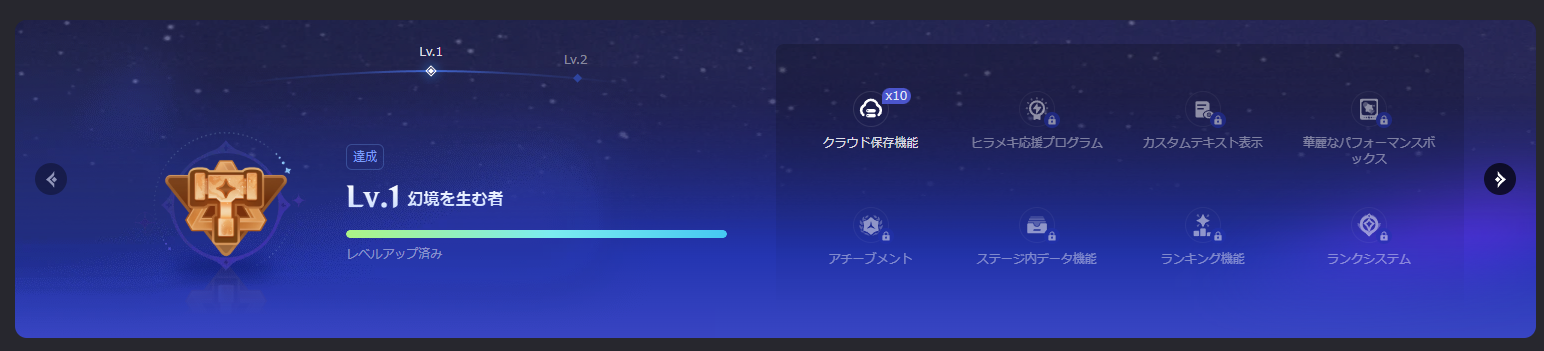
8 Major Features Unlocked
The following 8 features are progressively unlocked and expanded based on your Creator Level:
- Cloud Save - Cloud storage for wonderland data
- Inspiration Support Program - Creative support program
- Custom Text Display - Display custom text content
- Performance Box - Performance optimization features
- Achievements - Implementation of achievement elements
- In-Stage Data - Stage data management
- Ranking - Ranking system
- Rank System - Player rank features
Features Unlocked/Expanded at Each Level
How to Level Up
Miliastra Wonderland has a "Wonderland Level" earned by playing wonderlands, but this is separate from "Creator Level." Playing games won't increase your Creator Level. To level up, you need to complete Growth Tasks.
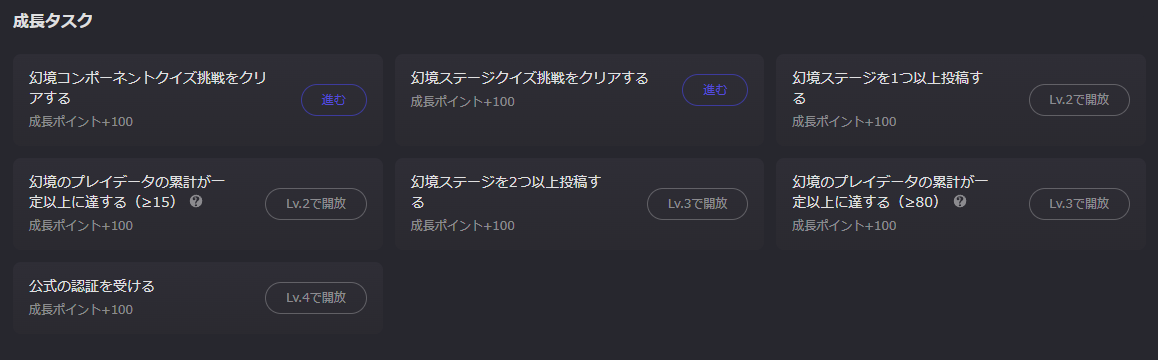
Reaching Creator Level 2
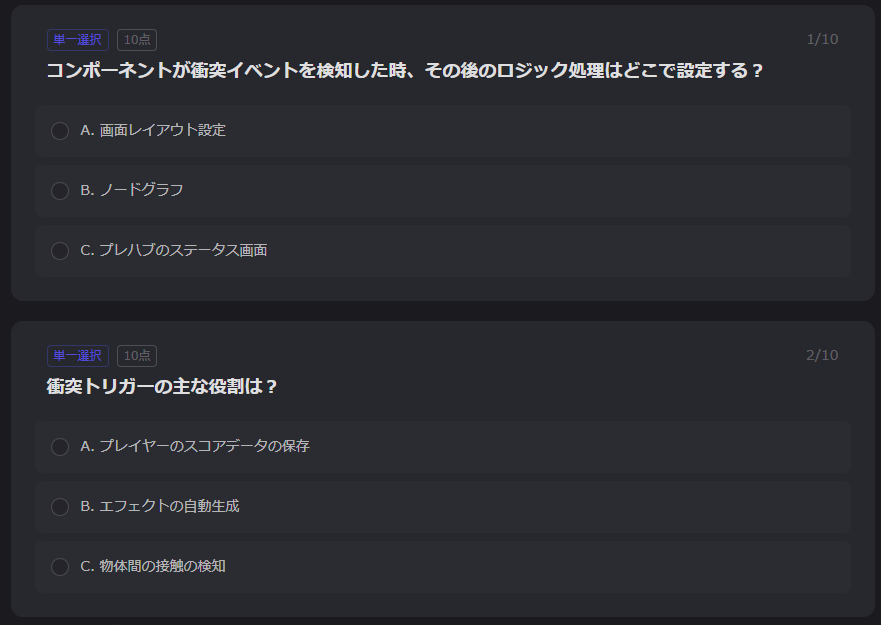
Complete two quizzes in the Creator Portal: "Wonderland Component Quiz Challenge" and "Wonderland Stage Quiz Challenge." The questions are easy to answer if you've watched the tutorials, so aim for Level 2 first.
Level 3 and Above
You'll need to publish your created wonderland and have a certain number of players try it. Joining the official Discord to connect with other creators and share ideas is recommended.
About Reward Changes
Creator Level rewards may be updated in the future. For example, in the October 31, 2025 adjustment, the tab option that displays "Open" when opening treasure chests was moved from a Lv.3 reward to Lv.2.
Reference: About Creator Level and Benefit Adjustments
About the Miliastra Wonderland Tutorial Videos
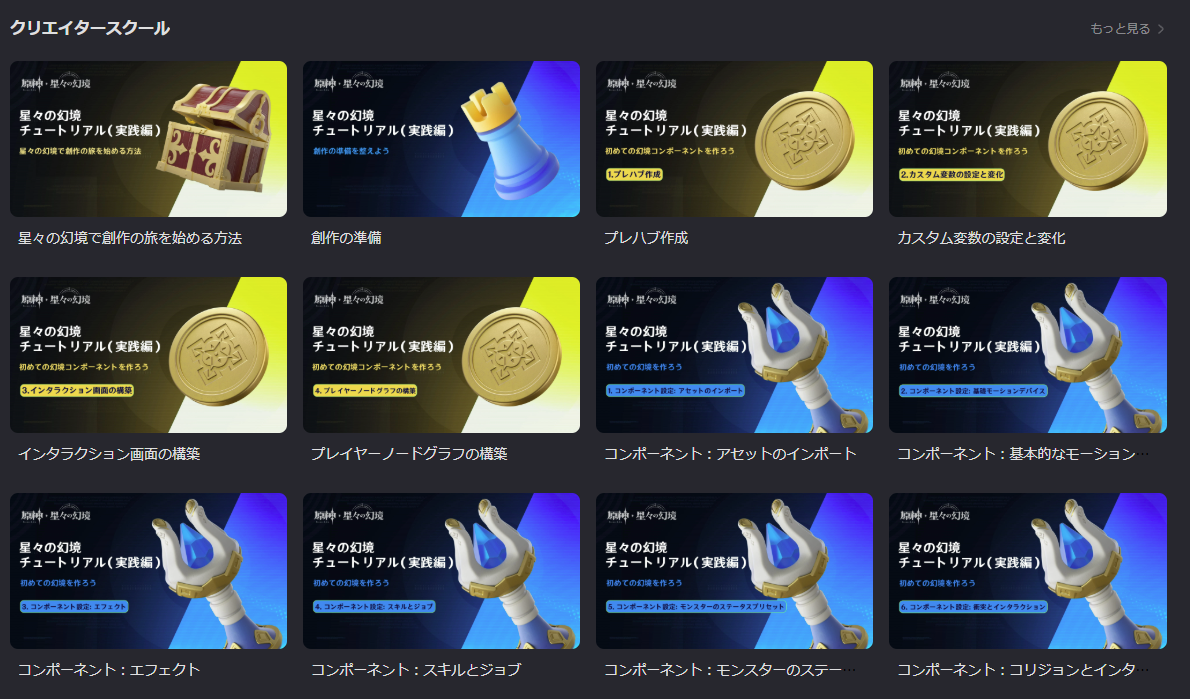
Tutorial videos for Genshin Impact's Miliastra Wonderland are available on the official Creator Portal, YouTube, and X accounts.
Two video series available as of October 2025:
- "Build Your First Wonderland Component" - Learn the basics by creating coins and building a system where collecting 5 coins clears the stage
- "Build Your First Wonderland" - Learn to create and connect complex components like enemy spawning, leveling up, and treasure chest mechanics
Both are well-structured tutorial videos, but since they're presented in English UI, finding the same nodes in Japanese can be surprisingly difficult.
This article supplements the official tutorials by compiling node configuration screenshots from the Japanese UI version. Refer to these images alongside the videos for a smoother learning experience.
Build Your First Wonderland Component
2. Setting and Modifying Custom Variables
Official Tutorial Video https://www.youtube.com/watch?v=tXXd-y4qWnE
Node: "Prefab - Score on Pickup"
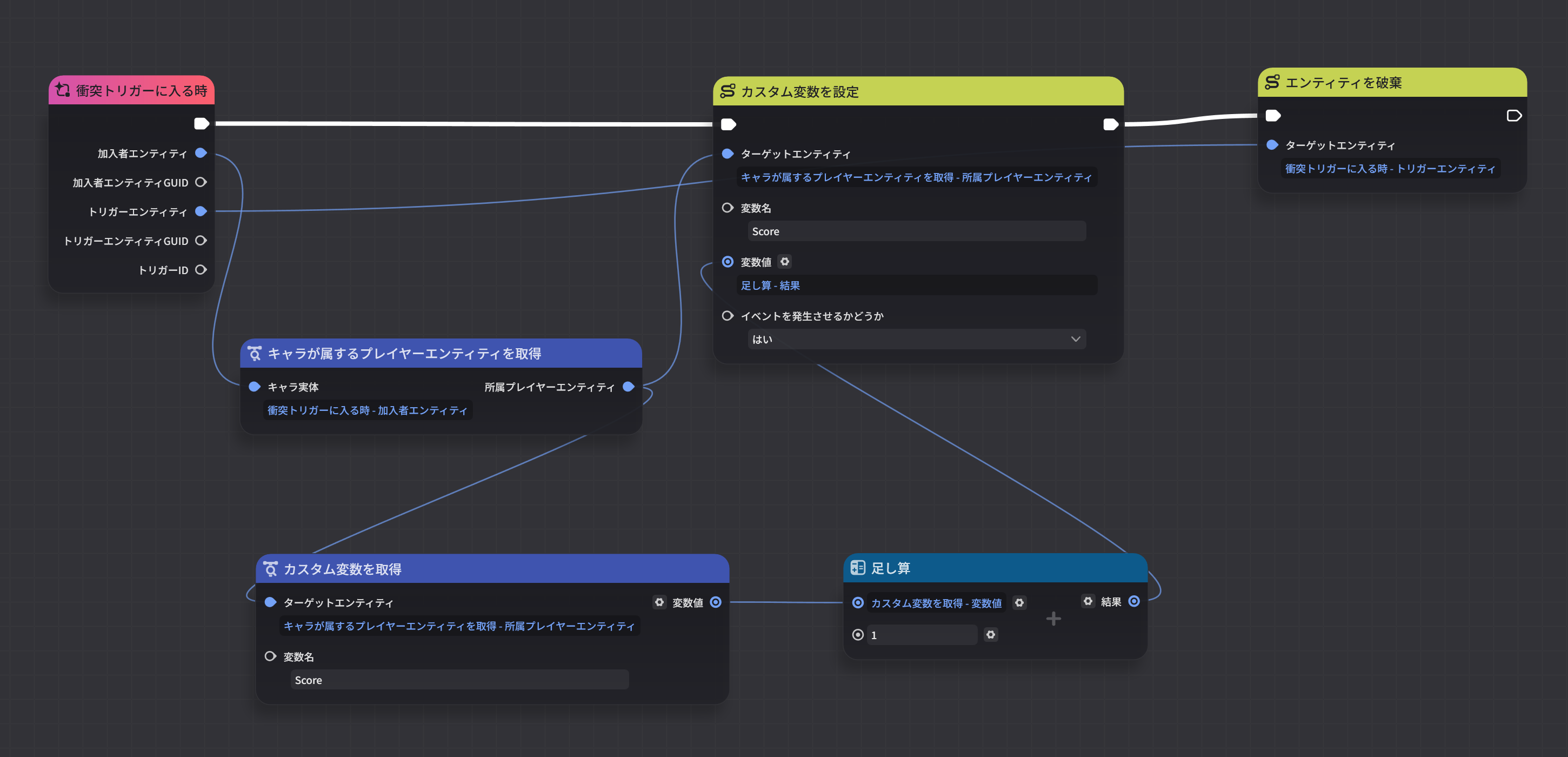
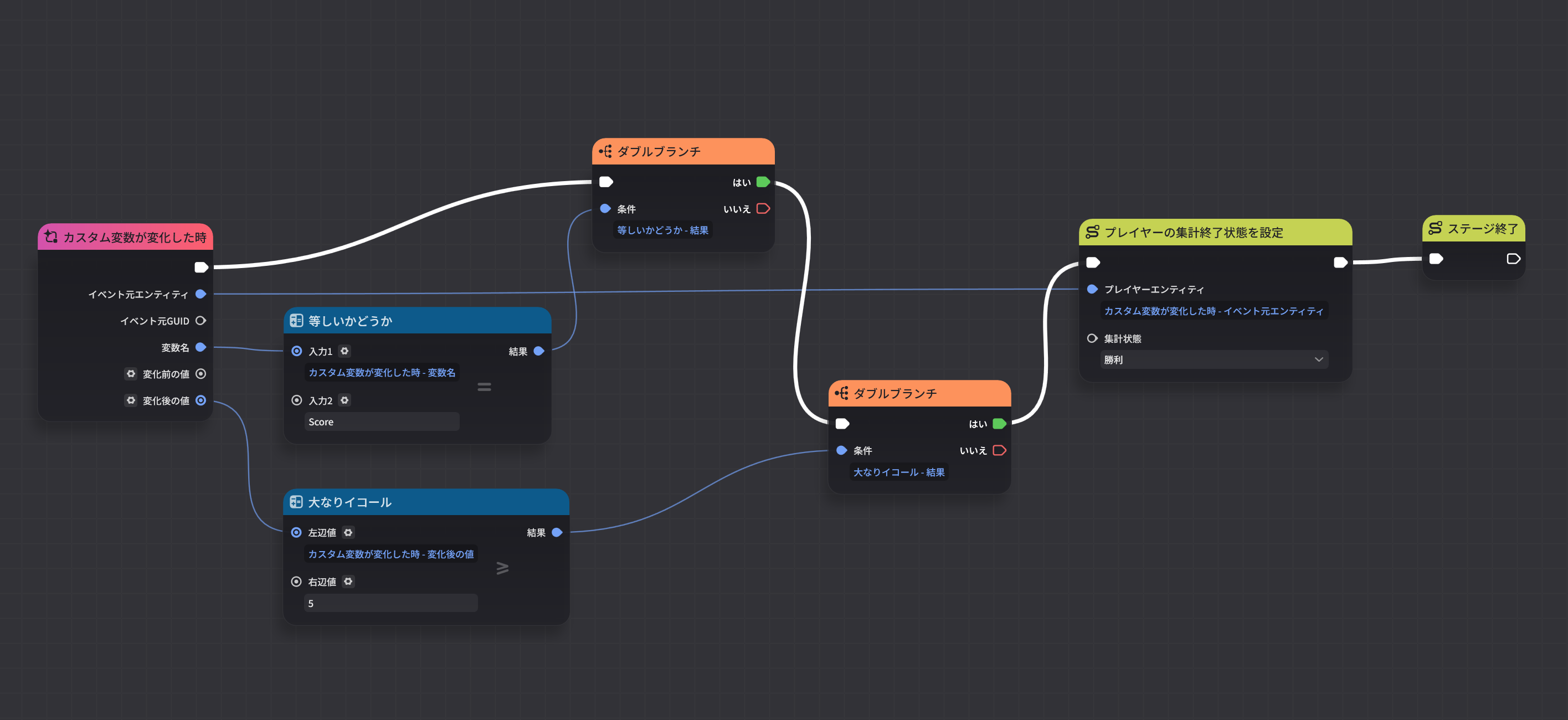
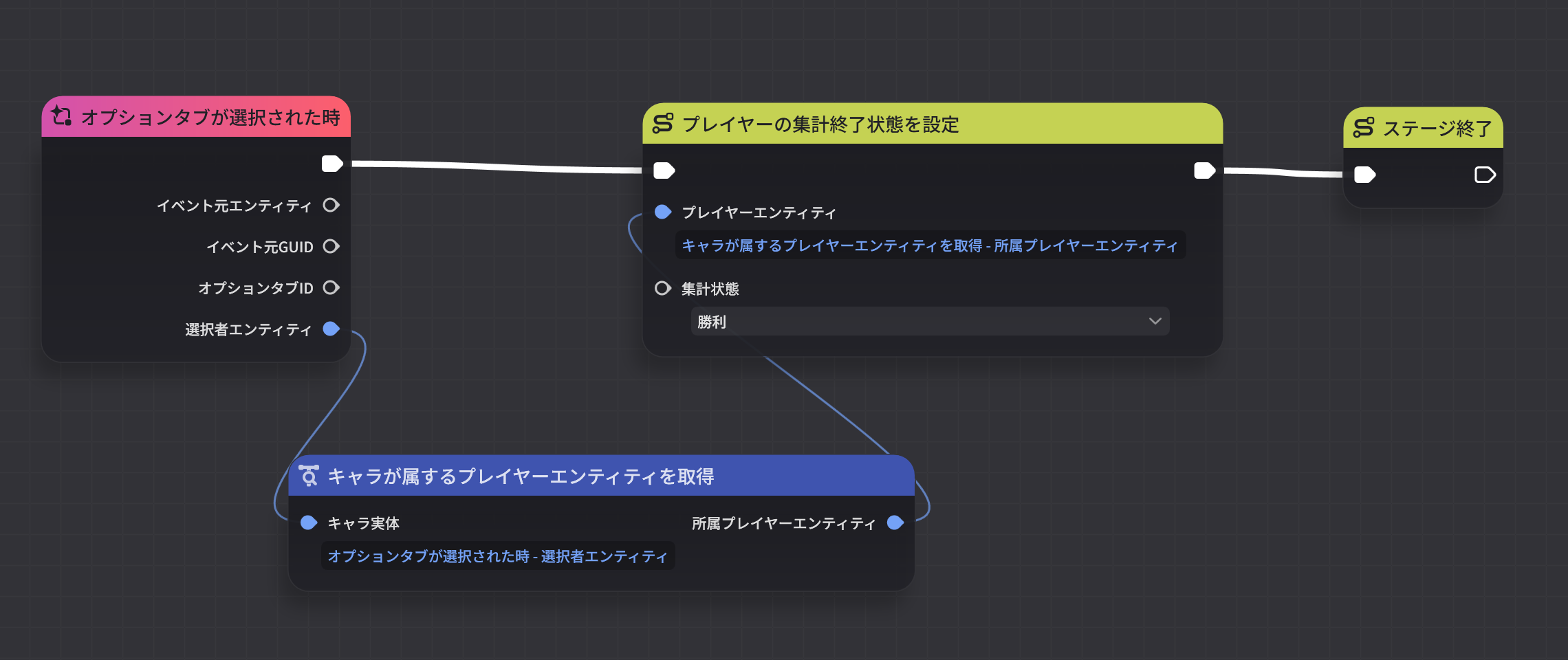
4. Building a Player Node Graph
Official Tutorial Video https://www.youtube.com/watch?v=9tzrJLzuDGI
Node: "Player - End Wonderland"
Build Your First Wonderland
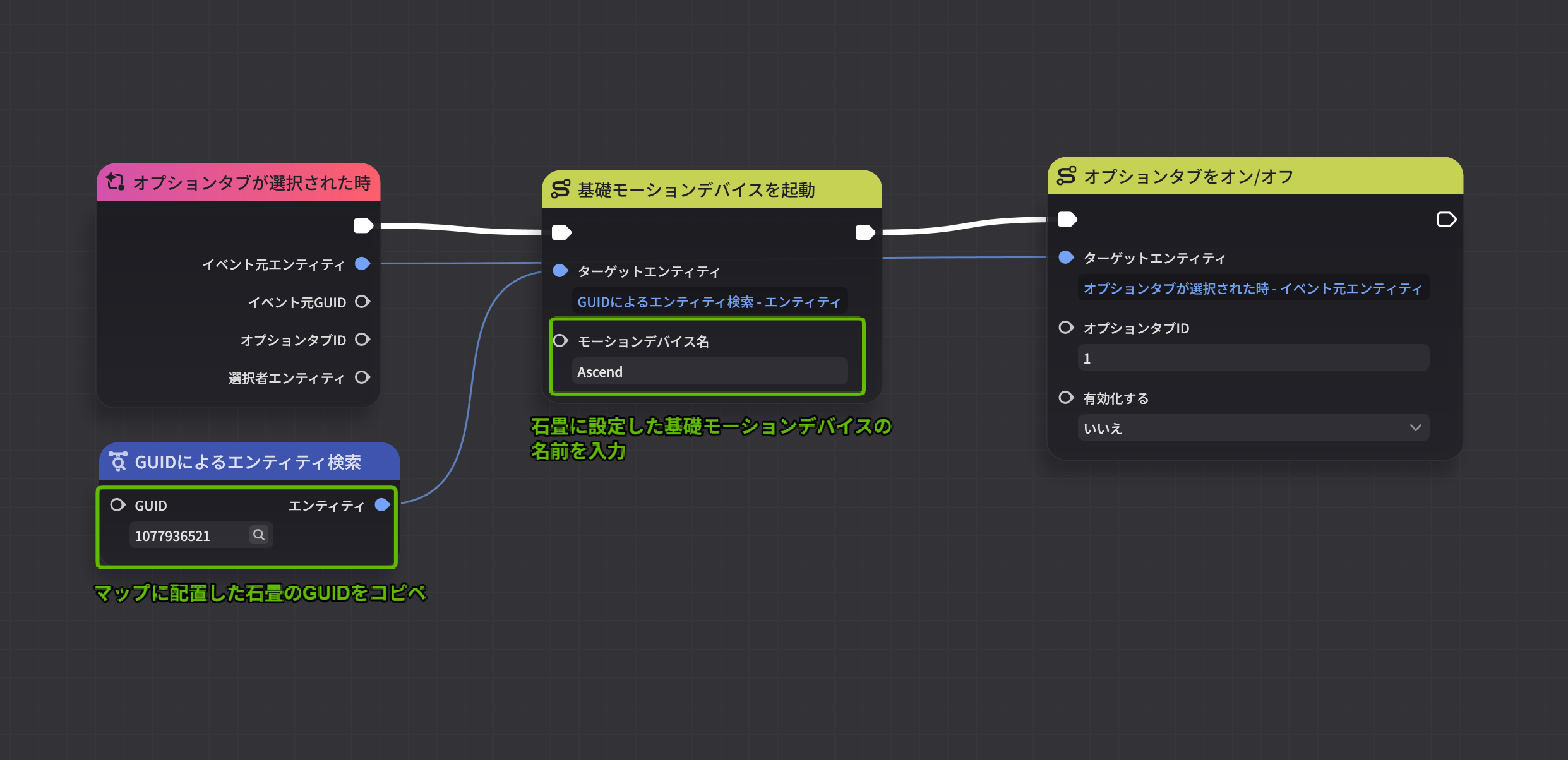
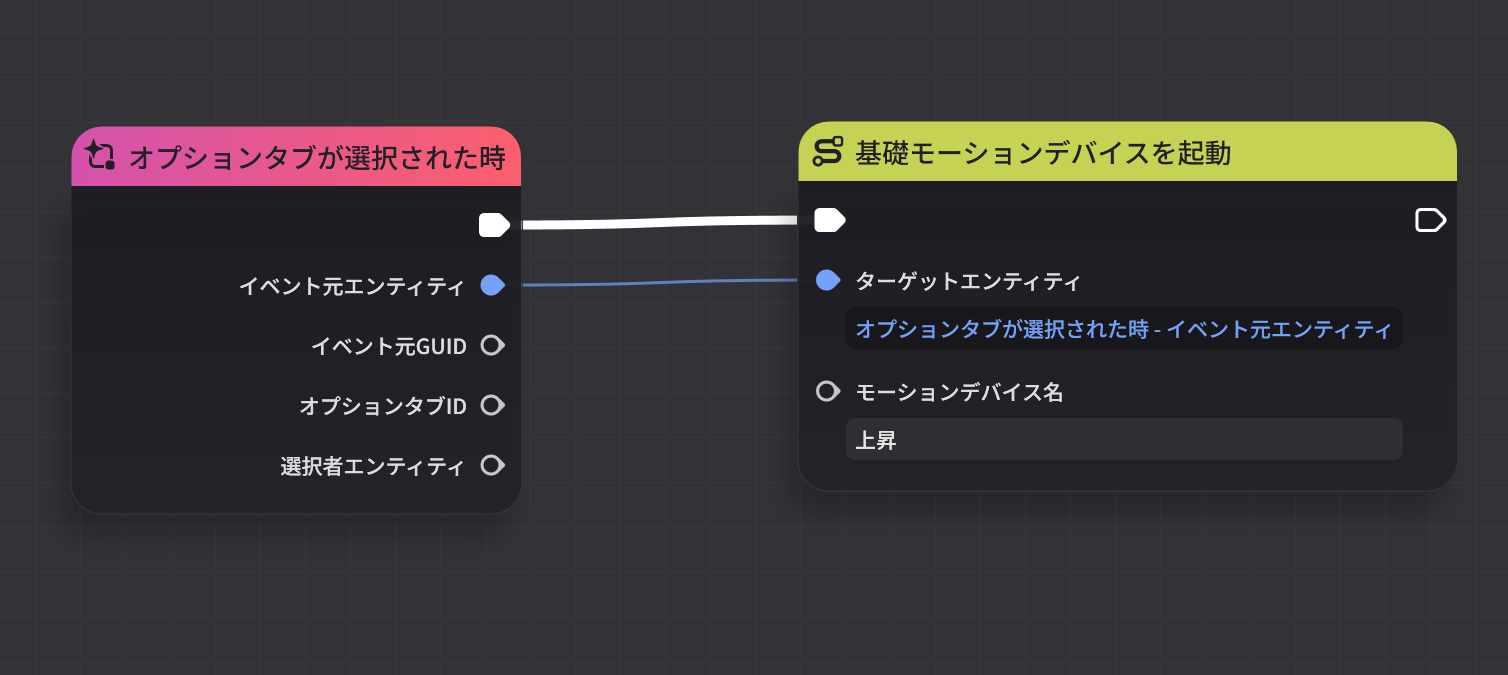
2. Basic Motion Devices
Official Tutorial Video https://www.youtube.com/watch?v=1EswERt2m3c
Node: "Activate Cobblestone"
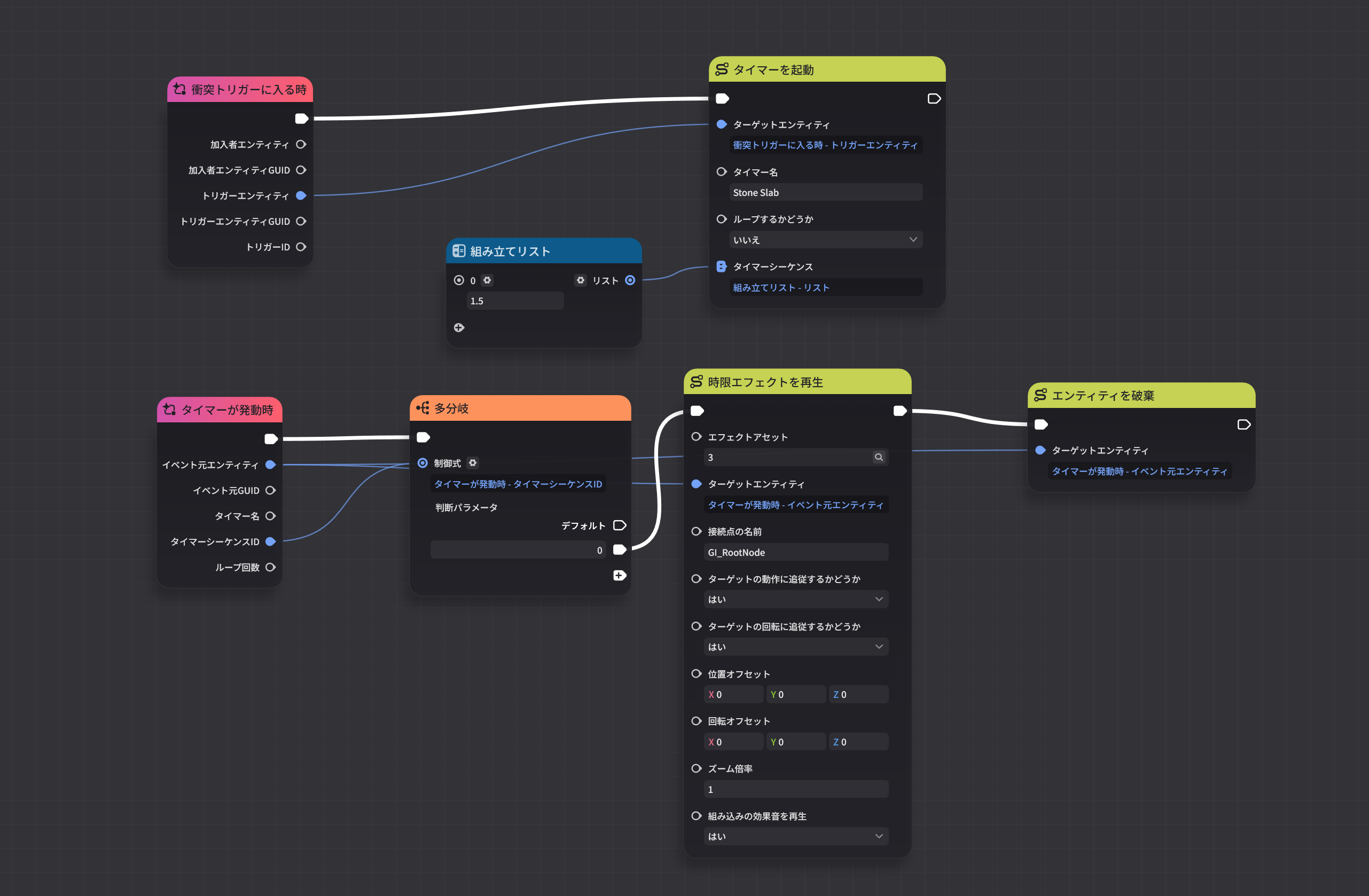
Node: "Collapse Cobblestone"
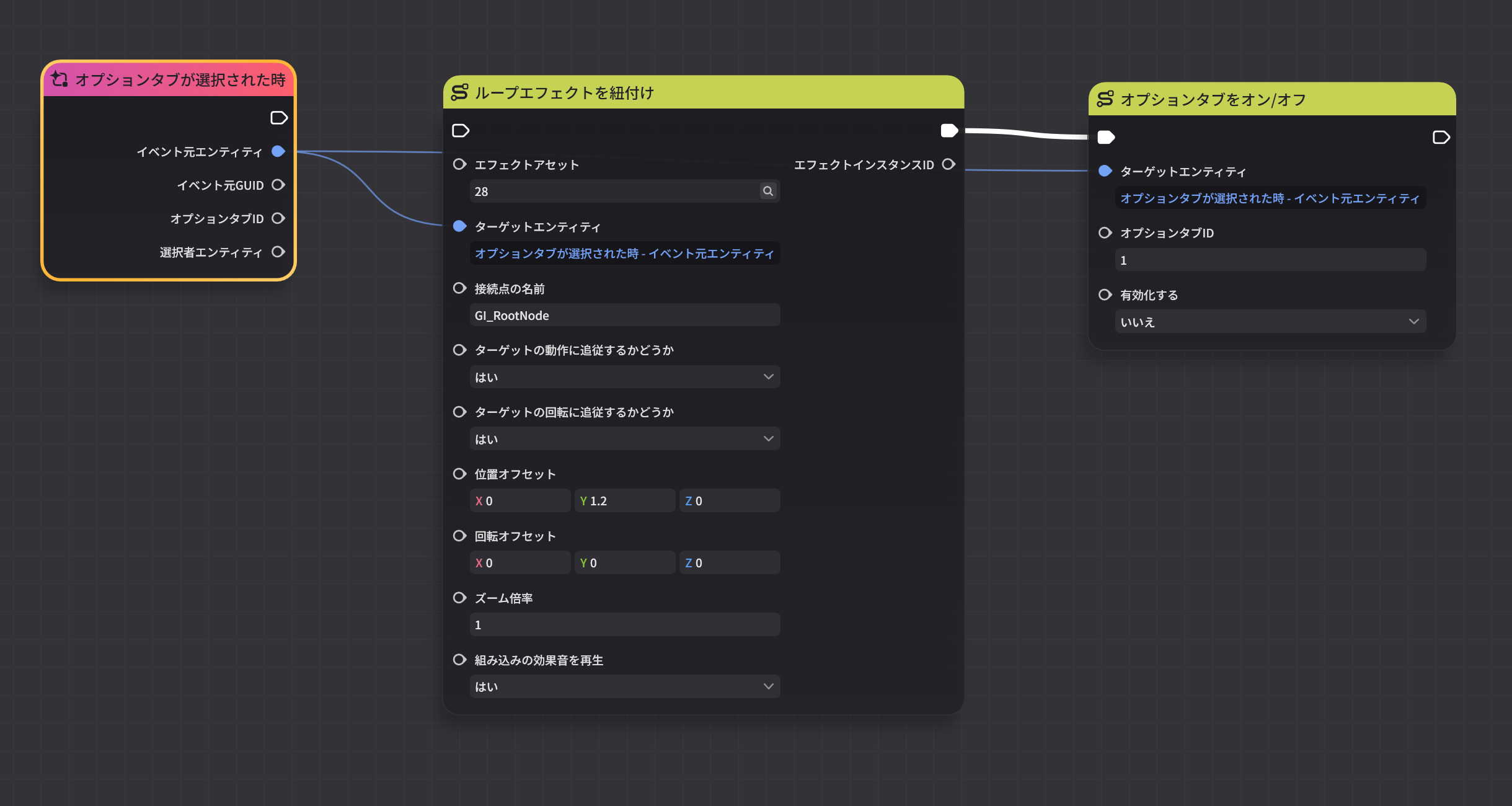
3. Effects
Official Tutorial Video https://www.youtube.com/watch?v=I8F0bvl4jKY
Node: "Light the Torch"
4. Skills and Jobs
Official Tutorial Video https://www.youtube.com/watch?v=yQoQn5IzJqc
Node: "Acquire Combat Ability"
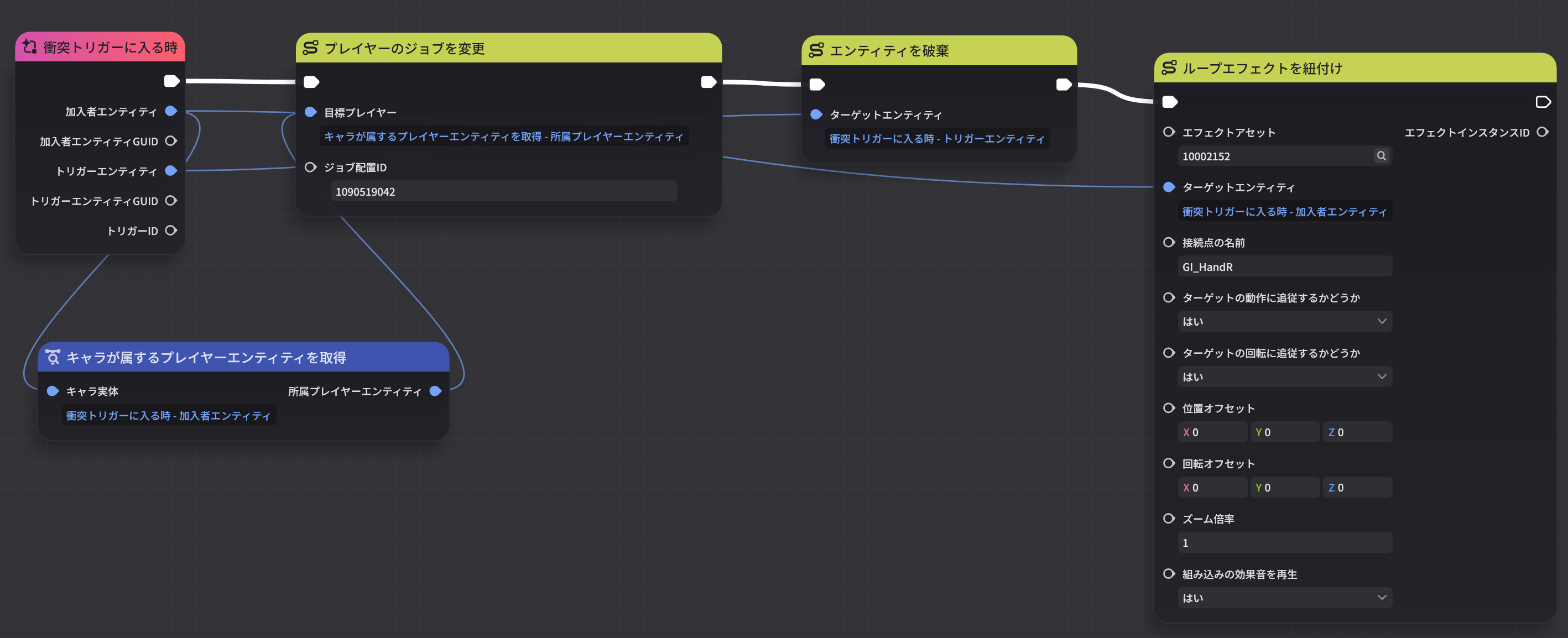
5. Monster Status Presets
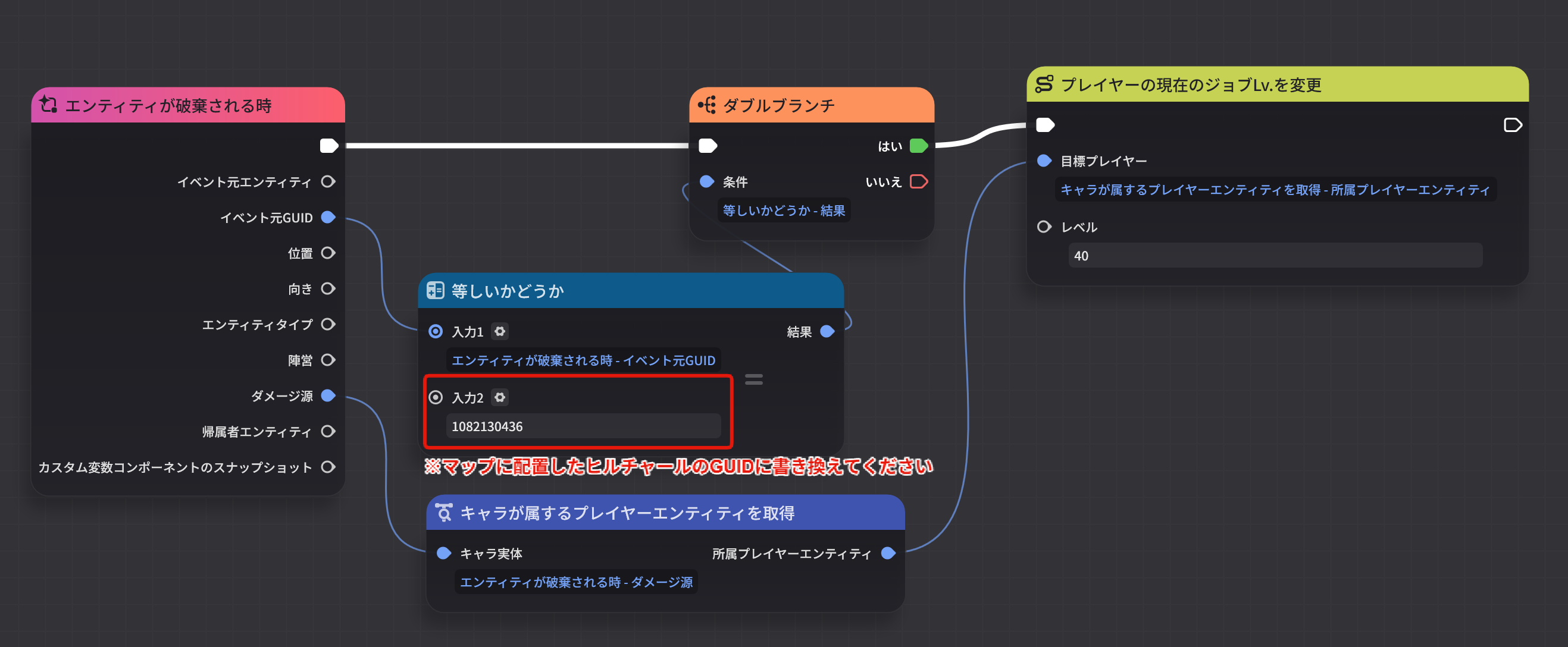
Official Tutorial Video https://www.youtube.com/watch?v=It5UWLvC9fg
Node: "Reach Lv40"
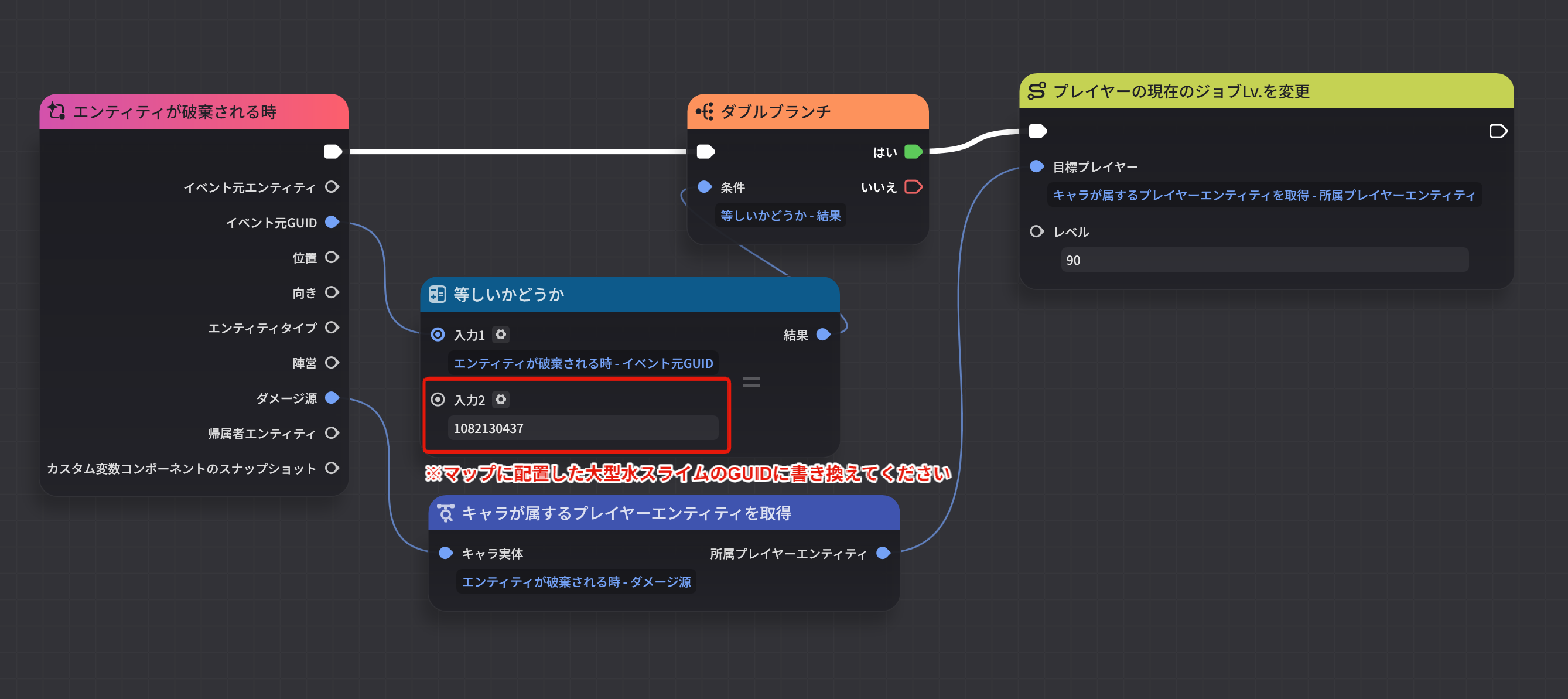
Node: "Reach Lv90"
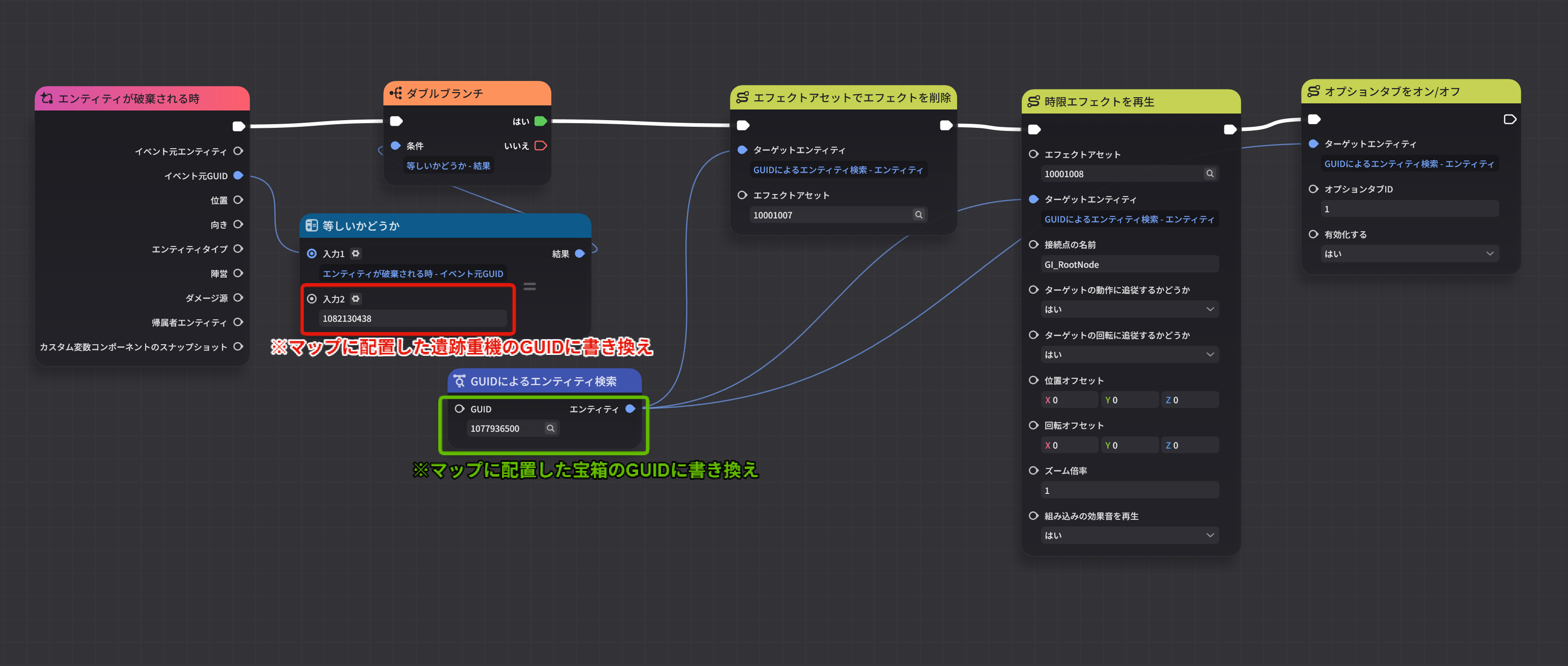
Node: "Unlock Treasure Chest"
Node: "Open Treasure Chest"
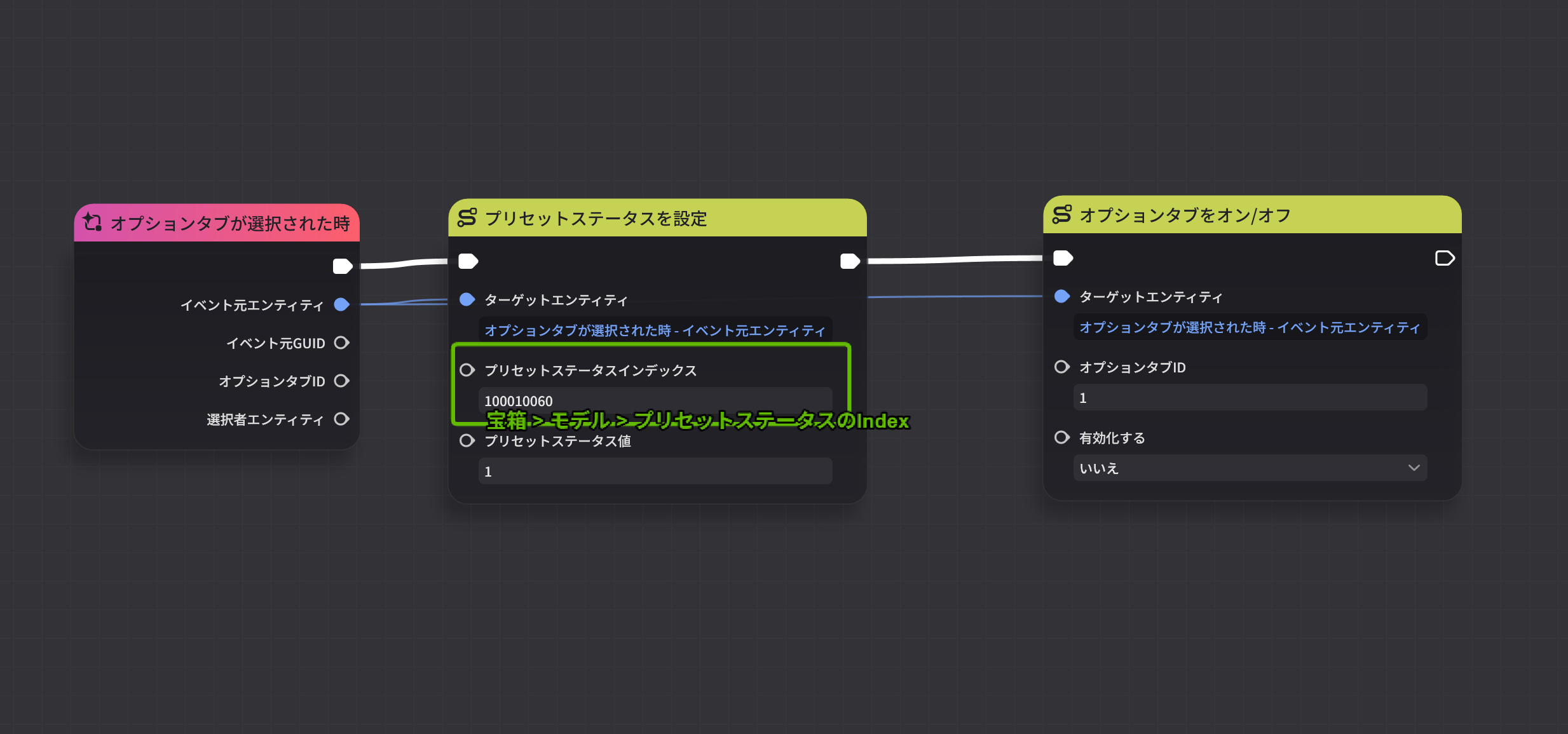
6. Collision and Interaction
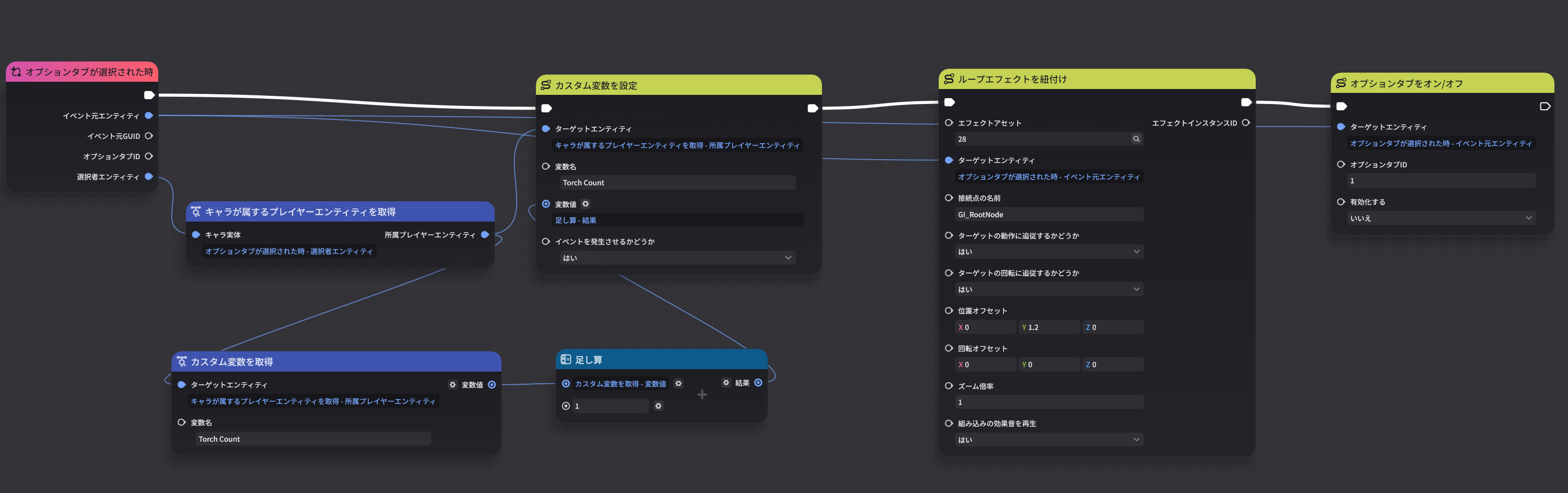
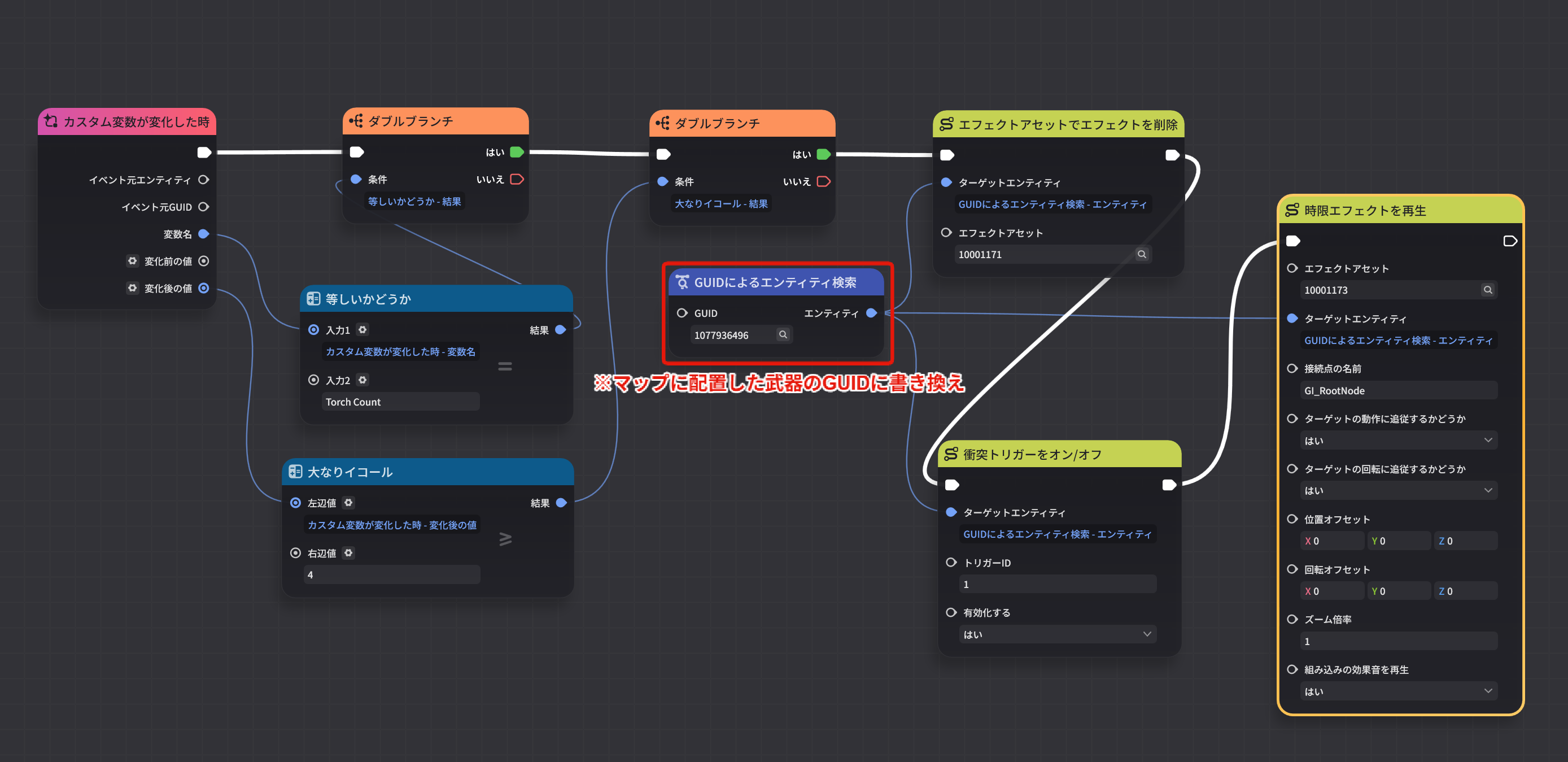
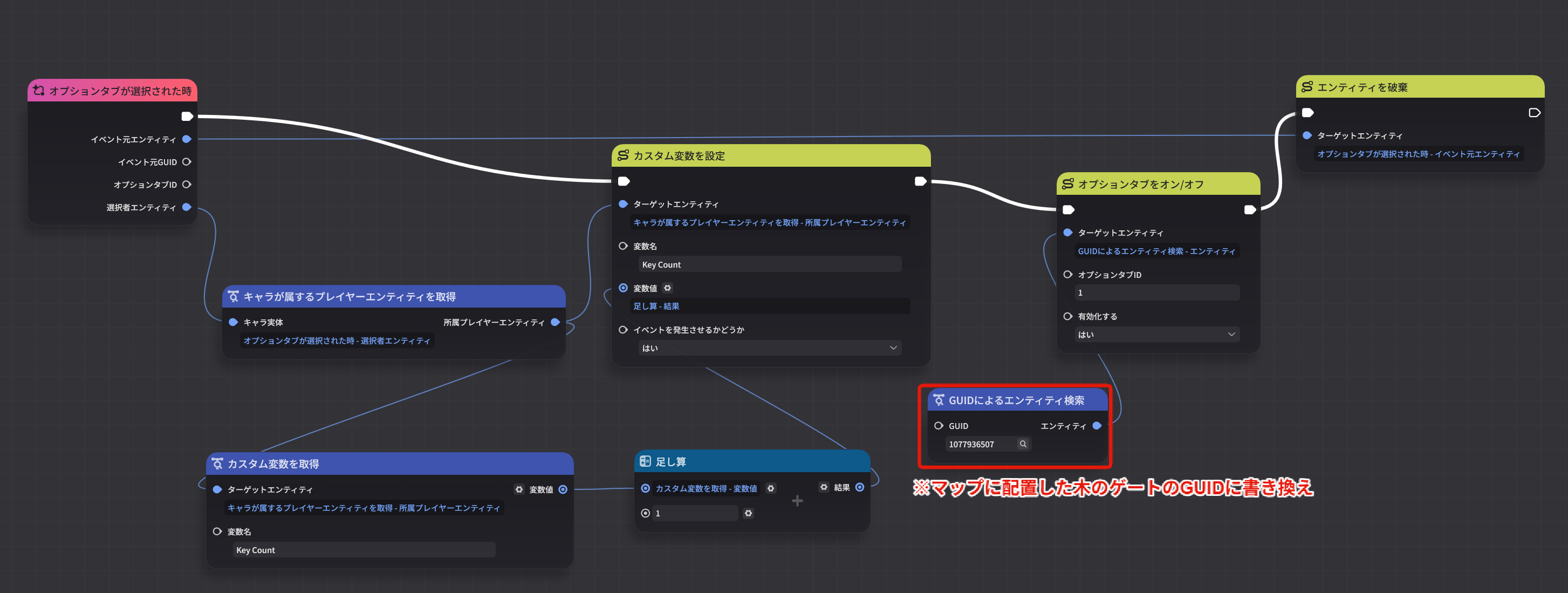
Official Tutorial Video https://www.youtube.com/watch?v=ZrlBqOkgLmE
Node: "Light the Torch" (with variable addition)
Node: "Unlock Weapon"
Node: "Pick Up Key to Open Gate"
Node: "Open Wooden Gate"
Node: "Exit Wonderland"
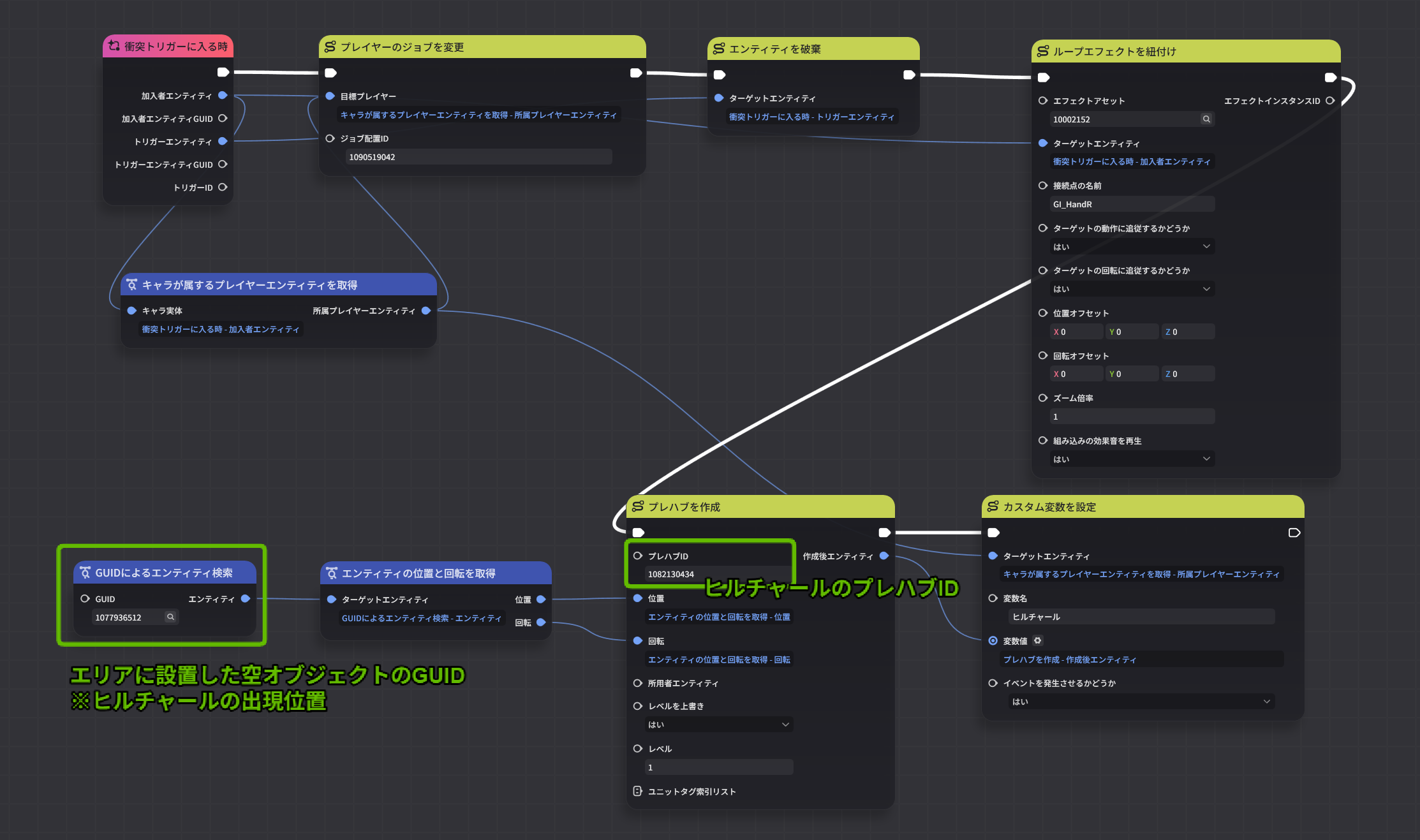
7. Logic Design
Official Tutorial Video https://www.youtube.com/watch?v=cL1VYOA5zDg
Node: "Acquire Combat Ability" (Hilichurl spawn version)
Node: "When Reaching Lv40" (Hilichurl version)
.png)
Node: "Open Treasure Chest" (key spawn version)
.png)
Node: "Player End Wonderland" (with effects + exit device activation)
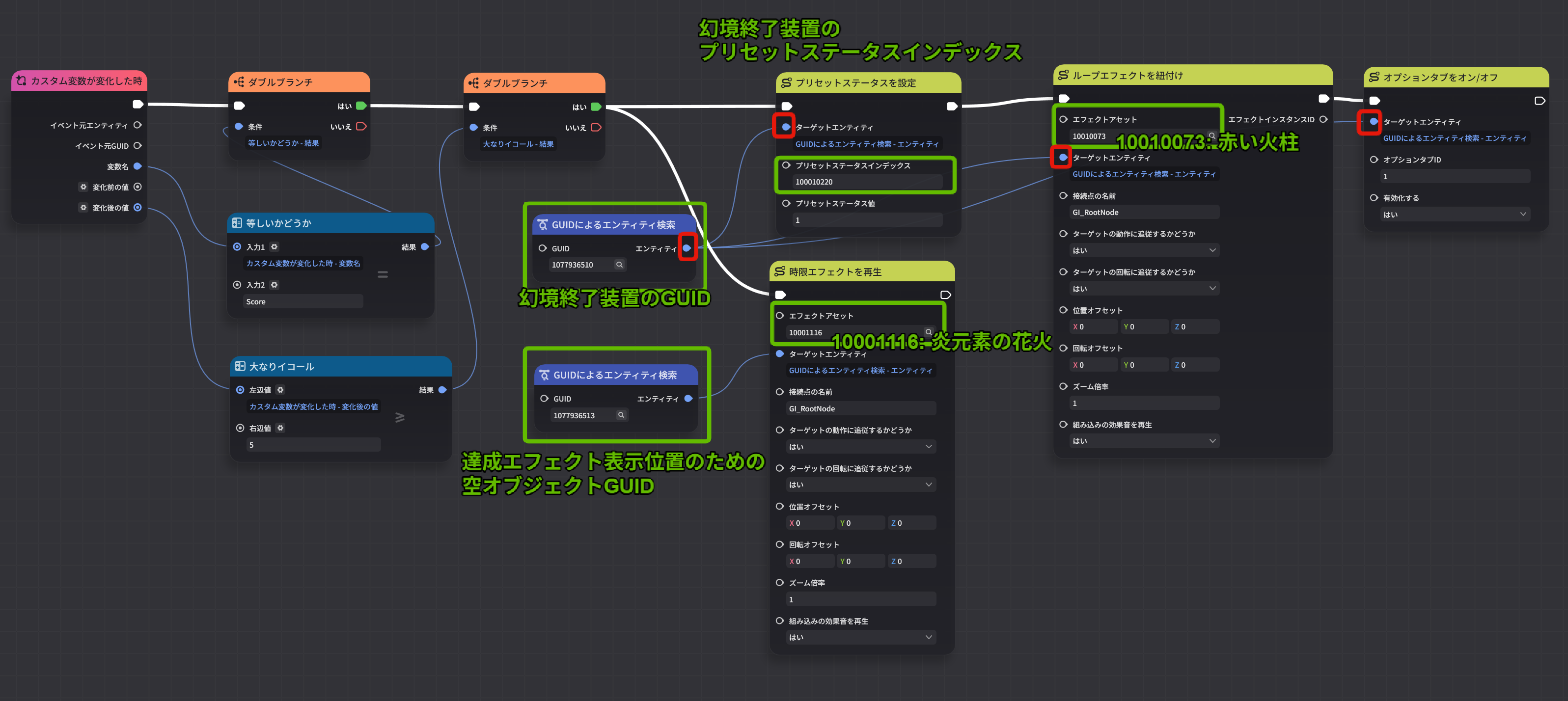
8. Building the Wonderland
Official Tutorial Video https://www.youtube.com/watch?v=vHCWOKq8kTI
Node: "Activate Cobblestone" (5 cobblestones simultaneous activation)
.png)
Node: "Player - End Wonderland" (with effects added)
.png)
9. Interface
Official Tutorial Video https://www.youtube.com/watch?v=Z-f88zYNrlo
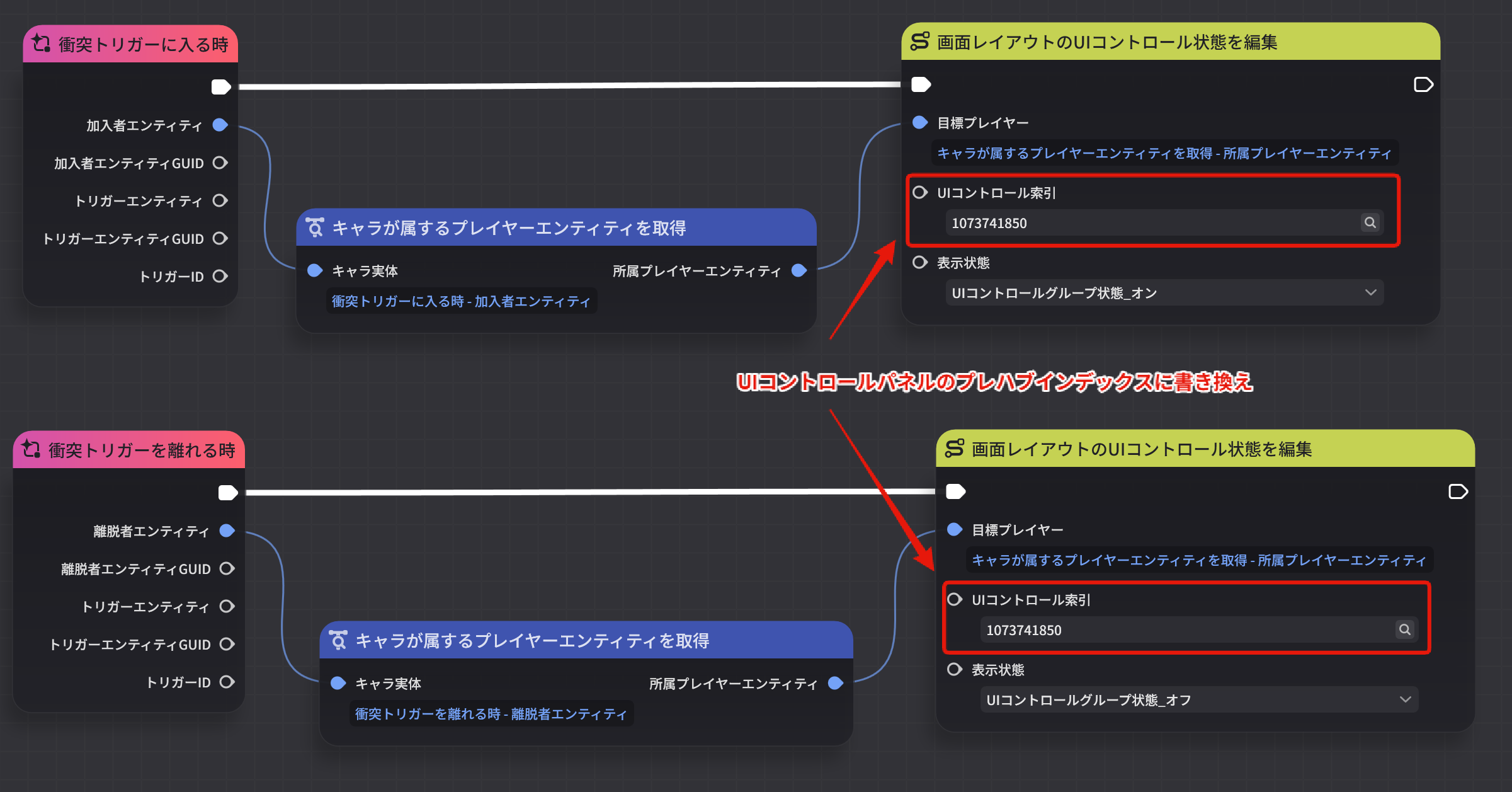
Nodes: "Popup - Wonderland Description", "Textbox - Find Weapon", "Textbox - Find Key"
*Create 3 nodes with the same structure, only changing the prefab index
Summary
Genshin Impact's "Miliastra Wonderland" is a groundbreaking UGC feature that lets you create original games using assets from the major title Genshin Impact. The official tutorial videos are very comprehensive, but since they're presented in English UI, finding the same nodes in the Japanese UI can sometimes be a challenge.
This article covered the node configuration screens in Japanese UI for both the "Build Your First Wonderland Component" and "Build Your First Wonderland" tutorial series.
For Those Just Getting Started with Miliastra Wonderland
- Start with the tutorials: Learn the basics with the official "Build Your First Wonderland Component" series
- Aim for Creator Level 2: Pass two quizzes to reach Lv.2 and unlock many more features
- Use this article as a reference: Refer to the screenshots in this article while watching the videos for smoother progress
Tips for Creating
In Miliastra Wonderland, you can freely create games using Genshin's beautiful assets. The official Discord lets you connect with other creators and share your work, so don't hesitate to get involved.
Level up your Creator Level, master the various features, and create captivating wonderlands. I hope this article helps you on your content creation journey in Genshin Impact's Miliastra Wonderland.