Walk near an item and pick it up. Step into an enemy's detection range and get chased. Lose HP while you're standing in a poison swamp. Enter an event zone and a conversation starts.
Area2D is the node for all of these: cases where you don't want to stop the character, but you do want to know that something entered a region.
What You'll Learn
- Why Area2D is a "sensor you can walk through"
- When to use
body_entered/body_exited/area_entered- Implementation examples: enemy detection range, poison swamp, item pickup
- How to narrow down what gets detected with collision layers and masks
Tested with: Godot 4.7
- Area2D detects, it doesn't collide
- The basic Area2D setup
- Choosing between body and area signals
- Example 1: an enemy detection range
- Example 2: damage over time in a poison swamp
- Example 3: an item pickup trigger
- Narrowing detection with layers and masks
- Common Pitfalls
- Bonus: Good to know for later
- Summary
- Further Reading
Area2D detects, it doesn't collide
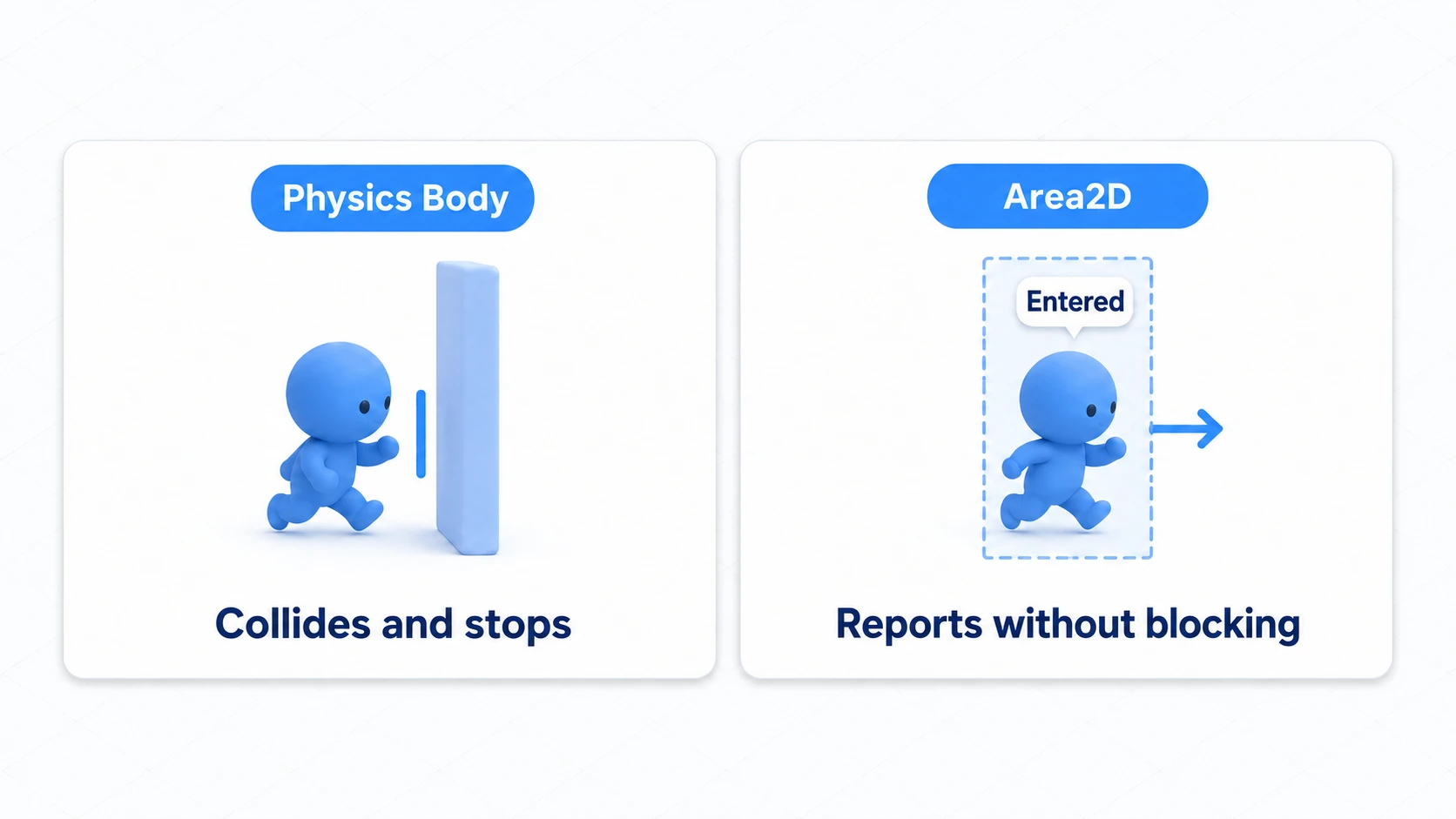
Area2D is not a node for pushing things back physically. When a character enters an Area2D, the area itself doesn't stop the movement the way a wall does.
| Node | Main role | Does it stop the player? |
|---|---|---|
StaticBody2D | Floors, walls, fixed obstacles | Yes |
CharacterBody2D | Player, enemies, NPCs | Collides depending on how you move it |
RigidBody2D | Crates, balls, physics objects | Pushes and gets pushed |
Area2D | Sensors, regions, triggers | No |
Area2D fits uses like these in a game:
- Item pickup ranges
- Enemy detection ranges
- Attack hitboxes
- Poison swamps and healing zones
- Warp zones
- Triggers that start dialogue or cutscenes
A simple rule: if you want to react on contact, use Area2D. If you want to stop on contact, use a physics body.
The basic Area2D setup
For an Area2D to work, it needs a CollisionShape2D or CollisionPolygon2D child. An Area2D on its own has no detection region, so it never reacts.
PickupArea (Area2D)
└─ CollisionShape2D
The basic flow is:
- Create an
Area2D - Add a
CollisionShape2Dchild - Set up the shape of the region you want to detect
- Connect a signal such as
body_entered - Set the collision layer/mask if needed
Since an Area2D is usually an invisible region, you adjust it in the editor while looking at the CollisionShape2D outline.
Choosing between body and area signals
The first thing that trips people up with Area2D is the difference between body_entered and area_entered.
| Signal | When it fires | Example |
|---|---|---|
body_entered(body) | A CharacterBody2D, RigidBody2D, StaticBody2D, etc. enters | The player enters an item's pickup range |
body_exited(body) | A physics body leaves the region | The player leaves an enemy's detection range |
area_entered(area) | Another Area2D enters | An attack hitbox reaches an enemy's HurtBox |
area_exited(area) | Another Area2D leaves the region | Two sensors stop overlapping |
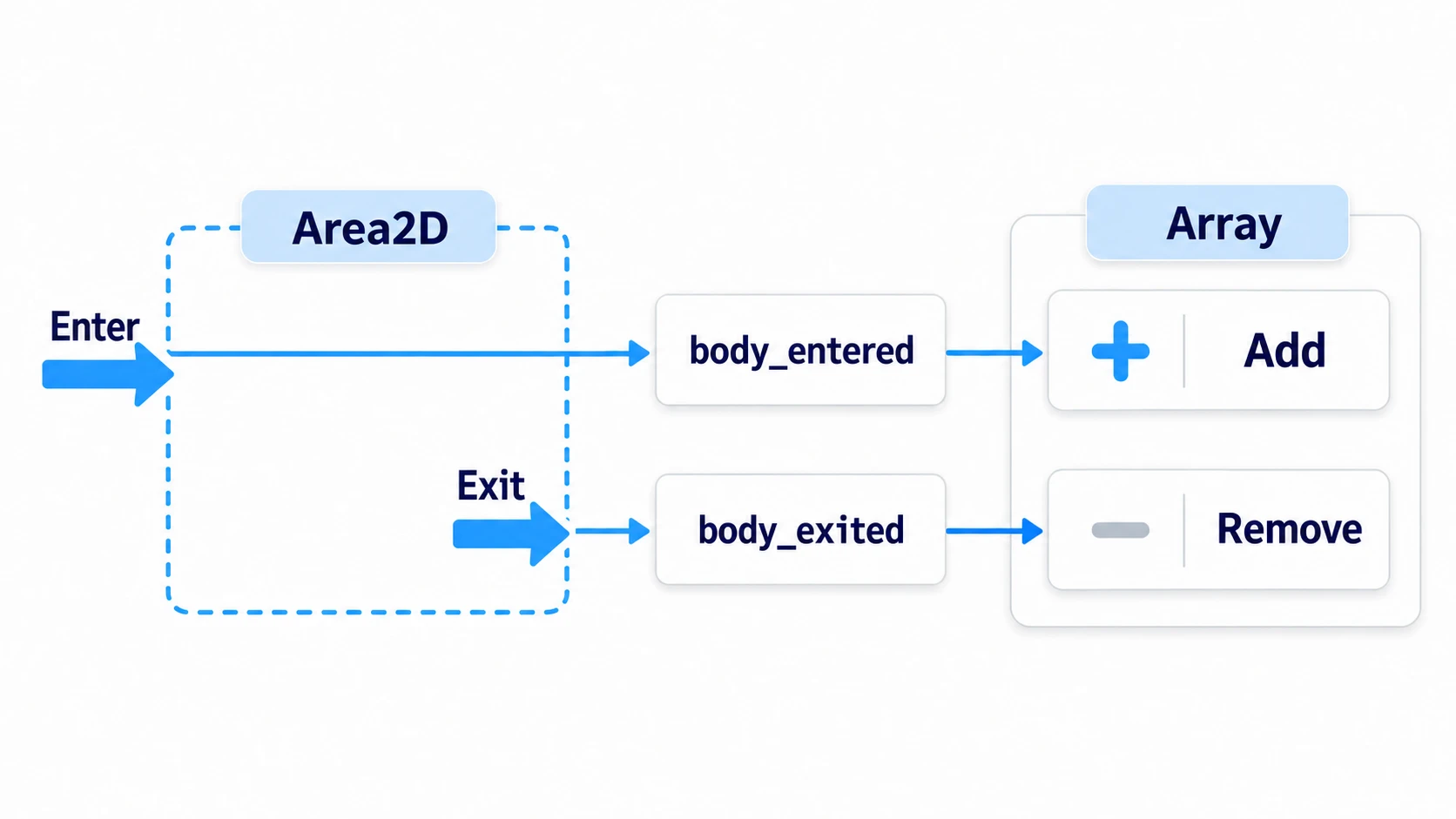
Area2D signals are good at handling the moment something enters and the moment it leaves. If you need to keep processing while something is inside, the clearest approach is to add the object to an array on entry, remove it on exit, and process the array in _physics_process().
extends Area2D

var targets: Array[Node2D] = []

func _on_body_entered(body: Node2D) -> void:
    if body.is_in_group("player") and not targets.has(body):
        # Add to the list the moment it enters
        targets.append(body)

func _on_body_exited(body: Node2D) -> void:
    if targets.has(body):
        # Remove from the list the moment it leaves
        targets.erase(body)
With this shape, you can keep "what happens on entry" and "what happens while inside" as separate concerns.
Example 1: an enemy detection range
Add an Area2D as a child of an enemy and you have a detection range.
Enemy (CharacterBody2D)
├─ Sprite2D
├─ CollisionShape2D
└─ SightArea (Area2D)
   └─ CollisionShape2D
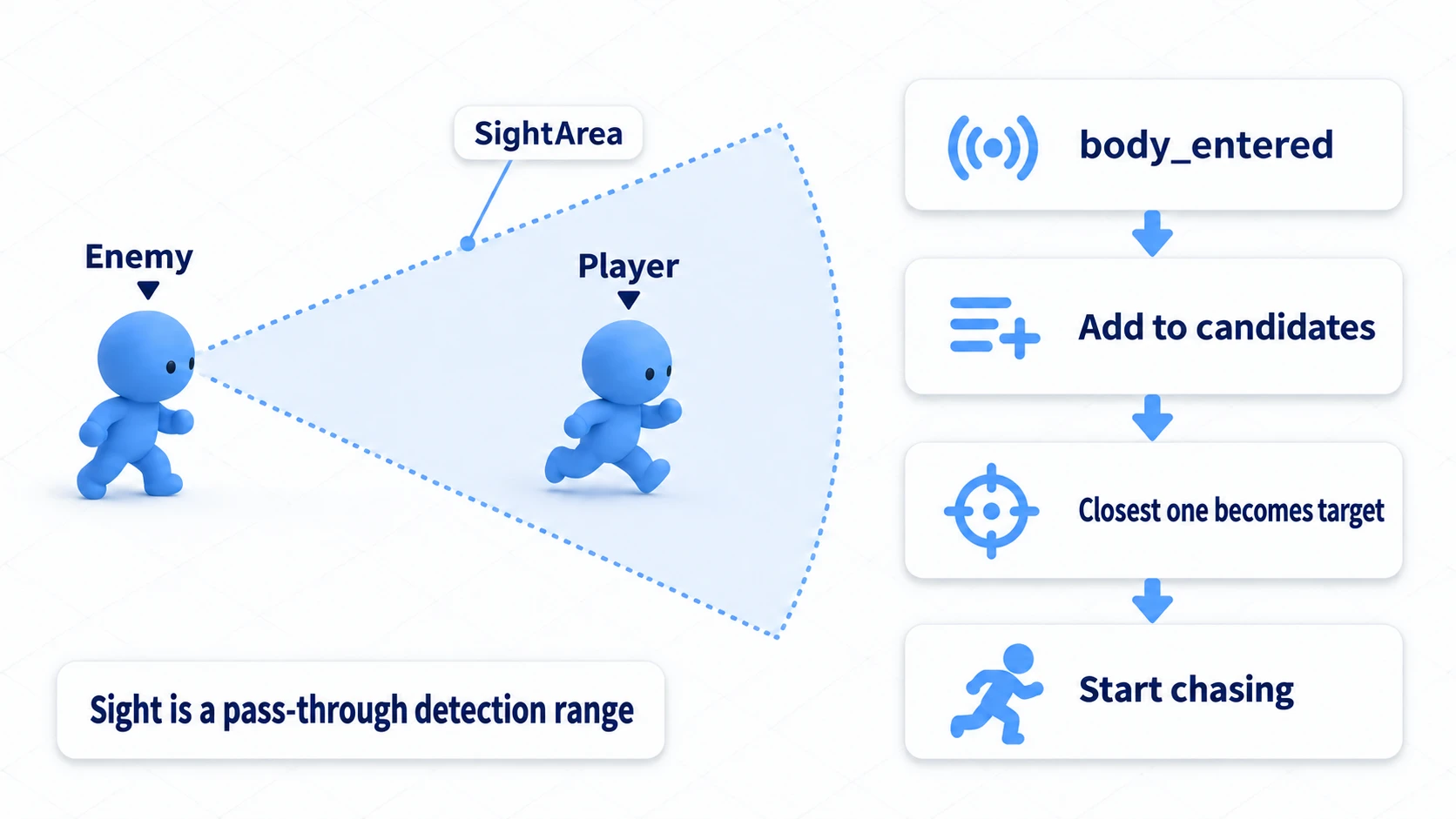
SightArea is separate from the enemy's own collision. The player doesn't stop when entering the detection range. You detect the entry and change the enemy AI's state.
# enemy.gd
extends CharacterBody2D

@onready var sight_area: Area2D = $SightArea

var target: Node2D = null
var candidates: Array[Node2D] = []

func _physics_process(delta: float) -> void:
    if candidates.is_empty():
        target = null
        return

    # If several are in range, pick the closest one each frame
    target = find_closest_target()

    if target != null:
        chase_target(target, delta)

func _on_sight_area_body_entered(body: Node2D) -> void:
    if body.is_in_group("player") and not candidates.has(body):
        # Remember a candidate that entered the detection range
        candidates.append(body)

func _on_sight_area_body_exited(body: Node2D) -> void:
    if candidates.has(body):
        # Drop the candidate once it leaves the range
        candidates.erase(body)

func find_closest_target() -> Node2D:
    var closest: Node2D = null
    var closest_distance_sq := INF

    for candidate in candidates:
        if not is_instance_valid(candidate):
            continue

        var distance_sq := global_position.distance_squared_to(candidate.global_position)
        if distance_sq < closest_distance_sq:
            closest_distance_sq = distance_sq
            closest = candidate

    return closest

func chase_target(target_body: Node2D, _delta: float) -> void:
    var direction := global_position.direction_to(target_body.global_position)
    velocity = direction * 120.0
    move_and_slide()
This example uses distance_squared_to(). When you only need to compare distances, there's no reason to take a square root, so it's cheaper than distance_to(). With a handful of enemies the difference is negligible anyway. The real point is that the Area2D doesn't stop the enemy's movement; it tells the AI "I found something."
Example 2: damage over time in a poison swamp
Sometimes you want an effect to apply continuously while something is inside a region, like a poison swamp or a burning floor.
body_entered alone isn't enough here, because it only fires the moment something enters.
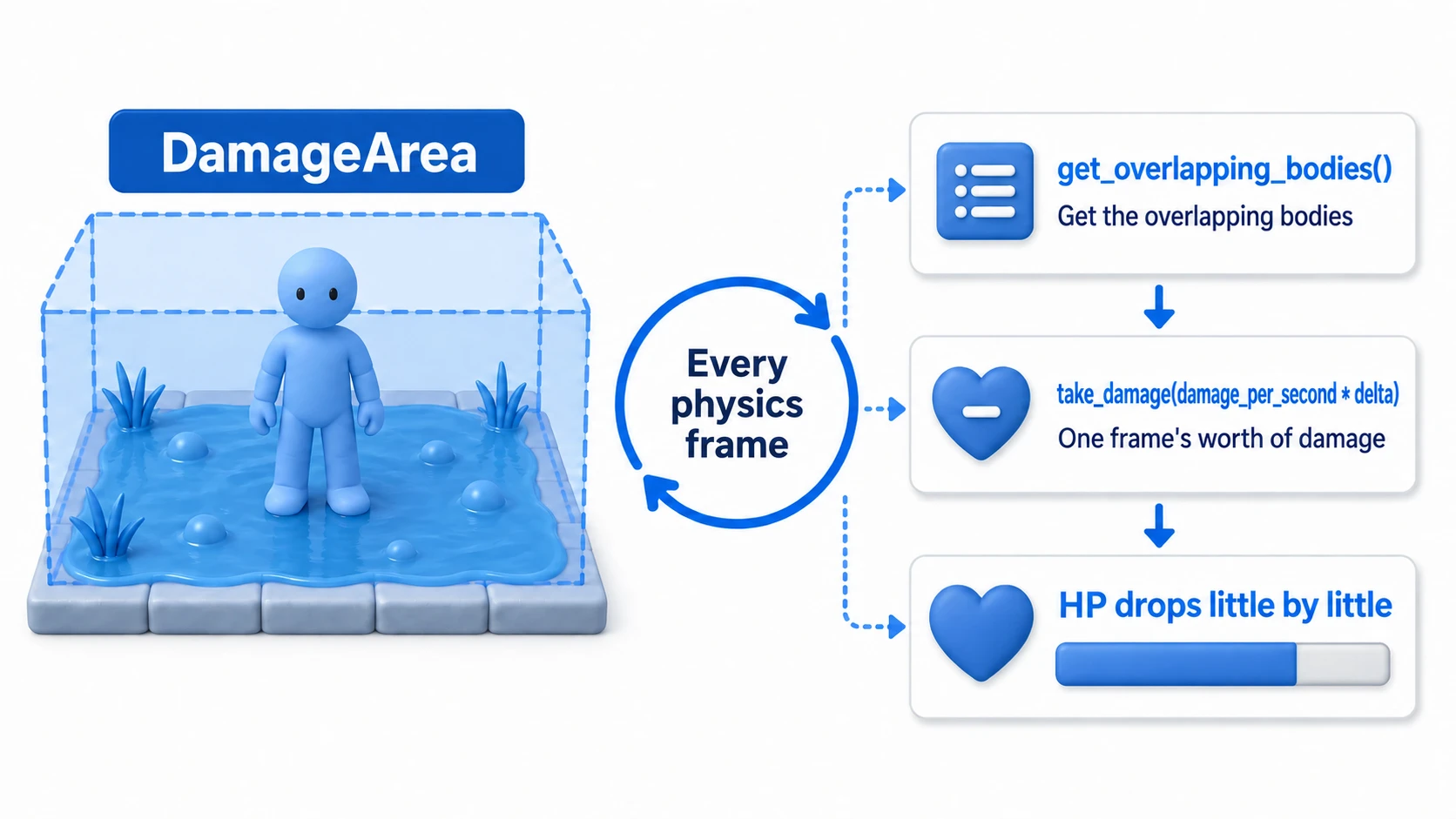
For a small area, get_overlapping_bodies() is the easiest to read.
# damage_area.gd
extends Area2D

@export var damage_per_second := 8.0

func _physics_process(delta: float) -> void:
    for body in get_overlapping_bodies():
        if body.is_in_group("player") and body.has_method("take_damage"):
            # Spread the per-second damage across frames using delta
            body.take_damage(damage_per_second * delta)
Make the receiver's HP variable and the take_damage() parameter float. damage_per_second * delta is a small value, about 0.13 per frame, so with int it gets truncated and HP drops the wrong way.
This code is readable and plenty for a game with a few poison swamps.
If you have a lot of similar DamageAreas, though, tracking entries and exits in a list is usually clearer and more predictable than calling get_overlapping_bodies() every frame.
extends Area2D

@export var damage_per_second := 8.0
var bodies_inside: Array[Node2D] = []

func _physics_process(delta: float) -> void:
    for body in bodies_inside:
        if is_instance_valid(body) and body.has_method("take_damage"):
            # Deal damage only while the body is inside the region
            body.take_damage(damage_per_second * delta)

func _on_body_entered(body: Node2D) -> void:
    if body.is_in_group("player") and not bodies_inside.has(body):
        bodies_inside.append(body)

func _on_body_exited(body: Node2D) -> void:
    bodies_inside.erase(body)
Neither one is "the correct answer." Pick based on the use case: get_overlapping_bodies() for small prototypes, list management for games with many such regions.
Example 3: an item pickup trigger
Item pickup is the most straightforward use of Area2D.
Coin (Node2D)
├─ Sprite2D
└─ PickupArea (Area2D)
   └─ CollisionShape2D
# coin.gd
extends Node2D

@export var score_value := 10
@onready var pickup_area: Area2D = $PickupArea

func _on_pickup_area_body_entered(body: Node2D) -> void:
    if not body.is_in_group("player"):
        return

    if body.has_method("add_score"):
        # Ask whoever picked it up to add the score
        body.add_score(score_value)

    queue_free()
All the Area2D does here is detect that the player entered the region. Whether the score lives on the player or in an autoload like PlayerData.add_score() is up to your project's design.
Narrowing detection with layers and masks
If an Area2D doesn't react, or reacts to enemies and items it shouldn't, review the collision layer/mask settings.
The basic relationship is:
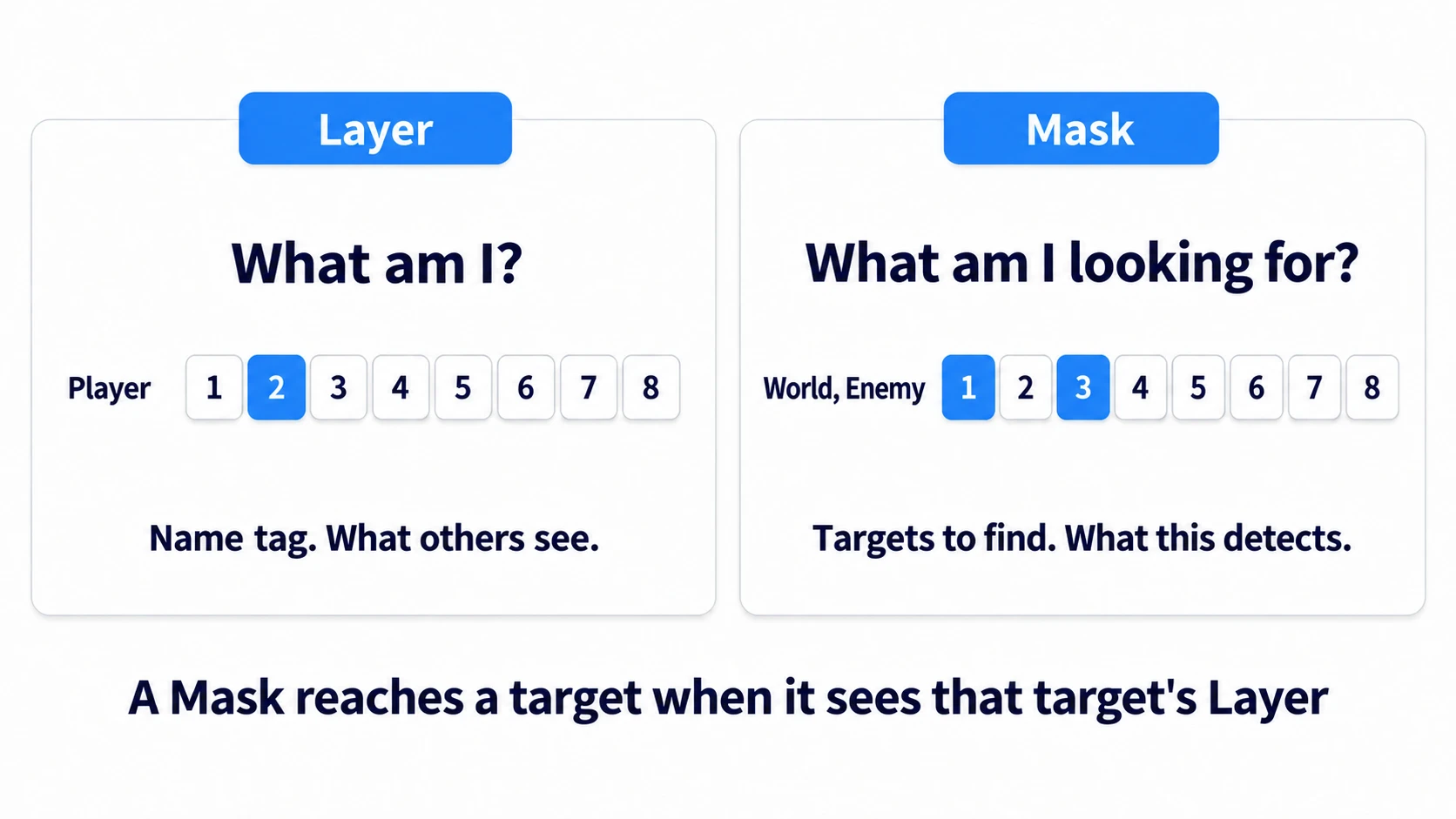
Detection happens when the mask on the detecting side sees the layer of the detected side.
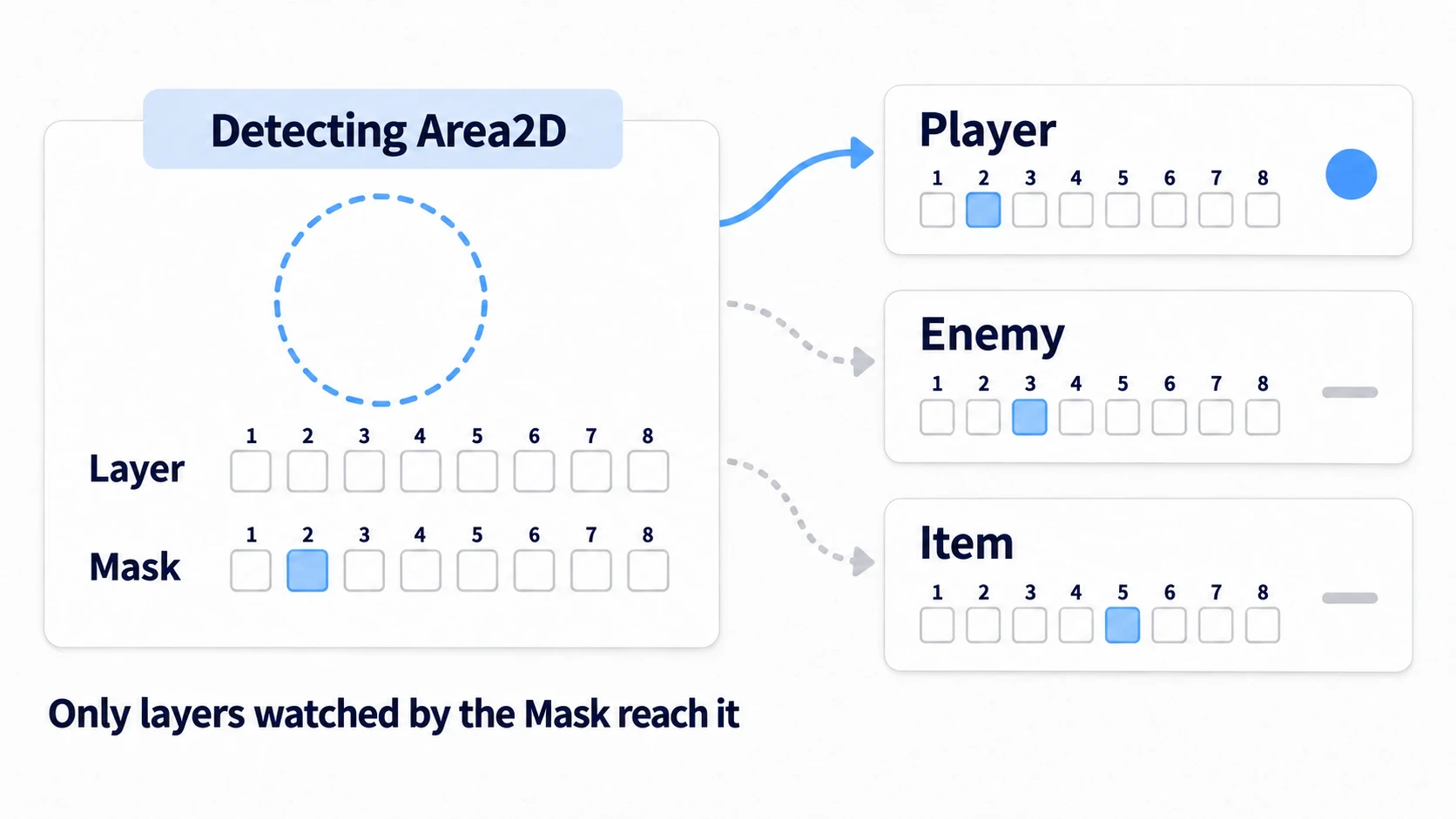
For example, if a detection range should only spot the player, put the player on the Player Layer and set the SightArea mask to Player Layer only.
With that in place, Godot's physics side skips detections you don't need. You may still write is_in_group("player") in code, but filtering with layers and masks first means the unnecessary signals never fire in the first place.
monitoring and monitorable
Area2D also has monitoring and monitorable.
| Property | Meaning | Example |
|---|---|---|
monitoring | Whether this Area2D detects others | True for an enemy's detection range |
monitorable | Whether this Area2D can be detected by other Area2Ds | HurtBoxes and item hitboxes |
Most beginner-level setups work fine with the defaults. Revisit these once things are working and you want to cut down unnecessary detections.
Common Pitfalls
Forgetting the CollisionShape2D
An Area2D by itself has no region. Add a CollisionShape2D child and assign a shape.
body_entered never fires
Check these first:
- Is
monitoringenabled? - Does the Area2D's mask see the other object's layer?
- Is the other object actually a body, like
CharacterBody2DorRigidBody2D? - Is the
CollisionShape2Ddisabled?
If the other object is an Area2D, use area_entered instead of body_entered.
Writing "while inside" logic with body_entered alone
body_entered only fires on entry. For continuous effects like poison swamps and healing zones, process either get_overlapping_bodies() or an array maintained by the enter/exit signals inside _physics_process().
Trying to use Area2D as a wall
Area2D doesn't stop movement. Use StaticBody2D for walls and floors, and CharacterBody2D for moving characters.
Bonus: Good to know for later
Splitting HitBox and HurtBox keeps combat organized
In action games it's common to build the attacking region as a HitBox and the damageable region as a HurtBox, both as Area2D nodes.
Player
├─ HurtBox (Area2D)
└─ SwordHitBox (Area2D)
This makes it easy to distinguish hitting the body, hitting the sword, and stepping into an enemy's attack range. Combined with Godot Collision Layers and Masks Basics, it becomes straightforward to set up rules like "friendly attacks don't hit allies" and "only enemy attacks deal damage to you." If one attack damages the same target over and over, fix how hits are counted with Attack Hitbox Basics.
How this differs from RayCast2D and ShapeCast2D
Area2D detects "things inside a region." If you want to know whether there's a wall ahead, whether there's ground below, or what the first object along a line is, RayCast2D is the better fit.
| Node | Best suited for |
|---|---|
Area2D | Things inside a circular or rectangular region |
RayCast2D | The first thing along a straight line |
ShapeCast2D | Whatever a swept shape hits |
You can combine them: Area2D for the enemy's rough detection range, RayCast2D to confirm the player isn't hidden behind a wall. How to build an enemy that turns back before ledges and can't see through walls is in RayCast2D Basics.
Summary
- Area2D is a sensor you pass through, not a wall that stops movement
- Use
body_entered/body_exitedto detect physics bodies - Use
area_entered/area_exitedto detect other Area2D nodes - Handle "while inside" logic with
get_overlapping_bodies()or a managed list - When nothing responds, check the
CollisionShape2D, the layer/mask, andmonitoring
Once you're comfortable with Area2D, your game world starts reacting when things get close and changing when things enter a region. It's the foundation for items, enemy AI, attack hitboxes, event triggers, and a great deal more. In 3D, Area3D plays the same role; an example that reacts when you stand in front of a chest is in 3D Collision Basics.
Further Reading