Why Typing Deserves Your Attention in GDScript
GDScript, Godot Engine's main scripting language, is a simple and intuitive dynamically typed language in the vein of Python. You can leave out type declarations, which makes rapid prototyping easy. As a project grows, though, that freedom can turn into runtime errors and performance bottlenecks.
This article explains how static typing (type hints), introduced in Godot Engine 3.1, works, and how it makes your code more robust and your game faster.

What You'll Learn
- The difference between dynamic and static typing, and what writing types prevents
- How to type variables, functions,
Array[T], signals, and@export- Safe node references by combining
ascasts with@onready- The performance gains typing brings, and where they stop
Tested with: Godot 4.7
1. Static Typing Basics: The First Step Toward Preventing Future Bugs
GDScript is dynamically typed by default, meaning a variable's type is decided at runtime.
# Dynamic typing: anything fits, and that's exactly where problems start
var data = 100
data = "Hello World" # A value of a different type can be reassigned
data = get_node("Player")
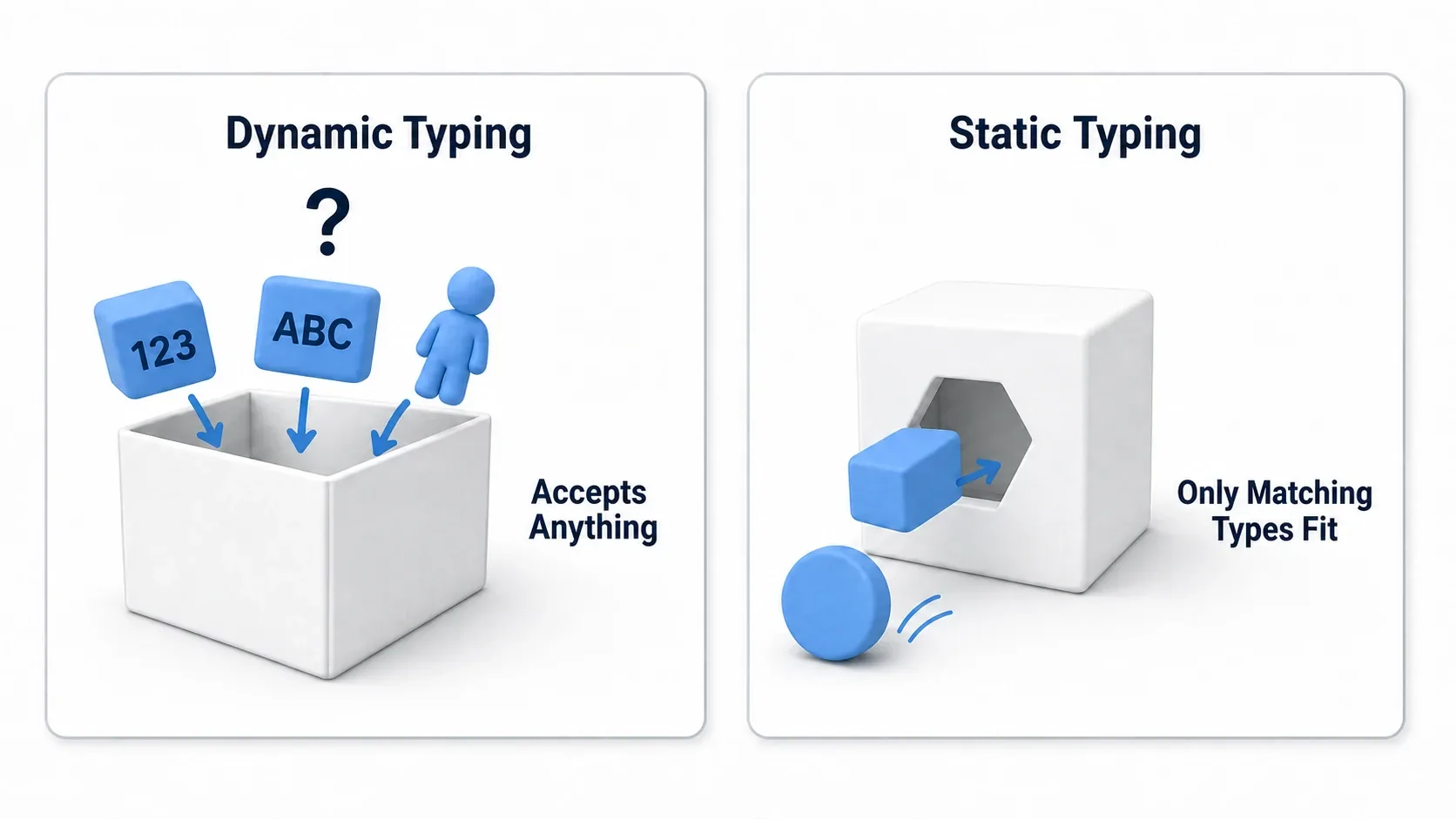
Static typing, by contrast, spells out the contract for a variable or function directly in the code. You declare types with a colon (:) or an arrow (->).
Typing Variables and Functions
# Variables: declare the type to prevent unintended assignment
var health: int = 100
var player_name: String = "Manus"

# health = "Full" # The editor flags this line as an error immediately, stopping the bug early

# Functions: make a contract for parameter and return types
func calculate_damage(base_damage: int, multiplier: float) -> int:
    var final_damage: int = int(base_damage * multiplier)
    return final_damage

# Use void when there's no return value
func apply_effect(player: Player) -> void:
    player.add_buff()
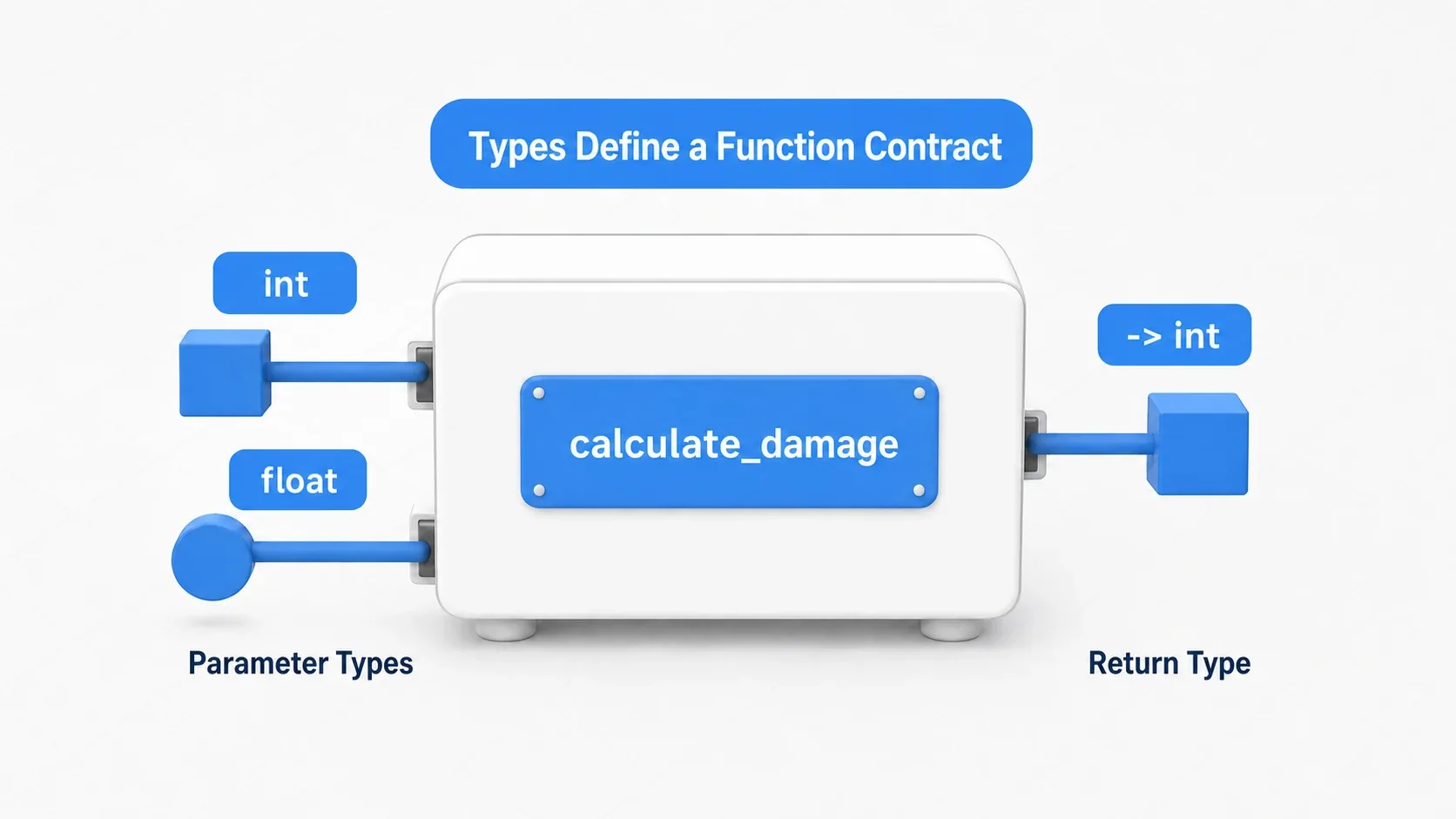
That small extra effort lets the editor catch many type mismatches, so fewer bugs wait until you run the game to show up.
2. Common Mistakes and Best Practices
To get the full benefit of static typing, how you write the types matters as much as writing them at all. Here's a comparison of mistakes developers commonly fall into and the practices that avoid them.
| Common Mistake | Best Practice |
|---|---|
var player = $Player (has no type) | @onready var player: Player = $Player as Player (safe cast) |
if get_node("Enemy").is_in_group("mob"): (risk of a null error) | var enemy: Node2D = get_node("Enemy") as Node2Dif enemy and enemy.is_in_group("mob"): (null check) |
var bullets = [] (elements are of type Any) | var bullets: Array[Bullet] = [] (a typed array keeps it safe) |
signal my_signal (parameter types unknown) | signal my_signal(target: Node, damage: int) (type signal parameters too) |
@export var item (type unknown) | @export var item: InventoryItem (type exported variables too, keeping the Inspector safe) |
Referencing a script by load()ing it directly | Define class_name Player and reference it as the Player type from anywhere |
![Concept diagram of the typed array Array[Bullet]. The tray managing a shmup's bullets only holds Bullet-type objects and rejects anything else](/cc6caa800b4083ad4a388a31a5909fa9/20251208_static-typing-gdscript_typed-array.webp)
Array[T] in particular pays off heavily in practice. A shmup's bullet list, an RPG inventory, the enemy list for a wave: whenever you hold a large number of the same kind of thing in an array, typing it means trying to put in the wrong kind of object raises an error on the spot, and it doesn't go in. With an untyped array, you wouldn't notice until you took it out and used it.
3. Practical Code: Making Game Logic Robust
Let's see how static typing works in actual game scenarios.
Example 1: Safe Node Access and State Management
This is a script controlling the player character. Combining @onready with as gives you null when the type doesn't match. It doesn't guarantee the node exists, so check with if before using it.
# Player.gd
extends CharacterBody2D
class_name Player

@onready var animated_sprite: AnimatedSprite2D = $AnimatedSprite2D as AnimatedSprite2D
@onready var collision_shape: CollisionShape2D = $CollisionShape2D as CollisionShape2D

var speed: float = 300.0

func _physics_process(delta: float) -> void:
    # Check first in case it couldn't be found (null)
    if animated_sprite:
        animated_sprite.play("run" if velocity.length() > 0 else "idle")

    # ... movement logic ...

func take_damage(amount: int) -> void:
    # ... damage logic ...
Example 2: Type Checking as an Interface
Here we decide whether an object entering an Area2D is "damageable" by whether it has a shared method (an interface), rather than by a specific class or group.
# SwordAttackArea.gd
extends Area2D

signal enemy_hit(enemy: Node2D, damage: int)

func _on_body_entered(body: Node2D) -> void:
    # Check whether 'body' has a 'take_damage' method (a dynamic check)
    # Note: has_method() is a runtime check, so it gets none of the benefits of static typing
    if body.has_method("take_damage"):
        # Use call() to invoke the method dynamically
        body.call("take_damage", 10)

        # Emit the signal
        enemy_hit.emit(body, 10)
4. The Impact on Performance
One of static typing's biggest benefits is better performance. According to the official documentation, type hints let the GDScript interpreter take optimized code paths, with noticeable speedups especially in loops and frequently called functions.
There are a few things worth understanding, though.
- Identify the bottleneck: overall performance is limited by the slowest part. The most effective approach is to use the profiler to find where optimization actually matters (AI calculations, processing large numbers of objects) and focus your typing effort there.
- GDScript's ceiling: static typing makes GDScript faster, but it won't reach the speed of natively compiled languages like C# or GDExtension (C++). If your project demands extreme performance, consider adopting those languages for parts of it.
- Balance with dynamic typing: you don't have to type everything. For simple UI callbacks or initialization code that runs once, taking advantage of dynamic typing's flexibility is a perfectly smart choice.
5. Next Steps: Related Topics and Learning Resources
Once you've got static typing down, you're ready to move up a level. Here are a few topics to tackle next.
- Custom resources (
Resource): custom resources with aclass_nameare excellent for structuring complex data and building datasets you can edit in the Inspector. Combined with static typing, you get type-safe data management. - Typing signals: signal parameters can be typed too. That makes the contract between the sender and the receiver explicit, so it's easier to read what each signal passes along.
- GDExtension: for performance-critical sections, consider learning GDExtension, which lets you write logic in C++ and call it safely from GDScript. Statically typed GDScript also integrates smoothly with those native modules.
Summary
Static typing in GDScript isn't just an optional feature. It's a way to bring software development discipline into your code.
It may feel like extra work at first. But the habit of declaring types is the best investment you can make on behalf of your future self and your teammates. Code that has fewer bugs, runs fast, and above all is readable and maintainable is the foundation every successful game project rests on.