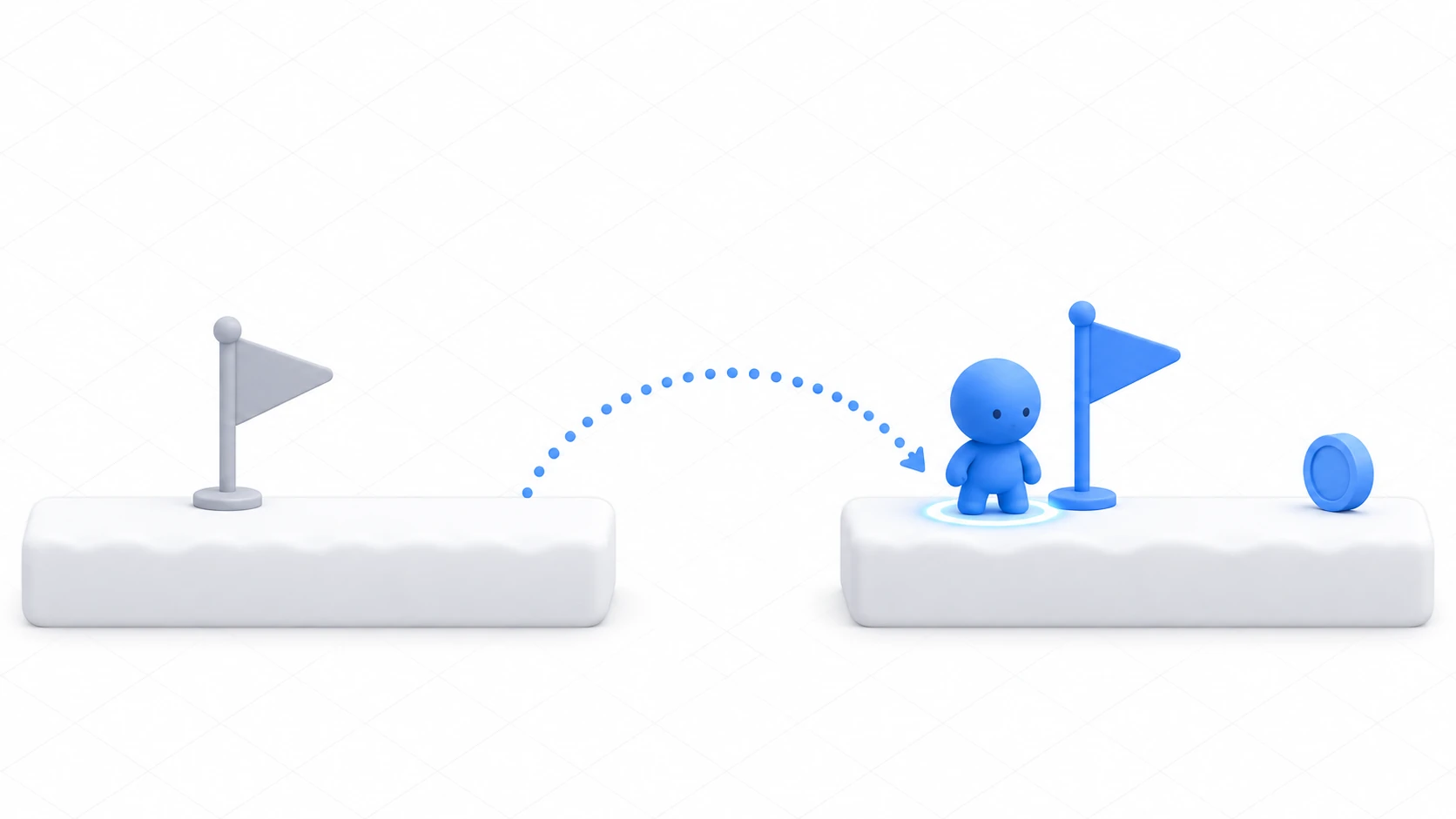
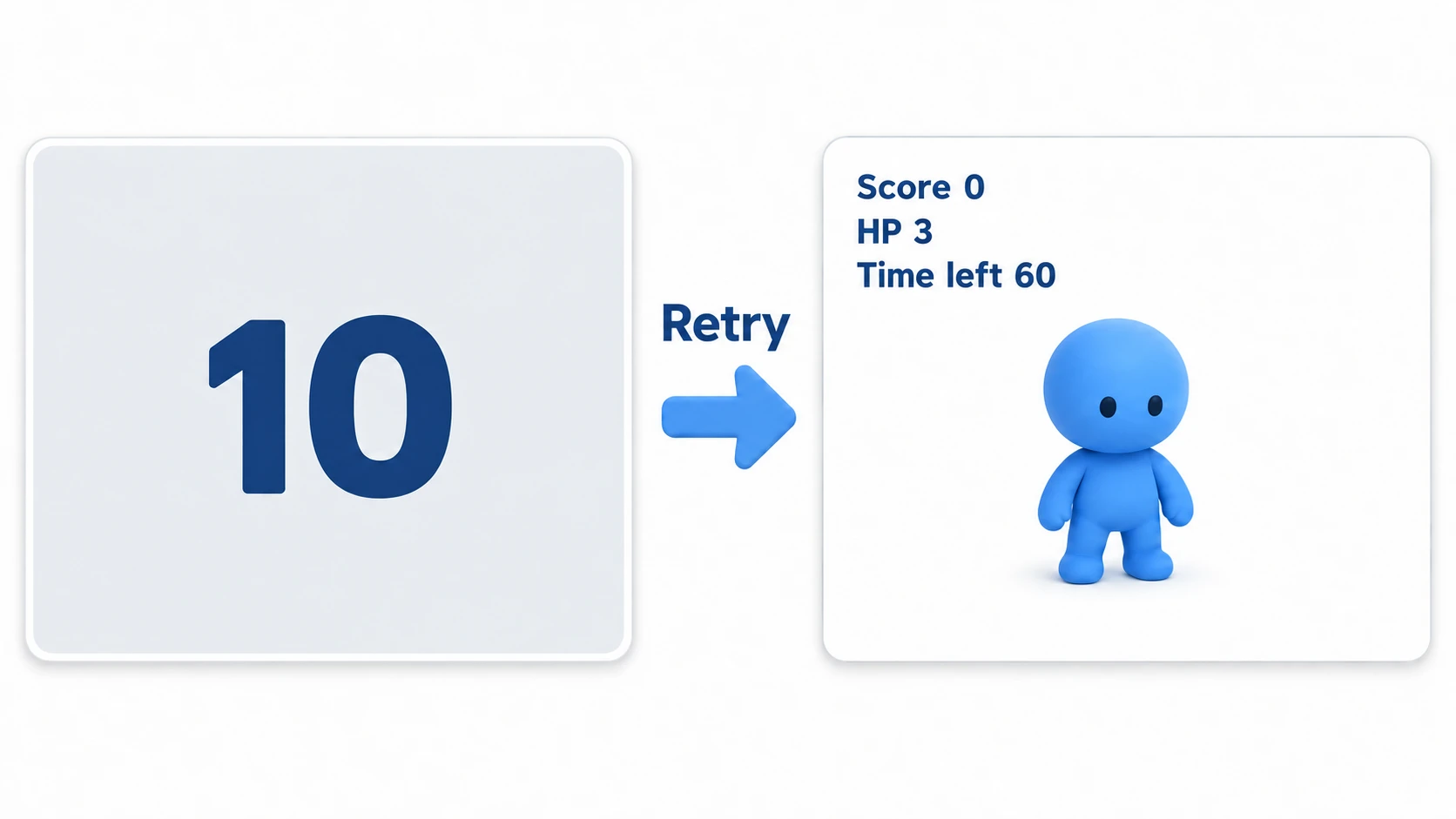
The flow of one run, starting from the title, going to game over when you die, and retrying with Enter, is built in Godot by switching scenes. On a retry, the score starts over from 0 along with HP and the time left.
But the score alone sometimes stays at its previous number. Assign 0 the moment you die, and now the score on the game over screen disappears. Changing scenes rebuilds the nodes inside, but a score placed outside the scene stays as it is.
This article explains what disappears and what survives when you change scenes, and how to decide on a single place that resets the score to 0.
What You'll Learn
- What gets rebuilt and what survives when you switch scenes, and where to put three values
- Why the job of resetting the score to 0 goes in one place, and why you don't touch it when the player dies
- What's happening right after you call
change_scene_to_file()- Where
reload_current_scene()works
Tested with: Godot 4.7
What gets rebuilt and what survives a scene switch
When you call get_tree().change_scene_to_file("res://play.tscn"), the current scene and every node in it are thrown away. In their place, the specified scene is built fresh. res:// is a path from the project folder.
Variables on the rebuilt nodes start from the initial values as written. If it says var hp := 3, it's 3. It doesn't matter that it reached 0 in the previous run.
What survives is whatever lives outside that scene. Nodes registered as Autoloads are exactly that. They're created once when the game starts and stay put no matter how many times scenes are swapped.
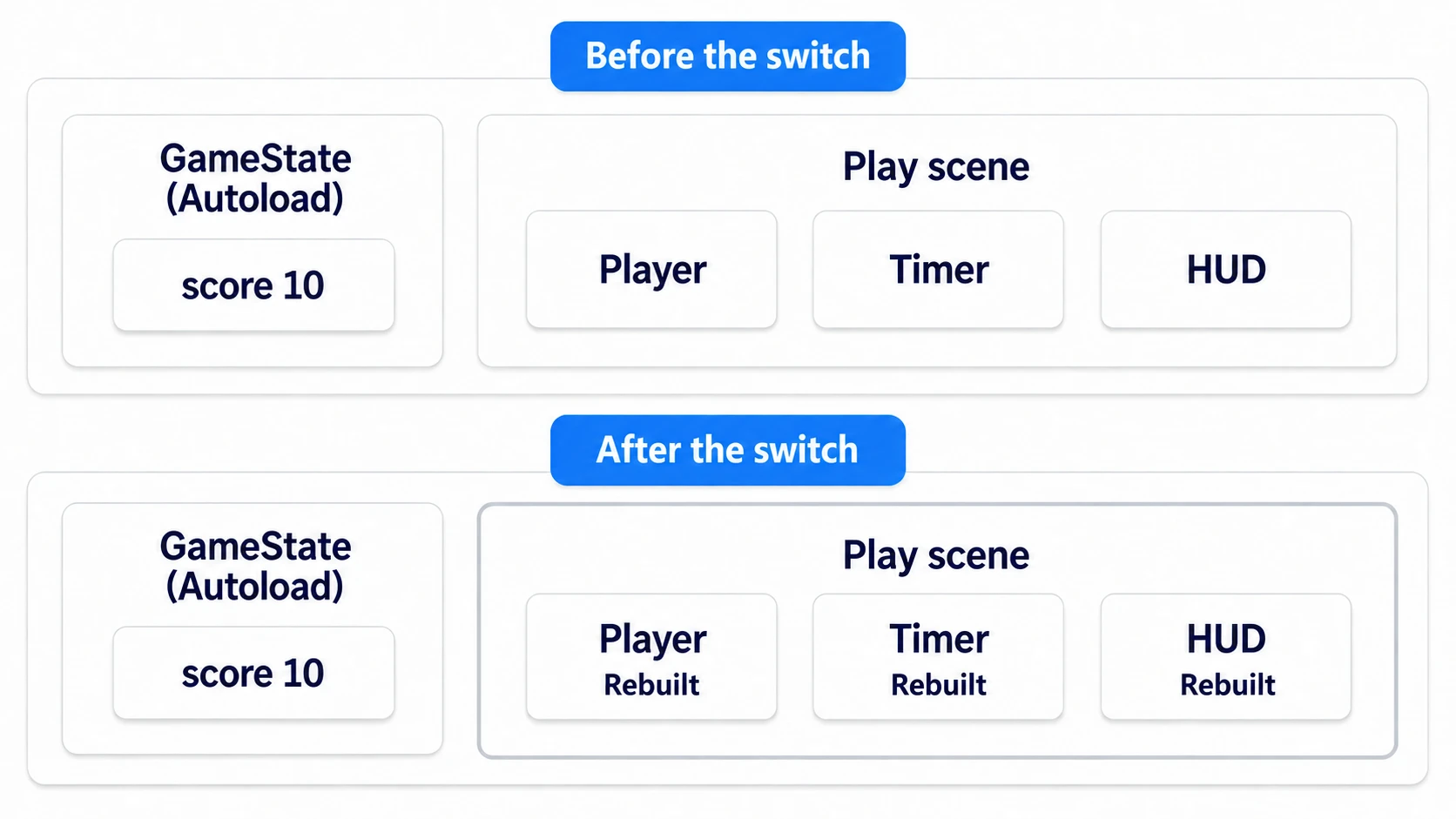
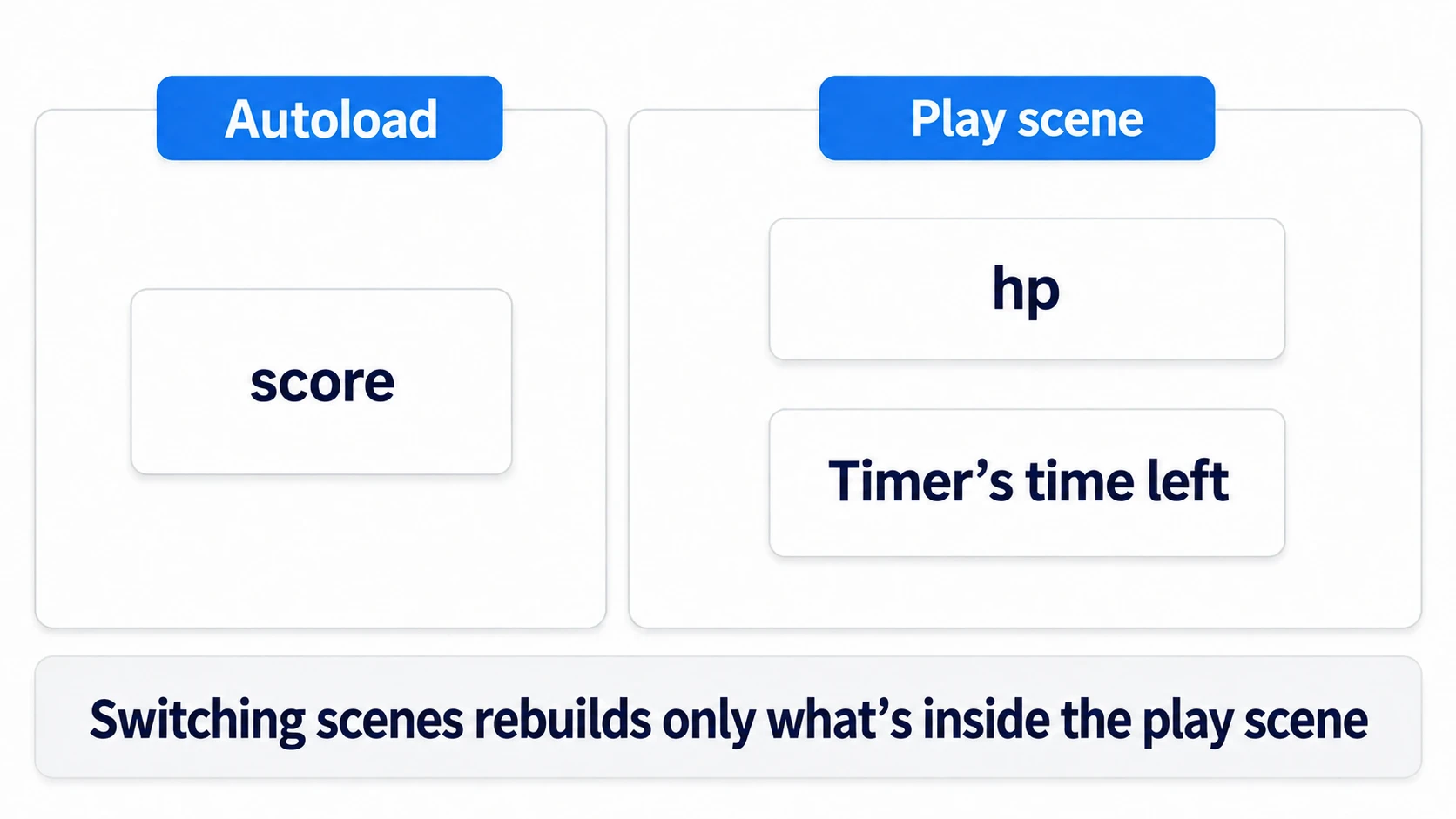
This difference is exactly how you decide "where to put it."
- Score: You want to show it on the game over screen too, so outside the scene (an Autoload)
- HP: Only needed during play, so a variable in the play scene
- Time remaining: Also only during play, so a Timer in the play scene
How to make an Autoload itself is covered in the Autoload article. This article starts from an Autoload that already holds one score.
In other engines: For replacing a whole scene, Godot's
change_scene_to_file()is close to Unity'sSceneManager.LoadScene(Single mode) and Unreal Engine's Open Level. An Autoload that holds state across scenes corresponds to a manager withDontDestroyOnLoadapplied in Unity, or the GameInstance in Unreal Engine.
Where to reset the score to 0
The score lives outside the scene, so it keeps its previous value unless something assigns it. Assign the job of resetting it to one place.
That place is the code that starts a new run. Give the Autoload GameState a start_run() that does nothing but score = 0. It's called from only two places: when starting from the title, and when retrying from game over.
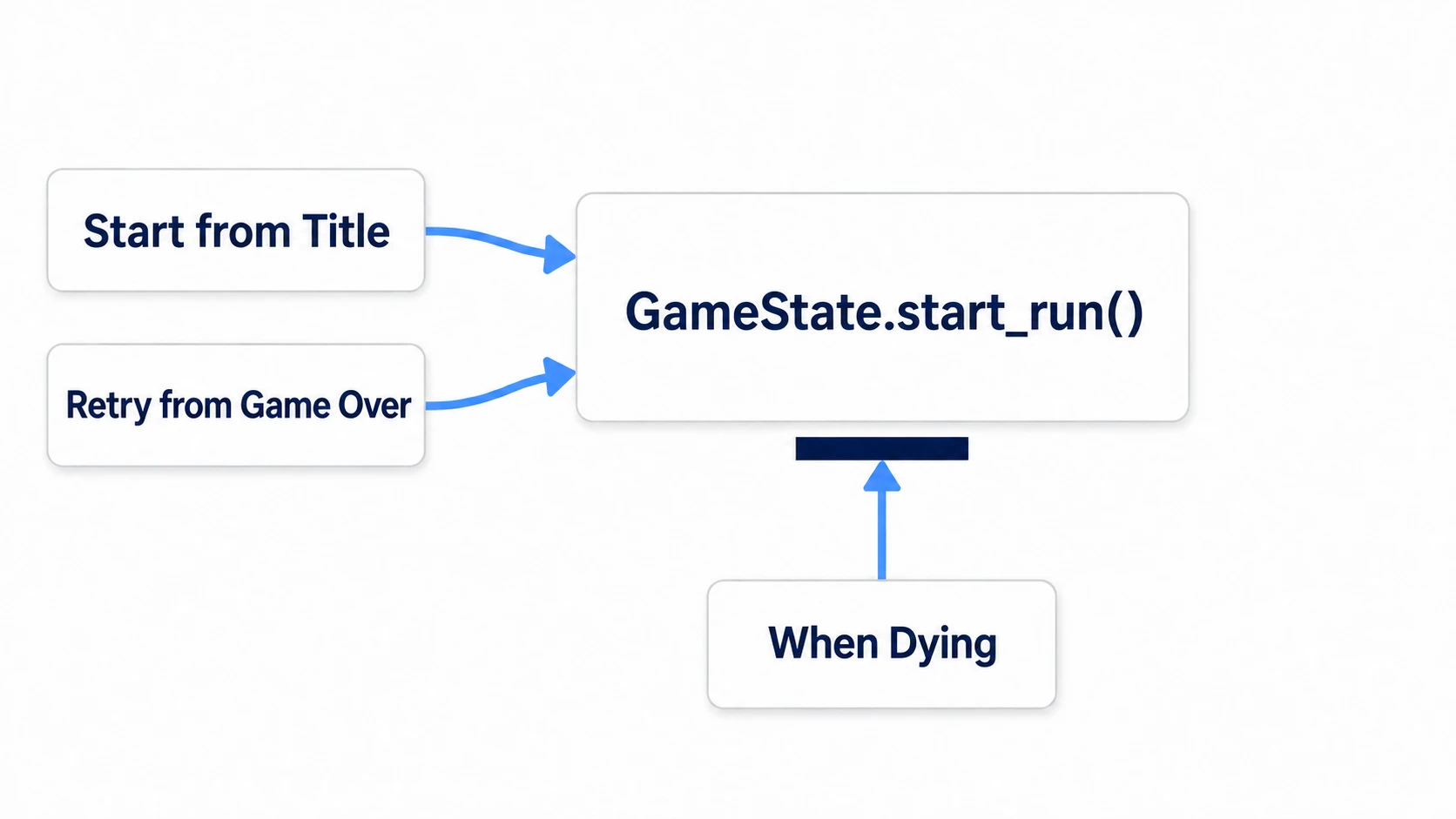
Don't call it when the player dies. What the game over screen shows is the score of the run that just ended. Set it to 0 on the dying side, and the screen shows 0 every time.
For the same reason, don't set it to 0 in the play scene's _ready() (a function called when the scene has entered the tree and is ready) either. It works in this demo, but it becomes a problem when you want to carry the score across two stages. Reset to 0 "when a new attempt begins," not "when the play screen opens."
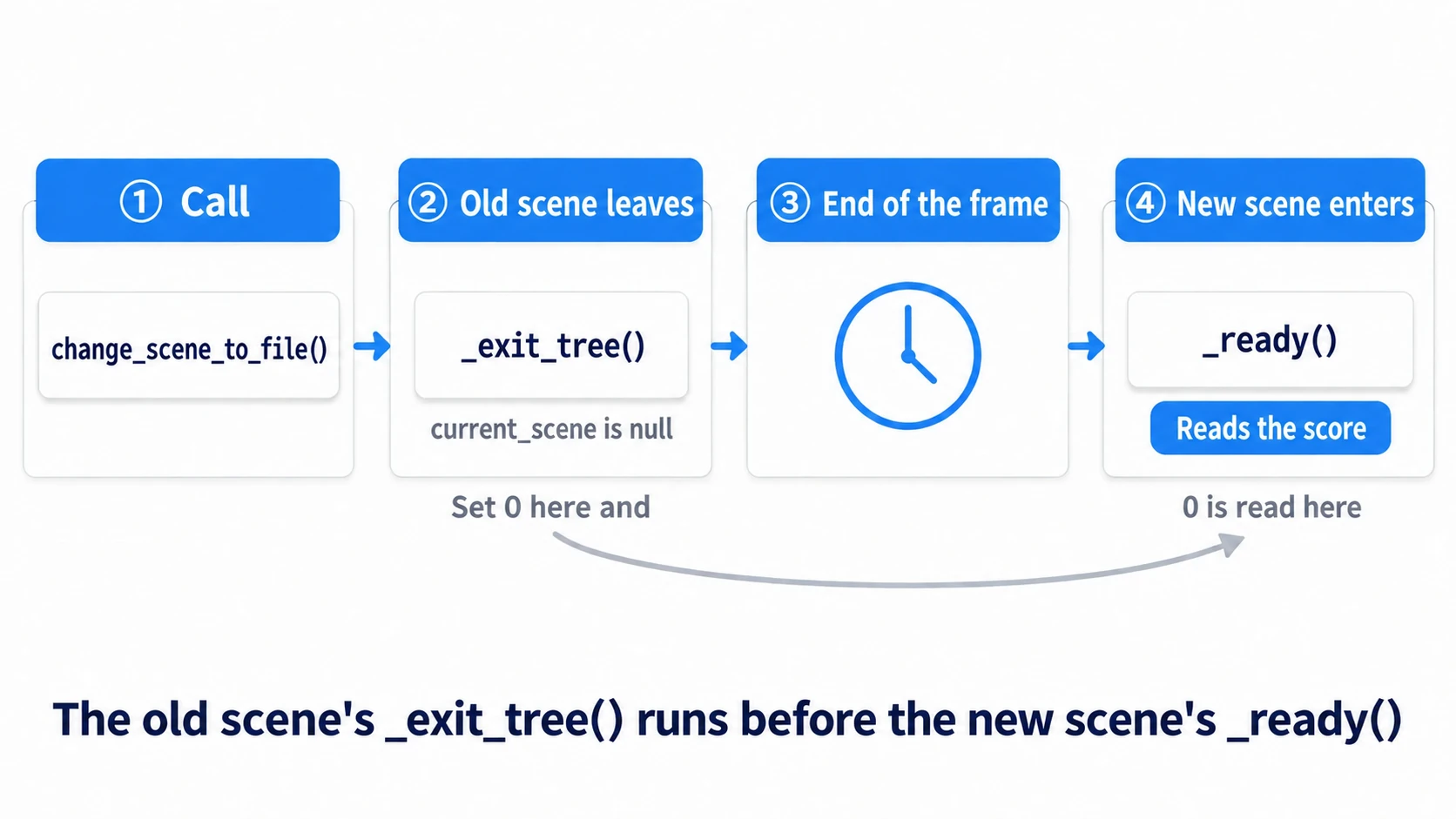
Setting it to 0 in the play scene's _exit_tree() (a function called when a node leaves the tree) is the same. The old scene's _exit_tree() runs before the next scene's _ready(), so the game over screen shows 0.
The tree right after change_scene_to_file()
The switch with change_scene_to_file() happens in two steps. Once the file loads, the old scene leaves the tree right there, at the moment of the call. The new scene enters the tree at the end of that frame.
In between, there are two things you can't touch.
current_scene, which points to the scene currently shown, becomesnull(nothing in it)- Calling
get_tree()from a node in the old scene returnsnull
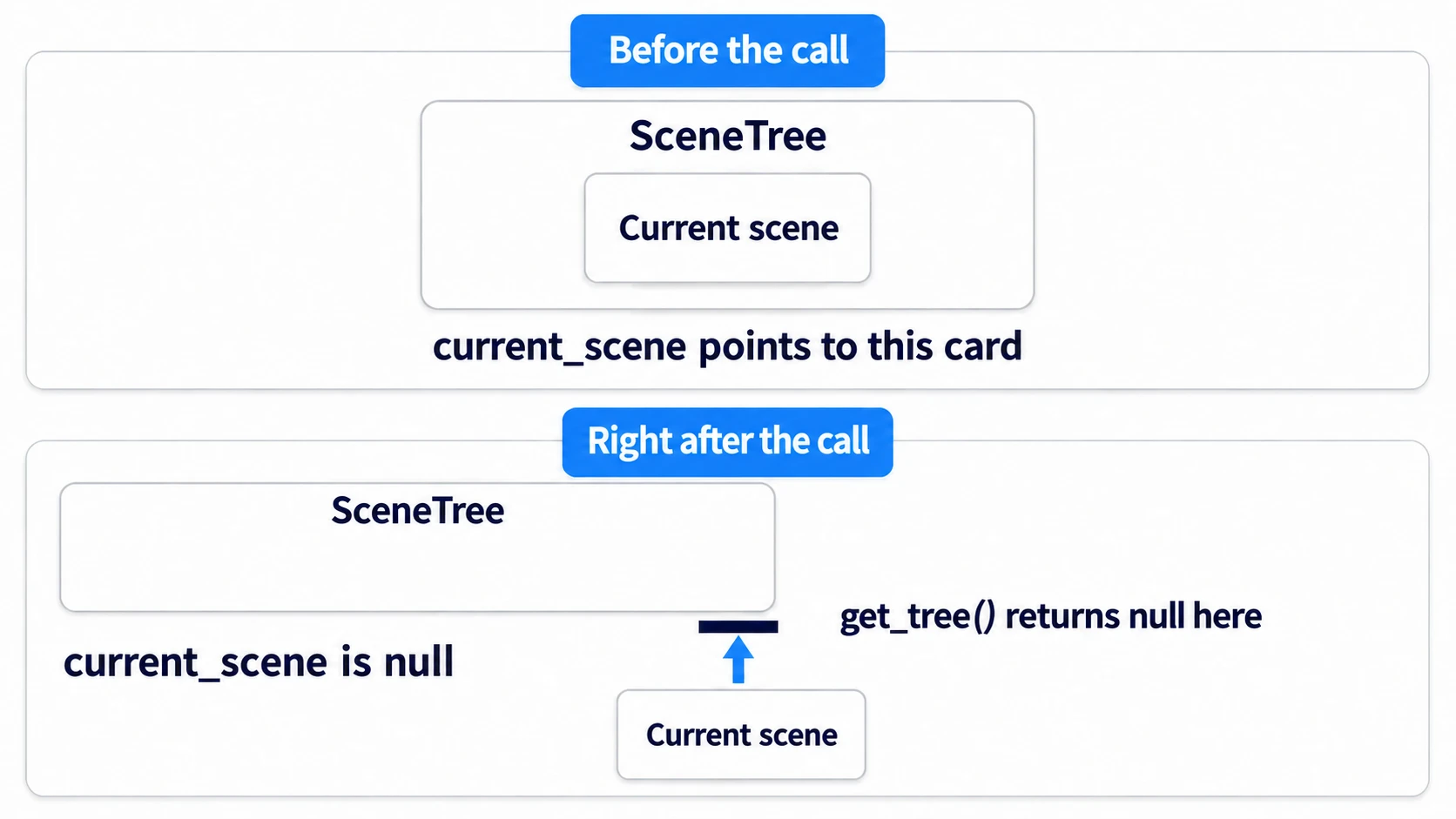
So you can't pass values to the new scene's nodes right after switching. When you want the game over screen to show the score, keep the score in the Autoload and have the game over screen's _ready() read it. The hands-on game_over.gd works this way.
Write two switches in a row, and it stops on the second line. On the first line, the very node running the code left the tree.
get_tree().change_scene_to_file("res://a.tscn")
get_tree().change_scene_to_file("res://b.tscn")   # get_tree() is null here
Even if you never write two lines side by side, the same thing happens. If "time's up" and "HP reached 0" happen at almost the same moment, it can be called twice before the switch runs. So keep one variable that remembers "already switching" and reject the second call. That's _ending in the hands-on play.gd. This variable lives inside the play scene, so the next run starts it at false.
Do the switch with call_deferred(), after the collision notifications are done. call_deferred() is a way of delaying a call until the end of this frame. Switching directly inside body_entered means removing the collision object that's in the middle of handing out notifications from the tree. That produces an error saying "Remove with call_deferred() instead."
If the path is wrong, it returns ERR_CANT_OPEN and the screen stays as it is. Load failures show up in the Errors tab of the Debugger at the bottom of the editor. When "pressing the button does nothing," look there.
When to use reload_current_scene()
get_tree().reload_current_scene() reloads the scene currently in the tree. Since you don't have to write a path, it's tempting to use for retrying, but it depends on where you call it.
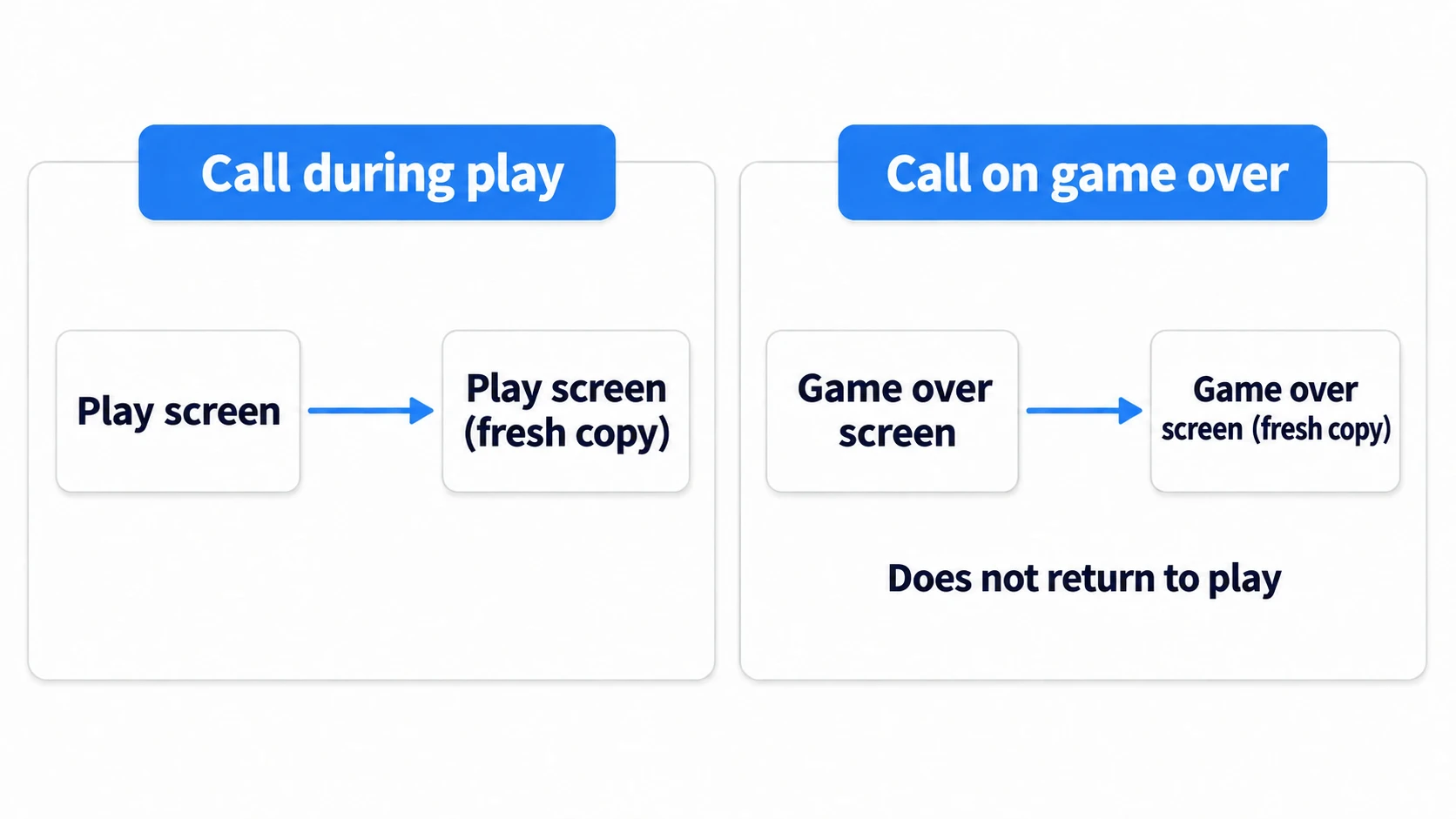
Call it on the game over screen, and it just rebuilds the game over screen. It doesn't go back to play. It works for a "restart" while you're still in the play scene. A restart inside a pause menu is this case.
Either way, reset the score in the Autoload to 0 separately. Reloading the scene has nothing to do with what lives outside it.
Hands-On: Grab a coin, die, and try again
Retries in an action game, the next run in a roguelike, another attempt at a score attack — they're all "rebuild the screen and decide only what carries over." Moving between three scenes, you'll watch three numbers stored in different places.
① What to place
Create three new scenes.
First, the Autoload. Create game_state.gd and register it under the name GameState in Project Settings, Globals tab → Autoload.
# game_state.gd
extends Node

var score := 0

func start_run() -> void:
	score = 0
title.tscn (root is a Control).
- Add a Label as a child with the text "Press Enter to start"
- Attach
title.gdto the root
play.tscn (root is a Node2D named Play).
- Add a CharacterBody2D as a child of Play named Player. Position
(200, 300). Attachplayer.gd - As children of Player, a Sprite2D (
icon.svg, Scale(0.3, 0.3)) and a CollisionShape2D (CircleShape2D, radius20) - Add an Area2D as a child of Play named Coin. Position
(500, 300). As children, a CollisionShape2D (CircleShape2D, radius24) and a Sprite2D (icon.svg, Scale(0.35, 0.35)) - Add an Area2D as a child of Play named Spike. Position
(800, 300). As children, a CollisionShape2D (CircleShape2D, radius40) and a Sprite2D (icon.svg, Scale(0.6, 0.6)) - Add a Timer as a child of Play named StageTimer. Set Wait Time to
60, turn on One Shot (stops after one run), and turn on Autostart (starts counting automatically when the scene begins) - Add a CanvasLayer (a layer that draws stuck to the screen even when the camera moves) as a child of Play named HUD. Give it three Label children: ScoreLabel (16, 16), HpLabel (16, 48), and TimeLabel (16, 80)
- Attach
play.gdto Play. For the three Labels, turn on "Access as Unique Name" from the right-click menu (this lets you get them by name, like%ScoreLabel)
game_over.tscn (root is a Control).
- Add two Labels as children: ScoreLabel around the center of the screen, and below it a Label that says "Press Enter to play again"
- Turn on "Access as Unique Name" for ScoreLabel too
- Attach
game_over.gdto the root
Finally, connect the signals. Select Coin, double-click body_entered in the Signals dock, choose Play as the target, and press Connect. _on_coin_body_entered is created in Play's script; replace its contents with the play.gd below. Connect Spike's body_entered and StageTimer's timeout to Play the same way.
body_entered is a notification at the instant something enters the area, so standing still on the spike doesn't keep draining HP. To lose more, step out once and come back in.
② Four scripts
# title.gd
extends Control

func _unhandled_input(event: InputEvent) -> void:
	if event.is_action_pressed("ui_accept"):
		GameState.start_run()                      # Reset to 0 here
		get_tree().change_scene_to_file("res://play.tscn")
# play.gd
extends Node2D

var hp := 3
var _ending := false

func _ready() -> void:
	_update_labels()                               # Don't reset to 0 here

func _process(_delta: float) -> void:
	%TimeLabel.text = "%d left" % ceili($StageTimer.time_left)   # Show as an integer, rounded up

func _on_coin_body_entered(body: Node2D) -> void:
	if body != $Player:
		return
	GameState.score += 10
	$Coin.queue_free()
	_update_labels()

func _on_spike_body_entered(body: Node2D) -> void:
	if body != $Player:
		return
	hp -= 1
	_update_labels()
	if hp <= 0:
		_go_game_over()

func _on_stage_timer_timeout() -> void:
	_go_game_over()

func _go_game_over() -> void:
	if _ending:
		return                                     # Reject a second call that comes right after
	_ending = true
	_to_game_over.call_deferred()                  # After collision processing is done

func _to_game_over() -> void:
	get_tree().change_scene_to_file("res://game_over.tscn")

func _update_labels() -> void:
	%ScoreLabel.text = "Score %d" % GameState.score
	%HpLabel.text = "HP %d" % hp
# player.gd
extends CharacterBody2D

const SPEED := 300.0

func _physics_process(_delta: float) -> void:
	velocity = Input.get_vector("ui_left", "ui_right", "ui_up", "ui_down") * SPEED
	move_and_slide()
# game_over.gd
extends Control

func _ready() -> void:
	%ScoreLabel.text = "Score %d" % GameState.score   # The score of the run that ended

func _unhandled_input(event: InputEvent) -> void:
	if event.is_action_pressed("ui_accept"):
		GameState.start_run()                      # Reset to 0 here
		get_tree().change_scene_to_file("res://play.tscn")
start_run() is called only in two places: title.gd and game_over.gd. It doesn't appear anywhere in play.gd.
In the FileSystem dock, right-click title.tscn and make it the main scene with Set as Main Scene.
③ Run it and check
Turn on Visible Collision Shapes in the Debug menu, then launch from the title with F5. You can see the spike's collision circle, so you can tell how far you need to move away to re-enter. What you're checking is the second run. The score is 0 right after launch anyway, so the first run looks correct even if you forgot to write the reset.
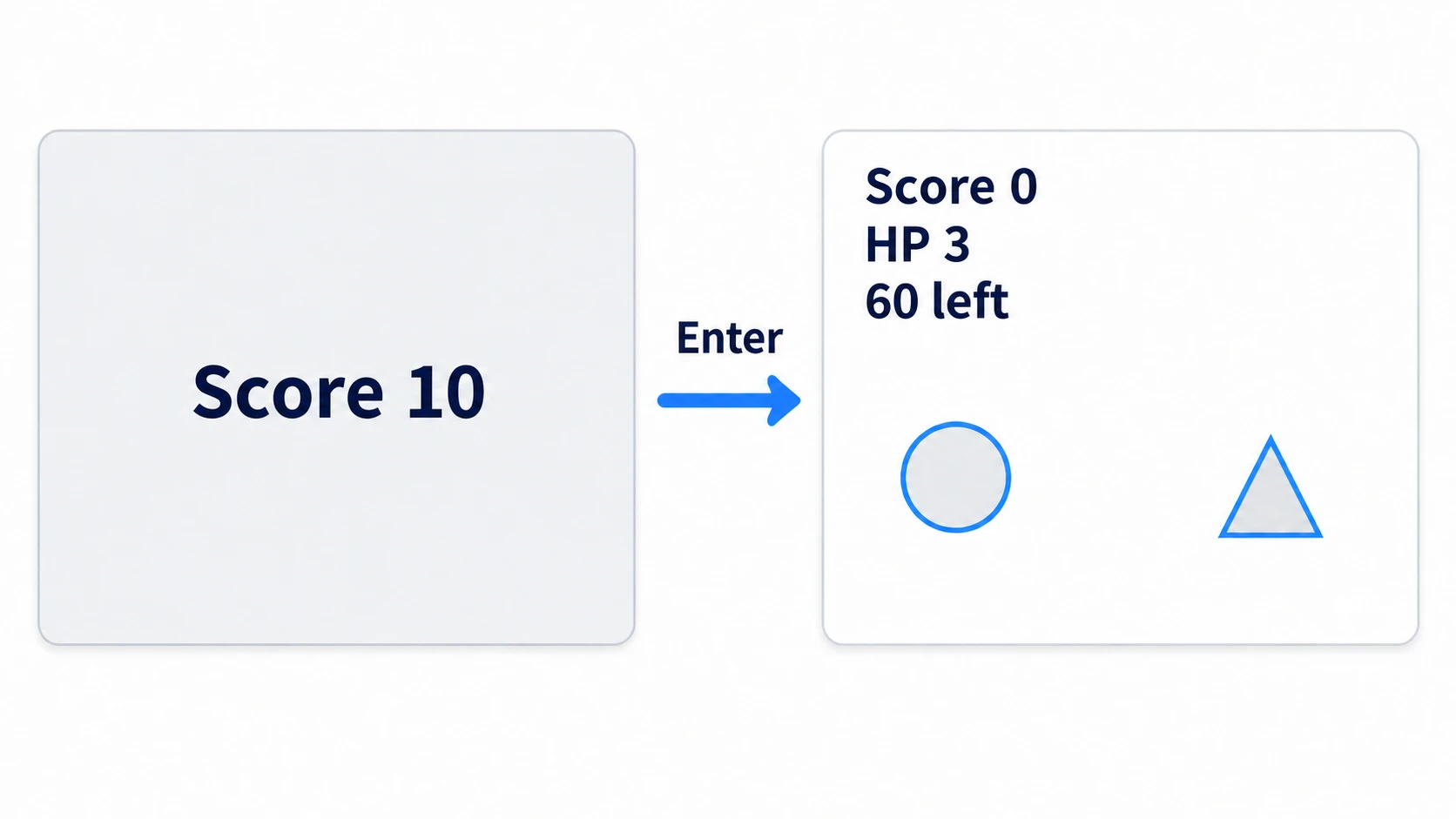
Enter play with Enter (the key assigned to ui_accept from the start). Move with the arrow keys and grab one coin, and the score becomes 10. Enter the spike, and HP drops to 2. Staying in contact doesn't drain it, so move away to the left once and re-enter; entering 3 times gives game over. If the center of the game over screen shows "Score 10," the score of the run that ended is preserved. If it shows 0, it's being cleared on the dying side or in the play scene's _exit_tree().
Look at the upper left right after pressing Enter, and it's back to Score 0, HP 3, 60 left. Die again without grabbing the coin, and game over shows Score 0. If it's still 10, the first run's number is left over.
Finally, break just one line. Put # at the start of the GameState.start_run() line in game_over.gd to comment it out, play one run the same way, and retry. The upper left of the second run shows Score 10, HP 3, 60 left. HP and the timer were rebuilt along with the scene and reset, while only the score, which lives outside the scene, stays at the previous number. Once you've checked, remove the #.
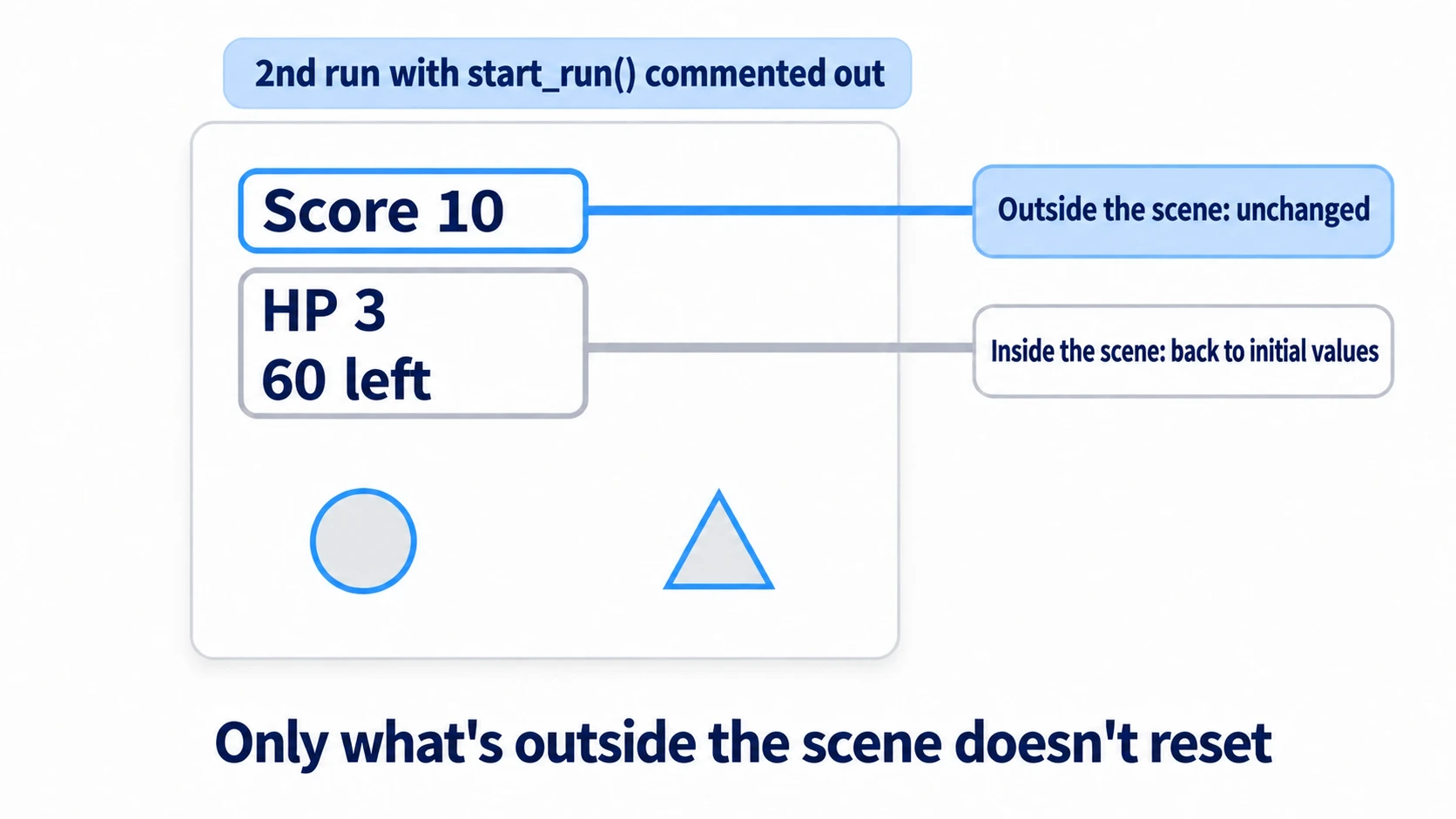
There are two key points.
- Reset to 0 in the code that starts a new attempt: Not when the play screen opens. That distinction is what keeps the previous run's score on the game over screen
- Variables inside the scene reset on their own: For both HP and the timer, writing the initial value is enough. The only things you have to reset yourself are what you moved outside the scene
If you want to return only a player who fell without changing scenes, see Checkpoint Basics. When it comes to carrying the score across stages or remembering which treasure chests were opened, the Autoload article continues from here. To show progress while a heavy stage loads, see the dynamic loading article.
Troubleshooting
| Symptom | Cause | Fix |
|---|---|---|
| Pressing Enter doesn't change the screen | The path is misspelled, and the switch stops with ERR_CANT_OPEN | Look for the load failure in the Debugger's Errors tab. Paste paths using right-click → Copy Path in the FileSystem dock |
| After adding pause, Enter doesn't work on game over | get_tree().paused is a setting outside the scene; it stays true after changing scenes, stopping input on the game over screen too | In the play side's _to_game_over(), set get_tree().paused = false right before switching. Writing it in the game over side's code that receives Enter doesn't work, because that code is paused too |
| The high score resets to 0 too | start_run() also sets the high score to 0 | Separate score, which is for one run only, from high_score, which carries over, and reset only score in start_run() |
| A black fade added for screen transitions disappears partway | The fade panel is placed inside the scene being swapped | Put the panel on something that survives, like an Autoload |
Bonus: Good to Know First
Even things in an Autoload disappear when you close the game. A high score you want to keep for the next launch needs to be saved to a file. How to do that is in the save article.
As stages increase, put a stage value for the current stage in GameState too. It also carries over to the next scene. Like score, it goes back to 1 only in start_run(). Clearing a stage just advances it by one.
Summary
- Changing scenes rebuilds what's inside: HP and timers start from their written initial values, so there's no need to reset them
- Only what's outside the scene survives: A score moved into an Autoload keeps its previous number until something assigns 0
- Reset to 0 in the code that starts a new attempt: The two places are starting from the title and retrying. Don't touch it when the player dies
- Right after the call, the old scene is already gone:
current_sceneisnull, andget_tree()doesn't return from old nodes - Switch once, from one function: Reject a second call that comes right after, and switch after the collision notifications with
call_deferred()
Things that don't carry over sort themselves out just by living inside the scene. In the game you're making now, what do you want to carry over to the next attempt?