An enemy that just blinks out when defeated, a spell that's nothing but a plain ball flying across the screen. Add a spray of explosion debris, a column of rising smoke, or a shimmer of magical sparks, and the same game comes alive. Particles are what handle that grain-based presentation.
Godot has both CPUParticles2D and GPUParticles2D, and GPUParticles2D is the one you want for drawing large numbers of particles cheaply. This article covers its basic structure and the key parts of ParticleProcessMaterial, so you can build the three standards: explosions, smoke, and magic.
What You'll Learn
- The three elements of
GPUParticles2D(Amount / ParticleProcessMaterial / Texture)- Shaping a particle's lifetime with
ParticleProcessMaterial(Lifetime, initial velocity, gravity, Color Ramp, Scale Curve)- Making explosions that burst instantly with
One Shotand Explosiveness- Setting recipes for explosions, smoke, and magic, plus reuse through pooling
Tested with: Godot 4.7
The Three Elements of GPUParticles2D
GPUParticles2D hands particle math off to the GPU's parallel processing. That's why it can draw thousands or tens of thousands of particles with almost no load on the CPU that runs your game logic. If you only need a few dozen particles, CPUParticles2D, which does the math on the CPU, is enough (both are set up the same way).
| Trait | GPUParticles2D | CPUParticles2D |
|---|---|---|
| Where it runs | GPU | CPU |
| Good at | Thousands to tens of thousands of particles (explosions, fire, rain, blizzards) | A few dozen particles (footstep dust, for example) |
To get GPUParticles2D running, you need to set at least these three things.
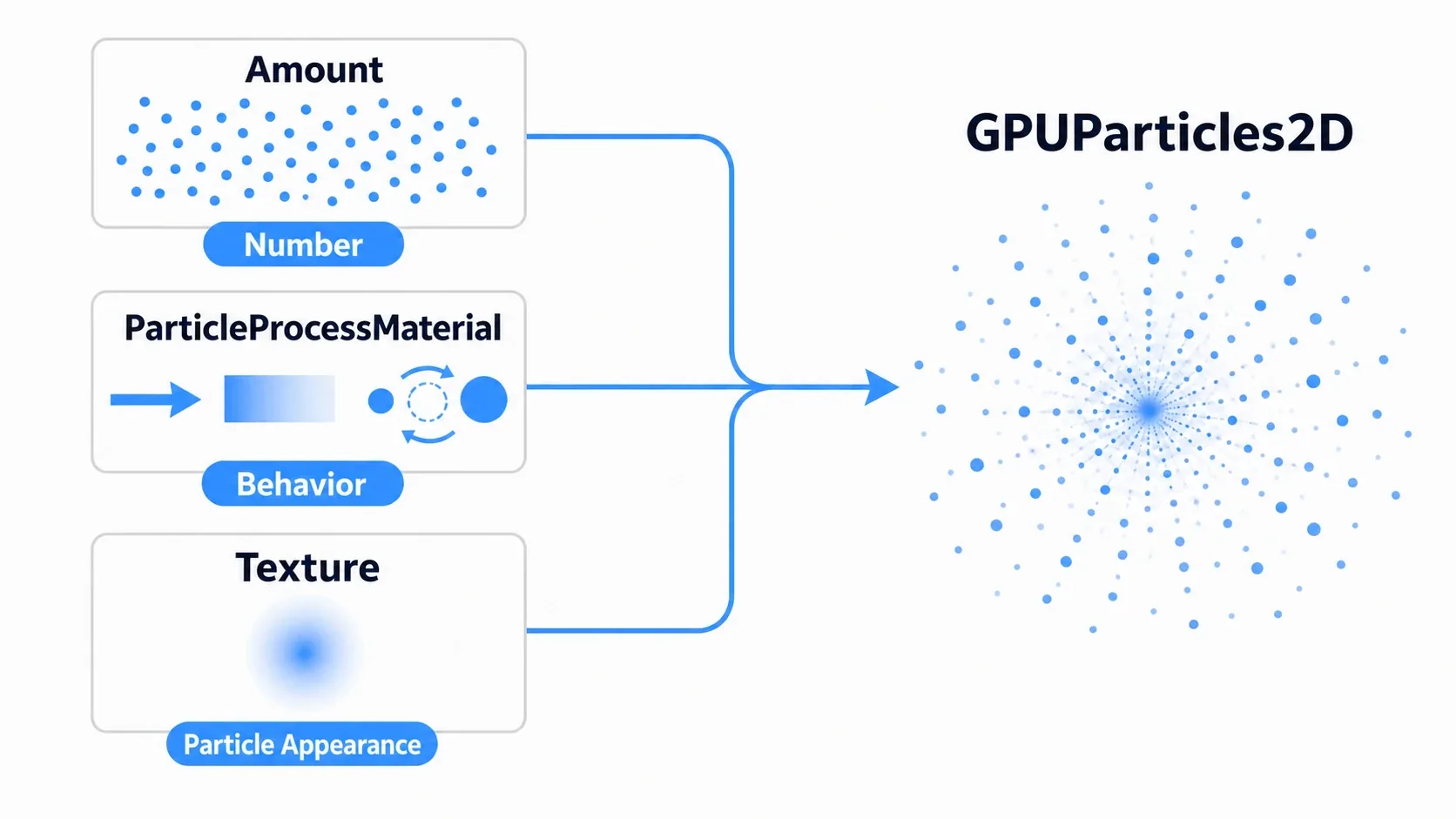
- Amount: the maximum number of particles that can exist at once. More looks better but costs more.
- Process Material: created with
New ParticleProcessMaterial. This is the heart of the effect, defining behavior such as movement, color, and size. - Texture: what a single particle looks like. A black-and-white gradient that is bright at the center and fades to transparent is universally useful (multiply it with
Colorto reuse it everywhere).
Shaping a Particle's Lifetime with ParticleProcessMaterial
ParticleProcessMaterial is the set of settings that shapes a particle's life: spawn, move, disappear. It determines how each particle is born, how it moves, and how it fades out.
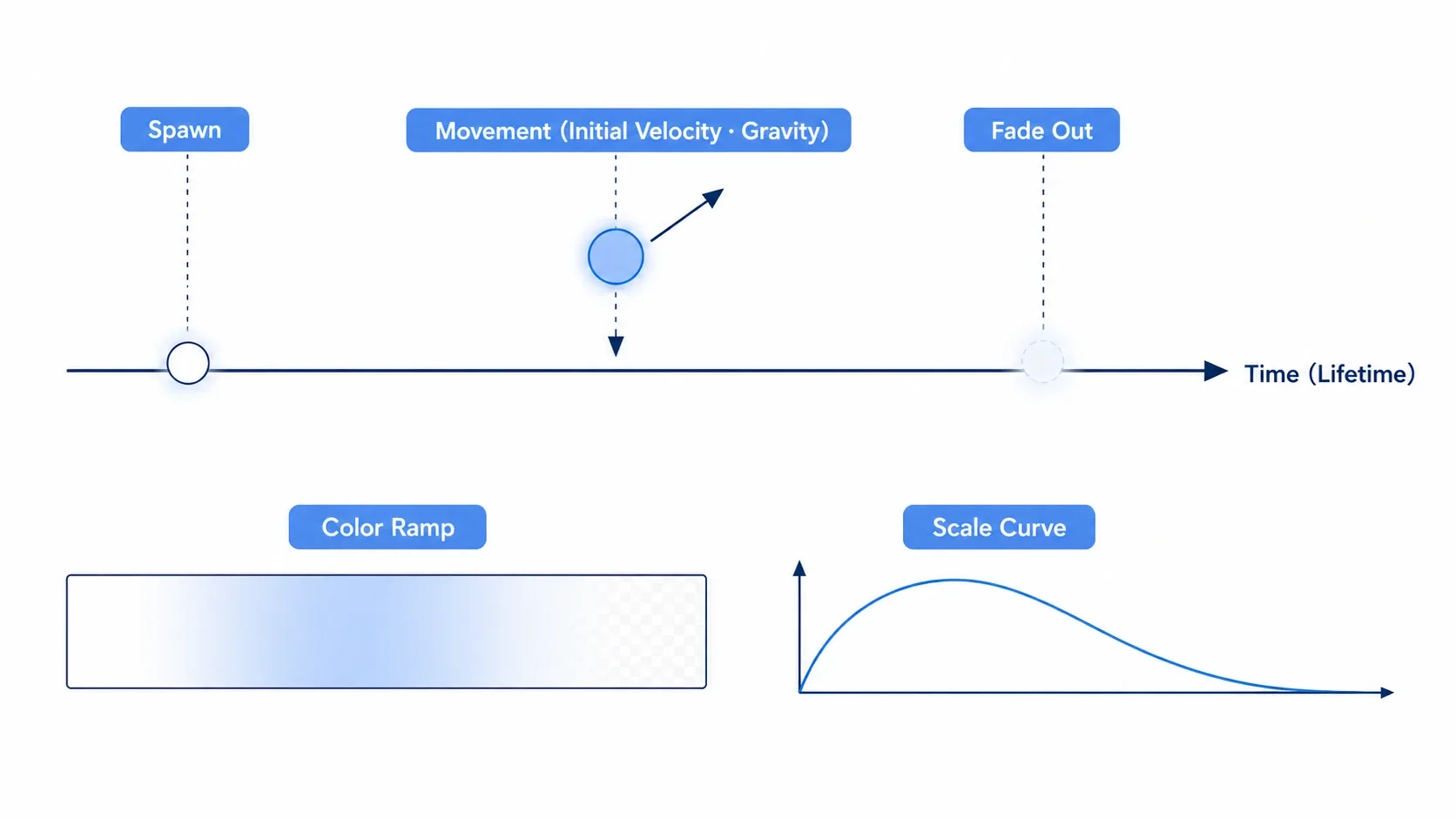
These are the settings you'll reach for most often.
- Timing:
Lifetime(seconds until it disappears),One Shot(emit once),Preprocess(pre-simulate at startup) - Shape and direction:
Emission Shape(Point / Sphere / Ring and other emitter shapes),DirectionplusSpread(travel direction and spread angle) - Movement:
Initial Velocity(starting speed, with Min/Max for variation),Gravity(use a negative value to make smoke rise),Damping(drag that slows particles down) - Visual change over time:
Scale Curve(size across the lifetime),Color Ramp(color across the lifetime)
Color Ramp is what most affects how believable the result looks. If you forget to drop the alpha to 0 at the end of the lifetime, particles cut out abruptly at the moment they vanish, which stands out. Always fade to transparent at the end. That's the trick to making them disappear smoothly.
Bursting with One Shot and Explosiveness
To get an instant burst like an explosion, the combination of One Shot and Explosiveness is the key.
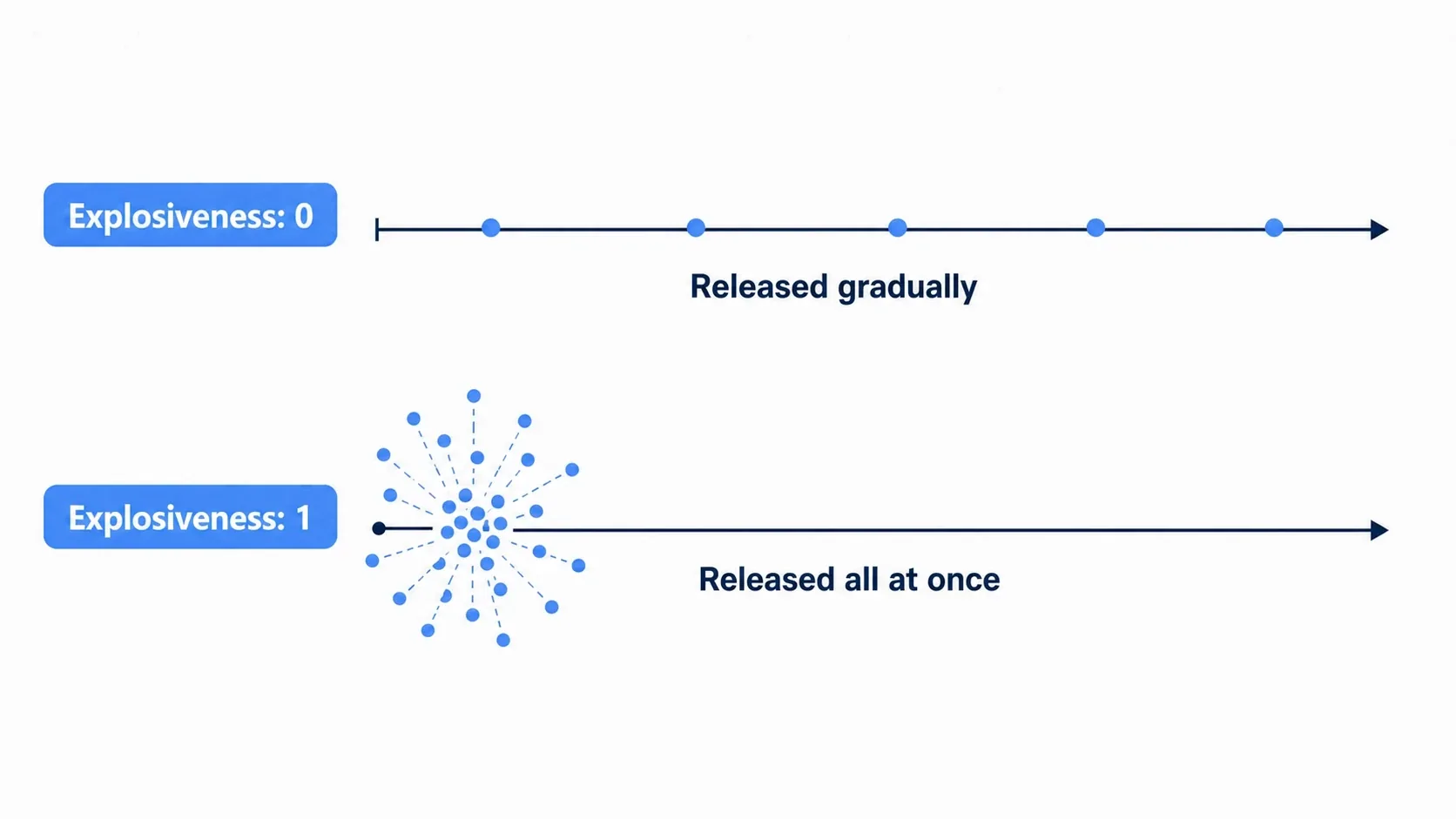
- One Shot: emits
Amountparticles and then stops (a single burst rather than continuous emission). - Explosiveness: at
0, particles are emitted gradually over theLifetime(good for fountains and fire); at1, all of them come out in a single frame (good for explosions).
The base setup for an explosion is One Shot: on plus Explosiveness: 1.0. Those two give you the "burst and fade" timing.
Hands-On: Three Recipes for Explosions, Smoke, and Magic
Once you understand the three elements and a particle's lifetime, the rest is combining values into a wide range of effects. Let's look at three standards you can reuse in an action game, a shmup, or an RPG.
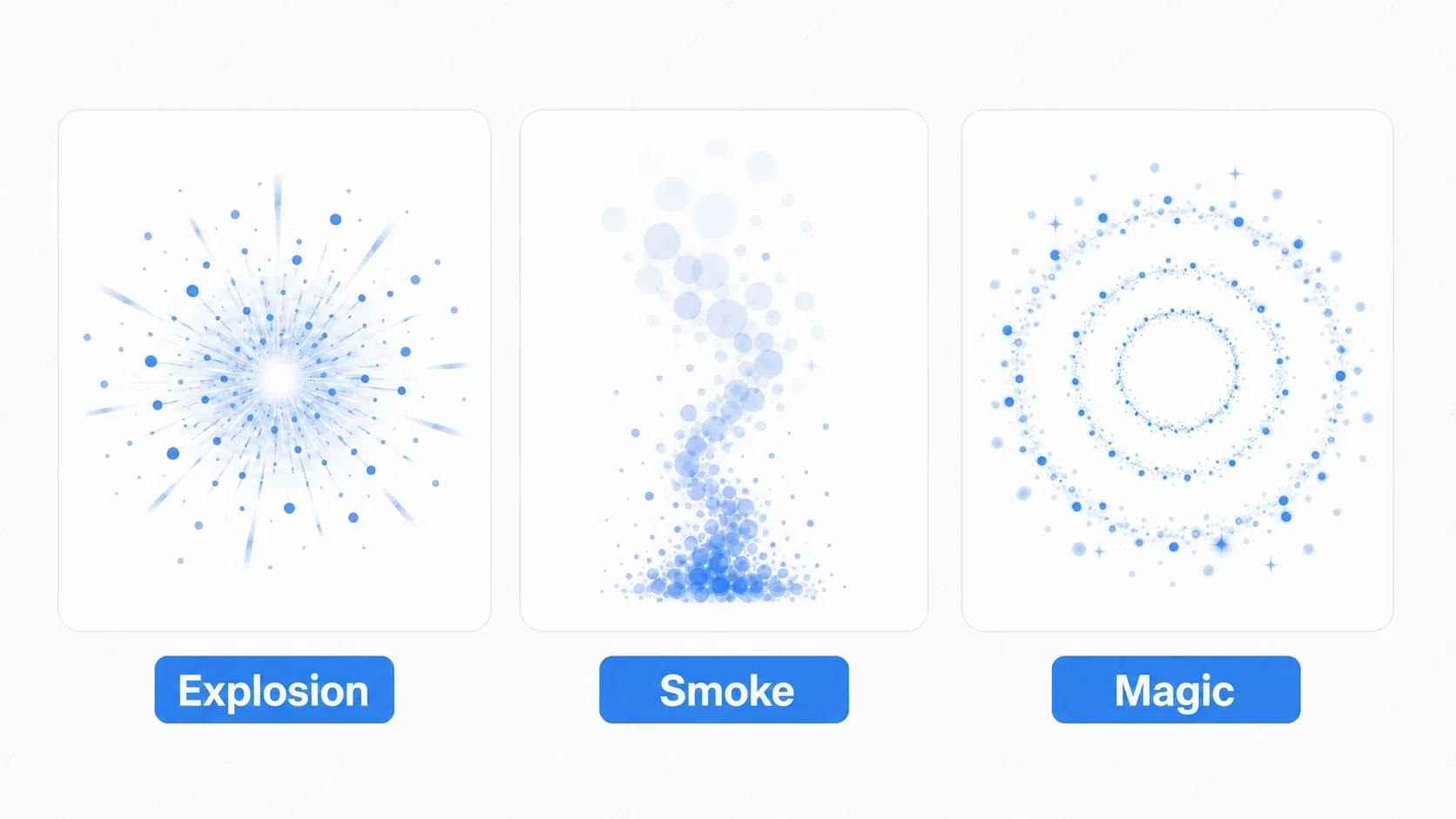
Explosion: An Instant Burst
- Timing:
Lifetime: 0.8/One Shot: on/Explosiveness: 1.0 - Direction:
Spread: 180(in every direction) - Movement:
Initial Velocity: 200-300/Gravity: (0, 0) - Look:
Scale Curvestarts large and drops to 0.Color Rampgoes white, yellow, orange, transparent
An explosion is disposable, so it removes itself once emission finishes. Using the finished signal, which only fires in One Shot mode, is the clean way to do it.
extends GPUParticles2D

func _ready() -> void:
    finished.connect(queue_free)   # Remove itself when emission ends (only fires in One Shot mode)

func explode(pos: Vector2) -> void:
    global_position = pos
    restart()                      # Start emitting again from the beginning
Smoke: A Slow Rise
- Timing:
Lifetime: 3.5/One Shot: off(emit continuously) - Movement:
Gravity: (0, -30)(rising) /Damping: 5 - Wobble: turn on
Turbulenceto get the feel of drifting in the wind - Look:
Scale Curveexpands slowly.Color Rampgoes white, semi-transparent gray, transparent
Smoke emits continuously, so finished never fires. To stop it, set emitting = false.
Magic Bolt: Tracing a Path
- Timing:
Lifetime: 1.5/One Shot: on - Shape:
Emission Shape: Ring(spawns in a ring) - Movement:
Initial Velocity: 50-80 - Look:
Color Rampgoes cyan, blue, purple and transparent. UseHue Variationto spread the hue a little
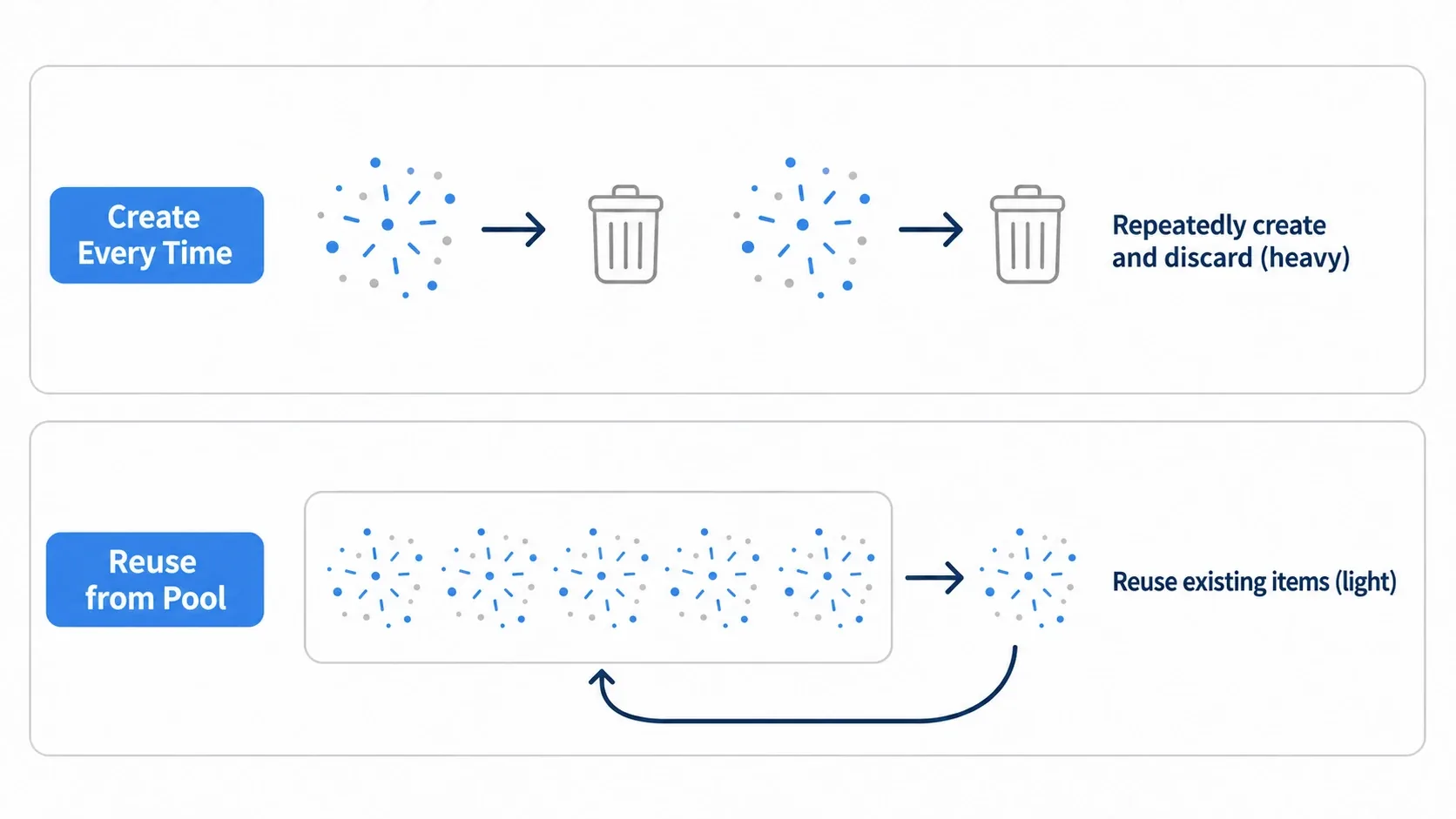
For effects you emit frequently, like magic bolts, calling instantiate() / queue_free() every time piles up creation costs. Reusing instances with object pooling makes it much cheaper.
Common Mistakes and Best Practices
| Common Mistake | Best Practice |
|---|---|
Setting Amount higher than necessary | Keep Amount minimal and create a sense of density through particle Scale and movement |
Not setting Visibility Rect | Specify the draw area with Visibility Rect to suppress off-screen drawing |
Forgetting to zero out the alpha in Color Ramp, so particles cut out abruptly | Always drop the alpha to 0 at the end of the lifetime for a smooth fade |
Calling instantiate / queue_free every time for frequent effects | Reuse instances with object pooling |
| Stacking too many semi-transparent particles and paying for overdraw | Limit particle size and count, and cut draw calls with a texture atlas |
Bonus: Good to Know for Later
- Reuse via Texture x Color: prepare one black-and-white gradient texture and multiply it with
Color, and the same image gives you both fire and magic. - Glow makes it pop: layering 2D lighting over explosions and magic makes the particles glow softly and hit harder.
- Elaborate motion belongs in shaders: churning flames, distortion, and other motion the standard settings can't reach are the domain of Fragment Shader Basics.
- Pack into an atlas: putting several effect images into a single texture atlas lets them share a material and cuts draw calls.
Summary
- The three elements:
Amount(count),ParticleProcessMaterial(behavior),Texture(particle appearance) - A particle's lifetime:
Lifetime,Initial Velocity, andGravityshape the movement;Color RampandScale Curveshape the visual change - Bursting:
One ShotplusExplosiveness: 1.0gives an instant explosion - Reuse: pool frequent effects to keep them cheap, and limit drawing with
Visibility Rect
Start by building one explosion with a black-and-white gradient texture, then play with Color Ramp and Explosiveness. Changing values alone turns it into fire, a fountain, or magic. Layer light and shadow on top and the screen gets considerably more convincing.