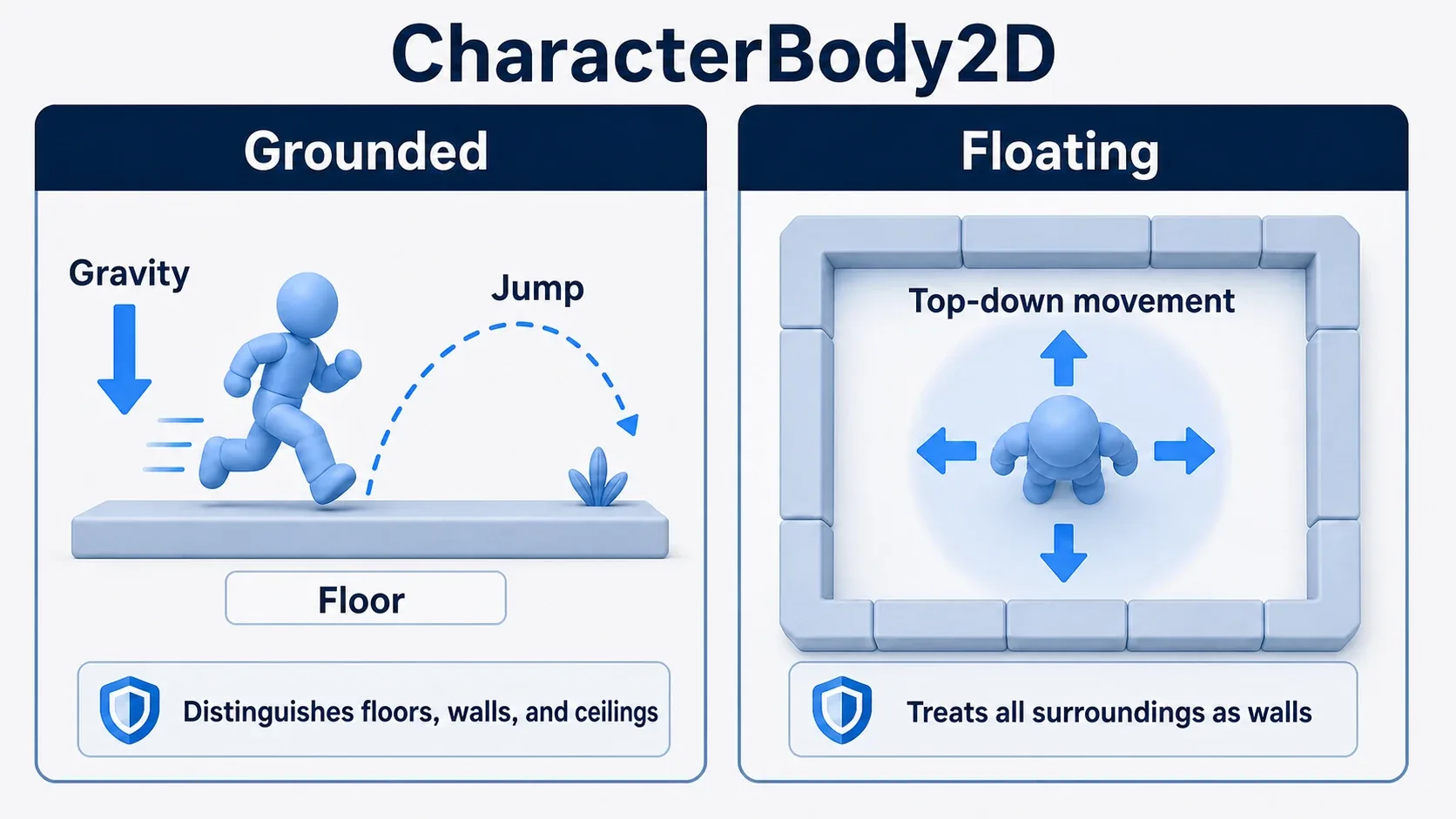
Players, crates, floors, enemies, moving platforms. They all have collision, but building them all from the same physics body causes pain later.
Build the player as a RigidBody2D and it may tumble convincingly, but making controls respond crisply to input gets hard. Build a physics puzzle crate as a CharacterBody2D and you'll be writing a lot of code to reproduce natural falling and bouncing yourself.
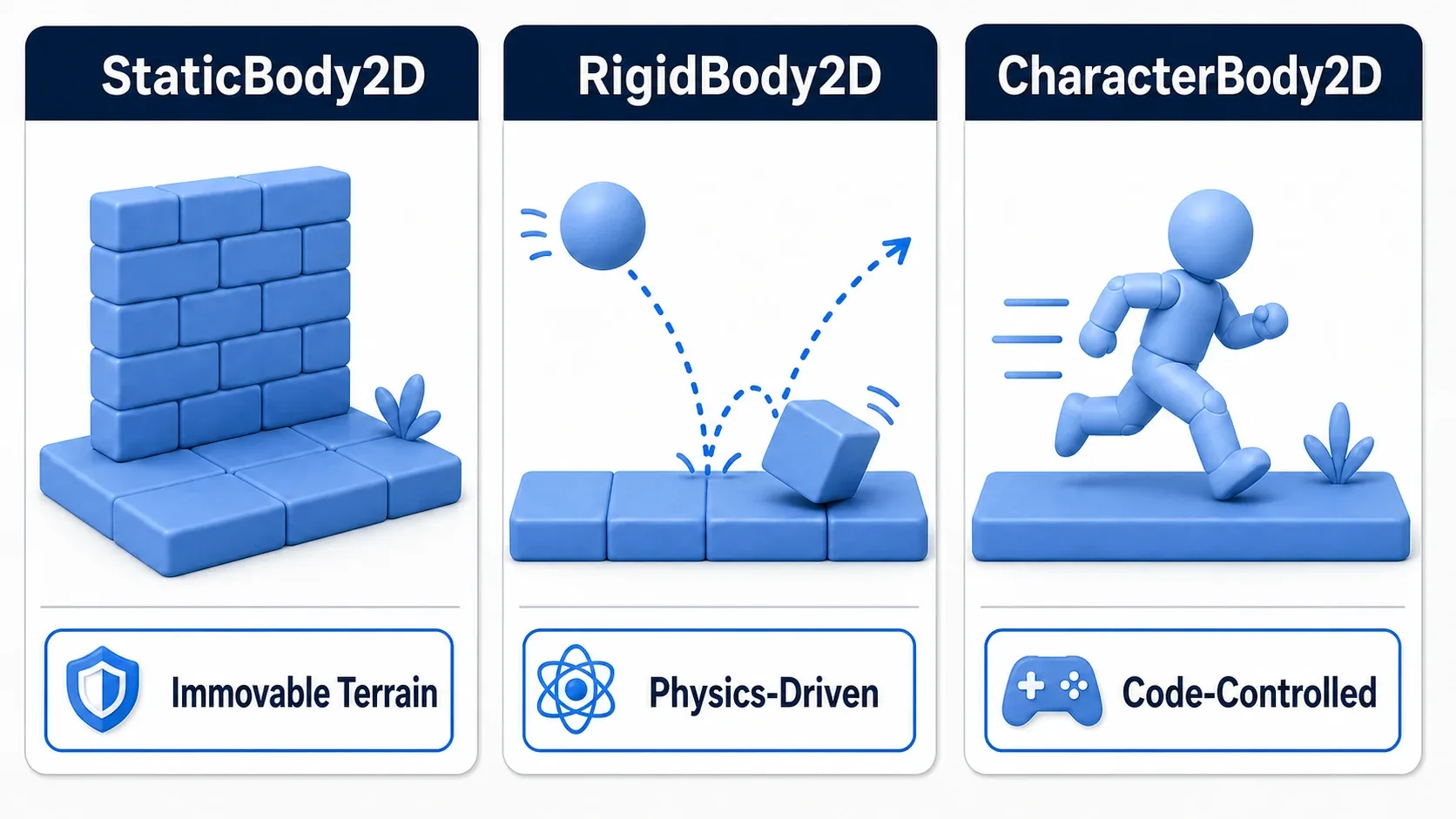
This article organizes Godot's main 2D physics bodies around one question: who decides the motion?
What You'll Learn
- The differences between
StaticBody2D,RigidBody2D, andCharacterBody2D- Which to pick for players, enemies, crates, floors, and moving platforms
- How
move_and_slide()differs conceptually from forces and impulses- Common mistakes when picking a physics body
Tested with: Godot 4.7
- Start with a Selection Rule
- It All Comes Down to "Who Moves It"
- StaticBody2D: Floors and Walls That Don't Move
- RigidBody2D: Crates and Balls Left to the Physics Engine
- CharacterBody2D: Players and Enemies Driven by Code
- Choosing in Real Projects
- Common Pitfalls
- Bonus: Good to Know Beforehand
- Summary
- Further Reading
Start with a Selection Rule
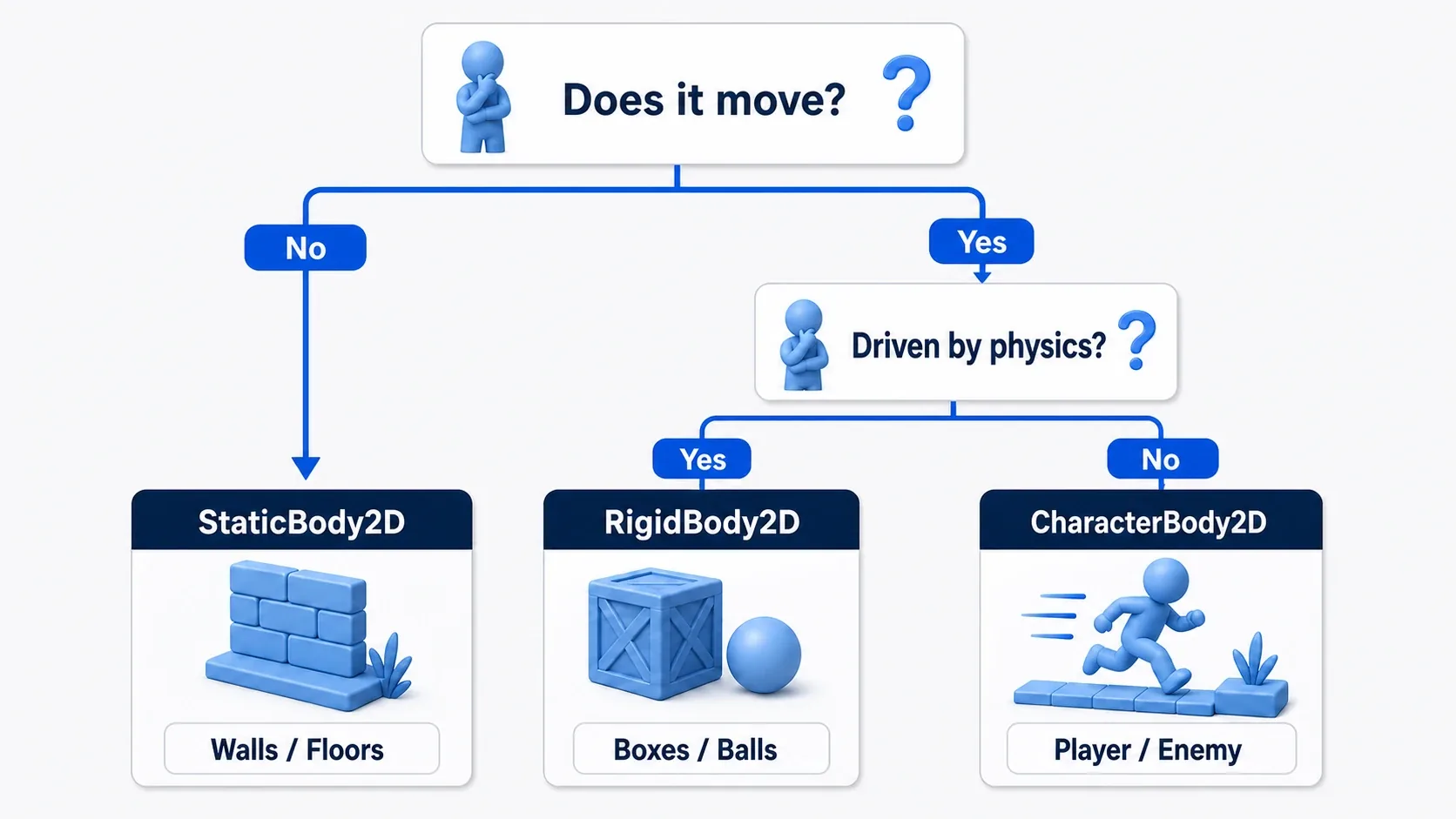
When in doubt, work through these questions in order.
| Question | Answer | Easy pick |
|---|---|---|
| Is it a floor, wall, or obstacle that doesn't move? | Yes | StaticBody2D |
| Should it move naturally from gravity and collisions? | Yes | RigidBody2D |
| Should it move exactly as input or AI dictates? | Yes | CharacterBody2D |
| Is it a platform driven by animation or code? | Yes | AnimatableBody2D |
The key question isn't "does it collide?" It's who decides the motion.
- Doesn't move:
StaticBody2D - The physics engine moves it:
RigidBody2D - Your own code moves it:
CharacterBody2D - A moving platform driven by animation or code:
AnimatableBody2D
It All Comes Down to "Who Moves It"
Every physics body can carry a CollisionShape2D, but they assume different ways of moving.
| Node | Who drives motion | Typical examples | How you write code |
|---|---|---|---|
StaticBody2D | Nothing; it stays put | Floors, walls, fixed spikes | Position is basically fixed |
RigidBody2D | The physics engine | Crates, balls, falling rocks | Apply forces and impulses |
CharacterBody2D | Your code | Player, enemies, NPCs | Set velocity, then move_and_slide() |
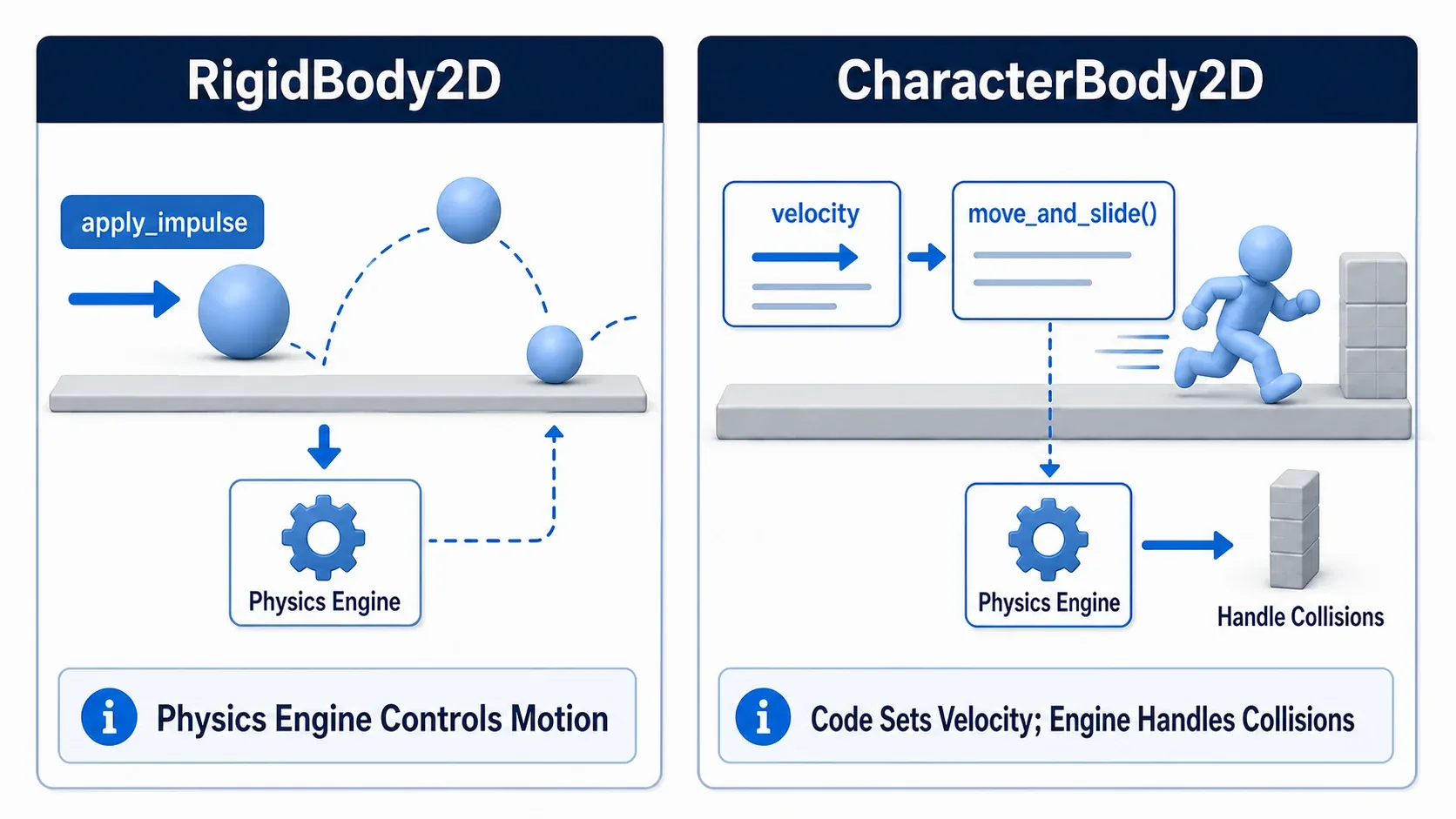
Choosing without understanding this difference makes your code complicated later. A RigidBody2D player makes things like "stop the instant the key releases", "fine-tune air control", and "stay stable on slopes" difficult. Conversely, a CharacterBody2D crate in a physics puzzle means reproducing natural tumbling and bouncing by hand.
StaticBody2D: Floors and Walls That Don't Move
StaticBody2D is a physics body that fundamentally doesn't move. Use it for floors, walls, and fixed obstacles: things other objects collide with.
Floor (StaticBody2D)
└─ CollisionShape2D
Floors and walls don't need to move on their own. It's enough for them to be a boundary that says "you can't go past here" when the player or a crate hits them.
Where StaticBody2D fits is easy to spot.
- Ground
- Walls
- Fixed platforms
- Stationary spikes
- Obstacles that don't budge when pushed
The thing to watch is using it for things that don't move. Building a platform whose position changes every frame out of a StaticBody2D tends to make interactions with characters standing on it unstable. For moving platforms, consider AnimatableBody2D, covered below.
RigidBody2D: Crates and Balls Left to the Physics Engine
RigidBody2D is driven by physics simulation: gravity, friction, collisions, and restitution. It suits pushing crates, bouncing balls, rolling rocks, and blocks toppling in a physics puzzle.
With RigidBody2D, you don't rewrite position every frame; you apply forces and impulses.
extends RigidBody2D

@export var launch_force: float = 600.0

func launch(direction: Vector2) -> void:
    # Wake the sleeping RigidBody2D first, then apply the impulse
    sleeping = false
    apply_central_impulse(direction.normalized() * launch_force)
This example shoves a ball or crate away in an instant. apply_central_impulse() applies a momentary shock, which suits knocked-back crates and thrown balls.
RigidBody2D makes natural physical behavior easy. In exchange, it's bad at precise control like "move exactly the same distance per input" or "stop the instant the button releases".
Implementation Recipe: Pushable Crates in a Physics Puzzle
For crates in a physics puzzle, think of it this way.
- Make the crate a
RigidBody2D - Keep the
CollisionShape2Das a simple rectangle - Tune mass, friction, and restitution
- Make the player a
CharacterBody2Dthat passes a push to any crate it bumps into - If you have many crates, revisit sleeping behavior and how many you place
A CharacterBody2D just stops when it runs into a crate; it doesn't push it. To push crates, give an impulse to the RigidBody2D you hit after move_and_slide().
# player.gd (CharacterBody2D). Call this after move_and_slide() in _physics_process()
const PUSH_FORCE := 80.0

func push_rigid_bodies() -> void:
    for i in get_slide_collision_count():
        var collision := get_slide_collision(i)
        var body := collision.get_collider() as RigidBody2D
        if body:
            # Push away from the surface we hit (in the direction we're pushing into)
            body.apply_central_impulse(-collision.get_normal() * PUSH_FORCE)
If you raise the crate's Mass, raise PUSH_FORCE along with it. When the push loses to the friction against the floor, the crate won't move.
Leaving crates to the physics engine feels more natural than controlling them entirely from code. But since more bodies mean more computation, reserve RigidBody2D for things that genuinely need physics.
CharacterBody2D: Players and Enemies Driven by Code
CharacterBody2D is for characters you want your game logic to drive, like the player and enemies.
Instead of handing everything to the physics engine, you set velocity and let move_and_slide() handle movement and collision.
extends CharacterBody2D

const SPEED := 260.0
const JUMP_VELOCITY := -420.0

var gravity: float = ProjectSettings.get_setting("physics/2d/default_gravity")

func _physics_process(delta: float) -> void:
    if not is_on_floor():
        velocity.y += gravity * delta

    if Input.is_action_just_pressed("jump") and is_on_floor():
        # The code decides the jump velocity
        velocity.y = JUMP_VELOCITY

    var direction := Input.get_axis("move_left", "move_right")
    velocity.x = direction * SPEED

    # CharacterBody2D handles movement and collision together via move_and_slide
    move_and_slide()
CharacterBody2D is the right choice for players and enemies almost every time, because it lets your code dial in exactly how the game feels.
- Accelerate the instant input arrives
- Tune air control
- Keep from sliding down slopes
- Vary knockback and attack recovery per state
- Send an AI toward a destination
All of that is easier to build in code than to coax out of the physics engine.
Choosing in Real Projects
Looking at it per game object makes the choice much clearer.
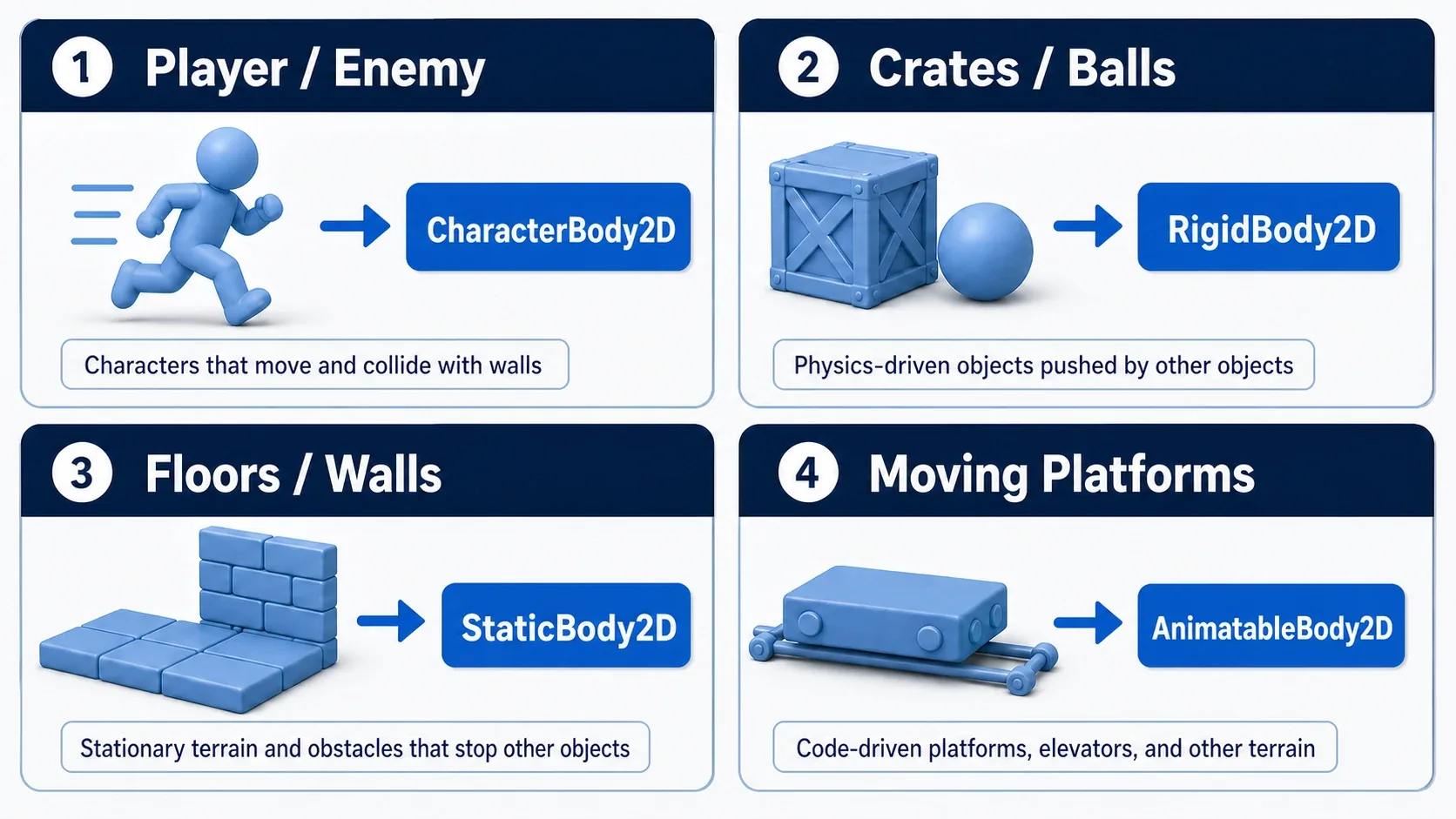
| Object | Recommended | Why |
|---|---|---|
| Player | CharacterBody2D | You want it to move exactly as input dictates |
| Enemy | CharacterBody2D | You want AI and state management to drive it |
| Ball | RigidBody2D | You want natural bounce, gravity, and collisions |
| Pushable crate | RigidBody2D | You want physics to handle pushing between objects |
| Floors, walls | StaticBody2D | It doesn't move; it just needs to be a collision boundary |
| Moving platform | AnimatableBody2D | You want a moving platform handled in step with the physics update |
| Attack hitbox | Area2D | You want to detect entering and exiting, not to stop movement |
Area2D isn't a physics body, but it's easy to confuse with them, so it's in the table. For attack hitboxes, item pickup ranges, and sensors, where you don't need to block overlap and only want to detect entry, Area2D is the right fit.
Common Pitfalls
A RigidBody2D Player With Wild Controls
RigidBody2D puts physics simulation in charge. Inertia, friction, and restitution all affect it, making it hard to stop the player where you want, keep jump height consistent, or move naturally on slopes.
Unless physics itself is the star of your game, starting players and enemies as CharacterBody2D is the safe path.
Setting a CharacterBody2D's position Directly
Moving a CharacterBody2D with position += ... skips the collision handling that move_and_slide() provides, leading to clipping through walls and unnatural push-back.
The default approach is to update velocity and call move_and_slide() at the end.
Moving a StaticBody2D Every Frame
StaticBody2D is meant for things that don't move. If you want a moving platform, consider AnimatableBody2D.
Of course, moving a StaticBody2D can appear to work in a small prototype. You'll get stuck on carrying a character standing on it correctly and staying in sync with the physics update.
Overcomplicating CollisionShape2D
The more complex a collision shape gets, the harder both the physics calculation and the tuning become. Especially when you use many RigidBody2D objects, start with the simplest RectangleShape2D or CircleShape2D you can.
Bonus: Good to Know Beforehand
Moving Platforms Are Their Own Category
A moving platform supports the player like a floor, but its position changes. That makes it different from both a plain StaticBody2D and a freely tumbling RigidBody2D.
In Godot, AnimatableBody2D is the candidate. It's the node for something driven by animation or code while still handling contact with other physics bodies. It's worth looking into when you build elevators or side-to-side platforms in a platformer.
Area2D Isn't for Blocking Movement
Attack hitboxes and item pickup ranges usually use Area2D. Area2D is a node for detecting overlap; it plays a different role than a physics body that stops movement like a floor or wall.
Separating "I want to react on contact" from "I want to block movement" makes the choice between Area2D and physics bodies straightforward.
Keep Physics Logic in _physics_process
Moving a CharacterBody2D, applying forces to a RigidBody2D, and reading physics state are all more stable when you handle them in _physics_process().
Visual effects and UI updates are fine in _process(), but the motion of physics bodies themselves should stay in step with the physics update.
Summary
StaticBody2Dis for floors and walls that don't moveRigidBody2Dis for things like crates and balls whose motion you leave to the physics engineCharacterBody2Dis for things like players and enemies you want to control precisely from codeAnimatableBody2Dis the candidate for moving platforms and elevators- Choose based on "who decides the motion", not "does it collide"
Picking a physics body directly determines how easy the rest of the work is. Choosing the right node up front makes tuning game feel, tracking down bugs, and managing performance a lot easier. The same thinking applies in 3D, where the names end in 3D instead. An example that knocks down crates with RigidBody3D is in 3D Collision Basics.
Further Reading