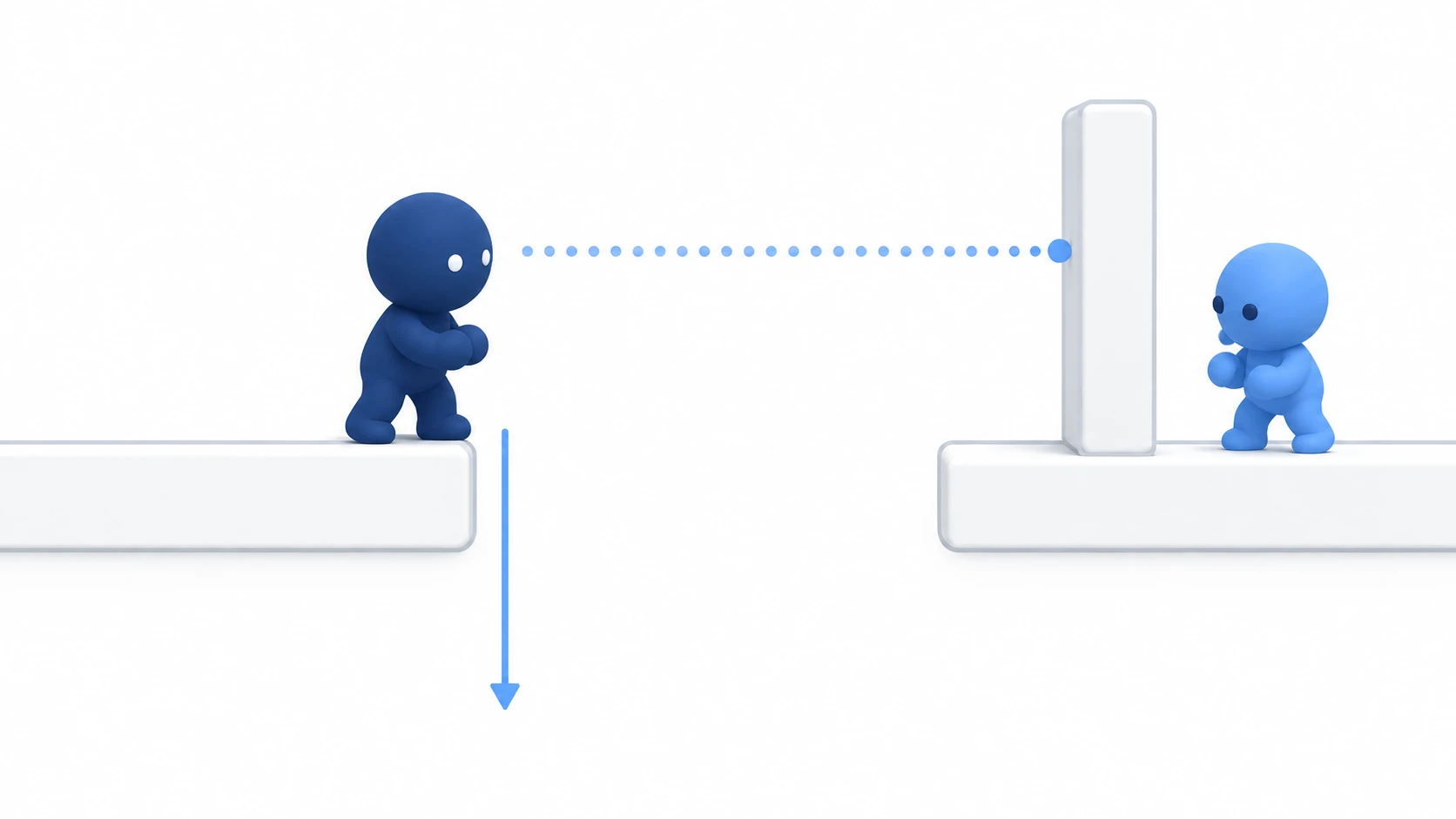
Attacks like a sword swing or a sweeping slash should, as a rule, deal damage only once per attack to each target inside the range. In Godot, you build this with an Area2D hitbox and a list that remembers who this attack has hit.
Reduce HP straight from the signal that arrives when something enters the range, and one attack can drop the same slime's HP three times. On the flip side, a second swing in the same spot may not land at all.
This article covers counting "the targets this attack has hit" instead of the number of signals, so that damage lands only once per target.
What You'll Learn
- What
area_enteredactually counts, and the three ways damage can stack on the same target- Remembering who you've hit, using "one attack × one target" as the unit
- Why the second attack stops landing, and how to pick up targets that are already overlapping
Tested with: Godot 4.7
What area_entered counts
Area2D's area_entered comes exactly once, when two areas start to overlap. It doesn't arrive every frame while they overlap; it's only the single point where the overlap begins.
To check whether something is overlapping right now, use get_overlapping_areas() or overlaps_area(). These don't report the start; they answer with the overlaps known as of the most recent physics update (60 times per second by default). Building separately for "the moment of entry" and "while inside" is covered in the Area2D article.
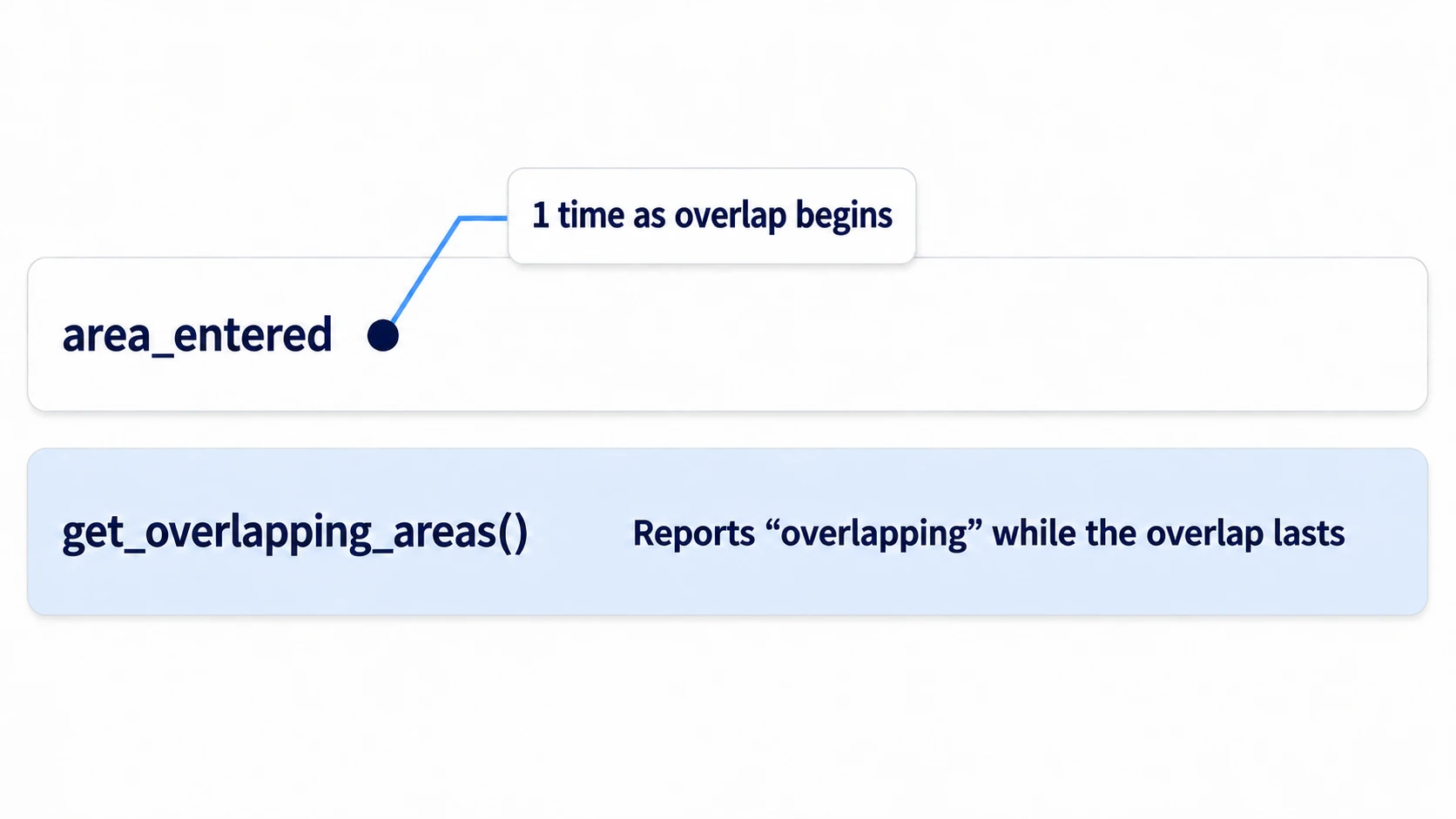
If the signal comes once and you deal damage once there, the damage should land only once. But in practice, it drops three times over.
What's off is where the counting happens. area_entered doesn't count attacks or targets; it counts how many times an overlap was newly detected. "At most once per target per attack" doesn't exist on the signal's side. The attacking side has to keep that count itself.
In other engines: For overlap detection, Godot's Area2D plays a role close to Unity's
Collider2Dwith "Is Trigger" enabled, or a collision component with Overlap responses set up in Unreal Engine. Having to track "once per target per attack" yourself is the same there too.
Three ways damage stacks
A sword in a Metroidvania, punches in a beat 'em up, a sweeping slash in a top-down ARPG—all of them get stuck in one of the same three places.
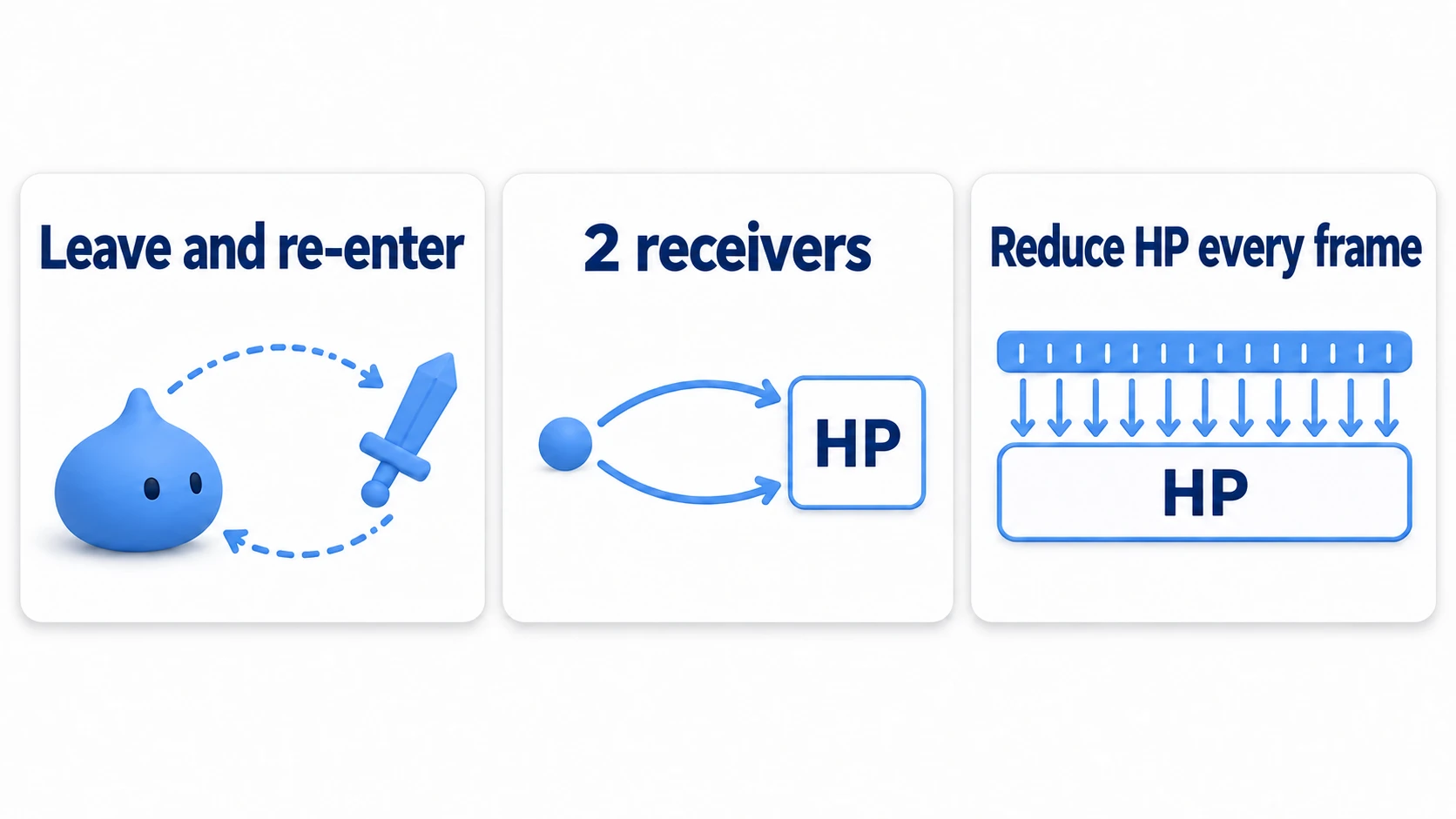
The first is that the overlap breaks and re-enters. When the sword's hitbox leaves the body and comes back, it's detected as a new overlap every time. This really happens with arcing swings. It also happens if you turn the hitbox on only during the animation frames where the attack can land (active frames). While it's off, the overlap counts as ended, and when you turn it back on and the overlap is found again, it's counted as a re-entry.
The second is that the same contact is received in two places. The attacking side's Area2D and the target's HurtBox (the Area2D on the receiving side, also called a hurt area) both have area_entered. If both reduce HP separately, one contact deals damage twice. The same goes for an enemy whose collision is split into a head and a torso as separate Area2Ds. area_shape_entered arrives once per pair of shapes (the CollisionShape2D children of an Area2D). Even with a single Area2D, two shapes means two arrivals.
The third is turning the overlap state into damage every frame. This is the setup where you loop over the list of overlaps inside _physics_process() and reduce HP right there. It isn't about signals at all; you're simply dealing damage on every physics update. At the default 60 per second, half a second of overlap lands about 30 hits.
All three stop once you funnel HP reduction through a single exit and count the targets hit there.
The list of targets hit
Making one exit is more reliable than blocking every entrance. Right before dealing damage, check "has this attack already hit this target?", and if not, record it and then reduce HP.
var is_attacking := false
var hit_targets: Array[Node] = []

func _try_hit(area: Area2D) -> void:
	if not is_attacking:
		return                          # ignore contact while not attacking
	var box := area as HurtBox          # null if it isn't a HurtBox
	if box == null or box.target == null:
		return
	if hit_targets.has(box.target):     # this attack already hit it
		return
	hit_targets.append(box.target)      # record first, then reduce
	box.target.take_damage(10)
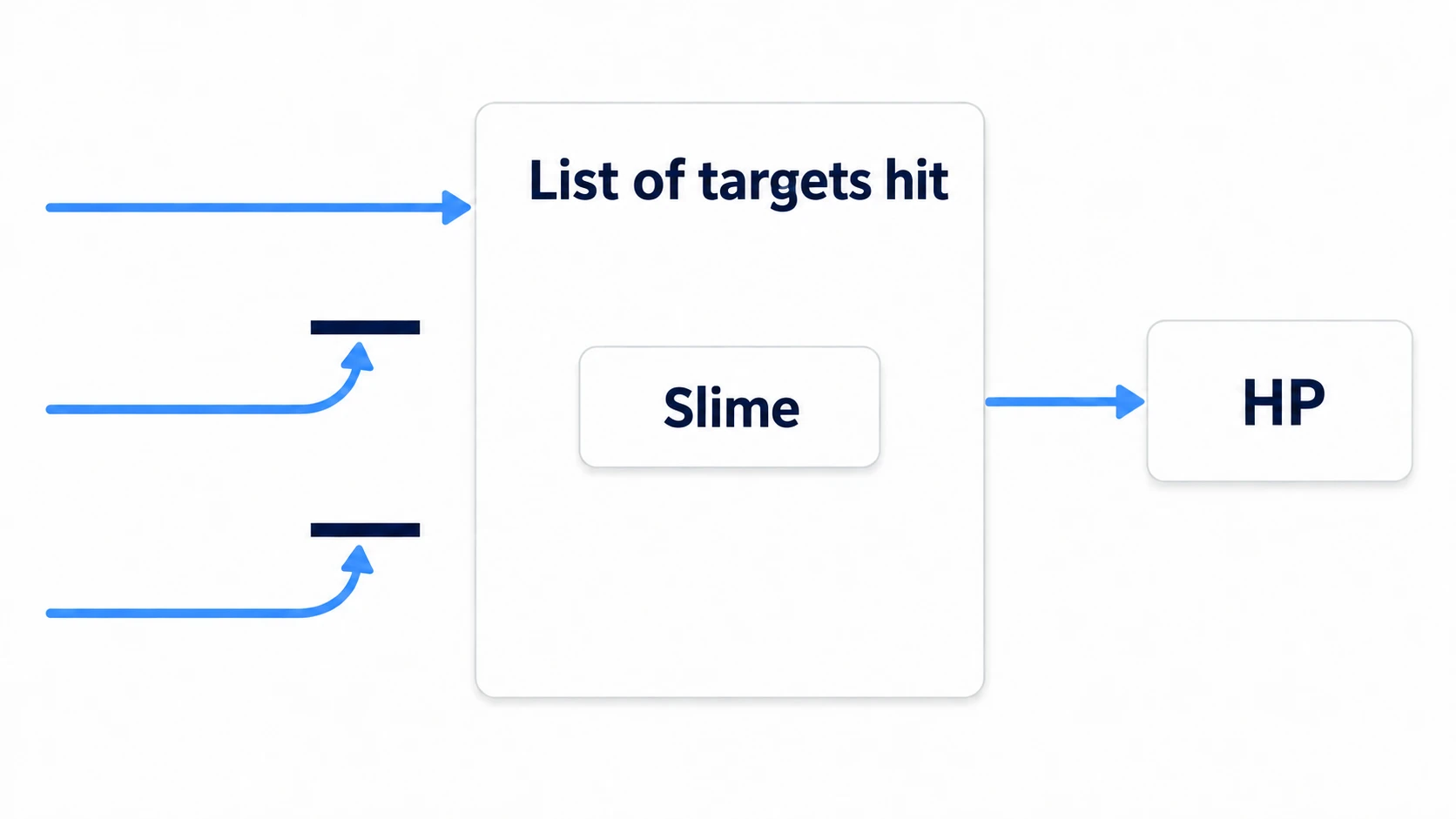
It doesn't matter how many entrances there are. As long as they all go through the same list, only the first one gets past it. The condition is that the line that reduces HP exists only inside this function. If the HurtBox side also reduces HP on its own, that part slips through without passing the list.
Record the body that holds the HP, not the HurtBox. For an enemy whose collision is split into a head and a torso, a setup that records HurtBoxes lets both through as separate targets.
So how do you get from the HurtBox to the body? area.get_parent() is right only when the HurtBox is a direct child of the body. area.owner describes ownership for saving the scene, and there's no guarantee it points to the node holding the HP. Let the HurtBox carry its own destination.
class_name HurtBox
extends Area2D

@export var target: Node   # the body that holds the HP. Set it in the Inspector
class_name HurtBox on the first line gives this script a type name. The area as HurtBox in _try_hit() treats the received Area2D as this type. For an Area2D without this script, it becomes null, so the box == null line filters it out.
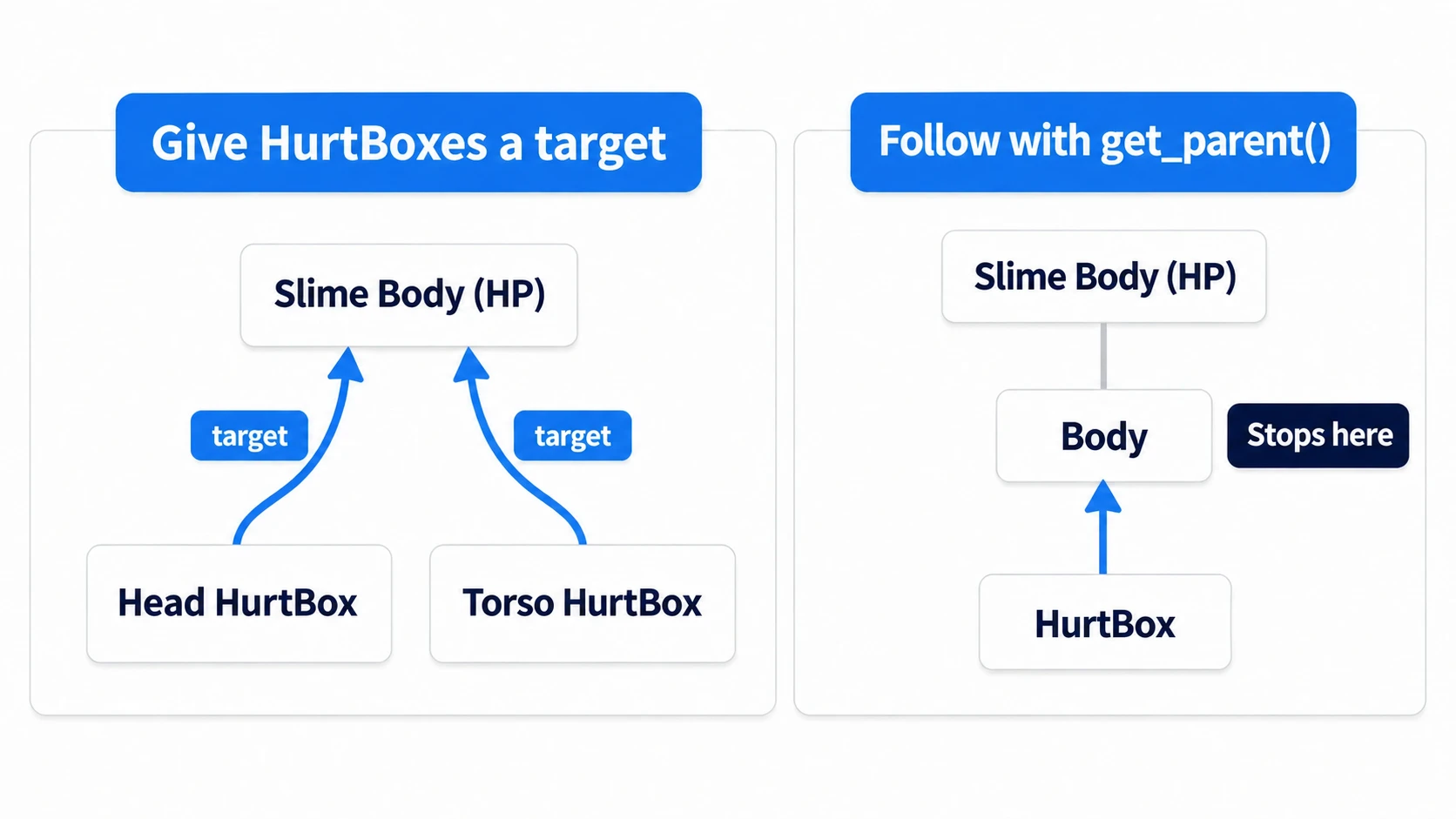
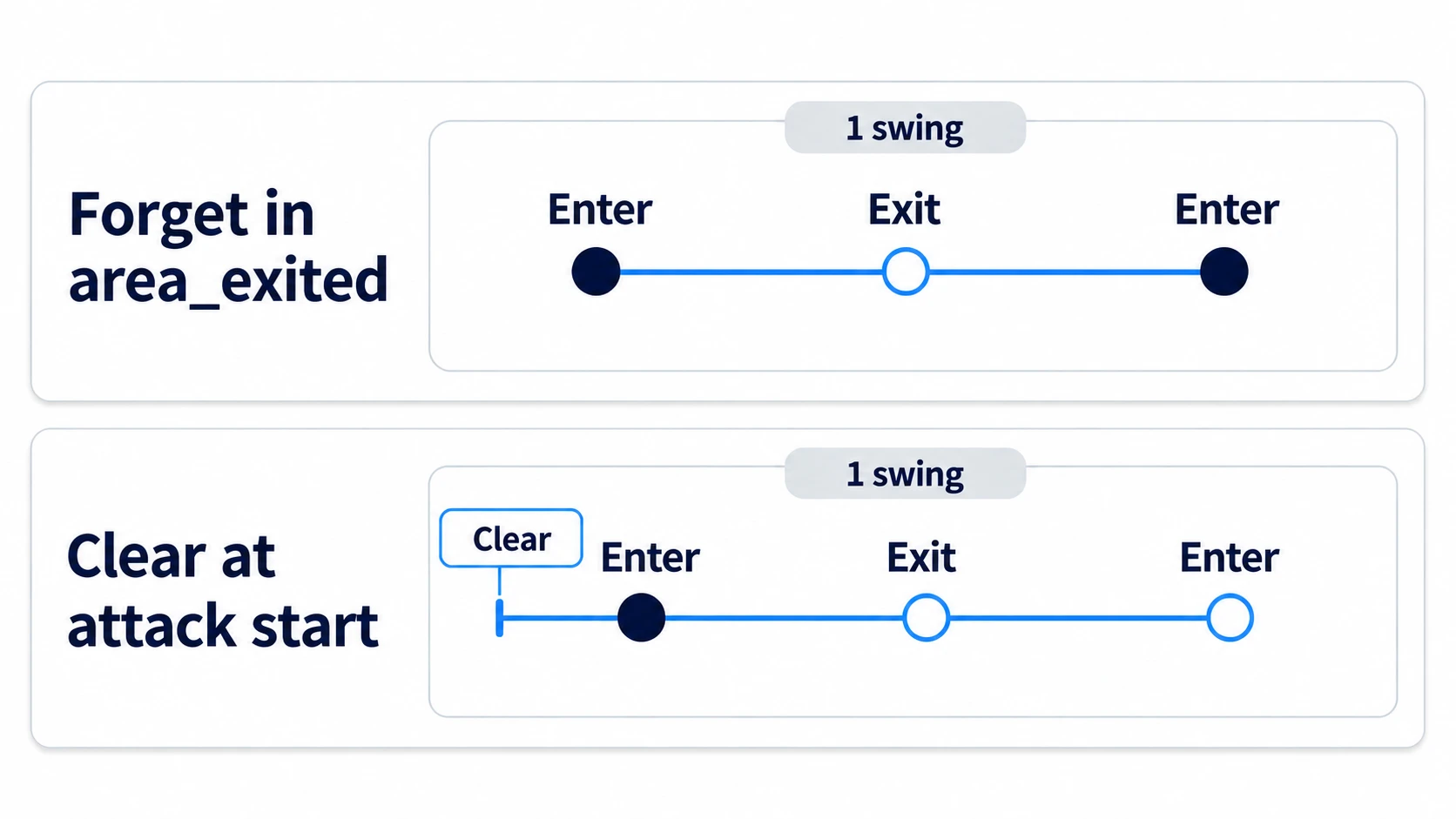
Empty the list right before the attack starts. If you forget targets in area_exited, a second hit goes through when the sword leaves the body and re-enters within the same swing.
func _start_attack() -> void:
	is_attacking = true
	hit_targets.clear()     # this is the boundary of "one attack"
Picking up targets that are already overlapping
At this point, damage no longer stacks on the same target. But swing a second time in the same spot, and this time it doesn't land at all.
area_entered only comes when an overlap starts. A target that has stayed inside the range since the first attack gets no new signal on the second. Emptying the list does nothing if nothing flows into it.
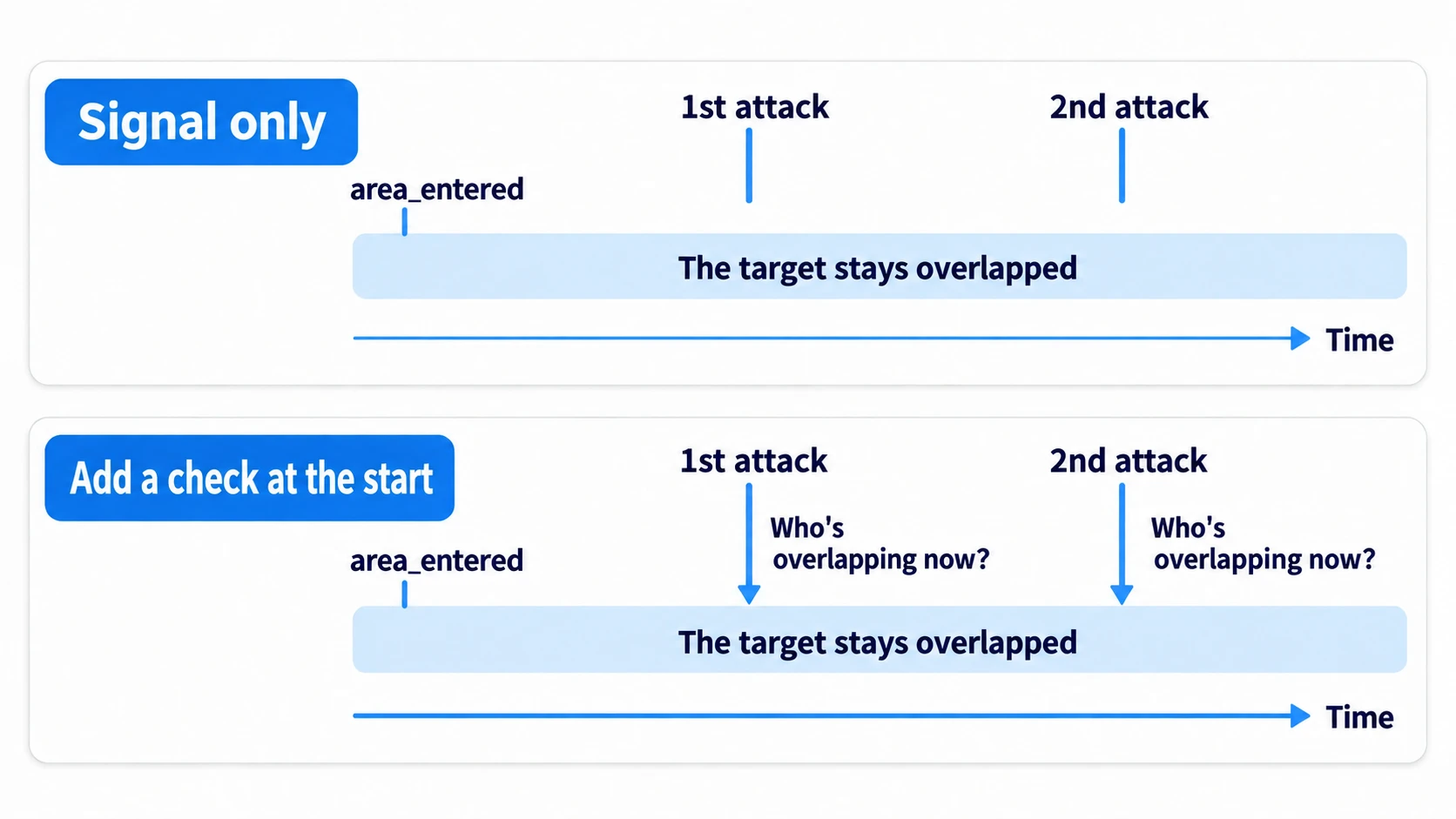
The signal tells you about targets that came in partway through. For the ones already inside, you get the list with get_overlapping_areas() the moment the attack starts and check them one by one.
func _start_attack() -> void:
	is_attacking = true
	hit_targets.clear()
	for area in sword_arc.get_overlapping_areas():
		_try_hit(area)      # also check targets already inside the range
Now there are two entrances: the signal and the check at the start. Even so, both go through the same _try_hit() and check the same list, so damage still lands only once.
Hands-On: Cut Two Slimes at Once With One Attack
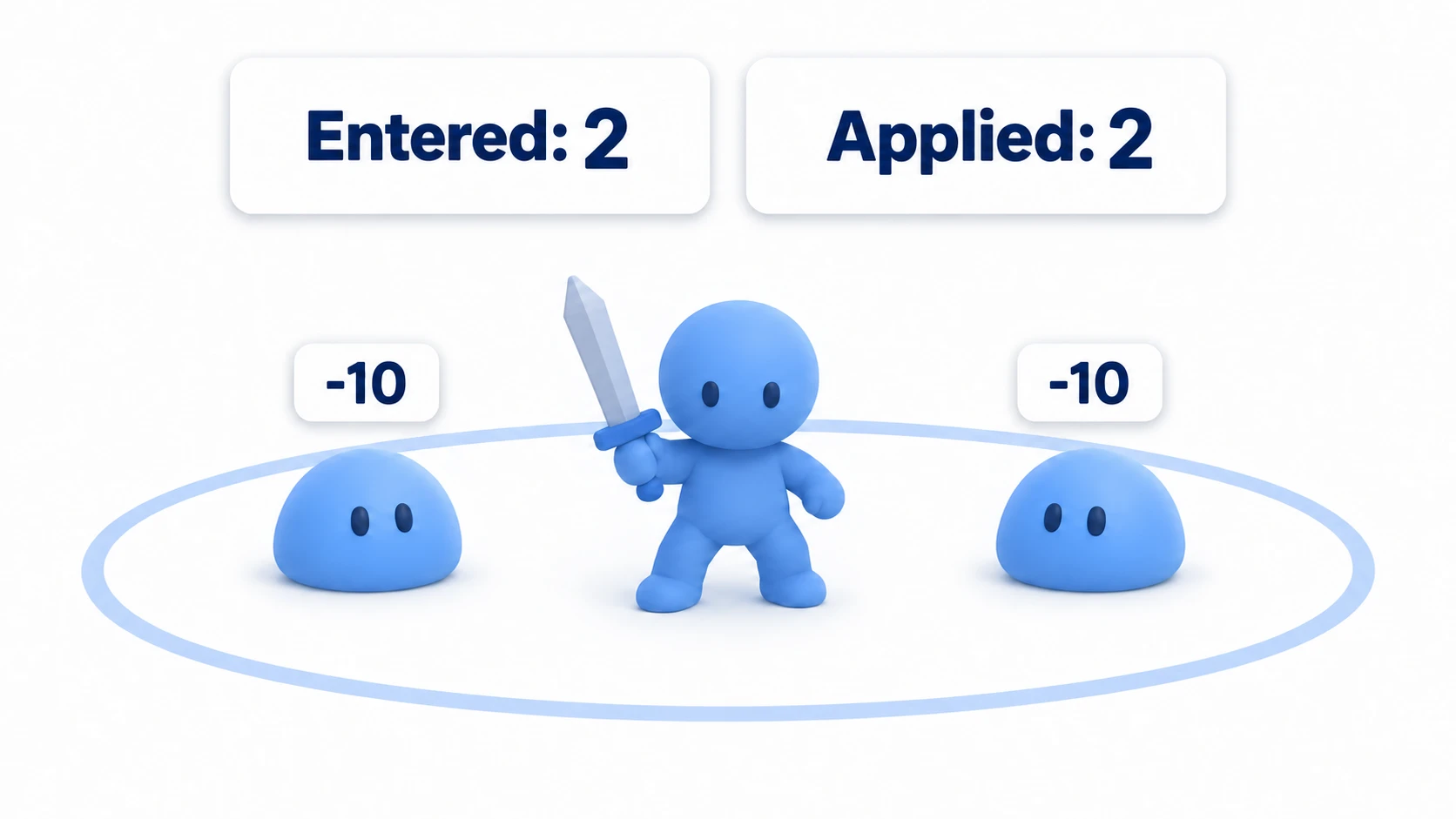
You'll build an attack that catches several enemies in one swing, like a spin attack in a top-down ARPG or a sweeping slash in a beat 'em up. Line up two idle slimes in a new scene, attack from between them, and it's a success if both drop from 100 to 90 exactly once.
Show two numbers side by side on screen: the number of times area_entered came (Entered), and the number of times damage was actually applied (Applied).
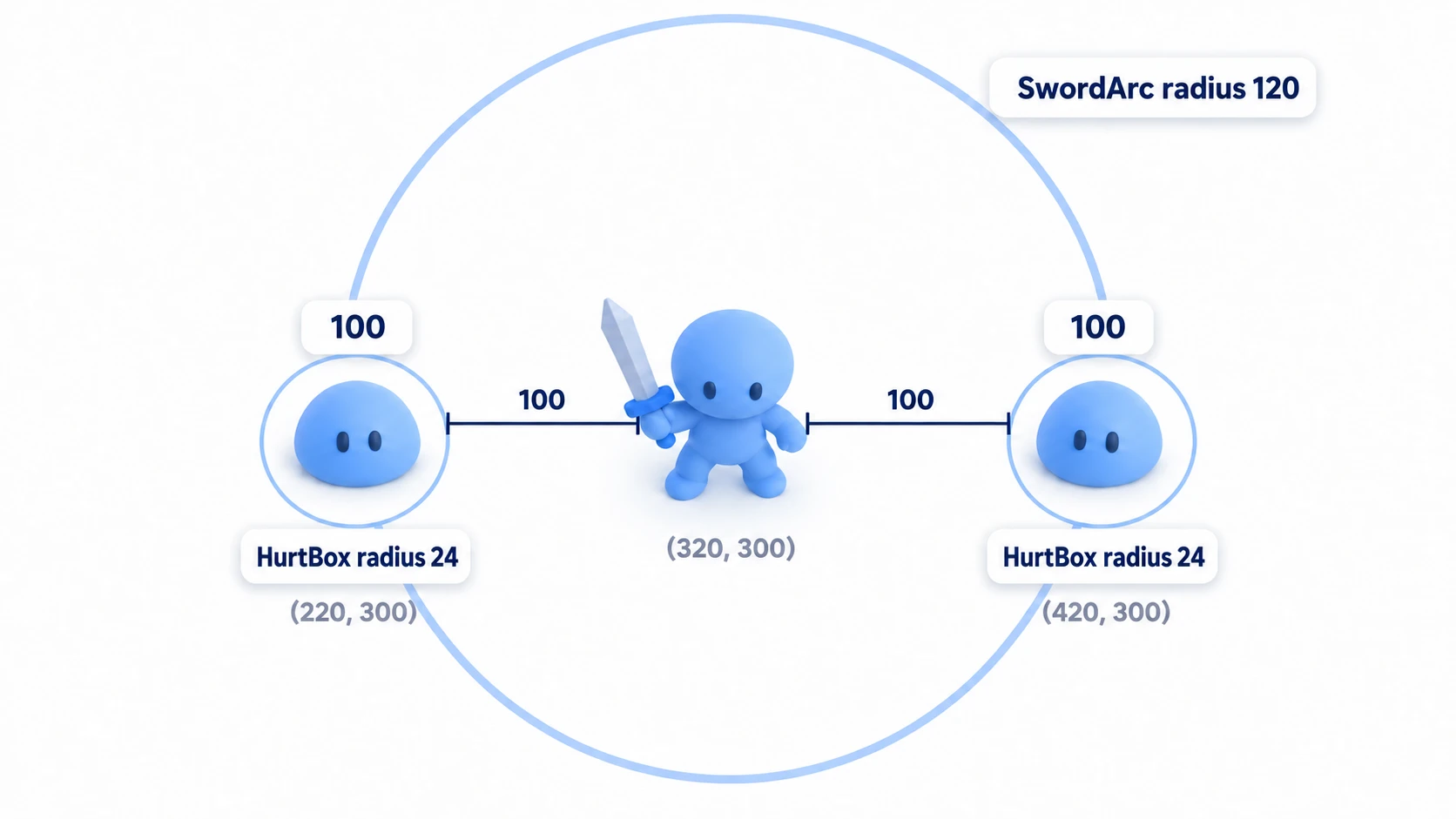
① What to place
Under Main (Node2D), place these four.
| Node | Position | Children |
|---|---|---|
| Player (Node2D) | (320, 300) | Child SwordArc (Area2D); its child CollisionShape2D is a circle with radius 120 |
| Slime1 (Node2D) | (220, 300) | Children HurtBox (Area2D) and HpLabel (Label, position (0, -40)). The HurtBox's child CollisionShape2D is a circle with radius 24 |
| Slime2 (Node2D) | (420, 300) | Same setup as Slime1 |
| HUD (CanvasLayer) | — | Two Label children: EnterLabel at (16, 16) and HitLabel at (160, 16) |
CanvasLayer is a node that keeps what it shows at the same place on screen even when the camera moves. Right-click SwordArc, EnterLabel, and HitLabel and turn on "Access as Unique Name." A % appears next to the name, and you can grab them directly. There are no sprite nodes. Before running, turn on Visible Collision Shapes from the Debug menu at the top of the editor to see the sword's and slimes' circles.
② Put it together
The script on HurtBox only holds one destination.
# hurt_box.gd
class_name HurtBox
extends Area2D

@export var target: Node   # the body that holds the HP. Set the slime body in the Inspector
In the Inspector, drag each HurtBox's own body (Slime1 or Slime2) into its Target. Attach the same slime.gd to both bodies.
# slime.gd
extends Node2D

@export var max_hp := 100

var hp := 0

@onready var hp_label: Label = $HpLabel

func _ready() -> void:
	hp = max_hp
	_show_hp()

func take_damage(amount: int) -> void:
	hp = maxi(hp - amount, 0)
	_show_hp()

func _show_hp() -> void:
	hp_label.text = str(hp)
The main part goes on Player.
# player.gd
extends Node2D

const SPEED := 200.0
const DAMAGE := 10
const SWING_TIME := 0.3

var is_attacking := false
var hit_targets: Array[Node] = []
var enter_count := 0
var hit_count := 0

@onready var sword_arc: Area2D = %SwordArc
@onready var enter_label: Label = %EnterLabel
@onready var hit_label: Label = %HitLabel

func _ready() -> void:
	sword_arc.area_entered.connect(_on_arc_area_entered)   # connect only here, once
	_update_hud()

func _process(delta: float) -> void:
	position.x += Input.get_axis("ui_left", "ui_right") * SPEED * delta
	if Input.is_action_just_pressed("ui_accept"):
		_start_attack()

func _start_attack() -> void:
	if is_attacking:
		return
	is_attacking = true
	hit_targets.clear()                          # empty this attack's record
	for area in sword_arc.get_overlapping_areas():
		_try_hit(area)                           # also check targets already inside the range
	await get_tree().create_timer(SWING_TIME).timeout   # wait 0.3 seconds for the swing to finish
	is_attacking = false

func _on_arc_area_entered(area: Area2D) -> void:
	enter_count += 1                             # count whether attacking or not
	_update_hud()
	_try_hit(area)                               # a target that came in mid-swing

func _try_hit(area: Area2D) -> void:
	if not is_attacking:
		return
	var box := area as HurtBox
	if box == null or box.target == null:
		return
	if hit_targets.has(box.target):
		return
	hit_targets.append(box.target)
	hit_count += 1
	box.target.take_damage(DAMAGE)
	_update_hud()

func _update_hud() -> void:
	enter_label.text = "Entered: %d" % enter_count
	hit_label.text = "Applied: %d" % hit_count
③ Run it and check
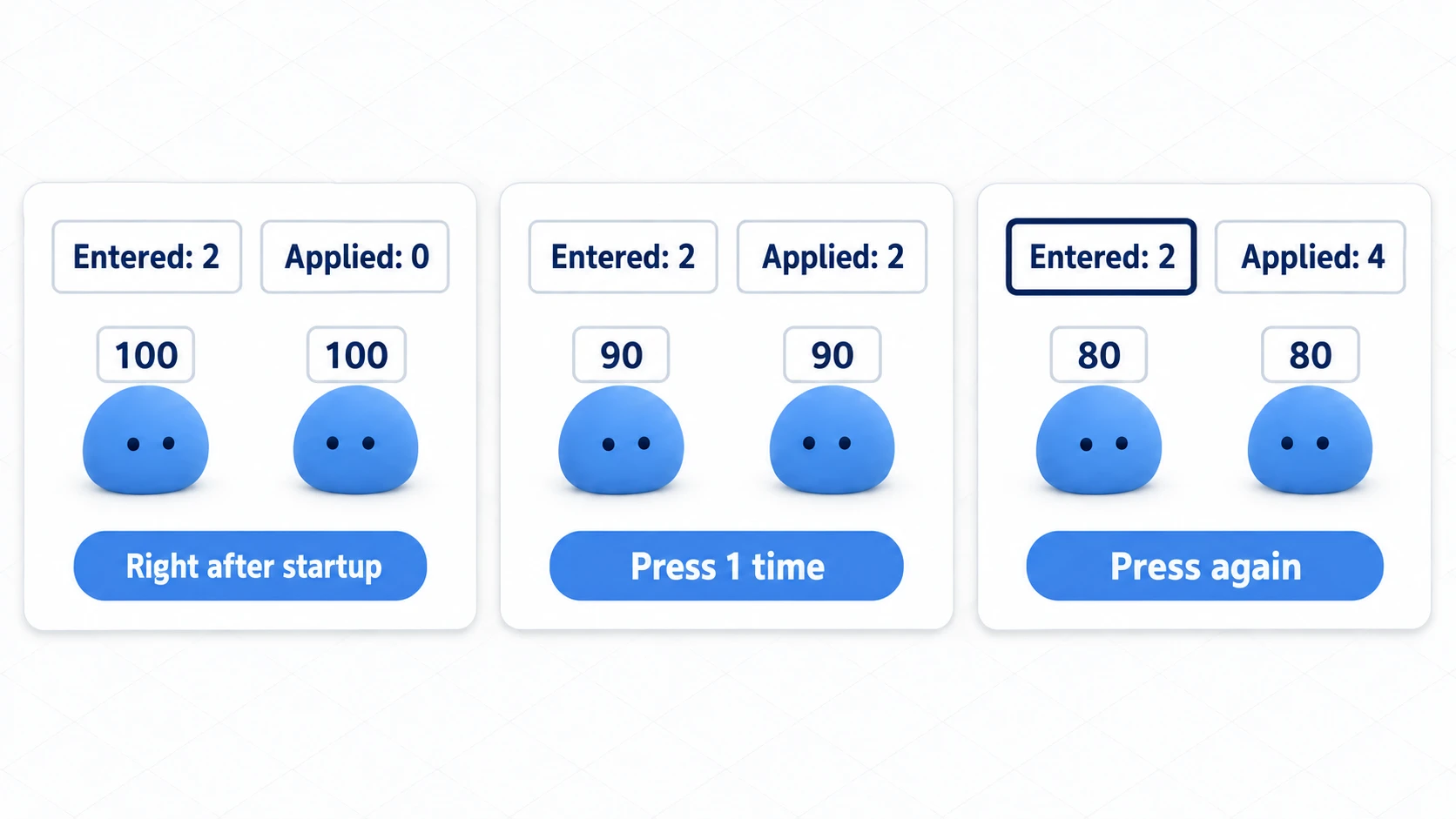
After running, first look at the screen without pressing anything. "Entered" becomes 2. area_entered arrives as soon as the ranges overlap, without waiting for an attack. "Applied" is 0 because _try_hit() filters it out at the top while is_attacking is false.
Once the display reads "Entered: 2 / Applied: 0," press the space key once. Both slimes' HP becomes 90, and "Applied" goes up to 2. What moved was the check at the start; no signal came, so "Entered" stays at 2. If "Applied" stays at 0 after pressing, either the HurtBox's Target is empty or hurt_box.gd isn't attached. Both silently return partway through _try_hit(), so no error appears.
Wait about half a second and press again. Input during an attack is discarded at the top of _start_attack(). Pressing sooner than 0.3 seconds (SWING_TIME) does nothing.
HP becomes 80, and "Applied" becomes 4. "Entered" never moves from the initial 2. All four hits came in through the check at the start. If you had relied on the signal alone, with this placement no number of presses would have landed.
Finally, hold down the right arrow key. Once Player's X passes 564, the sword's circle leaves both slimes' circles. Come back to the original position with the left arrow key, and "Entered" goes up to 4. Re-entries are counted on the signal's side. You aren't attacking, so "Applied" stays at 4.
Two points.
- Narrow it at the exit, rather than reducing the entrances: both
area_enteredand the check at the start flow into the same_try_hit(). Even with two entrances, damage doesn't double, because it checkshit_targetsbefore recording - Record the body that holds the HP: going through the HurtBox's
target, an enemy counts as one even when its collision is split into a head and a torso. Adding more hitboxes doesn't add more places to rewrite
Brief invincibility on the receiving side, and settings that keep allies' attacks from hitting allies, are covered in the Collision Layer and Mask article.
Troubleshooting
| Symptom | Cause | Fix |
|---|---|---|
| HP drops just from an enemy coming close, without pressing the attack button | area_entered comes without waiting for an attack, and the receiving function reduces HP directly | Check is_attacking at the top of _try_hit(). Put the same line in when you add entrances, as with beams |
| Overlapping the sword with your own game's enemy (CharacterBody2D) does nothing | area_entered and get_overlapping_areas() only pick up Area2Ds. Bodies don't count | Put an Area2D for receiving hits (HurtBox) under the enemy. To pick up bodies directly, use body_entered and get_overlapping_bodies() |
| After adding a HurtBox for receiving hits to the player, your own HP drops every time you attack | The sword's circle is centered on you and overlaps your own HurtBox too. With Layer and Mask both at the default 1, the check at the start includes you | Separate the Layers of your HurtBox and the enemies' HurtBoxes, and put only the enemies' number in SwordArc's Mask. How to split them is in the Collision Layer and Mask article |
| Both "Entered" and "Applied" stay at 0 | SwordArc's Collision Mask doesn't include the HurtBox's Collision Layer. This happens when you change either Layer from the default 1 | In the Inspector, under SwordArc's Collision → Mask, turn on the same number as the HurtBox's Layer |
Bonus: Good to Know First
- Attacks that keep hitting while held: for something that hits at a fixed interval, like a beam or a flamethrower, keep each target's "next time it can be hit" in a dictionary. A target that stays overlapped never gets a signal, so use a Timer to look at
get_overlapping_areas()every 0.1 seconds. Dealing damage while inside a range is covered in the poison pool example - Connect once, in
_ready(): connecting the same function withconnect()on every attack is an error the second time and doesn't add another. Connecting a new unnamed function written on the spot (a lambda) each time does add connections, but as long as they go through_try_hit(), the second one is stopped by the list - Turn hitboxes on and off after physics processing: changing
monitoringor CollisionShape2D'sdisableddirectly from insidearea_enteredis an error. Defer it, as inset_deferred("monitoring", false). Right after turning one on,get_overlapping_areas()may still be empty
Summary
- What's counted is overlaps:
area_enteredis the number of times an overlap was newly detected. Not the number of attacks, and not the number of targets hit - There are three ways damage stacks: leaving and re-entering, receiving the same contact in two places, and turning overlap into damage every frame
- Keep the HP-reducing line in one function: check "has this attack already hit this target?" before recording
- Record the body, and empty the list right before the attack: record the body that holds the HP. Empty the list right before the attack starts
- Check overlaps at the start: a target that stays overlapped gets no signal, so check it with
get_overlapping_areas(). Even with two entrances, damage lands once
The impact at the moment of a hit is in the hitstop article, and knocking things back after a hit is in the knockback article. How many enemies should the attack you're building now be allowed to hit in one swing?