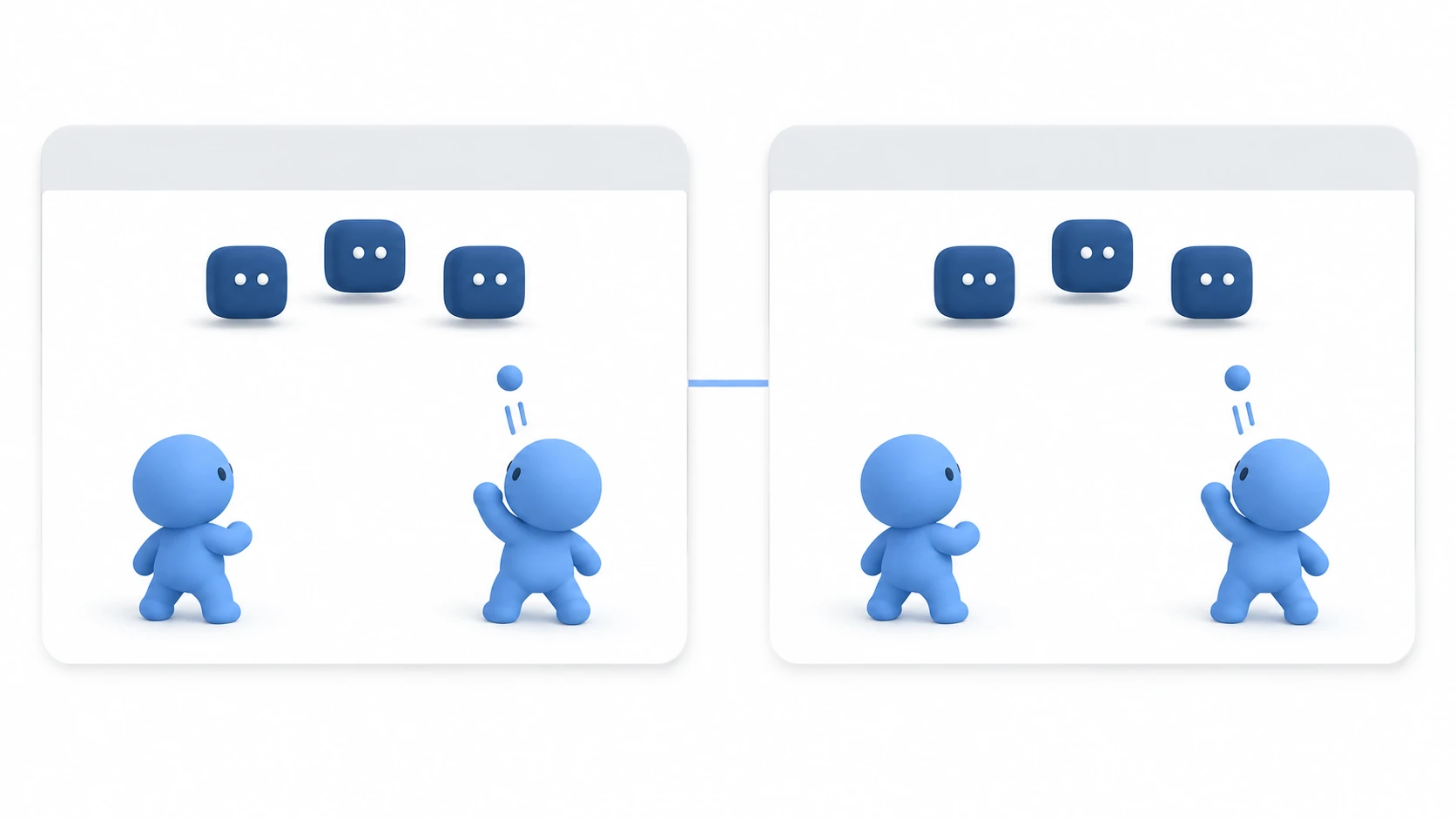
Once you've connected over LAN and two players' characters are moving (LAN Multiplayer Basics), the next step is to make bullets and enemies match on everyone's screen. Characters are moved by their owner on their own screen, but bullets and enemies are spawned, moved, and hit-checked by the host. The other screens copy that, and clients ask the host "I want to shoot."
Skip this split and spawn bullets on the shooter's screen, and bullets a client fires don't appear on the host's screen. Enemies also walk to different places on each screen.
This article explains how to use MultiplayerSpawner, MultiplayerSynchronizer, and @rpc for their respective jobs to keep bullets and enemies identical on everyone's screen.
What You'll Learn
- The split: characters are moved by their owner, bullets and enemies by the host
- The three jobs, spawn, copy, and request, and the tool for each
- When to add
any_peerandcall_localto@rpc- How to decide hits and HP on the host alone, and remove defeated enemies from everyone's screen
Tested with: Godot 4.7
Splitting up owners (authority)
In LAN multiplayer, there's a copy of the same scene for each screen. Characters have an owner (authority: the person allowed to move that character), and the position moved on the owner's screen is copied to the other screens.
It's tempting to make bullets belong to the shooter too, but bullet and enemy positions are off between screens by the amount of network delay. Decide hits per screen, and the same bullet may hit on one screen and miss on the other, so the enemy's HP ends up different on each screen.
So bullets and enemies all belong to the host. Spawning, moving, and deciding hits are all the host's. The other screens only copy the host's copy.
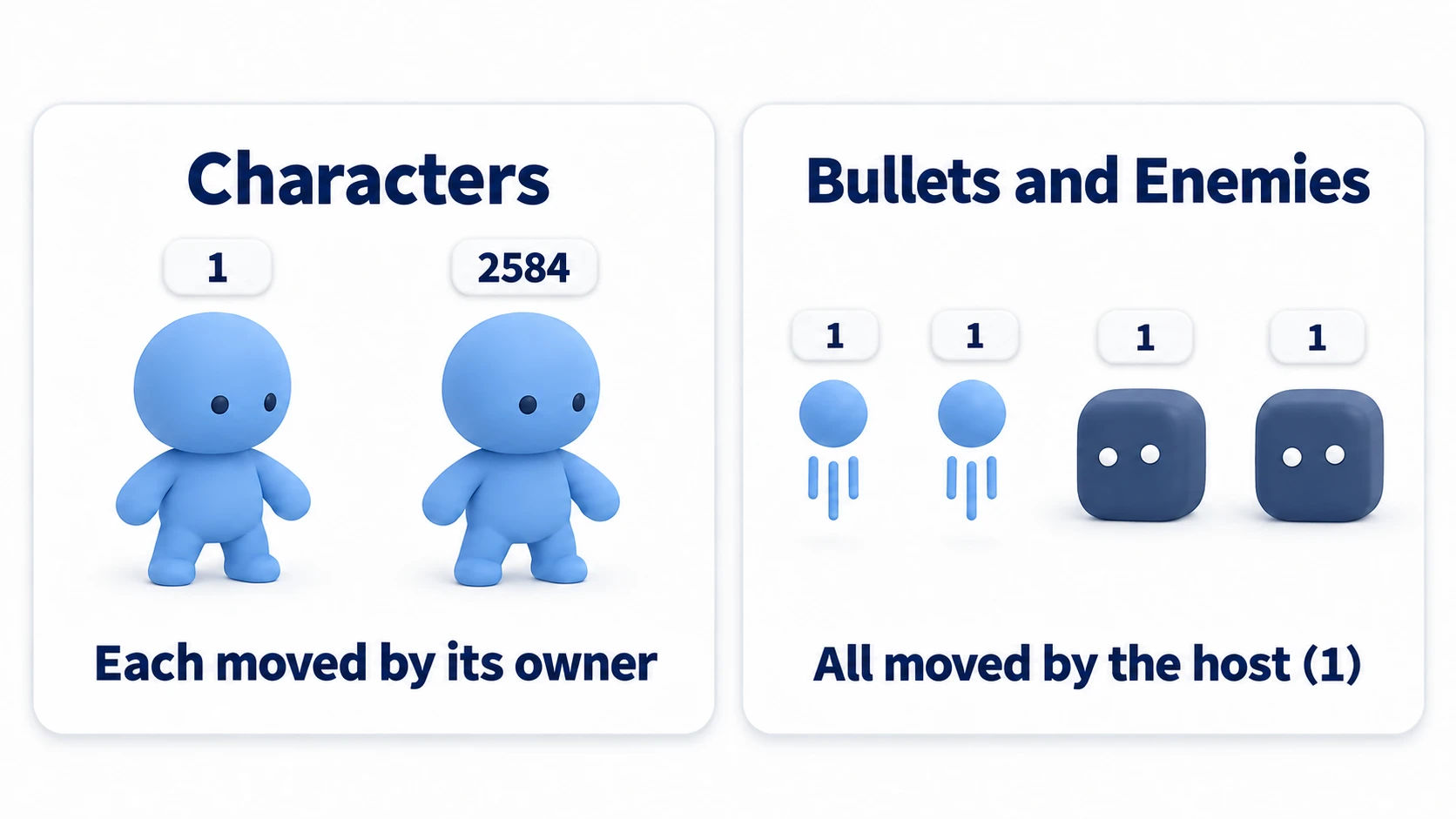
The "1" in the figure is the host's number. A client's number is decided each time it connects; "2584" is an example.
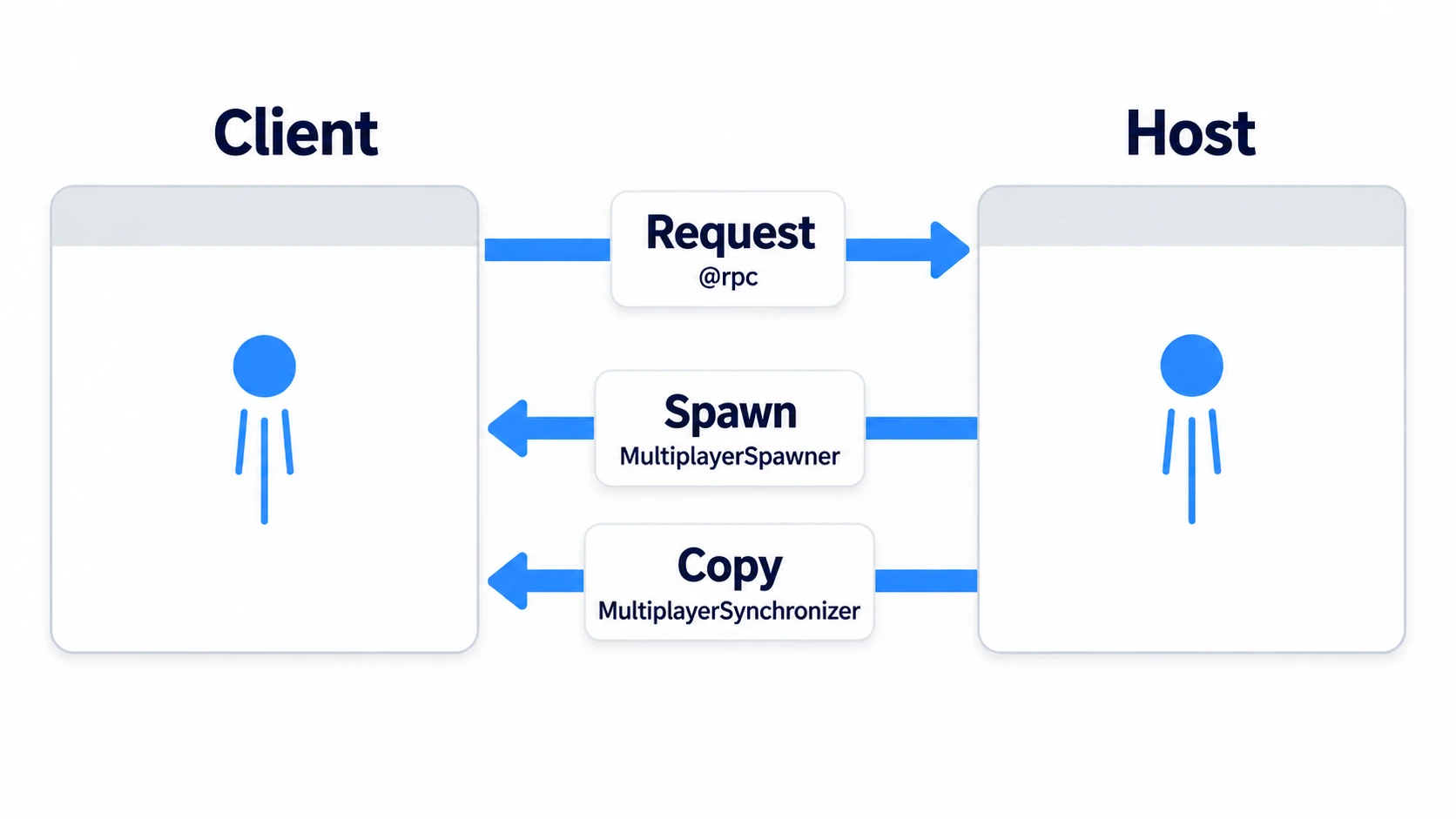
There are three tools.
- Spawn: MultiplayerSpawner spawns bullets and enemies the host
add_child()s on the other screens too - Copy: MultiplayerSynchronizer copies enemy and bullet positions and enemy HP from the host to the other screens
- Request: Clients don't spawn bullets themselves; they ask the host "I want to shoot" through a function with
@rpc
Spawning with MultiplayerSpawner
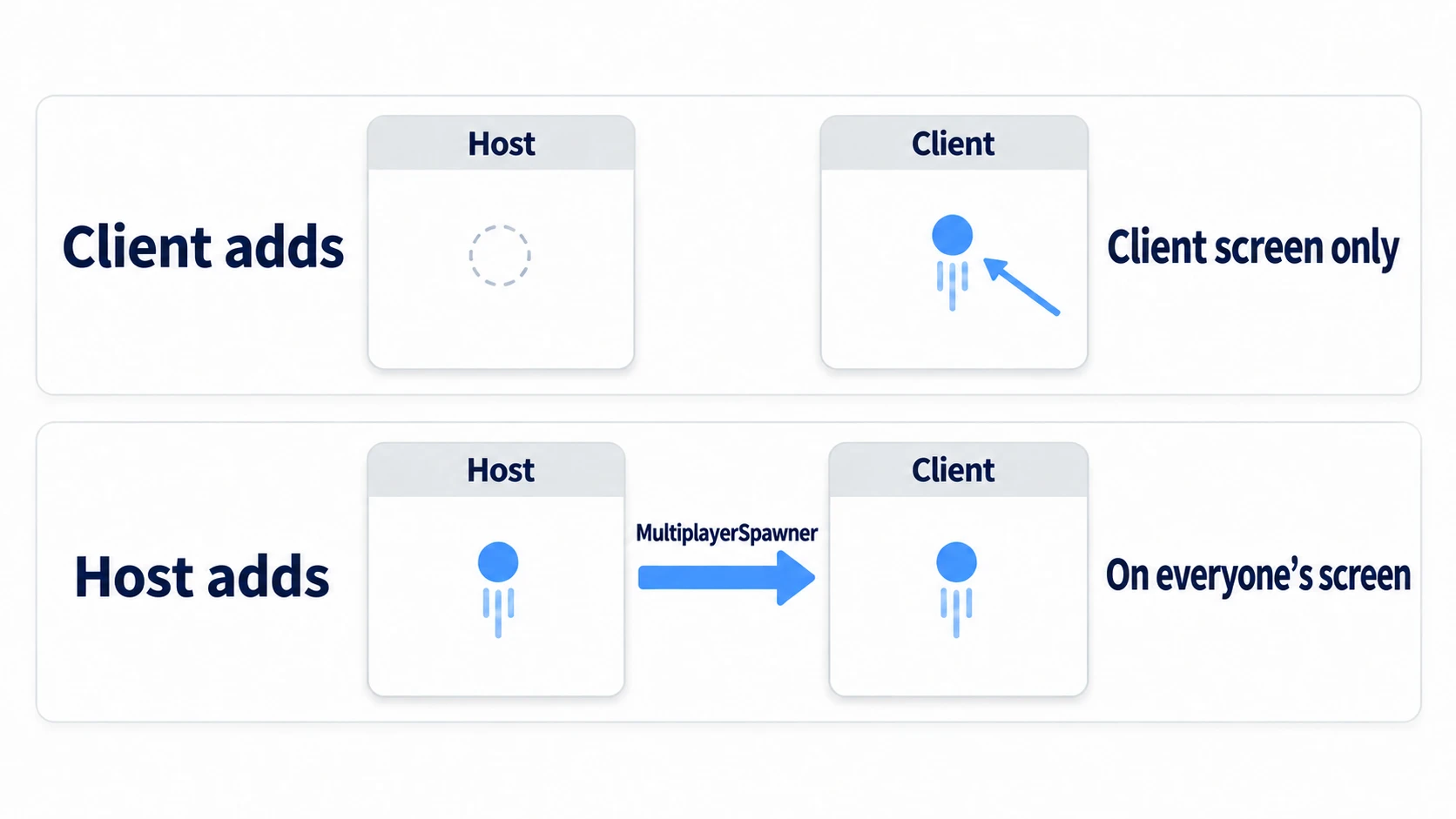
If the client creates one bullet from the bullet scene on its screen (instantiate()) and adds it with add_child(), the bullet appears on that screen. No error appears either. But it doesn't appear on the host's screen. MultiplayerSpawner only delivers things the host added to the other screens. And only scenes in its Auto Spawn List added directly under the Spawn Path node. Add a bullet as a child of a character, and it won't appear on the other screens.
Put one MultiplayerSpawner per container. For Players for characters, Enemies for enemies, and Bullets for bullets, that's three. Put the container in each one's Spawn Path and the scenes to spawn there in its Auto Spawn List.
When adding, pass true as the second argument, like add_child(bullet, true). However many bullets with the same name line up, they're renamed to readable names like Bullet2. Without it, they get names with @ in them, and MultiplayerSpawner can't spawn them on the other screens and raises an error.
Removing works the same way. When the host queue_free()s something spawned by MultiplayerSpawner, the copies on the other screens disappear too. If a client queue_free()s it on its own screen, only that screen's copy disappears and it remains on the host's screen. Whether a bullet's lifetime runs out or an enemy is defeated, the host does the removing.
Copying with MultiplayerSynchronizer
The enemy script runs on every screen's copy. An enemy that walks randomly starts walking in a different direction on each screen. Even an enemy that chases the player accumulates small differences and ends up somewhere different on each screen.
Only the host should move them. Nobody sets an owner on enemies. If nothing is set, the owner is the host (number 1). Using the same is_multiplayer_authority() (whether this screen owns that node) as for characters, make screens other than the host's do nothing.
func _physics_process(delta: float) -> void:
	if not is_multiplayer_authority():
		return                          # Only the host moves it
	position.x += direction * SPEED * delta
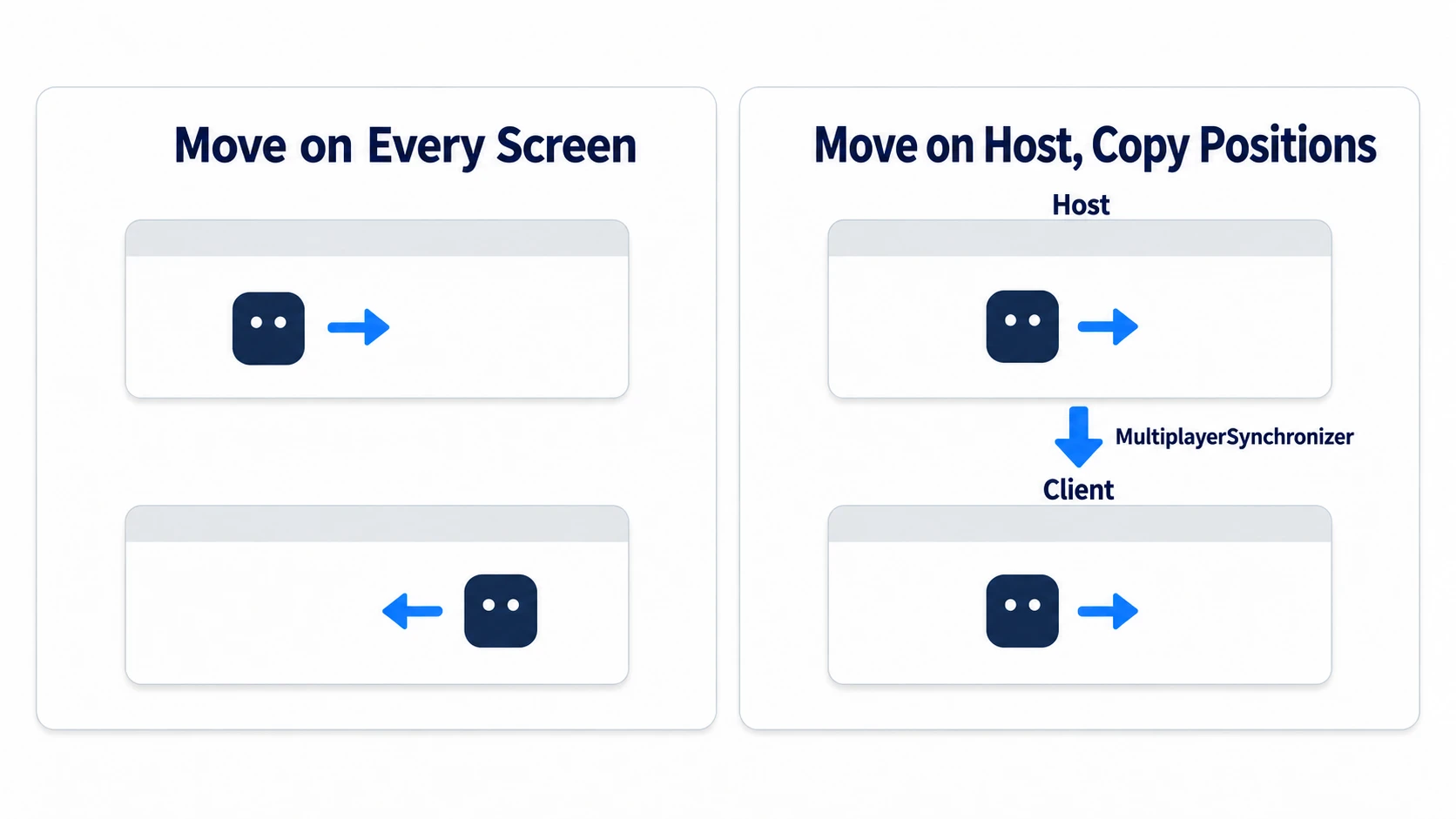
The other screens copy the host's values. Add a MultiplayerSynchronizer to the enemy scene, and choose the properties to copy in the Replication panel at the bottom.
| Property | Spawn | Replicate |
|---|---|---|
position | On | Always |
hp | On | On Change |
Turn on Spawn, and the value at the moment of spawning is delivered too. If the host decides the position before add_child(), it appears in the same place from the start on the other screens as well. Always keeps sending even when the value hasn't changed; On Change sends when the value changes. Positions that keep moving get Always; HP, which only changes occasionally, gets On Change.
Asking the host with @rpc
Bullets a client spawns don't appear on the other screens. So ask the host. What you use to ask is @rpc. Put @rpc above a function, and that function can be called on the same node on other screens (a node at the same path, with the same name and parent-child arrangement).
@rpc("any_peer", "call_local", "reliable")
func request_shoot() -> void:
	pass                                # Runs on the host's screen. Spawn the bullet here

# When firing (the same one line on every screen)
request_shoot.rpc_id(1)                 # 1 = call on the host's screen
When calling, add .rpc_id(1) after the function name. Calling request_shoot() normally only runs it on your own screen, even with @rpc. rpc_id() calls one person by number; rpc() calls everyone connected.
Of the things you decide inside @rpc's parentheses, two matter here. The last one, reliable, specifies resending until it arrives, and it's written at its default.
| What you decide | Default | The other option |
|---|---|---|
| Who can call it | authority (only the node's owner) | any_peer (anyone) |
| Whether it also runs on the caller's own screen | call_remote (doesn't run) | call_local (runs) |
This time, request_shoot() lives on Main. Main's owner is the host. With the default authority, calls from a client are rejected on the host's side. The error appears in the host run's Debugger. Add any_peer so clients can call it too.
When the host fires itself, it ends up calling rpc_id(1) aimed at its own screen. Without call_local, calls to yourself aren't allowed, and that's also an error. Add call_local so both the host and clients can fire with the same one line.
Who made the request can be found by checking multiplayer.get_remote_sender_id() on the called side. For a call from a client, it's the client's number; if the host called itself with call_local, it's 1. The host spawns the bullet above the character with this number.
In other engines:
@rpccorresponds to[Rpc](formerly[ServerRpc]) in Unity Netcode and Server/Multicast RPCs in UE. In Godot,@rpcdecides who can call it and whether it also runs locally (by default, only the owner, and not locally), andrpc()andrpc_id()choose where it's sent.
Deciding hits and HP
Deciding hits is also the host's job alone. The bullets and enemies on a client's screen move slightly behind, using positions sent from the host, so deciding per screen makes HP disagree. At the top of the bullet's area_entered handler, make everyone but the host do nothing. The host's enemy HP goes down, and that value is copied to the other screens with On Change.
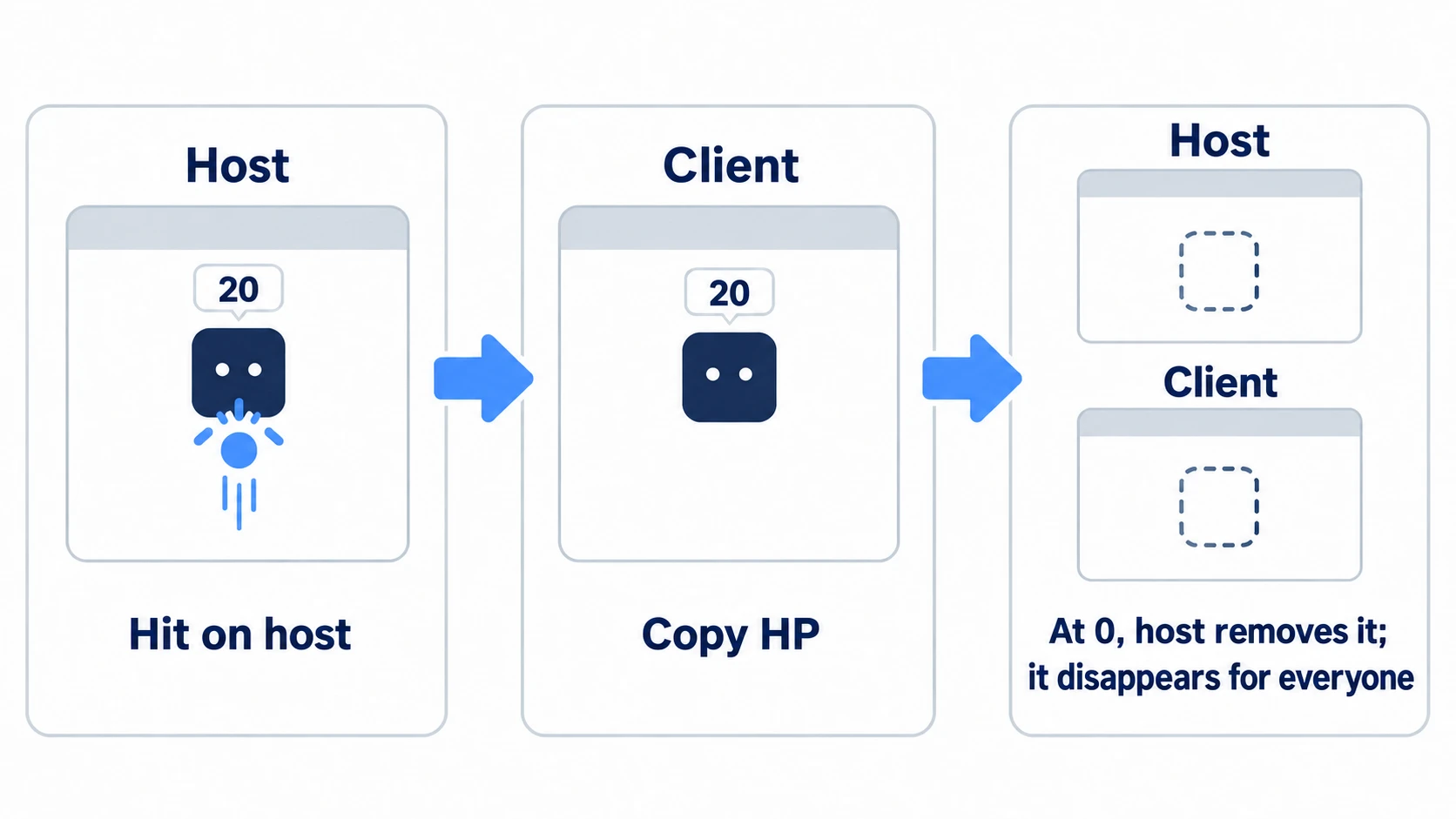
When HP reaches 0, the host queue_free()s the enemy. MultiplayerSpawner removes the enemy on the other screens too. Playing from another PC, a bullet that looks like it overlaps on the client's screen can miss, but the host's screen is the one that's right about hits. How to use area_entered is covered in Area2D collision detection.
Hands-On: Two players shoot, and enemy HP matches on both screens
A two-player co-op shooter, a top-down action game played over LAN, an exploration game where you defeat enemies with a friend — if there are bullets and enemies, it's built the same way. Open two windows on the same PC, and defeat three enemies moving back and forth across the top of the screen by shooting them together.
① What to place
Start with a new 2D project. There are four scenes. The connecting part is the minimal form for testing on the same PC. Entering an IP address and handling disconnects are covered in LAN Multiplayer Basics.
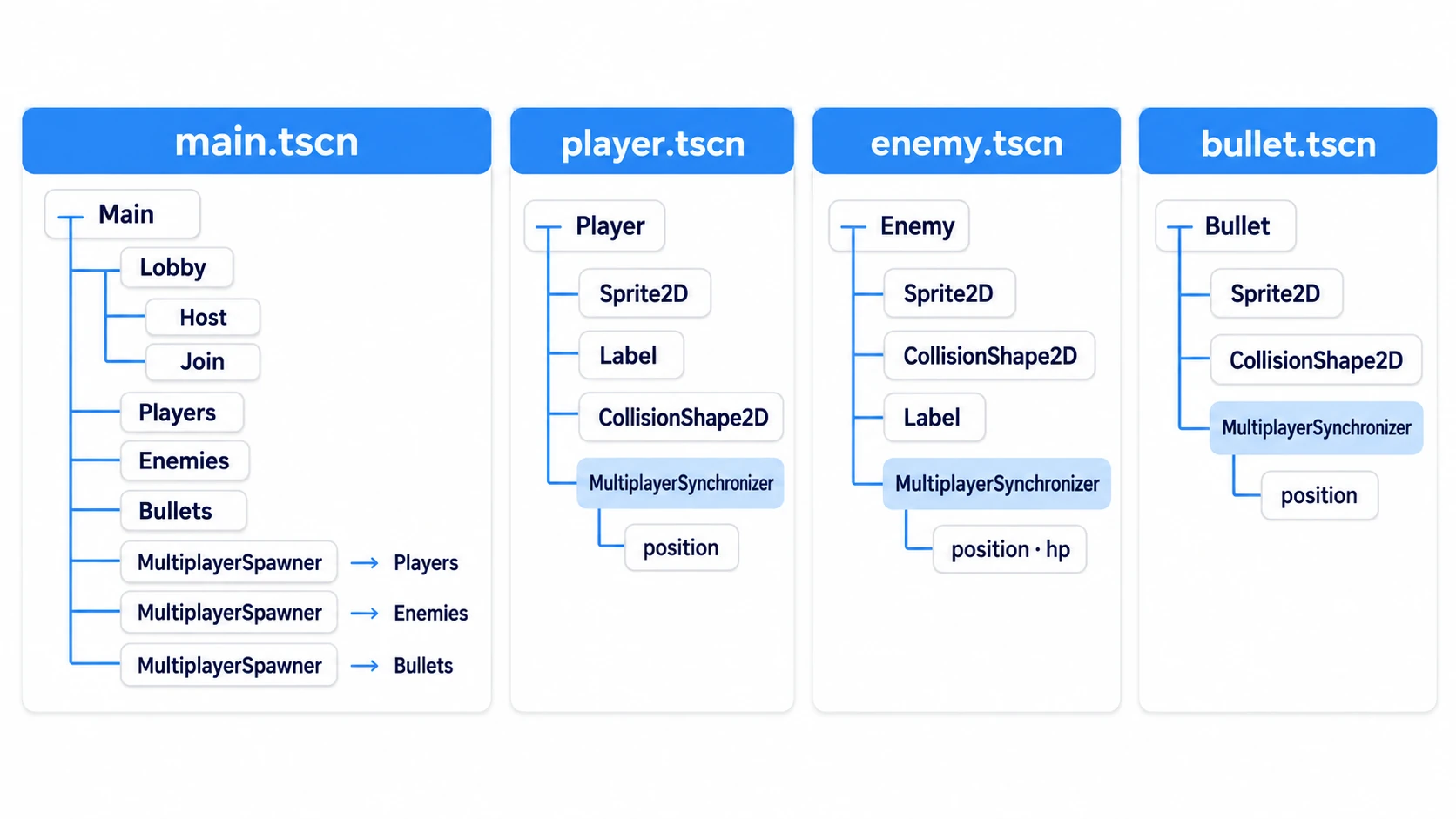
| Scene | Root (name) | Children |
|---|---|---|
player.tscn | CharacterBody2D (Player) | Sprite2D (icon.svg, Scale 0.5), Label, CollisionShape2D (CircleShape2D, Radius 32), MultiplayerSynchronizer |
enemy.tscn | Area2D (Enemy) | Sprite2D (icon.svg, Scale 0.5), CollisionShape2D (RectangleShape2D, 64×64), Label, MultiplayerSynchronizer |
bullet.tscn | Area2D (Bullet) | Sprite2D (icon.svg, Scale 0.125), CollisionShape2D (CircleShape2D, Radius 8), MultiplayerSynchronizer |
main.tscn | Node2D (Main) | Lobby (HBoxContainer) with two child Buttons (Host and Join), Players, Enemies, Bullets (all Node2D), and three MultiplayerSpawners |
Set Player's Motion Mode to Floating (top-down movement with no distinction between floor and wall). Make main.tscn the scene that launches with Set as Main Scene from the FileSystem dock's right-click menu.
What MultiplayerSynchronizer copies is position for player and bullet, and position and hp for enemy. Player's position is Always, bullet's position is Spawn and Always, and enemy follows the table in "Copying with MultiplayerSynchronizer." Add hp after attaching enemy.gd from ② and saving. In each MultiplayerSpawner's Spawn Path and Auto Spawn List, pair one of the three containers with its scene.
Finally, open Customize Run Instances... from the Debug menu at the top of the editor. Turn on Enable Multiple Instances and set the count to 2. If you turn off Embed Game on Next Play in the menu at the top right of the Game view, both open as normal windows. Firing uses Space (the built-in ui_accept), so no Input Map setup is needed.
② Put it together
Characters are moved by their owner.
# player.gd (attach to Player)
extends CharacterBody2D

const SPEED := 300.0

func _enter_tree() -> void:
	set_multiplayer_authority(str(name).to_int())   # A character's owner is the person whose number is its name

func _ready() -> void:
	$Label.text = str(name)
	if is_multiplayer_authority():
		position = Vector2(randf_range(200, 950), 560)   # Start at the bottom of the screen

func _physics_process(_delta: float) -> void:
	if not is_multiplayer_authority():
		return
	velocity = Input.get_vector("ui_left", "ui_right", "ui_up", "ui_down") * SPEED
	move_and_slide()
Enemies and bullets don't get an owner set. Their owner stays the host. Whether what a bullet hit is an enemy is told apart by whether it has take_damage().
# enemy.gd (attach to Enemy)
extends Area2D

const SPEED := 40.0

@export var hp := 30                    # Copied by MultiplayerSynchronizer
var direction := 1.0

func _physics_process(delta: float) -> void:
	$Label.text = str(hp)               # On every screen, show the hp that arrived
	if not is_multiplayer_authority():
		return                          # Only the host moves it
	position.x += direction * SPEED * delta
	if position.x > 1050.0:
		direction = -1.0
	elif position.x < 100.0:
		direction = 1.0

func take_damage(amount: int) -> void:  # Only called on the host's screen
	hp -= amount
	if hp <= 0:
		queue_free()                    # If the host removes it, it disappears from the other screens too
# bullet.gd (attach to Bullet)
extends Area2D

const SPEED := 600.0

func _ready() -> void:
	area_entered.connect(_on_area_entered)

func _physics_process(delta: float) -> void:
	if not is_multiplayer_authority():
		return                          # Only the host moves it
	position.y -= SPEED * delta
	if position.y < -50.0:
		queue_free()                    # Once it leaves the top of the screen, the host removes it

func _on_area_entered(area: Area2D) -> void:
	if not is_multiplayer_authority():
		return                          # Deciding hits is also only the host's job
	if area.has_method("take_damage"):  # A function only enemies have
		area.take_damage(10)
		queue_free()
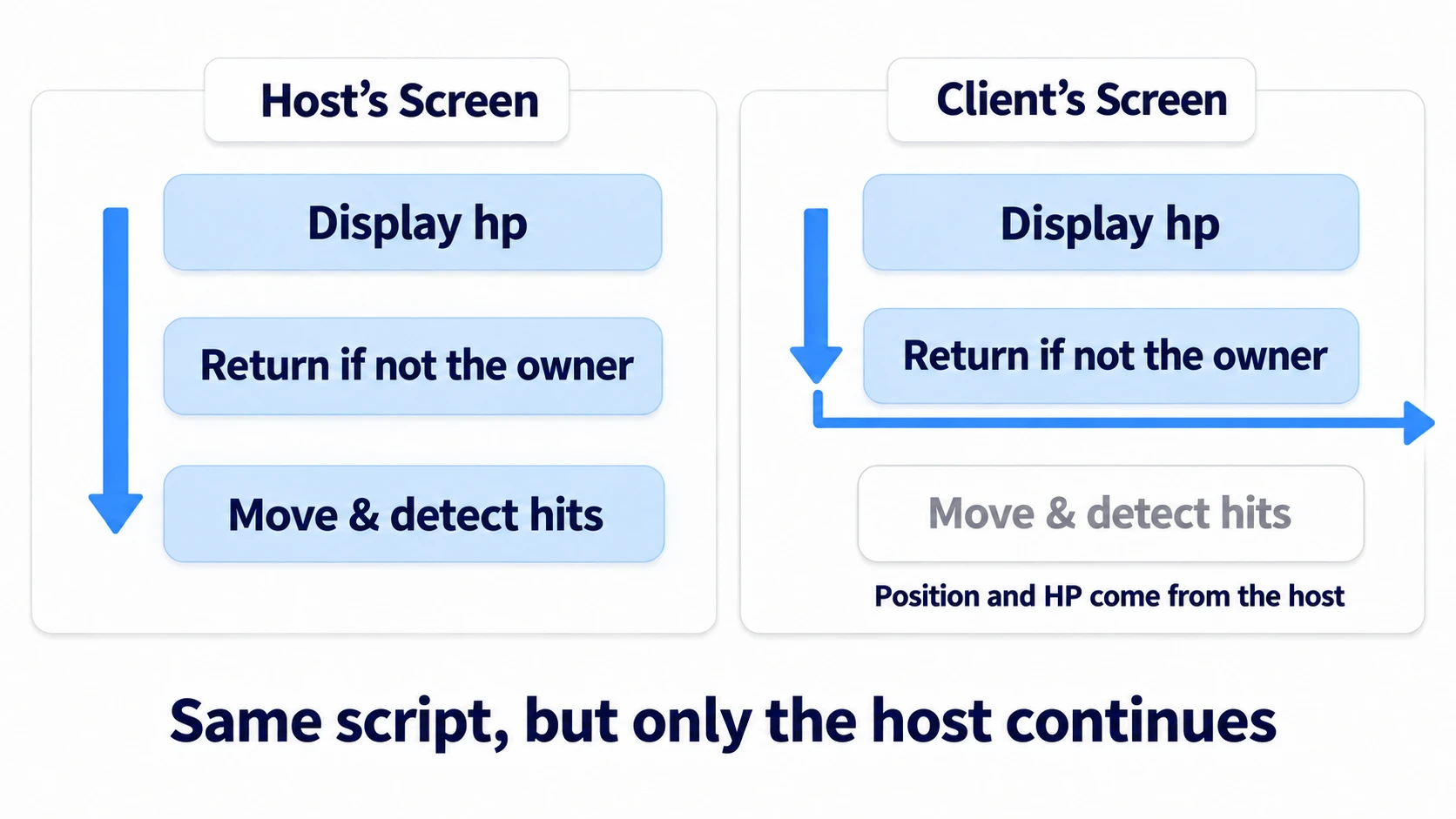
The enemy and bullet scripts run on every screen. But only the host's screen gets past the is_multiplayer_authority() check at the top. The client's screen returns right after displaying hp.
Main handles three things: connecting, spawning, and firing when asked.
# main.gd (attach to Main)
extends Node2D

const PORT := 7000
const PLAYER_SCENE := preload("res://player.tscn")
const ENEMY_SCENE := preload("res://enemy.tscn")
const BULLET_SCENE := preload("res://bullet.tscn")

func _ready() -> void:
	$Lobby/Host.pressed.connect(_on_host_pressed)
	$Lobby/Join.pressed.connect(_on_join_pressed)
	multiplayer.peer_connected.connect(_on_peer_connected)
	multiplayer.connected_to_server.connect($Lobby.hide)  # The client closes the lobby once connected

func _on_host_pressed() -> void:
	var peer := ENetMultiplayerPeer.new()
	peer.create_server(PORT)
	multiplayer.multiplayer_peer = peer
	$Lobby.hide()
	_add_player(1)
	for i in 3:                                          # The host spawns enemies too
		var enemy := ENEMY_SCENE.instantiate() as Node2D
		enemy.position = Vector2(250 + i * 300, 100 + i * 100)
		$Enemies.add_child(enemy, true)

func _on_join_pressed() -> void:
	var peer := ENetMultiplayerPeer.new()
	peer.create_client("127.0.0.1", PORT)
	multiplayer.multiplayer_peer = peer

func _on_peer_connected(id: int) -> void:
	if multiplayer.is_server():
		_add_player(id)

func _add_player(id: int) -> void:
	var player := PLAYER_SCENE.instantiate()
	player.name = str(id)
	$Players.add_child(player, true)

func _unhandled_input(event: InputEvent) -> void:       # Receives input nothing else used
	if event.is_action_pressed("ui_accept") and not $Lobby.visible:
		request_shoot.rpc_id(1)                          # Ask the host "I want to shoot"

@rpc("any_peer", "call_local", "reliable")
func request_shoot() -> void:                            # Runs on the host's screen
	var id := multiplayer.get_remote_sender_id()         # Number of the person who asked
	var shooter := $Players.get_node_or_null(str(id)) as Node2D
	if shooter == null:
		return
	var bullet := BULLET_SCENE.instantiate() as Node2D
	bullet.position = shooter.position + Vector2(0, -48) # Above the requester's character
	$Bullets.add_child(bullet, true)                     # If the host adds it, it appears on everyone's screen
③ Run it and check
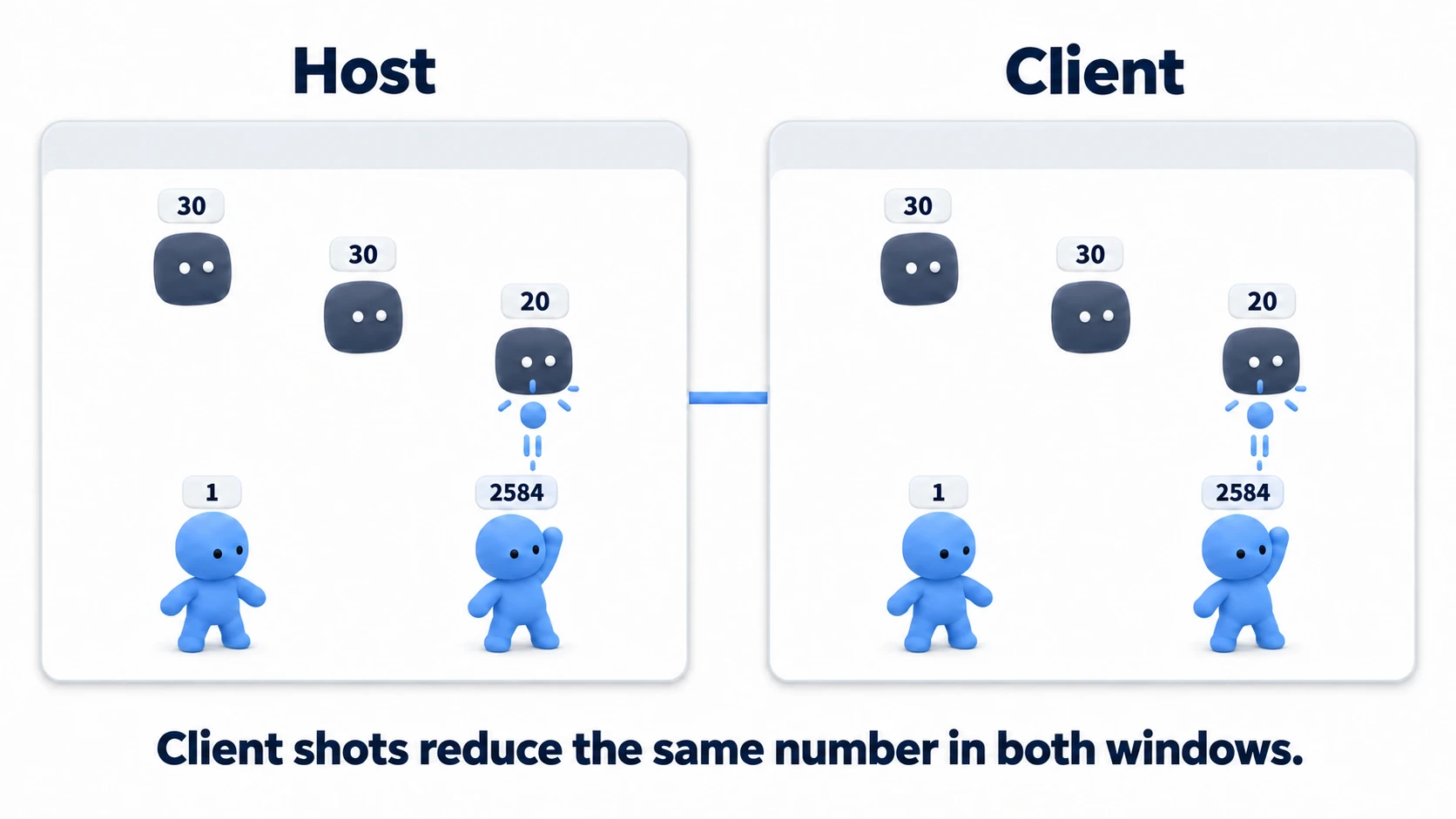
Run it, and two windows open.
First, press Host on one screen. Three enemies labeled "30" appear at the top of the screen and start moving slowly back and forth. Press Join on the other screen, and the same three enemies appear there too, moving back and forth just like on the host's screen. If enemy positions drift apart between screens, check the first line of the enemy's _physics_process() or position's Always.
Next, once both characters are on both screens, click the client's screen and press Space. A bullet comes out above the character and flies upward on both screens. As a test, delete "any_peer", from main.gd's @rpc and run again. Bullets fired on the host's screen appear, but pressing it on the client's screen fires nothing, and an error starting with "RPC 'request_shoot' is not allowed" appears in the host's Debugger. This one change shows that any_peer is what accepts requests from clients. Once you've checked, put it back.
To finish, use the arrow keys to get right under an enemy and fire one shot at a time. With each hit, the enemy's number drops 30, 20, 10 on both screens, and on the third shot it disappears from both. It's the same whether the client or the host fired the bullet.
Finally, look at joining partway through. Close both, run again, hit an enemy once with only the host so it shows "20," then press Join on the other window. The client's screen shows "20" from the start too. With Spawn on for hp, the current HP arrives as the value at the moment of spawning.
There are two key points.
- Clients don't create bullets: The only thing the client's screen runs for bullets is the one line
request_shoot.rpc_id(1). The host spawns and moves the bullet and decides hits, and the client's screen copies it - Characters and bullets have opposite owners: Characters are moved by their owner; bullets and enemies are moved by the host. Both are guarded with
is_multiplayer_authority(), so the only difference is whether you set an owner
When enemies patrol or chase, only the host's screen runs the AI too. How to build AI is in State Machine Basics.
Troubleshooting
| Symptom | Cause | Fix |
|---|---|---|
| Unmoving bullets remain on the client's screen, and an error appears when spawning bullets | You're asking everyone with request_shoot.rpc(). The client's screen also adds a bullet that exists only on that screen | Ask only the host with rpc_id(1) |
| Enemies placed in the editor remain on the client's screen after being defeated | MultiplayerSpawner only handles children the host adds at runtime | Have the host spawn enemies in code too |
| Enemies and bullets stay frozen on every screen | You copied the set_multiplayer_authority() line from the character script. The number taken from the name becomes the owner, and no screen is the owner | Don't set an owner on enemies and bullets |
| Only on the client's screen, the enemy's number stays at 30 | The number is updated inside take_damage(), which only runs on the host's screen | Update the number at the top of _physics_process(), which runs on every screen |
Bonus: Good to Know First
- Bullet pools take more work over a network: Reusing bullets with an object pool means you also have to copy whether each one is in use. Build it first by spawning and freeing
- Count fire-rate intervals on the host too: If you want a limit on how often players can fire, remember the last firing time per requester inside the host's
request_shoot(). The host spawns the bullets, so the host counts too
Summary
- Characters belong to their owner, bullets and enemies to the host: The host spawns bullets and enemies, moves them, and decides hits. Other screens only copy
- Spawn: MultiplayerSpawner spawns what the host
add_child(x, true)s on everyone's screen. Removing is also the host'squeue_free() - Copy: With MultiplayerSynchronizer,
positiongets Spawn and Always;hpgets Spawn and On Change - Request: Clients call the host's function with
rpc_id(1).any_peerlets clients call it;call_locallets the host call it too - Hits are the host's too: Only the host calculates hits and HP. When it hits 0, the host removes it, and it disappears from everyone's screen
Once the same enemy falls with the same numbers on both players' screens, the foundation for co-op play is in place. What else in your game should the host decide?