"My whole playthrough is gone." "I loaded my save and my position was scrambled." Saving is unglamorous work, but nothing angers players faster when it breaks. On top of that, Godot offers several ways to save, and it's easy to be unsure which one to use.
This article organizes the three standard ways to persist data in Godot, ConfigFile, JSON, and custom resources, covering when to use each, how to write them, and how to handle tampering, with diagrams and code. At the end we build a checkpoint save you can stop at anywhere.

What You'll Learn
- The ground rules for where saves go: the
user://path and the basics ofFileAccess- ConfigFile: an easy way to store settings
- JSON: good for external interop, plus tips for converting Godot-specific types
- Custom resources: the recommended approach for save data (
ResourceSaver/ResourceLoader)- The difference between
.tresand.res, and a realistic line on tamper resistance
Tested with: Godot 4.7
- The Short Answer: When to Use Which
- Ground Rules: user:// and FileAccess
- ConfigFile: The Standard for Settings
- JSON: Web Interop and External Tools
- Custom Resources: The Recommended Approach for Save Data
- Hands-On: Building a Checkpoint Save You Can Stop At Anywhere
- Common Mistakes and Best Practices
- Bonus: Good to Know for Later
- Summary
The Short Answer: When to Use Which
Before the details, here's the quick mapping. The basic guideline is: when in doubt, use a custom resource.
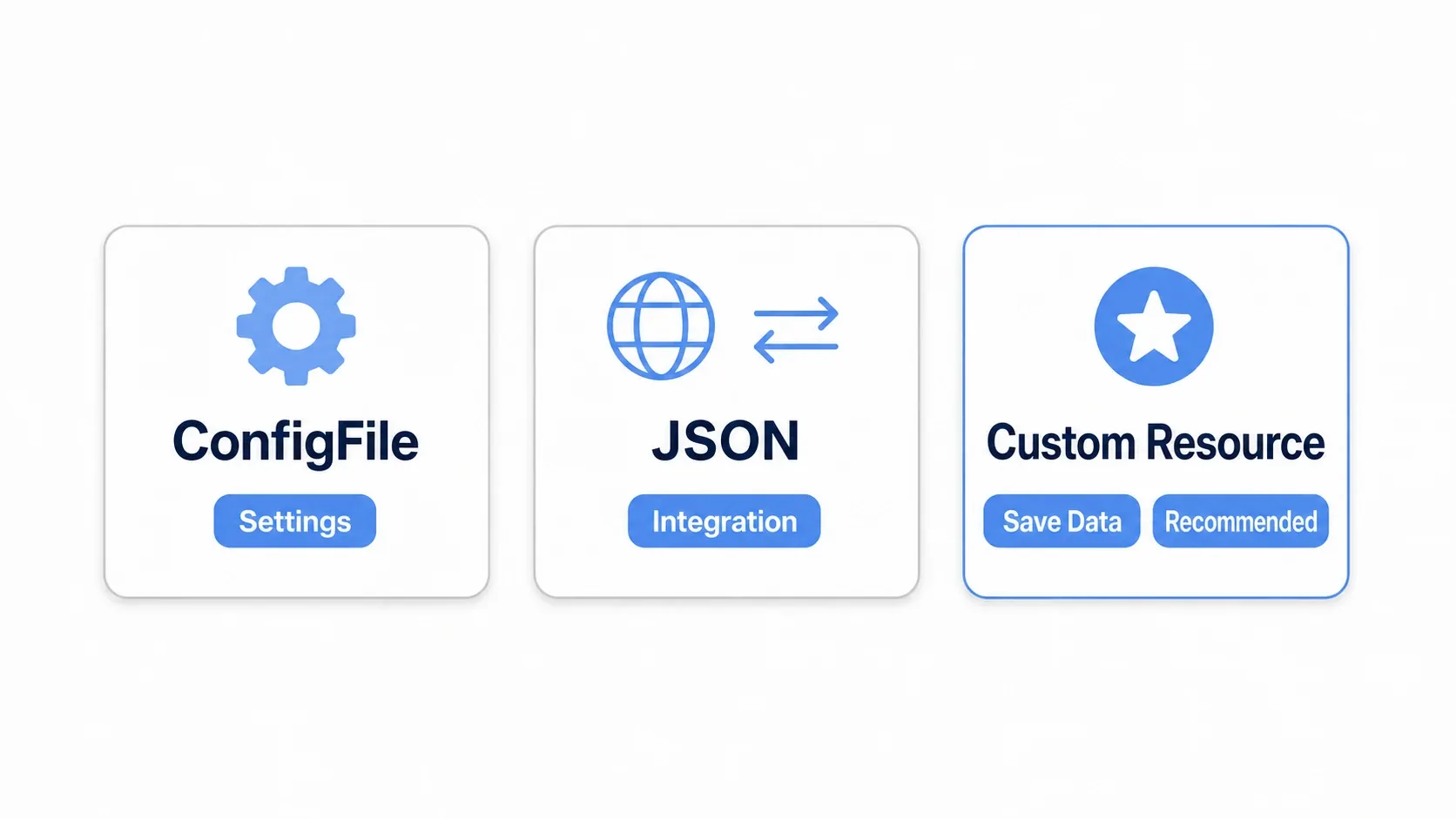
| Trait | ConfigFile | JSON | Custom resource (recommended) |
|---|---|---|---|
| Main use | Settings files (volume, key bindings) | External API interop, general-purpose data | Game save data in general |
| Godot-specific types | Supported (Vector2 and friends work as-is) | Not supported (manual conversion required) | Supported (saved as-is) |
| Amount of code | Small | Large (conversion is tedious) | Smallest |
| Speed | Fast | Somewhat slow (text parsing) | Fast (especially binary) |
| Tamper resistance | Low (text) | Low (text) | Configurable (binary, encryption) |
Roughly: ConfigFile for settings a person tweaks, JSON for data shared with other tools, and custom resources for the playthrough itself. Keep that mapping in mind and the implementations below fall into place.
Ground Rules: user:// and FileAccess
Two things underpin all three methods: where you save (user://) and how you read and write files (FileAccess). Nail these first and the rest stays steady.
Always Save to user://
Godot has two kinds of paths, res:// and user://.
res://: Where your project files live. It becomes read-only after export, so you can't write to it.user://: An alias for a writable, dedicated folder provided by the OS. Save data goes here.
user:// maps automatically to a different real location on each OS. In code you just write user:// and never think about OS differences.
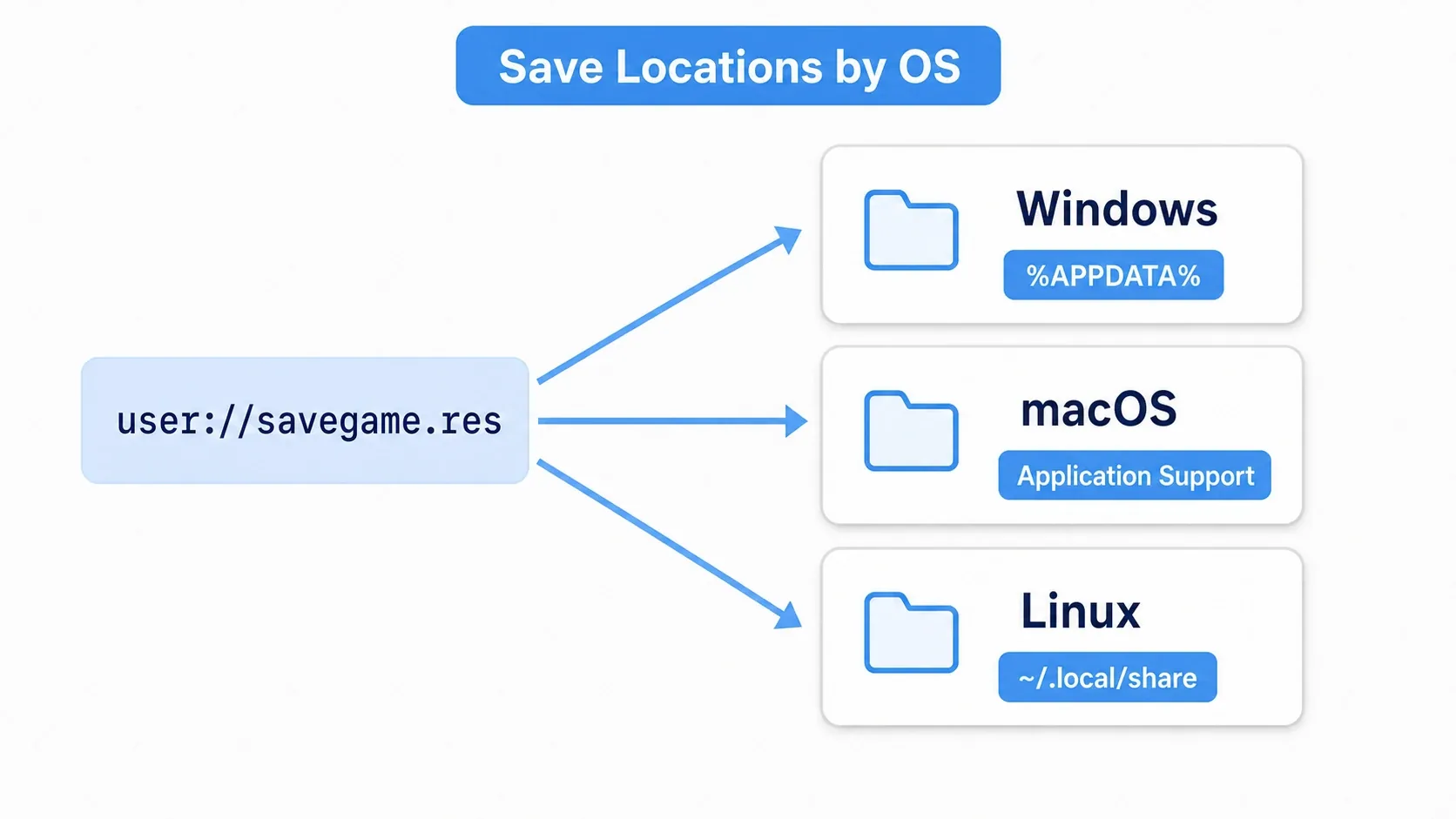
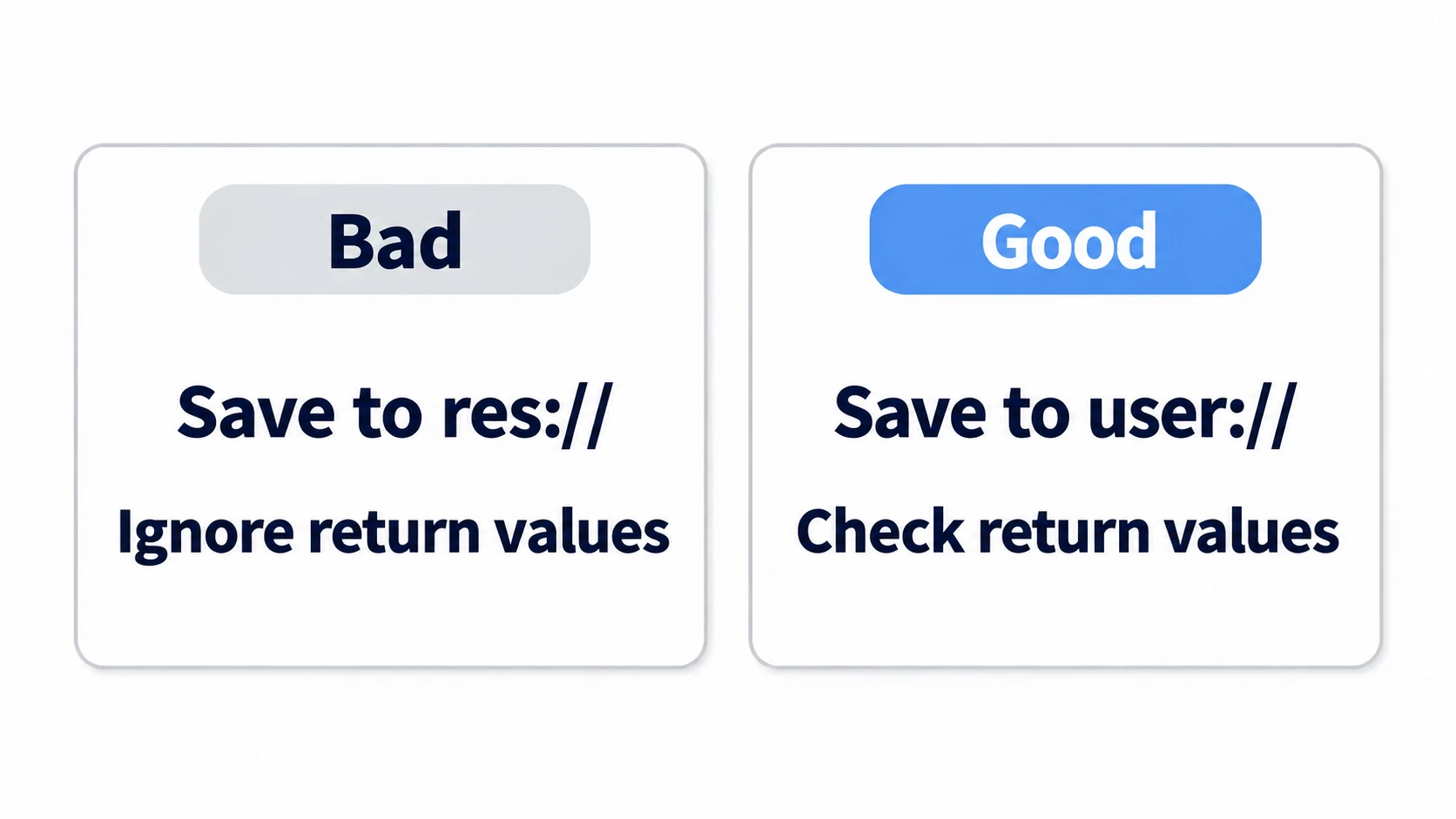
Trying to save to res:// is the classic trap that produces "it works in the editor but the exported game can't save." Remember: save destinations are always user://.
Read and Write Files with FileAccess
FileAccess is what actually opens a file and reads or writes its contents. You use it directly when working with JSON (ConfigFile and custom resources handle file I/O internally, so you never touch it there).
# Writing: opening with WRITE creates the file if missing, or truncates it if present
var file := FileAccess.open("user://memo.txt", FileAccess.WRITE)
if file:                       # open() returns null on failure, so always check
    file.store_string("Hello Save")
    file.close()               # forgetting close() can leave the write uncommitted

# Reading: open with READ
if FileAccess.file_exists("user://memo.txt"):   # check existence first
    var read := FileAccess.open("user://memo.txt", FileAccess.READ)
    print(read.get_as_text())
    read.close()
Three things matter: open() returns null on failure, so always check it; never forget close(); and confirm the file exists with file_exists() before reading. Those three habits alone eliminate most save-related crashes.
ConfigFile: The Standard for Settings
ConfigFile stores data as [section] headers and key = value pairs, much like a Windows INI file. It's perfect for settings the user changes: volume, fullscreen toggles, key bindings. It handles Godot-specific types as-is and reads and writes without you touching FileAccess directly.
![ConfigFile structure: settings data split into a [video] section (fullscreen/vsync) and an [audio] section (master_volume), each stored as key = value in a single .cfg file](/b5fafc9da7b51bd95c38f76bf0dbac9a/20251208_save-load-system_configfile-structure.webp)
# settings_manager.gd
extends Node

const SAVE_PATH := "user://settings.cfg"

# Default settings (the fallback when the file is missing or corrupted)
var default_settings := {
    "video": { "fullscreen": false, "vsync": true },
    "audio": { "master_volume": 0.8 },
}

func save_settings(settings: Dictionary) -> void:
    var config := ConfigFile.new()
    for section in settings:
        for key in settings[section]:
            config.set_value(section, key, settings[section][key])

    var err := config.save(SAVE_PATH)          # always check the return value
    if err != OK:
        printerr("Failed to save settings: %s" % error_string(err))

func load_settings() -> Dictionary:
    var config := ConfigFile.new()
    # No file yet? Return the defaults (first launch, for example)
    if config.load(SAVE_PATH) != OK:
        return default_settings.duplicate(true)

    var result := default_settings.duplicate(true)
    for section in default_settings:
        for key in default_settings[section]:
            # Passing a default as the third argument makes missing keys safe
            result[section][key] = config.get_value(section, key, default_settings[section][key])
    return result
The key detail is that get_value() takes a default as its third argument. Add new settings later and any key missing from an old save is filled in automatically. That one habit prevents the "an update added settings and now old saves won't load" accident.
JSON: Web Interop and External Tools
JSON is readable and engine-agnostic. It shines when talking to a web API or exchanging data with non-Godot tools such as spreadsheets or your own editors.
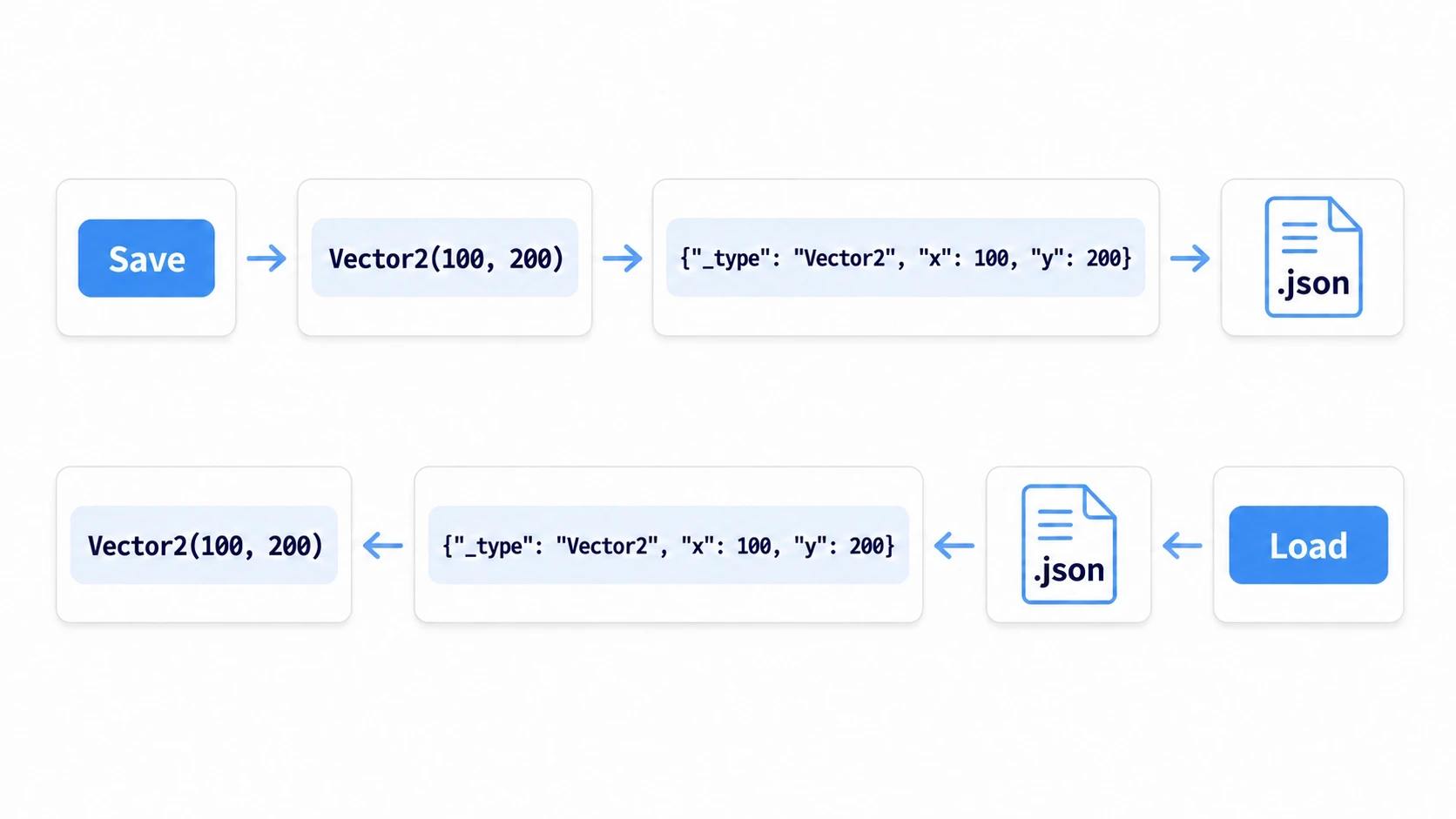
It has one weakness: it can't handle Godot-specific types like Vector2 or Color directly. You have to convert them to plain arrays or dictionaries when saving and convert them back when loading, which means writing that round trip yourself. If you pass one in unconverted, there's no error: it's saved as the string "(100, 200)", and it's still a string when you read it back.
# save_load_json.gd
extends Node

const SAVE_PATH := "user://save_game.json"

# Godot types -> plain shapes JSON can hold
func _to_json(value):
    if value is Vector2:
        return { "_type": "Vector2", "x": value.x, "y": value.y }
    return value

# JSON shapes -> back to Godot types
func _from_json(value):
    # JSON objects come back as Dictionary
    if value is Dictionary and value.get("_type") == "Vector2":
        return Vector2(value["x"], value["y"])
    return value

func save_game(state: Dictionary) -> void:
    var file := FileAccess.open(SAVE_PATH, FileAccess.WRITE)
    if not file:
        printerr("Failed to write the JSON file")
        return
    var data := state.duplicate(true)
    data["player_position"] = _to_json(state["player_position"])   # convert first
    file.store_string(JSON.stringify(data, "\t"))                  # the 2nd arg is indentation (for readability)
    file.close()

func load_game() -> Dictionary:
    if not FileAccess.file_exists(SAVE_PATH):
        return {}
    var text := FileAccess.get_file_as_string(SAVE_PATH)   # open, read, and close in one line
    var parsed = JSON.parse_string(text)                   # returns null on failure
    if parsed is Dictionary:
        parsed["player_position"] = _from_json(parsed["player_position"])
        return parsed
    printerr("Failed to parse the JSON file")
    return {}
The other trap is number types. Parsing JSON restores every number, integers included, as float. Mismatches like "HP should be 100 but the screen shows 100.0" go away if you explicitly convert with int() after loading.
So JSON is ideal for moving plain data into and out of Godot, but saving a playthrough with it takes real effort. That's where custom resources come in.
Custom Resources: The Recommended Approach for Save Data
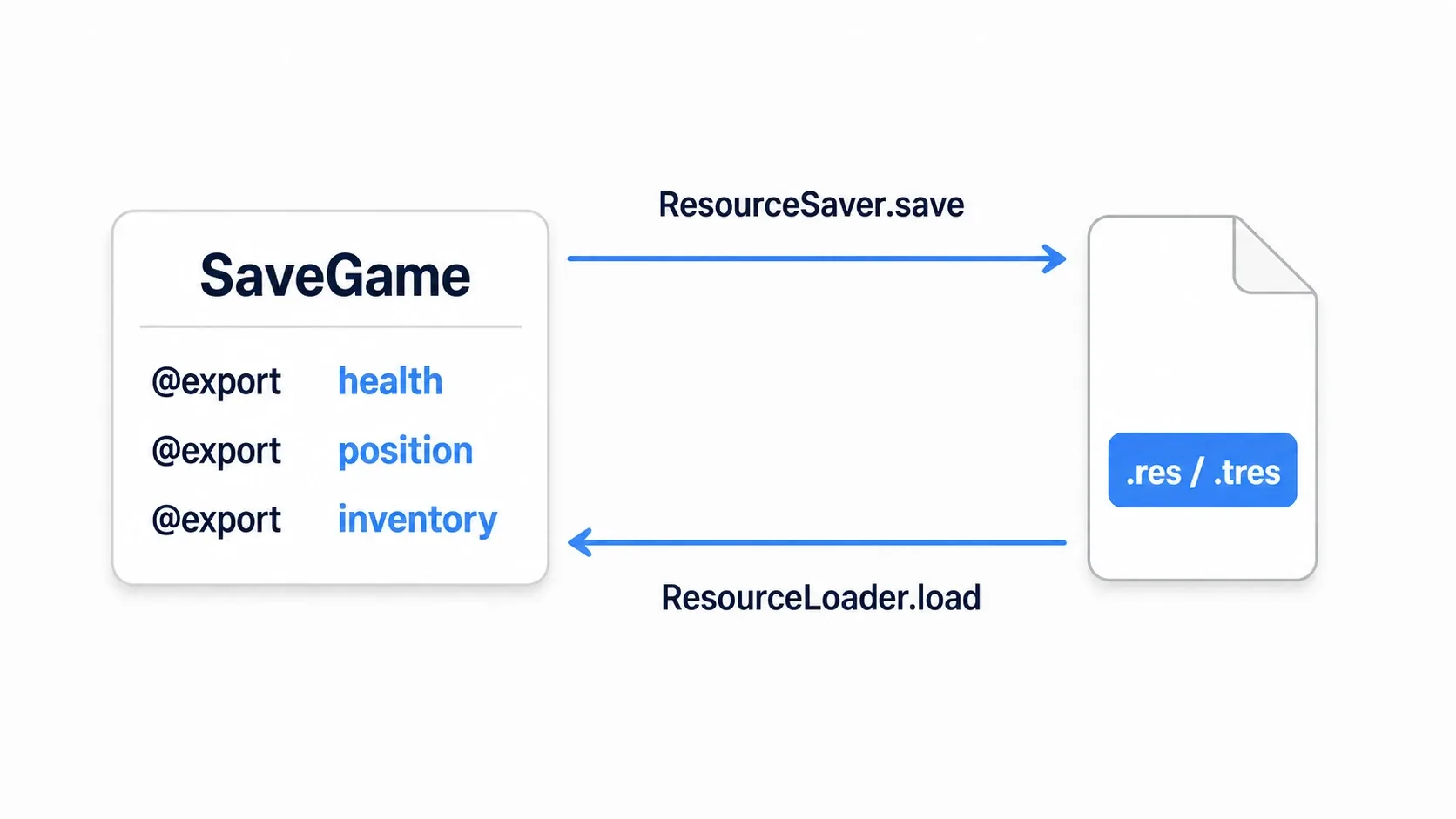
A custom class extending Resource (a custom resource) fits Godot's philosophy best and is the go-to for save data. Variables marked with @export are serialized and deserialized by the engine automatically, so you skip conversion code entirely and Vector2 and Color are stored as-is.
How to build custom resources themselves (
class_name,@export, inheritance,duplicate()) is covered in detail in Creating and Using Custom Resources. Here we focus on saving them to and restoring them from files.
Step 1: Define a Resource for Your Save Data
Create a single "container" listing everything you want to save with @export. This is the blueprint of your save data.
# save_game.gd
class_name SaveGame
extends Resource

@export var player_name: String = "Hero"
@export var health: int = 100
@export var position: Vector2 = Vector2.ZERO      # Godot-specific types save as-is
@export var inventory: Dictionary = {}
@export var cleared_levels: Array[String] = []
@export var save_version: int = 1                 # for versioning, discussed below
Step 2: Save and Restore with ResourceSaver and ResourceLoader
Saving is ResourceSaver.save(), restoring is ResourceLoader.load(). That's it. No conversion code like JSON needs.
# save_manager.gd (handy when registered as an Autoload)
extends Node

const SAVE_PATH := "user://savegame.res"    # binary format (see below)

var current_save: SaveGame

func save_game() -> void:
    if current_save == null:
        current_save = SaveGame.new()
    var err := ResourceSaver.save(current_save, SAVE_PATH)   # argument order is (resource, path)
    if err != OK:
        printerr("Save failed: %s" % error_string(err))

func load_game() -> bool:
    if not ResourceLoader.exists(SAVE_PATH):
        current_save = SaveGame.new()      # no file, so start with fresh data
        return false
    # CACHE_MODE_IGNORE guarantees a re-read from disk instead of the cache
    var res := ResourceLoader.load(SAVE_PATH, "", ResourceLoader.CACHE_MODE_IGNORE)
    if res is SaveGame:                     # receiving it as a type keeps things safe
        current_save = res
        return true
    printerr("Failed to load the save file")
    current_save = SaveGame.new()
    return false
Note: The arguments to
ResourceSaver.save()are in the order(resource, path). Godot 3 had them reversed as(path, resource), so translate accordingly when following older articles.
The satisfying part of this approach is that load_game() can receive it as a type with res is SaveGame. You never worry about "which dictionary key holds which type" the way you do with JSON, and you access it as current_save.health with autocompletion.
Choosing Between .tres and .res
The extension you pass to ResourceSaver.save() decides the format.
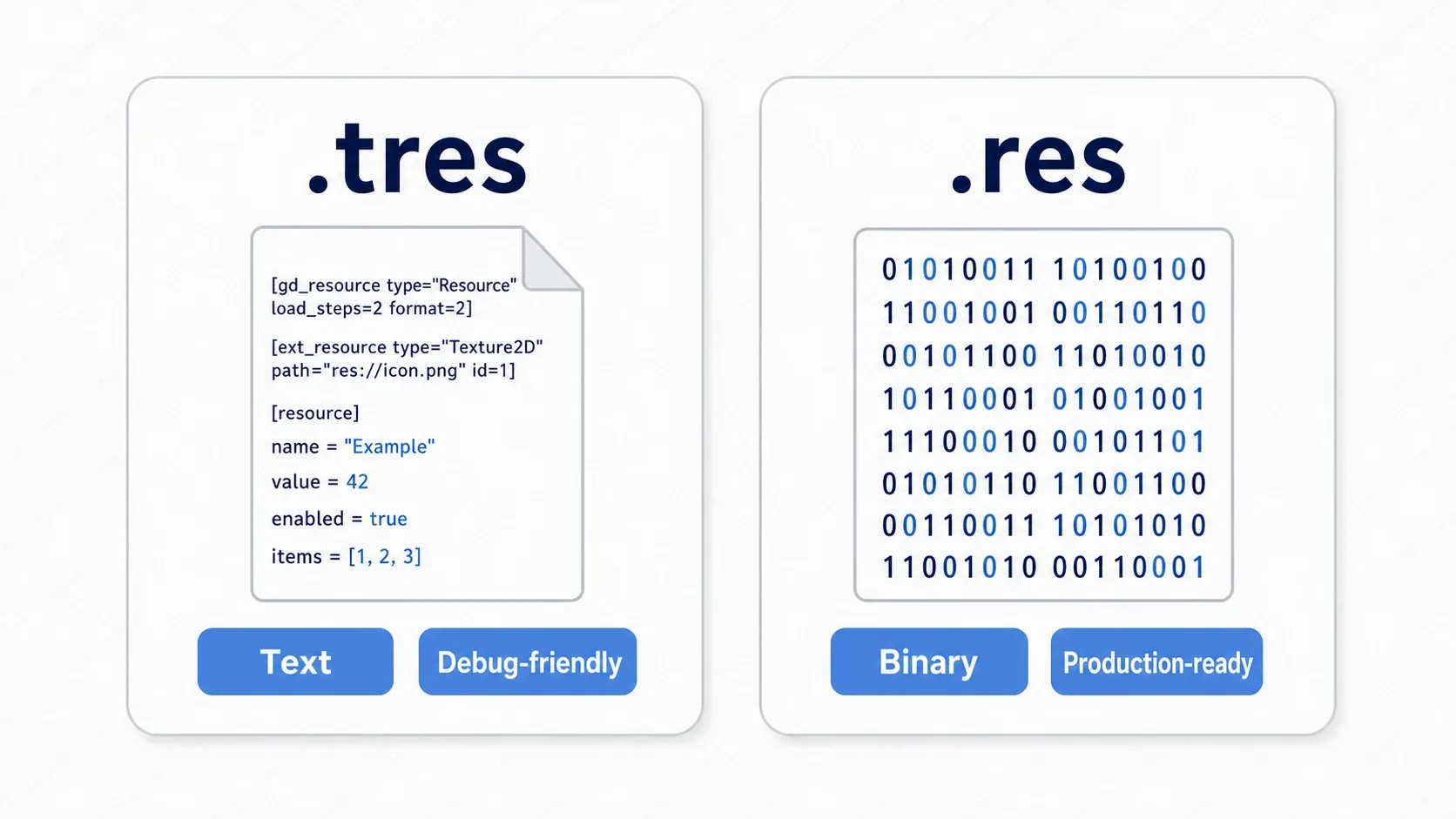
.tres(text format): Humans can read the contents. Diffs are visible, so it plays well with Git and suits debugging. Convenient during development..res(binary format): Unreadable contents, but fast and small. Tampering also takes more effort than with.tres. Standard for release builds.
Developing with .tres so you can inspect the contents and switching to .res at ship time is an easy workflow.
Security note: Custom resources are convenient, but
.tresand.rescan embed script references, which means loading a save file from an untrusted source (a modified save someone distributed, for instance) can execute the embedded code. That's a non-issue for local saves inside your own game, but if your game lets players share or upload saves, use JSON for that data or validate the contents before loading.
Hands-On: Building a Checkpoint Save You Can Stop At Anywhere
Save points in an RPG, the "quit" suspend save in a roguelike, autosaves in an open world: the genres differ but the job is identical. Gather scattered game state into one save blob, write it out, then read it back at startup and hand it out again. Let's build that flow with the custom resources from above.
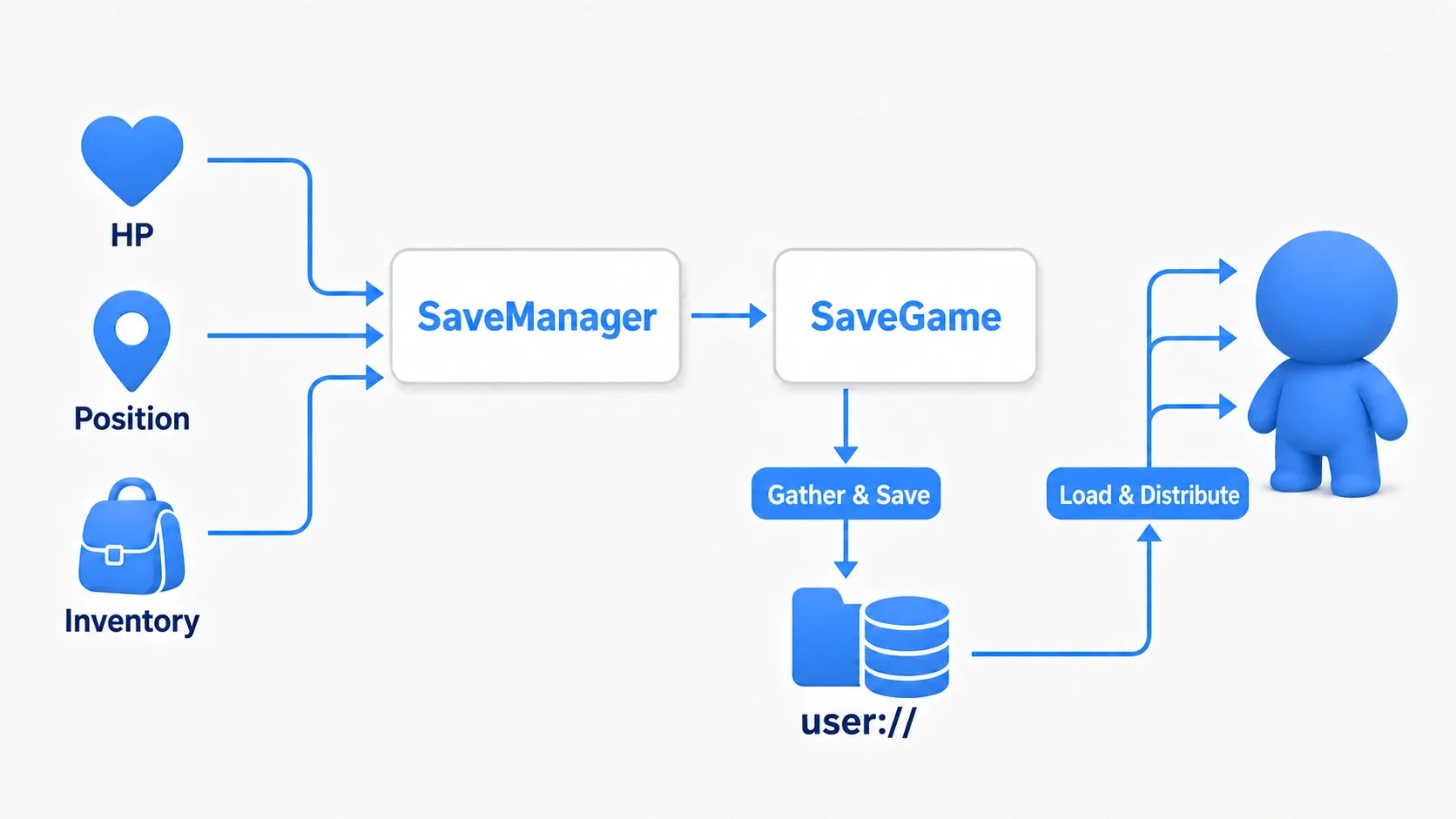
Add two functions to the SaveManager from earlier: write_state() to gather state and read_state() to hand it back out. Saving is nothing more than this gather-and-distribute pair.
# save_manager.gd (Autoload)
extends Node

const SAVE_PATH := "user://savegame.res"
var current_save: SaveGame

# Gather the in-game state into a single SaveGame
func write_state(player: Node2D, inventory: Dictionary) -> void:
    current_save = SaveGame.new()
    current_save.health = player.health
    current_save.position = player.global_position   # Godot-specific types go in as-is
    current_save.inventory = inventory.duplicate(true)  # hold a copy to avoid sharing a reference
    var err := ResourceSaver.save(current_save, SAVE_PATH)
    if err != OK:
        printerr("Save failed: %s" % error_string(err))
        return
    print("Checkpoint recorded")

# Hand the loaded SaveGame back out to each node
func read_state(player: Node2D) -> void:
    if not load_game():           # reuse the load_game() from above
        return                    # no save, so do nothing (stay in the initial state)
    player.health = current_save.health
    player.global_position = current_save.position
    player.refresh_inventory(current_save.inventory)   # a function on the player that redraws the inventory

func load_game() -> bool:
    if not ResourceLoader.exists(SAVE_PATH):
        current_save = SaveGame.new()
        return false
    var res := ResourceLoader.load(SAVE_PATH, "", ResourceLoader.CACHE_MODE_IGNORE)
    if res is SaveGame:
        current_save = res
        return true
    current_save = SaveGame.new()
    return false
The calling side is remarkably simple. Call write_state() the moment the player touches a save point or presses "quit," and read_state() when the game starts.
# When the player steps on a save point (from an Area2D signal, for example)
func _on_save_point_entered() -> void:
    SaveManager.write_state($Player, inventory_data)

# At game start (in the main scene's _ready, for example)
func _ready() -> void:
    SaveManager.read_state($Player)
There are two points to take away.
- Keep state handling to "gather and pack, read and distribute": Don't scatter save logic around the game.
SaveManagerowns both the gathering and the distribution, so when you add something to save, the only places to edit areSaveGameandwrite_state/read_state. - Make
SaveManageran Autoload: Saving is something you call across scenes, so keeping it globally resident is standard. Any scene can writeSaveManager.write_state(...).
Want multiple slots? Swap SAVE_PATH per slot number (user://slot_1.res and so on). Want autosave? Call write_state() periodically from a Timer. The same foundation grows naturally into both.
Common Mistakes and Best Practices
| Common mistake | Best practice |
|---|---|
Trying to save to res:// | Always use user://. res:// isn't writable after export |
| Not checking return values or nulls | Check the return of save() / load() and the null from open() every time |
| Passing Godot-specific types straight to JSON | Write conversion helpers for JSON, or use custom resources |
| The screen freezing during save/load | Move large data to the background with a Thread or asynchronous loading |
| Ignoring save compatibility | Include save_version and add migration logic for older versions |
Save versioning in particular pays off in games that ship updates. Give SaveGame a save_version and add one step at load time that converts older versions into the current shape, and you can keep updating without breaking existing saves. Even if you don't use it yet, having the field there is a gift to your future self.
Bonus: Good to Know for Later
Once the basics are working, these are the next things that come into view. You don't need them right now, so knowing the names is enough.
- Encryption deters casual tampering:
FileAccess.open_encrypted_with_pass()encrypts your saves. The password ships inside the build, though, so a determined player can extract it. Treat it as "discouraging casual edits" and validate on the server any value that has to hold up online. - Where Web (HTML5) builds save:
user://maps to the browser's IndexedDB. Clearing the browser cache wipes the save too, so consider server-side storage for anything important. - Asynchronous work avoids freezes: As save data grows, switch to background reads and writes with
ThreadorResourceLoader.load_threaded_request()so the UI stays responsive during loads. The Basics of await and Coroutines is a good starting point.
Summary
- Save destinations are always
user://.res://is read-only after export - The basic mapping: ConfigFile for settings, JSON for external interop, custom resources for save data in general
- Custom resources save and restore with
@exportplusResourceSaver/ResourceLoader, with no conversion and full type safety - Develop with
.tres, ship with.res. Watch out for security if your game loads untrusted saves - Keep saving to "gather and pack, read and distribute," and keep
SaveManagerresident as an Autoload for easy management
Start by creating one SaveGame resource and saving and restoring just HP and position. The moment "close it, reopen it, and pick up where you left off" works, your game starts feeling like a finished product.
Further Reading
- Creating and Using Custom Resources — how to build the
Resourcethat holds your save data - Managing Data Across Scenes with Autoload — keeping SaveManager globally resident
- The Basics of await and Coroutines — the foundation for asynchronous save/load
- Godot Save Data Versioning — adding fields without breaking old saves
- Godot Docs: Saving games — the primary source on saving