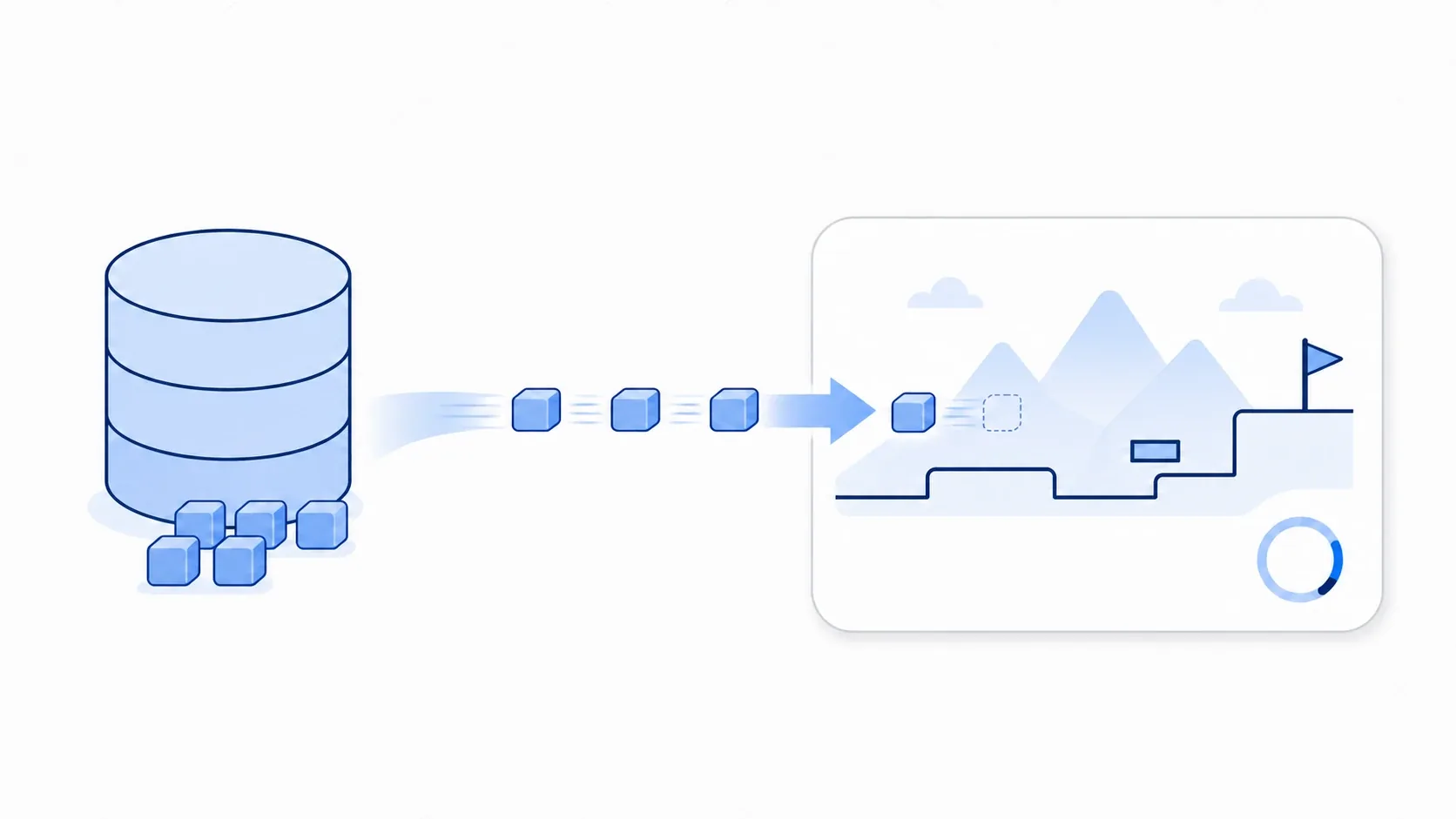
You unleash a wall of bullets in a shmup, or an enemy drops a burst of coins, and for that one instant the frame rate drops. Have you run into that kind of sudden stutter (spike)?
The usual cause is creation (instantiate()) and destruction (queue_free()) piling up in a short window. The cost of a single creation is tiny, but repeat it hundreds of times per second and it puts real load on the CPU. Object pooling fixes this at the root. This article covers how it works, the traps that trip people up, a bullet pool implementation, and how to decide whether you should adopt it at all.
What You'll Learn
- What causes spikes, and how object pooling removes them through reuse
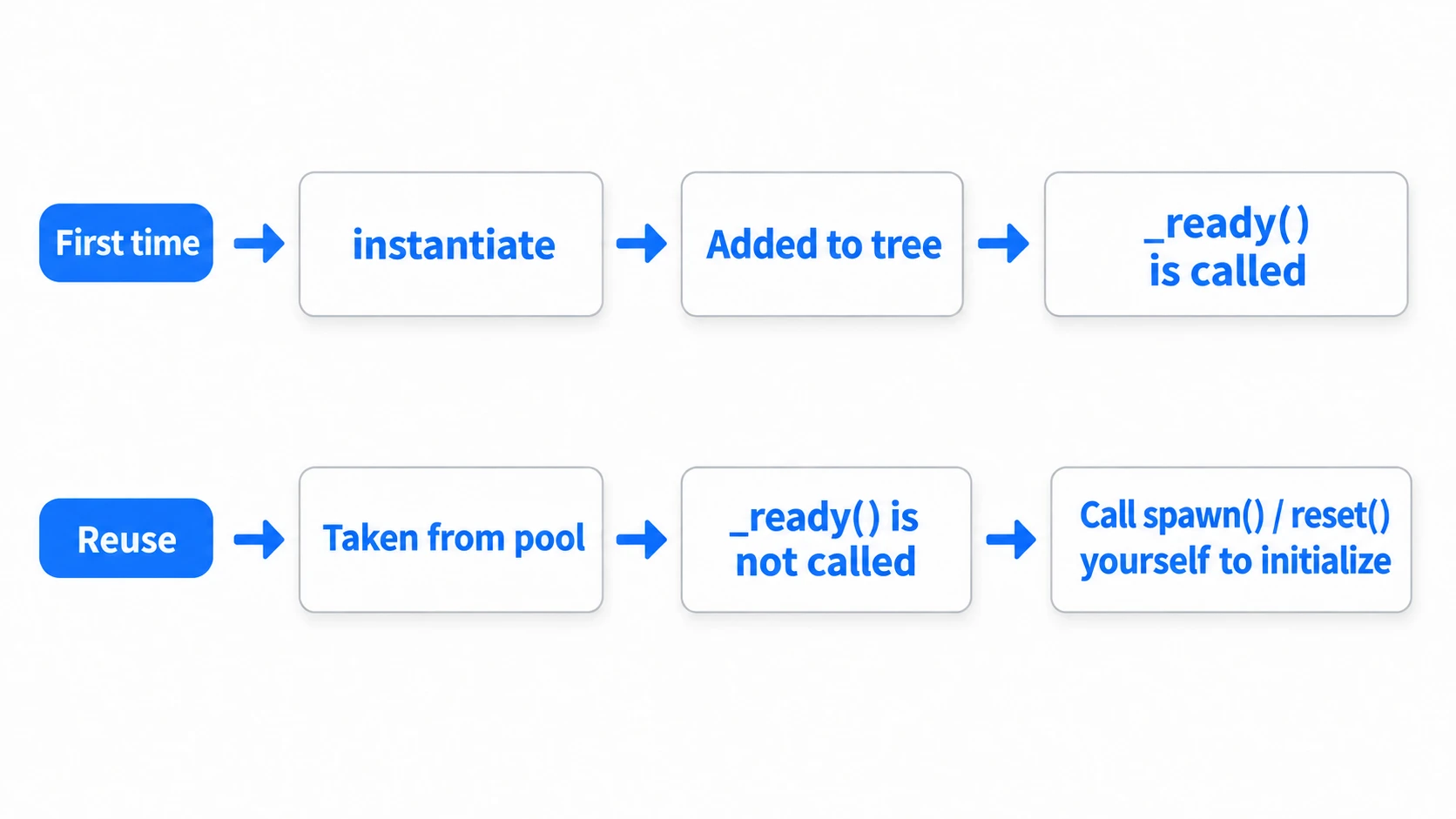
- The trap where
_ready()isn't called on reuse, and initializing withspawn()/reset()- Why
hide()isn't enough, and how to fully stop processing and collisions- A bullet pool implementation, and how to decide whether to adopt it (compared to the alternatives)
Tested with: Godot 4.7
How Object Pooling Works: Reuse Instead of Discard
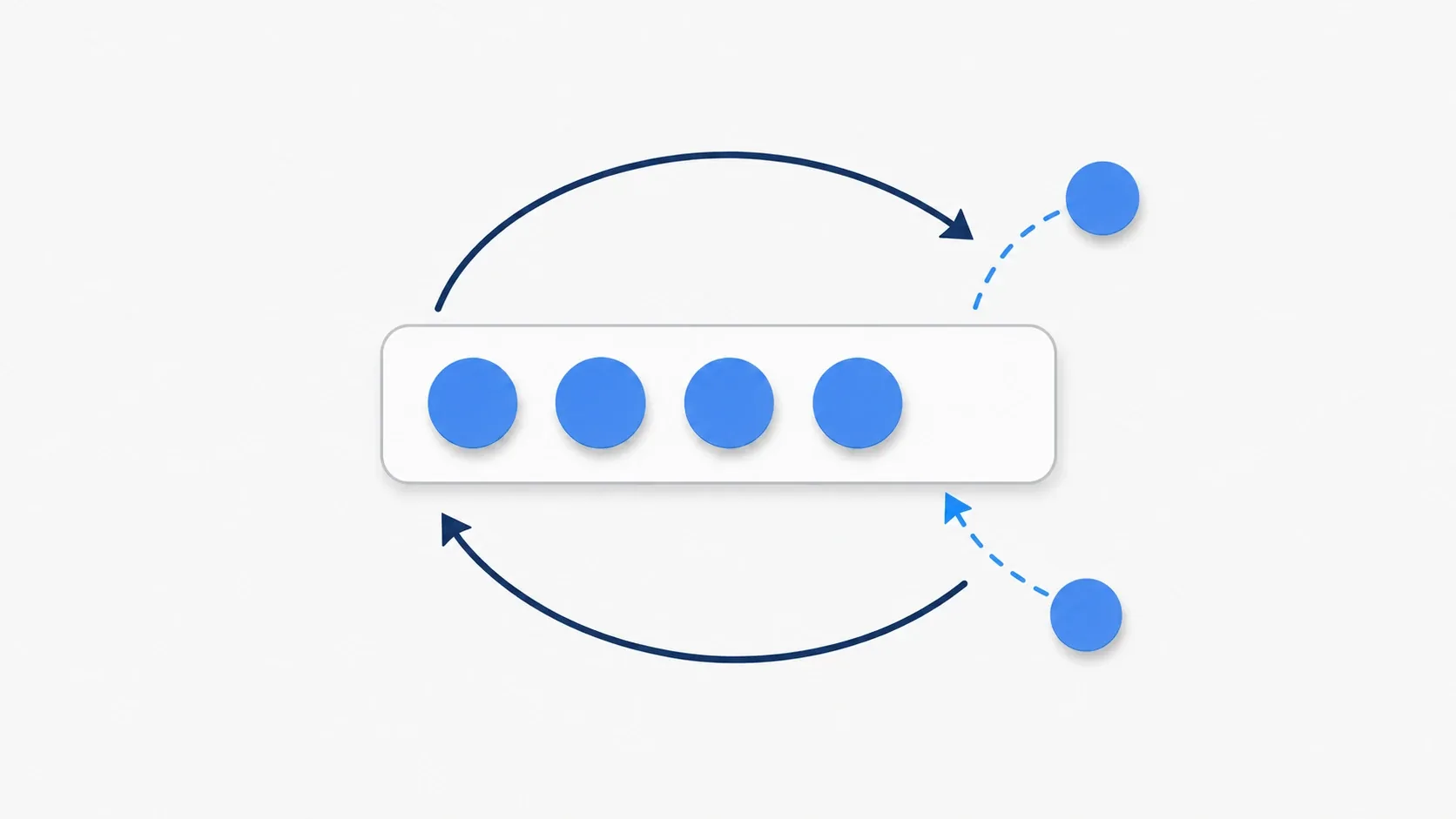
The idea behind object pooling is simple: don't throw objects away, reuse them. It's the same as a restaurant washing plates instead of making new ones every time. It pushes the most expensive parts, creation and destruction, out of active gameplay.
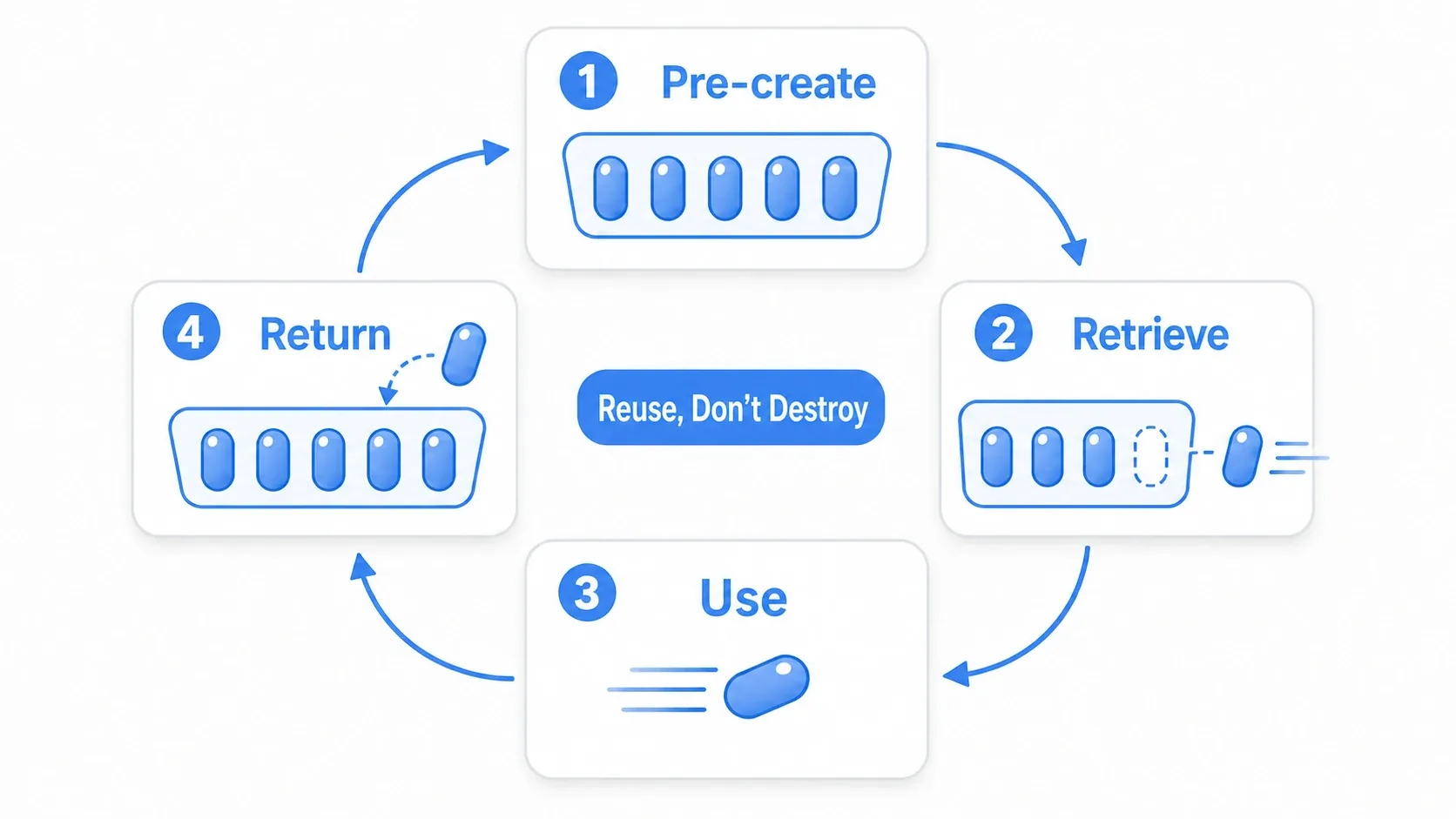
It's a four-step cycle.
- Pre-create: at a moment where load is acceptable, such as game start, create a fixed number of objects, store them in a pool (standby list), and hide them
- Take one out: when you need an object, like firing a bullet, don't
instantiate(). Take an unused one from the pool, initialize its position, and show it - Use it: the object does its job in the game (the bullet flies and hits an enemy)
- Return it: when it's done, don't destroy it with
queue_free(). Hide it and put it back in the pool
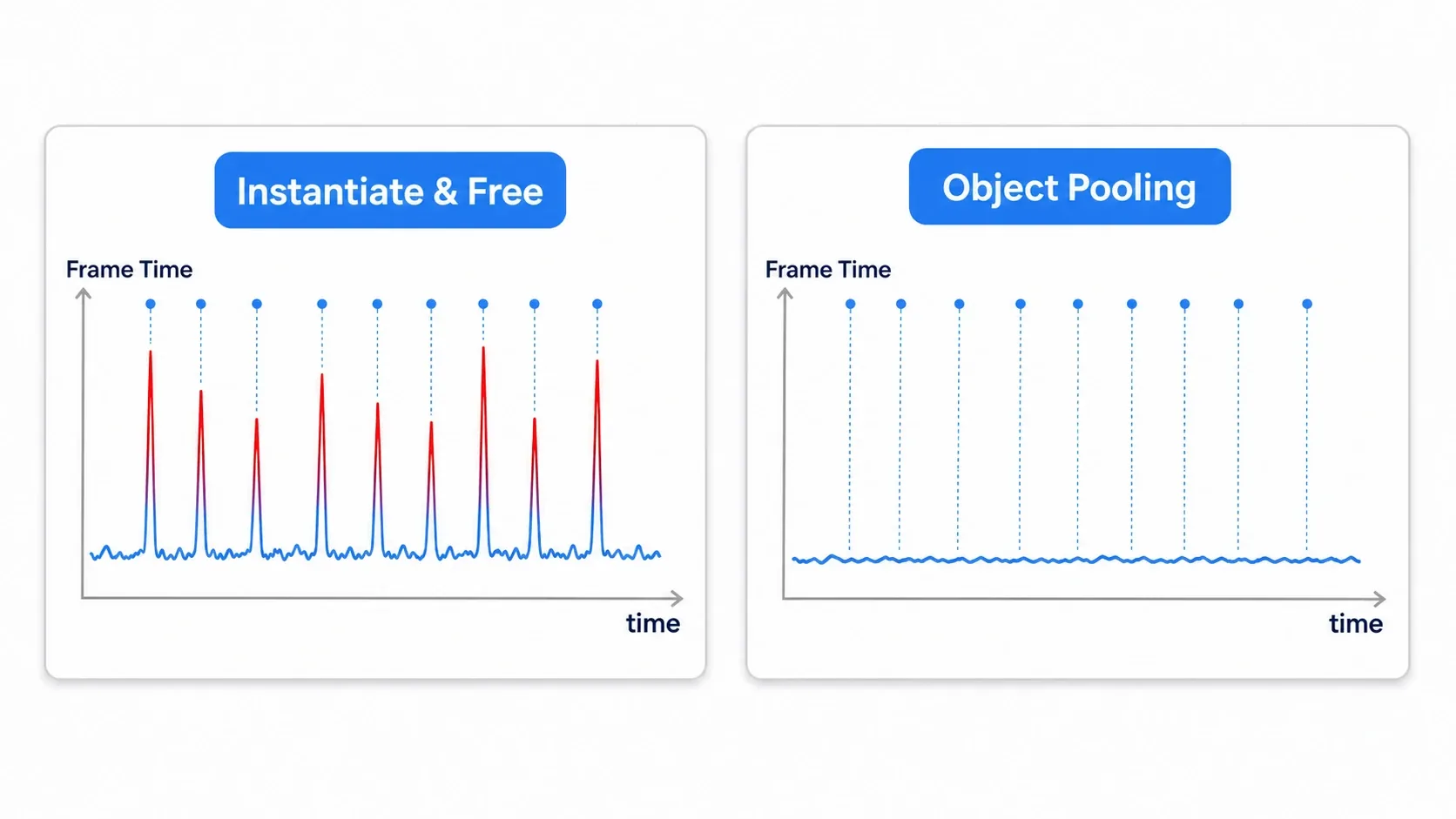
With this cycle, the in-game cost drops to the light work of resetting position and state. Spikes from creation and destruction disappear, and the frame rate stabilizes.
Common Traps and Best Practices
Object pooling looks easy, but it has a few pitfalls. Initialization specific to reuse is the one to watch.
| Common mistake | Best practice |
|---|---|
Initializing in _ready() | _ready() is only called once. Do reuse-time initialization in a dedicated method like spawn(position, direction) |
Returning with just hide() | hide() leaves _process and collisions running. Stop everything with set_process_mode(Node.PROCESS_MODE_DISABLED) and disable the CollisionShape |
Calling remove_child() during physics | Tree operations during physics are unstable. Defer them to a safe moment with call_deferred() |
| Ignoring pool exhaustion | Running dry during an intense scene breaks things. Add a fallback that creates one on the spot plus a printerr so you notice the shortfall |
| Forgetting to reset state | Reset everything to its initial value, not just position and velocity but color (modulate), scale, and custom variables. Missed resets breed bizarre bugs |
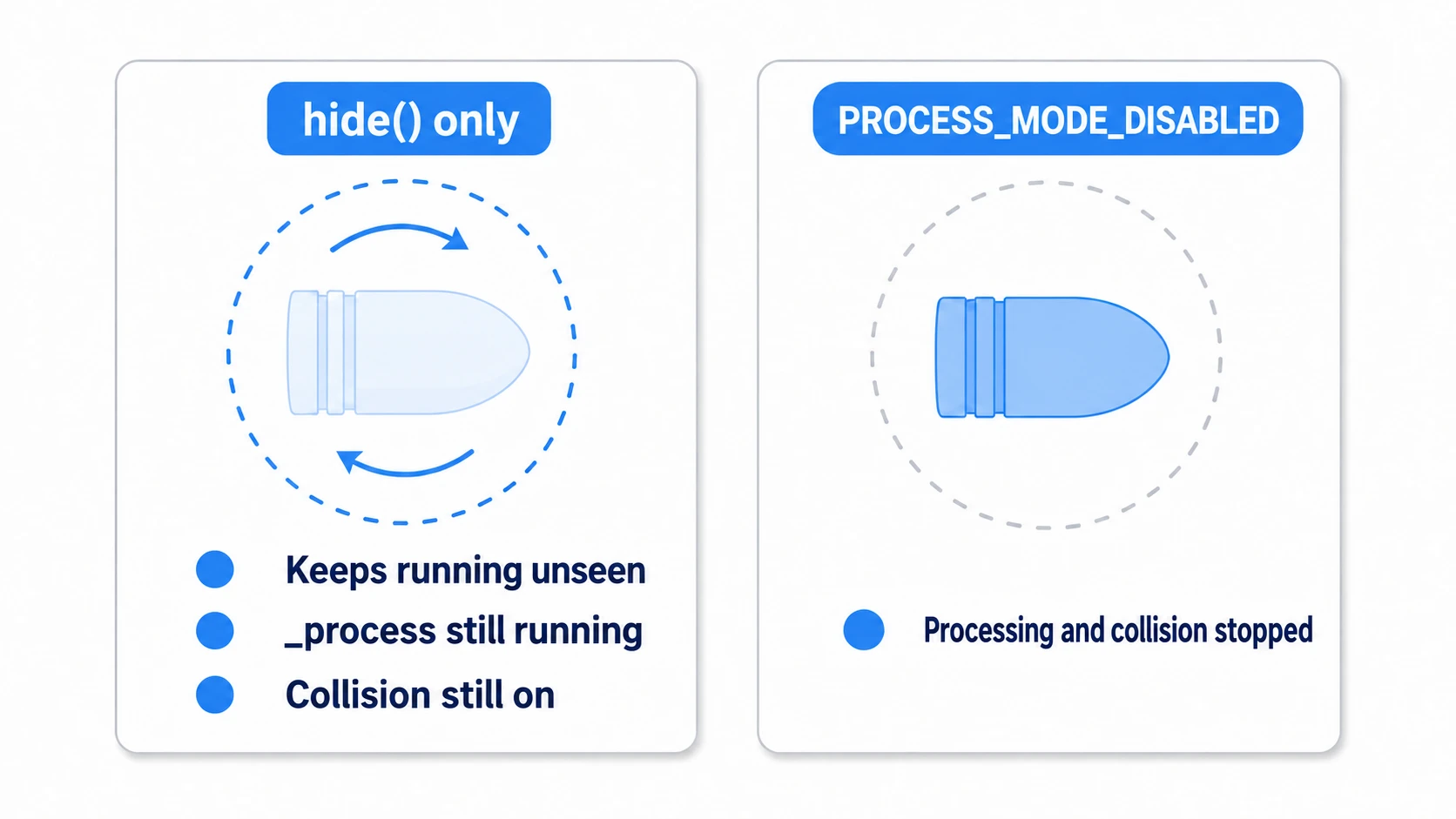
Objects that are invisible but still running deserve special attention. If a hidden bullet keeps moving and checking collisions in the background, you not only fail to reduce load, you create bugs from invisible hitboxes. Properly stopping processing and collisions is essential.
Hands-On: A Bullet Pool That Doesn't Slow Down
Bullets in a shmup, spark effects on hit, coins dropped by enemies: anything that spawns and disappears at high frequency is an application of this bullet pool. We'll build it from two pieces: a PoolManager that manages all pools (registered as an Autoload) and the PooledBullet that gets pooled.
The Heart of the Pool: PoolManager
Register PoolManager as an Autoload so you can call it from anywhere. It handles taking objects out (get_object), returning them (return_object), and enabling and disabling them.
Because the @export values are filled in from the Inspector, save a node with pool_manager.gd attached as pool_manager.tscn and register that .tscn as the Autoload (registering the .gd directly leaves nowhere to fill in the values, so the pool starts empty). Use the bullet scene's path (res://bullet.tscn) as is for the keys of both dictionaries, since returning a bullet matches it against the bullet's scene_file_path.
# pool_manager.gd (registered as an Autoload)
extends Node

@export var scene_templates: Dictionary = {}     # Key: scene path, Value: PackedScene
@export var initial_pool_sizes: Dictionary = {}   # Key: scene path, Value: initial count

var pools: Dictionary = {}

func _ready() -> void:
    for scene_path in scene_templates:
        var scene: PackedScene = scene_templates[scene_path]
        var size: int = initial_pool_sizes.get(scene_path, 10)
        pools[scene_path] = []
        for i in size:
            var obj := scene.instantiate()
            if obj.has_method("set_pool_manager"):
                obj.set_pool_manager(self)
            add_child(obj)
            _deactivate(obj)          # Put it on standby right after creation
            pools[scene_path].append(obj)

func get_object(scene_path: String) -> Node:
    # If the pool is empty, create one on the spot (fallback plus warning)
    if not pools.has(scene_path) or pools[scene_path].is_empty():
        printerr("Pool '%s' is empty. Creating a new one (the size may be too small)" % scene_path)
        var new_obj := (scene_templates[scene_path] as PackedScene).instantiate()
        if new_obj.has_method("set_pool_manager"):
            new_obj.set_pool_manager(self)
        add_child(new_obj)
        return new_obj
    var obj: Node = pools[scene_path].pop_back()
    _activate(obj)                    # Enable it once taken out
    return obj

func return_object(obj: Node, scene_path: String) -> void:
    if obj in pools.get(scene_path, []):   # Prevent double returns
        return
    _deactivate(obj)                  # Stop it before returning it
    pools[scene_path].append(obj)

func _activate(obj: Node) -> void:
    obj.show()
    obj.process_mode = Node.PROCESS_MODE_INHERIT   # Resume processing
    _set_collisions_disabled(obj, false)

func _deactivate(obj: Node) -> void:
    obj.hide()
    obj.process_mode = Node.PROCESS_MODE_DISABLED  # Stop all processing
    _set_collisions_disabled(obj, true)
    if obj.has_method("reset"):
        obj.reset()                   # Return state to its initial values

# Enable/disable all descendant CollisionShapes at once
func _set_collisions_disabled(node: Node, disabled: bool) -> void:
    for child in node.get_children():
        if child is CollisionShape2D or child is CollisionShape3D:
            child.set_deferred("disabled", disabled)   # Deferred for safety during physics
        _set_collisions_disabled(child, disabled)
The Pooled Side: PooledBullet
On the bullet side, the keys are spawn() (initialization) and reset() (state restoration) replacing _ready(), plus the logic that returns itself to the pool. Use the signal from VisibleOnScreenNotifier2D to return automatically when the bullet leaves the screen.
# pooled_bullet.gd
extends CharacterBody2D

const SPEED := 800.0
var direction := Vector2.RIGHT
var _pool_manager: Node

@onready var notifier: VisibleOnScreenNotifier2D = $VisibleOnScreenNotifier2D

func _ready() -> void:
    # Return myself to the pool when I leave the screen (_ready() runs once, so connecting here is fine)
    notifier.screen_exited.connect(return_to_pool)

func set_pool_manager(manager: Node) -> void:
    _pool_manager = manager

# Initialization in place of _ready(). Called every time we're taken out
func spawn(start_position: Vector2, travel_direction: Vector2) -> void:
    global_position = start_position
    direction = travel_direction.normalized()
    rotation = direction.angle()

# Return state to its initial values when returned (watch for missed resets)
func reset() -> void:
    velocity = Vector2.ZERO

func _physics_process(_delta: float) -> void:
    velocity = direction * SPEED
    move_and_slide()

func return_to_pool() -> void:
    if _pool_manager:
        # Avoid returning during physics; defer for safety
        _pool_manager.call_deferred("return_object", self, scene_file_path)
    else:
        queue_free()
The firing side simply calls get_object() and spawn() instead of instantiate().
# Firing (PoolManager is the Autoload name)
var bullet := PoolManager.get_object("res://bullet.tscn")
bullet.spawn($Muzzle.global_position, Vector2.RIGHT)
There are two key points.
- Initialize in
spawn(), clean up inreset():_ready()isn't called on reuse, so set position and direction inspawn()every time you take an object out, and reset velocity and the like inreset()when returning it. These two are the lifeline of reuse. - Return safely with
call_deferred(): a bullet hits an enemy in the middle of physics. Callingreturn_object()right there makes tree operations unstable, socall_deferred()queues it for after the physics step completes.
Should You Adopt It? Measurement and Alternatives
Object pooling is powerful, but it isn't a cure-all. Godot 4 made node creation considerably faster, so if you only create something once every few frames, building a pool can cost more effort than it saves.
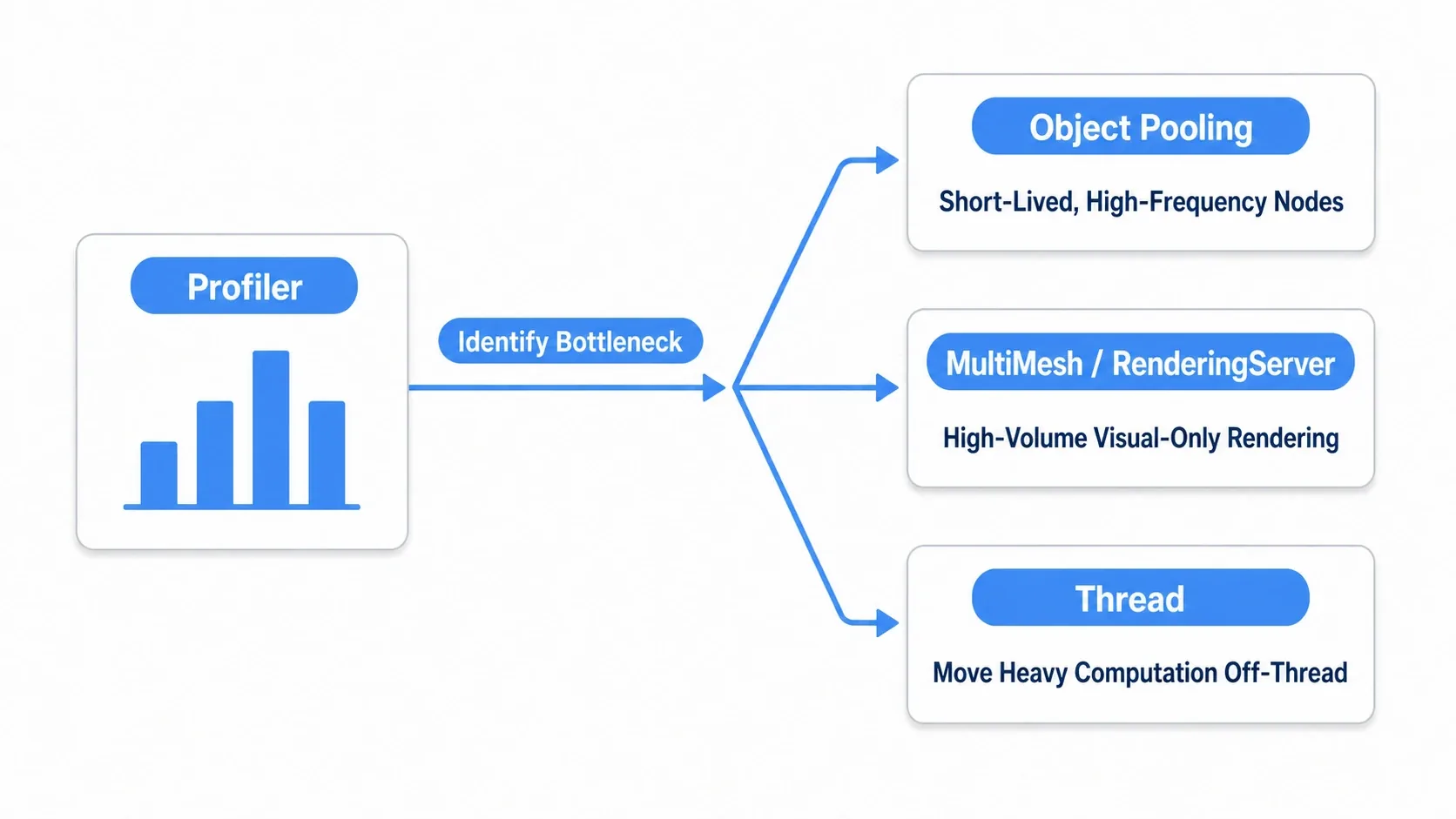
Always measure with the profiler and adopt it only after confirming that instantiation really is the bottleneck. From there, pick the tool that matches the nature of the problem.
- Object pooling: for spikes from short-lived, high-frequency nodes like bullets, effects, and coins
MultiMesh/RenderingServer: for visual-only volume (thousands to tens of thousands) with simple logic. Drawing directly without nodes is dramatically faster, but you have to implement things like collision yourselfThread: for CPU-heavy work like pathfinding or large computations, moved off to another thread. A fix for a different kind of load than spikes
Match the tool to the symptom: identical nodes spawning and vanishing at high frequency means pooling, visual-only mass rendering means MultiMesh, and heavy computation means threads.
Bonus: Good to Know for Later
- Decide pool size by measuring: if the
printerrfallback warning fires often, your initial size is too small. Tune it against the peak count in your most intense scene. - Effects can be pooled too: one-shot
GPUParticles2Deffects can go in a pool as well, reused by togglingemitting. - Combine it with culling: the idea of stopping processing for off-screen objects (with
VisibleOnScreenEnabler2D, for instance) pairs well with pooling and cuts load further.
Summary
- Object pooling removes spikes caused by bursts of
instantiate()/queue_free()and stabilizes FPS - It targets short-lived, high-frequency objects like bullets and effects
_ready()isn't called on reuse, so initialize manually withspawn()/reset()- Go beyond
hide()and fully stop processing withPROCESS_MODE_DISABLEDplus disabled collisions. Return objects safely withcall_deferred() - Adopt it only after confirming with the profiler. Use
MultiMeshfor mass rendering andThreadfor heavy computation
Start by pooling a single bullet type and checking that frame time stays flat no matter how much you fire. Once you feel the spikes disappear, object pooling becomes one of your go-to tools.
Further Reading
- Stabilizing FPS in Godot: Frame Rate Management and Optimization: how to measure, and how to fight jitter
- Using _process and _physics_process Correctly: the background you need to stop processing on pooled objects
- Managing Data Across Scenes with Autoload: keeping PoolManager resident globally
- Godot Multiplayer Sync Basics: in multiplayer, build bullets by spawning and freeing first
- Godot Official Docs: Optimization using Servers: further optimization with RenderingServer and friends