 01
01Godot Learning Roadmap: What to Learn, in Order, from One Node to a Full Game
What to learn, and in what order, after the tutorial, explained by adding features to one small room in seven stages.
Learn Godot 4 step by step, from nodes and scenes to 2D, 3D, UI, physics, saving, and exporting. All 104 articles are grouped by category and ordered from the basics.
01What to learn, and in what order, after the tutorial, explained by adding features to one small room in seven stages.
 02
02So the screen right after installing doesn't lose you: how the four docks connect, the difference between F5 and F6, and placing one image and running it.
 03
03The three things to decide first in Godot (renderer, design resolution, and stretch), and how to check how your game looks on other people's screens.
 04
04A practical explanation of scenes and nodes, the two concepts at the heart of Godot Engine, including performance considerations and best practices.
 05
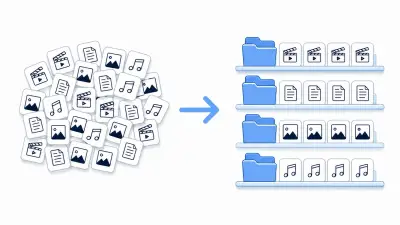
05Illustrated guide to keeping a Godot project tidy: folder structures (by type and by feature), Godot's naming conventions (snake_case / PascalCase), the difference between res:// and user://, and how to manage the project with git.
 06
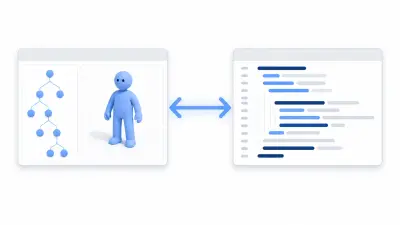
06How to configure VSCode or Cursor as Godot's external editor to improve your workflow with AI completion, advanced debugging, and LSP integration.
 07
07A beginner's guide to the basic syntax of GDScript, the language that drives Godot games. Variables and types, functions, if/for/while/match, arrays and dictionaries, one at a time with small working examples.
 08
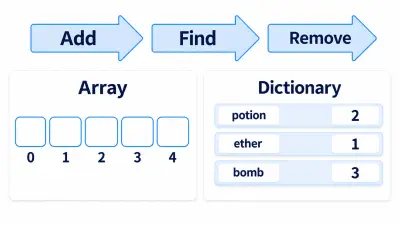
08Use a GDScript Array to remove defeated enemies from a roster, and a Dictionary to count picked-up items by type.
 09
09How to fix bugs efficiently by making strategic use of Godot Engine's debugging tools and the print_debug function, written for beginners through intermediate developers.
 10
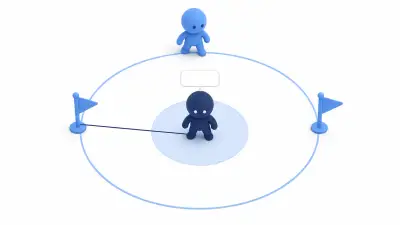
10Draw an enemy AI's detection range and target with _draw() while the game runs, and compare it with the collision shapes to find bugs.
 11
11Master static typing in GDScript to prevent bugs before they happen and get the most out of performance. Practical techniques with code examples.
 12
12A guide to Godot Engine's pause system and the Process Mode property on nodes. Covers the basics, building UI that keeps running while paused, cutscene and dialogue use cases, and performance considerations.
 13
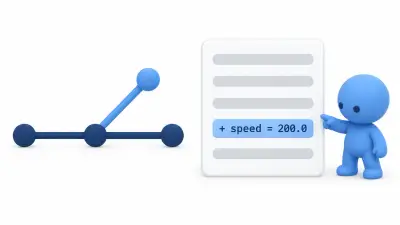
13Godot saves values you change in the Inspector so they read as a single line in a diff. This covers using that to try things on a branch and roll them back.
 01
01How to define custom node types with class_name and make them pleasant to use in the editor with @icon and @export. Covers custom Resources and EditorInspectorPlugin as well.
 02
02How to add custom docks, toolbar buttons, and inspector plugins using Godot's @tool annotation and the EditorPlugin class. Covers plugin.cfg setup through best practices.
 03
03How to write automated tests with the Godot Unit Test (GUT) addon. Covers writing tests, assertions, signal tests, and scene tests.
 01
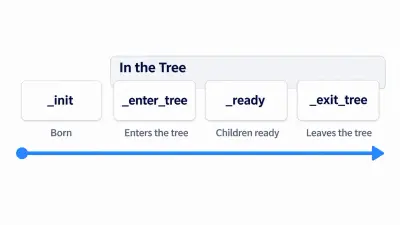
01Check the order a node's _init, _enter_tree, _ready, and _exit_tree are called in using the Output panel, and learn a way of writing code so initial values you pass in from outside don't vanish.
 02
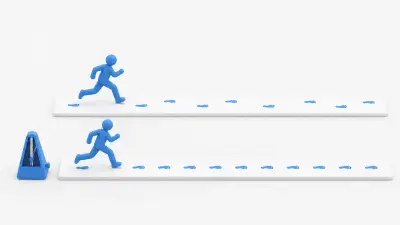
02The difference between _process and _physics_process, the basics of variable and fixed timesteps, and best practices for choosing between them.
 03
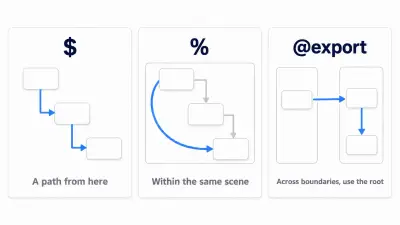
03When just moving a node breaks your $ paths, use a HUD to check how far names reach with $, %, and @export, and switch to references that don't break.
 04
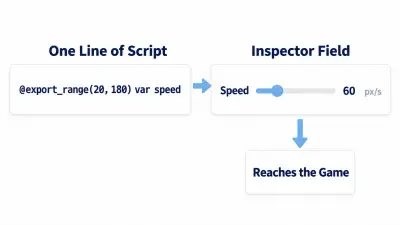
04Expose an enemy's stats in the Inspector with @export, constrain input with ranges and choices, and make sure the Inspector values arrive correctly.
 05
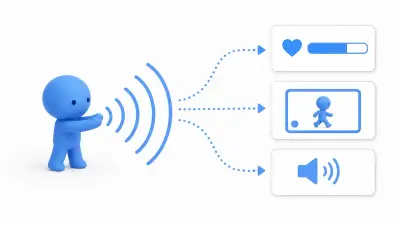
05How to use Godot's signals to keep UI, sound, and game flow loosely coupled, explained with concrete game implementation examples.
 06
06How to use Godot 4's await to write readable waiting logic for timers, animations, dialogue, and cutscenes, explained with game implementation examples.
 07
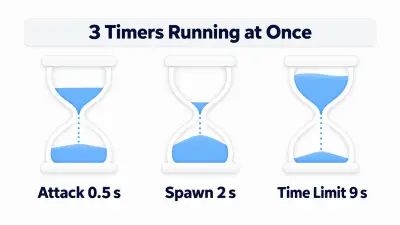
07Build three Timers for a cooldown, a spawn interval, and a time limit, and learn how to start and stop them and display the remaining time.
 08
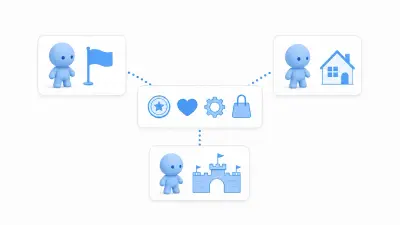
08How to use Godot's Autoload to manage the data and features your whole game shares: score, settings, volume, scene transitions, and more.
 09
09How to organize player and enemy AI states in Godot with a state machine, from the enum/match approach up to state classes, with practical examples.
 10
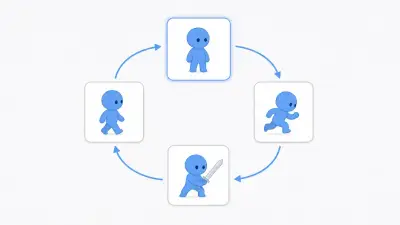
10Switch between idle, move, jump, and attack with a state machine, read input differently inside each state, and build a hero who can't move during an attack.
 11
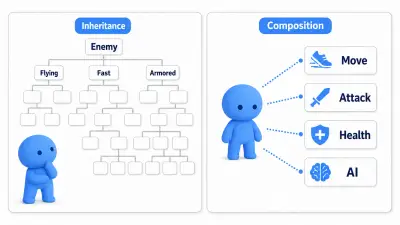
11Composition, decorator, and factory patterns that help as your Godot game grows, explained from the pain of inheritance-only design through to working implementations.
 12
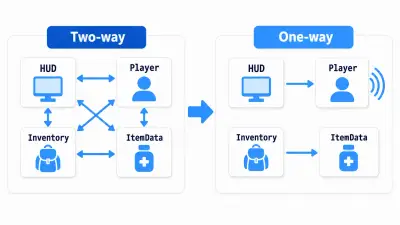
12Why references between Player, HUD, Inventory, and ItemData get tangled in Godot, and how to keep dependency direction clean with signals, Autoload, WeakRef, and argument passing.
 01
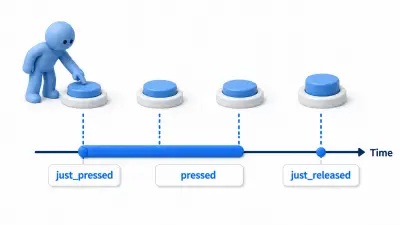
01How to choose between Godot's is_action_pressed, is_action_just_pressed, and is_action_just_released, with real examples for movement, jumping, variable jumps, charge attacks, and UI.
 02
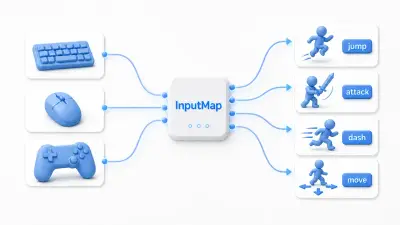
02How to map keyboard, mouse, and gamepad input to in-game actions with Godot's InputMap, covering 8-way movement, in-game rebinding, and saving and restoring settings.
 03
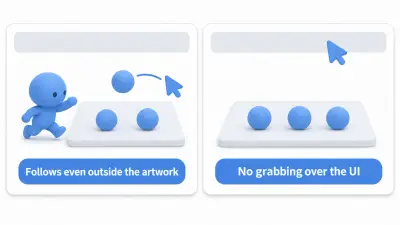
03Select pieces on a board with a click, move them by dragging, and avoid grabbing them over the UI: how to receive mouse input in Godot.
 04
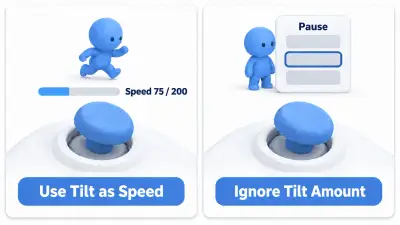
04Walk with a gamepad stick, rumble on hits, and operate the pause screen with only a gamepad, centered on deadzones and focus.
 05
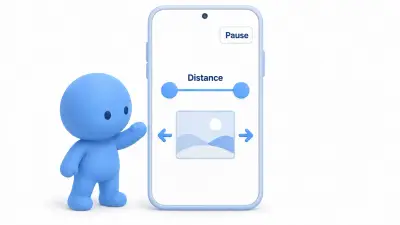
05Build two-finger pinch zoom with touch input on phones, and fit the HUD inside the part of the screen that avoids the camera cutout.
 01
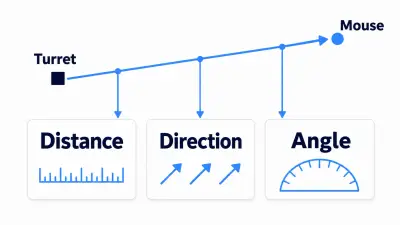
01Build a turret that tracks the mouse while getting distance, direction, and angle out of Vector2 subtraction, and keep bullet speed constant.
 02
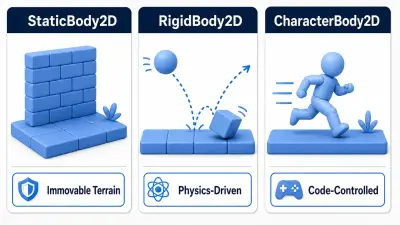
02How to choose between Godot's StaticBody2D, RigidBody2D, CharacterBody2D, and AnimatableBody2D, using players, enemies, crates, floors, and moving platforms as examples.
 03
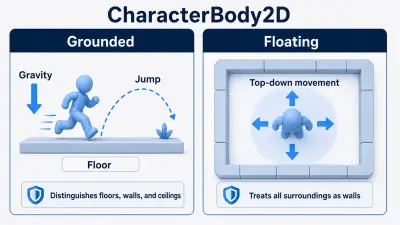
03How to choose between Grounded and Floating Motion Mode on Godot's CharacterBody2D, using platformers, Metroidvanias, top-down RPGs, and twin-stick shooters as examples.
 04
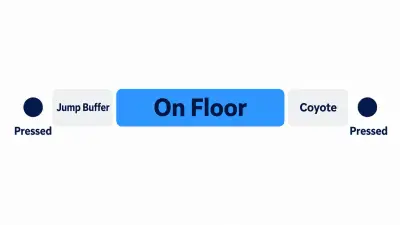
04Use two countdown timers, coyote time and jump buffering, to catch jumps pressed at the edge of a ledge or just before landing.
 05
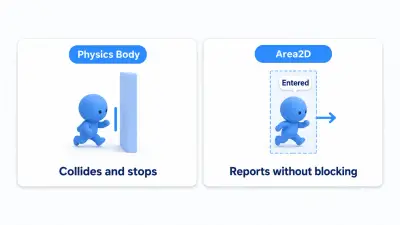
05How to use Godot's Area2D for item pickups, enemy detection ranges, event triggers, and damage-over-time hazards, starting from signals and collision layers/masks.
 06
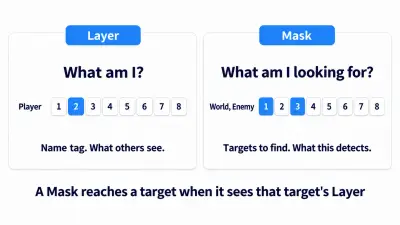
06A practical guide to Godot's Collision Layer and Collision Mask, using players, enemies, walls, attack hitboxes, and item pickups as examples, plus a checklist for tracking down detections that don't fire.
 07
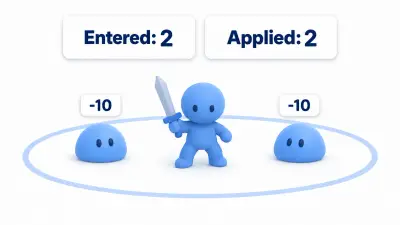
07Build an Area2D attack hitbox that deals damage only once per target per attack, by remembering who each swing has hit.
 08
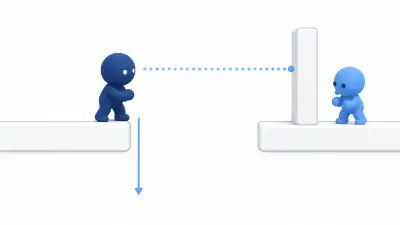
08Use RayCast2D to check the ground, walls, and line of sight, and build a patrolling enemy that turns back before ledges and doesn't notice the player through walls.
 09
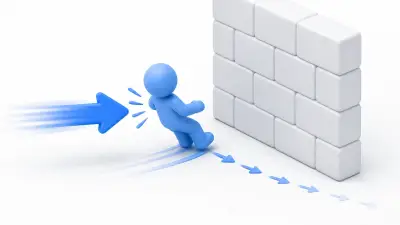
09The difference between move_and_slide() for CharacterBody2D and move_toward() for easing values toward a target, covering knockback, the classic wall-clipping mistake, and velocity decay.
 01
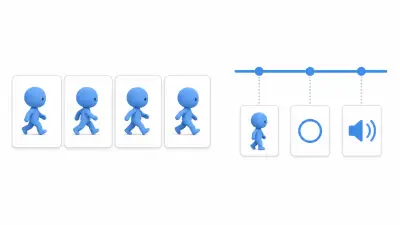
01A beginner-friendly guide to choosing between Godot's AnimatedSprite2D and AnimationPlayer, based on real production situations like sprite playback, attack hitboxes, sound effects, and UI polish.
 02
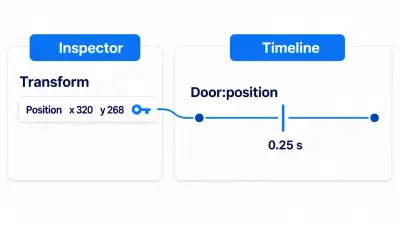
02Set two keys in AnimationPlayer and build a door that opens when you step on a switch and closes when you leave.
 03
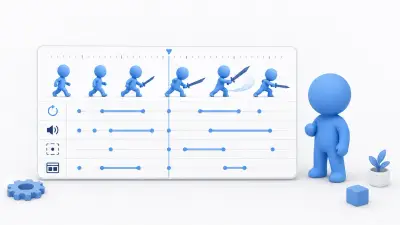
03How to sync Godot's AnimationPlayer with game logic using keyframes, tracks, method calls, and the RESET animation.
 04
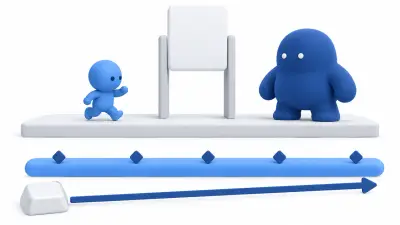
04Build a 6-second boss entrance with AnimationPlayer, and make it end in the same state whether you watch it to the end or skip it.
 05
05How to implement value changes over time with create_tween() for UI effects, damage flashes, HP bars, moving platforms, and more, covering easing, chaining/parallel, and await.
 06
06How to implement a white flash when a character takes a hit in Godot, using the modulate property and Tween. Covers why it blows out to white, handling rapid consecutive hits, when to reach for shaders, and wiring it into a hit reaction.
 07
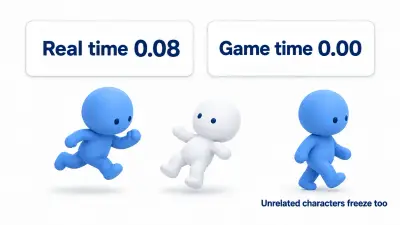
07Build hitstop that lowers Engine.time_scale only at the moment of impact, in a form that always returns to normal after 0.08 seconds.
 08
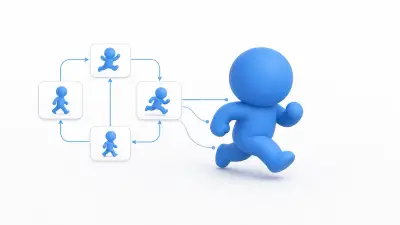
08How to efficiently manage complex character animation such as idle, walk, run, and jump using Godot's AnimationTree and state machines, explained through state graph thinking and practical code examples.
 09
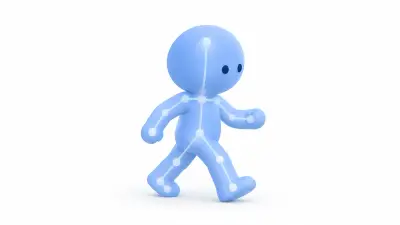
09A practical guide to Godot 4's Skeleton3D and bones, 3D animation playback with AnimationPlayer, directional blending with BlendSpace, and foot placement with SkeletonIK3D.
 01
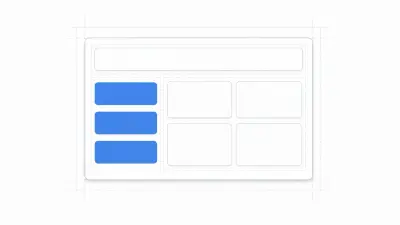
01How to build responsive UI that adapts to any screen size using Godot's Control nodes and layout containers, covering anchors, choosing the right container, nesting, and Size Flags with practical examples.
 02
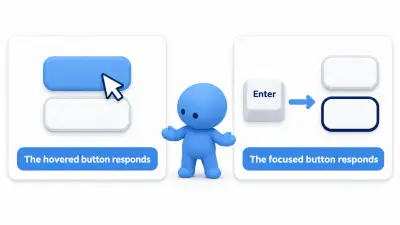
02Narrow down, step by step, why a Godot button won't press, and build a confirmation dialog you can answer with Enter and Esc.
 03
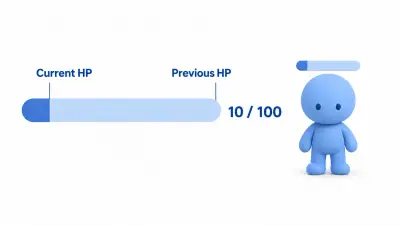
03Layer two TextureProgressBars to build an HP gauge where lost HP fades out late, and place it over an enemy's head without it tilting.
 04
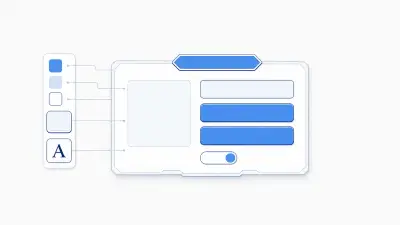
04How to manage your UI's look in one place with Godot's theme system, covering the six theme items, inheritance priority, StyleBoxFlat, and implementing a dark mode toggle with practical examples.
 05
05Settle on one Japanese font and put it in your project, then mix color and wobble into a single line with RichTextLabel.
 06
06How to build an extensible dialogue system in Godot with a typewriter effect, choices, branching, and data-driven design backed by JSON.
 07
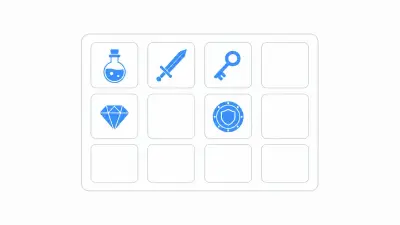
07How to design an extensible inventory system in Godot that separates data, logic, and UI using Resources and signals, explained through a three-layer architecture and a practical end-to-end flow.
 08
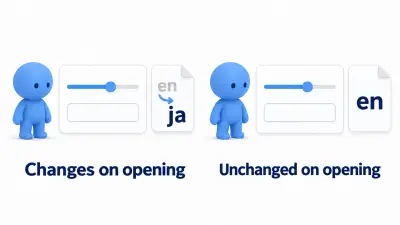
08Put volume, language, and maximize together on one settings screen, keep them in a ConfigFile, and make sure just opening the screen doesn't change the values.
 01
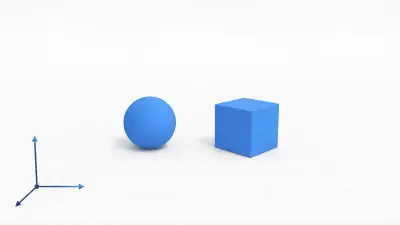
01The essentials for starting 3D development in Godot: what Node3D and MeshInstance3D each do, the Y-Up right-handed coordinate system, Transform3D, and how parenting and pivots work, with practical code examples.
 02
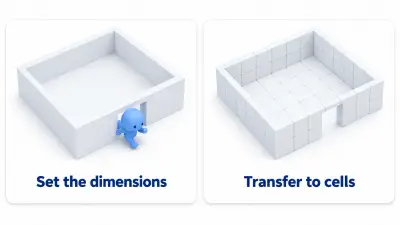
02Even without models, add and subtract CSG boxes to make a room with a doorway, walk it to check the dimensions, and then transfer it to GridMap.
 03
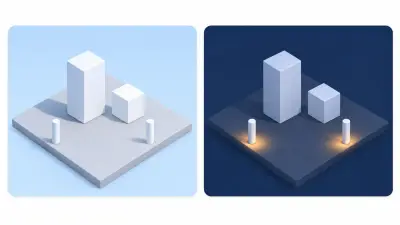
03Why the shadowed side sinks into the gray background when you run, and how to switch the same plaza between day and night with three lights and WorldEnvironment.
 04
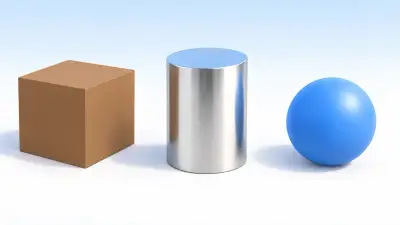
04Make wood, metal, and rubber with StandardMaterial3D's Metallic and Roughness, and apply a texture.
 05
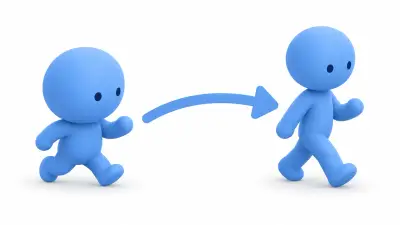
05Fix an imported 3D model's scale and facing, match bone names with BoneMap, and move a Mixamo walk onto a different humanoid model.
 06
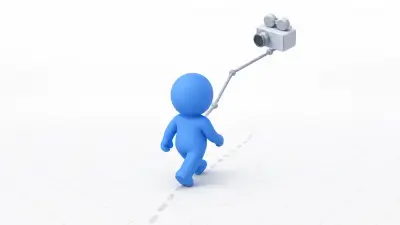
063D character movement in Godot from the ground up. Gravity and is_on_floor on CharacterBody3D, WASD movement and jumping, converting input into camera-relative directions, and a third-person camera with SpringArm3D, with working code and diagrams.
 07
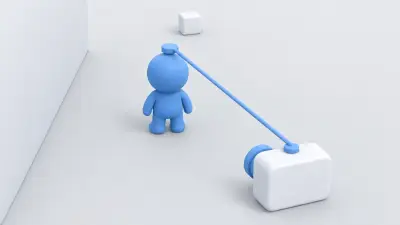
07Build a third-person camera you can look around with the mouse using SpringArm3D, and move it over the shoulder on right-click without going into walls.
 08
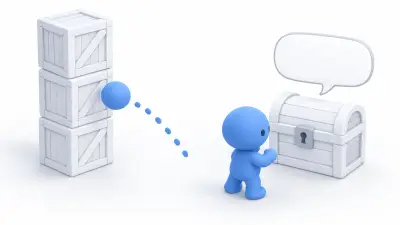
08How to choose 3D collision shapes, knock down a stack of crates with RigidBody3D, and detect standing in front of a chest with Area3D.
 01
01Practical techniques for getting the most out of Godot's Camera2D: smooth follow with lerp, trauma-based screen shake, dynamic zoom with Tween, and a boss intro sequence that combines all three.
 02
02Sort out the three tiers of draw order (CanvasLayer, z_index, Y Sort) so a character can walk behind a tree on a top-down map.
 03
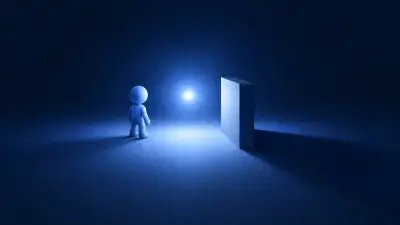
03How to implement 2D lighting and shadows in Godot with PointLight2D and LightOccluder2D: the three elements of light source, occluder, and subject, how shadows work, when to use DirectionalLight2D instead, and building a flashlight.
 04
04How to build explosion, smoke, and magic effects with Godot's GPUParticles2D: the three required elements, shaping a particle's lifetime with ParticleProcessMaterial, One Shot and Explosiveness, and optimizing with pooling.
 05
05A careful introduction to fragment shaders in Godot, starting from the difference between CPU and GPU. Covers color manipulation and dynamic effects with COLOR, UV, and TIME, building a hit flash, and performance optimization by avoiding if statements, with concrete code and diagrams.
 06
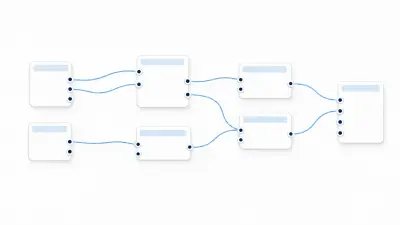
06A beginner's guide to Godot's VisualShader. Learn through diagrams how to build shaders by connecting nodes instead of writing code, the main node types and how they connect to Output, how it maps to code shaders, and when to use each.
 07
07An explanation of Godot's SubViewport starting from the core concept of an independent virtual screen. Covers building minimaps, 3D inventory previews, and security-camera-style render textures, plus performance optimization through Update Mode and resolution, with concrete code and diagrams.
 08
08A guide to post-processing shaders that affect the whole screen in Godot. Covers the CanvasLayer plus full-screen ColorRect setup, reading the rendered screen with hint_screen_texture, standard recipes like vignette, chromatic aberration, and CRT scanlines, and a hands-on damage flash.
 09
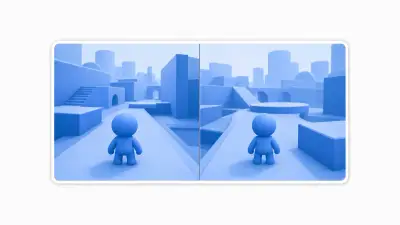
09How to build a two-player local co-op split screen with Godot's SubViewport. Covers the layout of two side-by-side SubViewports, sharing one world through world_2d/world_3d, routing input per player, and performance considerations, with diagrams and code.
 01
01Godot audio from the ground up with AudioStreamPlayer and Audio Buses. Covers playing sound effects without cutting out, splitting BGM/SFX/Voice into buses, centralized control with an AudioManager singleton, slider volume control, and bus effects like reverb, with code and diagrams.
 02
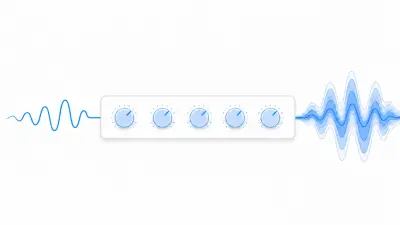
02How to shape acoustic space by applying reverb, compressor, EQ, and other effects to Godot's AudioBus. Covers the roles of the three main effects, processing order (chains), dynamically applying reverb when entering a cave, and settings by use case, with code and diagrams.
 03
03How to implement 3D spatial audio with Godot's AudioStreamPlayer3D. Covers choosing an attenuation model, separating listener from camera with AudioListener3D, the Doppler effect, Area3D reverb zones, distance filtering, and performance optimization, with code and diagrams.
 04
04How to implement adaptive music that changes with the game situation using Godot 4.3+'s AudioStreamInteractive and AudioStreamSynchronized. Covers clip switching versus layering, transition timing, and building an exploration/combat music switcher, with code and diagrams.
 01
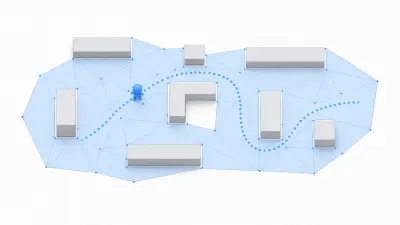
01How NavigationRegion2D and navigation meshes work in Godot. Covers the difference from physics-based movement, baking the walkable area, keeping distance from walls with agent_radius, and handling moving obstacles with NavigationObstacle2D, all explained with diagrams.
 02
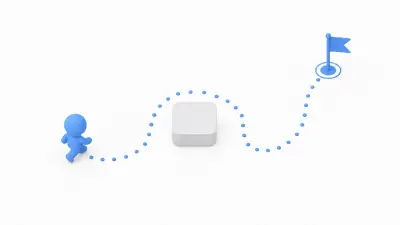
02How to implement chasing and patrolling enemy AI that avoids obstacles using Godot's NavigationAgent2D. Covers the basic processing cycle, what get_next_path_position actually returns, chase and patrol implementations, agent-to-agent avoidance with RVO, and optimizing path recalculation, with code and diagrams.
 03
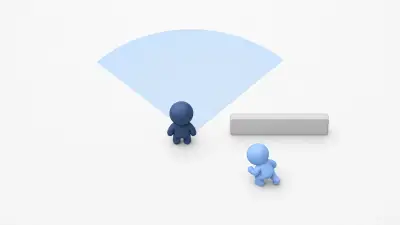
03How to implement a stealth game FOV (field of view) system by narrowing down with Area3D, checking the view angle with a dot product, and confirming line of sight with RayCast3D. Covers the three-stage check, multiple raycasts, and staged alert levels, with code and diagrams.
 04
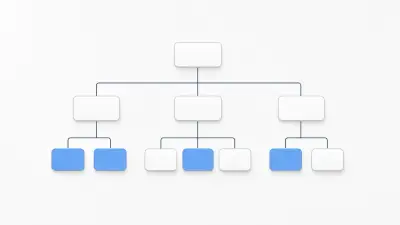
04Flexible AI design with behavior trees (BT) in Godot. Covers how BTs differ from state machines, the four node types, implementing Sequence/Selector/Leaf, assembling an enemy AI tree, and the Blackboard pattern, with code and diagrams.
 01
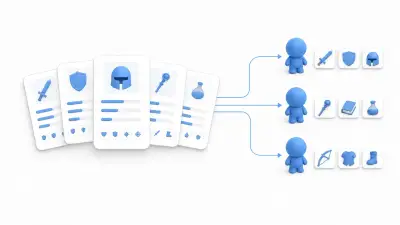
01How to build data-driven design in Godot with custom resources (classes extending Resource). Covers separating logic from data, editing in the Inspector and saving to .tres, deriving subtypes through inheritance, staying safe at runtime with duplicate(), and choosing between JSON, CSV, and SQLite, with diagrams throughout.
 02
02An illustrated guide to the three main ways to persist game data in Godot (ConfigFile, JSON, and custom resources), from the basics of user:// through implementation, when to use which, and tamper resistance. Includes a hands-on checkpoint save.
 03
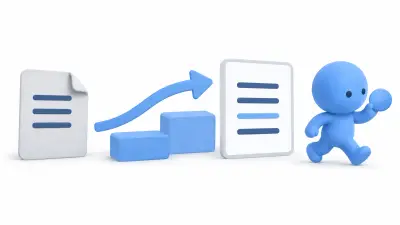
03Write a version number into your saves, and keep reading old saves by moving them to the current shape even after adding or renaming fields.
 04
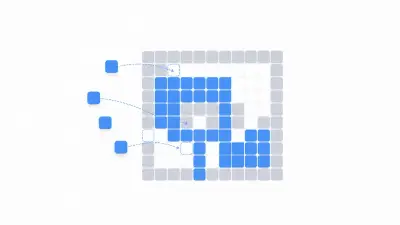
04The basics of building 2D maps with TileMapLayer in Godot 4.3+. Covers the relationship between TileMapLayer and TileSet, adding collision to tiles via physics layers, splitting ground and decoration across multiple layers, and placing tiles from script with set_cell, all illustrated.
 05
05A step-by-step walkthrough of Godot 4's Terrains (autotiling) feature, with editor screenshots, from creating a TileMapLayer node through understanding Peering Bits, painting a map, and procedural generation from GDScript.
 06
06A practical, illustrated guide to Godot's TranslationServer localization system, from creating and registering a CSV translation file and displaying text with tr(), through placeholders, switching languages at runtime, and auto-detecting the OS language.
 07
07Separate the quest sheet (.tres) from the progress record (an Autoload), and build one quest where you gather herbs, report back, and receive the reward only once.
 01
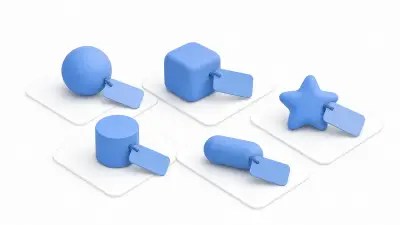
01Godot's group feature tags nodes so you can manage them by role. Covers checks with is_in_group, broadcasting commands with call_group, performance caveats, and when to use metadata, class_name, or duck typing instead, all with diagrams.
 02
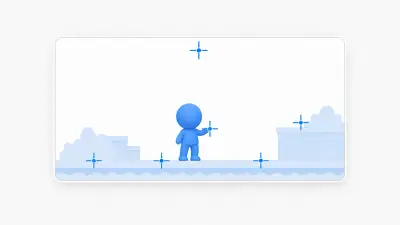
02How to use Marker2D to manage spawn points, weapon muzzles, and effect anchors. Covers the difference from Node2D, attaching data with @export, using global_position, and tips for keeping markers organized.
 03
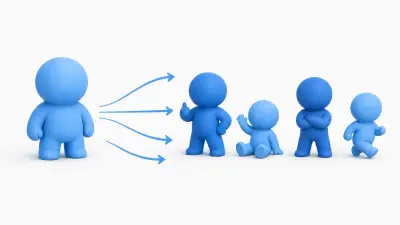
03How to efficiently produce enemy and NPC variations in Godot. Covers scene inheritance for managing only the differences and propagating parent changes, one-off tweaks with Editable Children, and when to use data-driven Resources instead.
 04
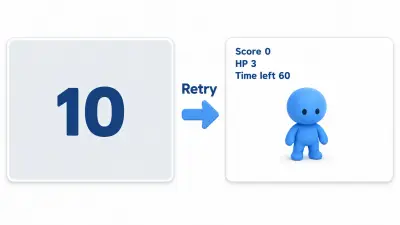
04Connect title, play, and game over by switching scenes, and decide on one place that resets the score to 0 when retrying.
 05
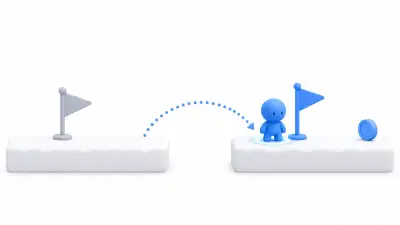
05How to build a checkpoint that returns a fallen player to the foot of the last flag they touched, while leaving collected coins and opened doors as they are.
 01
01How to pull out the name of the slow function with Monitors and the Profiler when your Godot game gets heavy, and measure again after fixing it.
 02
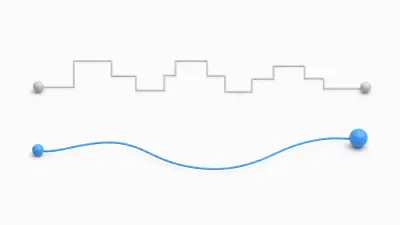
02How to eliminate stutter in Godot games. Illustrates the difference between physics ticks and rendering frames, V-Sync and max_fps, physics interpolation that kills jitter for good, and a measurement-first approach to optimization.
 03
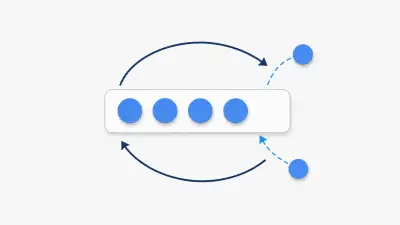
03Object pooling in Godot, explained to remove instantiation spikes. Covers reusing objects instead of creating and destroying them, the trap where _ready() isn't called, fully stopping processing and collisions, building a bullet pool, and deciding when to adopt it, with diagrams and code.
 04
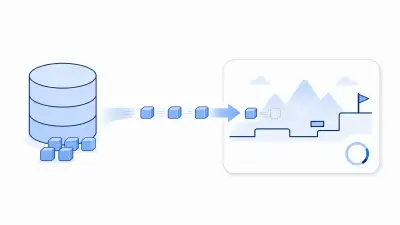
04A practical guide to choosing between load() and preload() in Godot, asynchronous background loading with ResourceLoader, building a loading screen with a progress bar, and managing memory with WeakRef, explained with diagrams and code.
 01
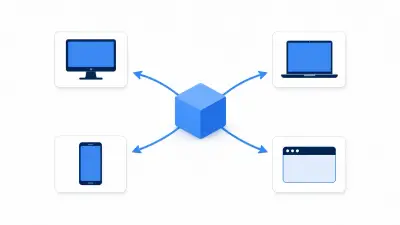
01A reliable guide to exporting Godot projects to Windows, macOS, Android, and Web. Illustrates export templates and PCK files, common traps like case sensitivity, the header settings Web needs, build size optimization, and a final pre-ship checklist.
 02
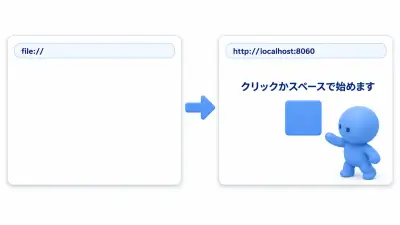
02How to export a Godot game in a form people can play in the browser, check it locally, and then put it on itch.io.
 01
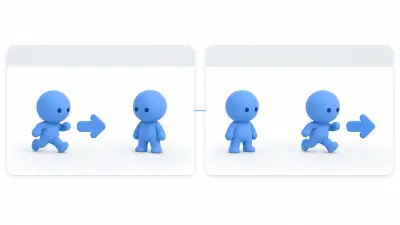
01How to connect a host and a client with ENet, spawn a character for each player, and have each player move only their own character.
 02
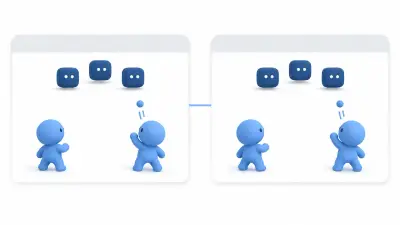
02How to use MultiplayerSpawner, MultiplayerSynchronizer, and @rpc for their own jobs so that bullets clients fire and enemies match on everyone's screen.