Technical notes for Unity game engine
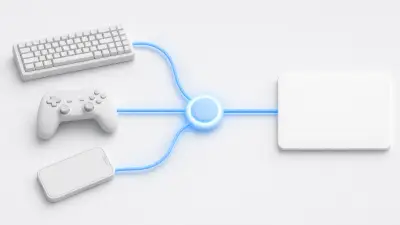
Learn how to use Unity's New Input System. Implement cross-platform input handling using Input Actions, Bindings, and the Player Input component.
Learn to differentiate between Layers and Tags, control collision detection, and optimize Raycast with LayerMask for effective object management.
C# is the language that powers Unity games. This article explains the essential C# fundamentals every Unity beginner should know: variables, data types, functions, and control flow statements.
Learn Unity's most fundamental concepts: the relationship between GameObjects and Components. Understand Unity's design philosophy of adding functionality to empty objects, explained for beginners.
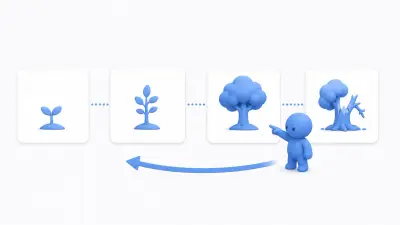
Understanding when and in what order Unity scripts execute is crucial. Learn the roles and differences of key event functions like Awake, Start, and Update, explained for beginners.
What is the MonoBehaviour class that appears in every Unity C# script? Learn its role and how to use convenient properties like transform and gameObject, explained for beginners.
Prefabs are among Unity's most important features for dramatically improving development efficiency. Learn everything from what Prefabs are, how to create and use them, to advanced topics like Nested Prefabs and Variants.
File management techniques for avoiding chaos in large Unity projects. Learn the role of scenes and best practices for effective folder structures organizing scripts, materials, Prefabs, and more.
Learn how to customize Unity's Inspector using C# Attributes. Covers practical usage of SerializeField, Header, Range, RequireComponent, and more.
Learn how to visualize debug information in the Scene View using Unity Gizmos. Display empty GameObjects, trigger zones, AI detection ranges, and more.
Learn how to write automated tests with Unity's official Test Framework. Covers Edit Mode and Play Mode tests, assertions, setup/teardown, and practical best practices.
Learn how to use DontDestroyOnLoad to persist objects across scene transitions, and how to safely manage them using the Singleton pattern.
Understand the basic concepts of Quaternion and how it differs from Euler angles. Learn to avoid gimbal lock and use Slerp interpolation with practical code examples.
Learn the correct implementation of the Singleton pattern in Unity and important caveats. Includes how to create a MonoSingleton base class.
Learn how to use Lerp (linear interpolation) and Slerp (spherical linear interpolation) to create smooth object movement and rotation in Unity. Includes practical C# code examples.
Need to wait a few seconds before resuming? Want to split heavy processing across frames? Learn Unity's powerful Coroutine feature with IEnumerator and yield return explained for beginners.
Overusing GetComponent and FindObjectOfType makes code complex and fragile. Learn to use C#'s powerful delegates and events to break object dependencies and design loosely coupled, extensible, reusable systems.
Bugs are friends, not enemies! Learn Unity's most fundamental debugging techniques: using Debug.Log, interpreting common error messages, and advanced debugging with the debugger.
OnTriggerEnter and OnCollisionEnter both detect object contact. Learn when and how these event functions are called, their differences, and how to choose the right one for beginners.
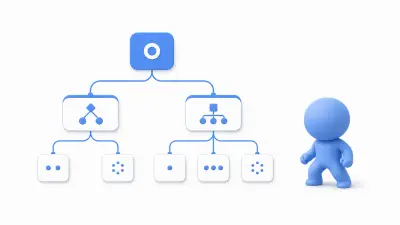
Escape nested if/switch hell. Learn to implement complex character states (idle, attack, defend, flee) as clean, extensible state machines using the classic 'State Pattern' design pattern.
GetComponent is essential when you need to use another component's functionality. Learn everything from basic usage to retrieving components from child/parent objects and performance-conscious caching patterns.
Input handling is fundamental for player control. Learn how to receive input from keyboards, mice, and gamepads—from Unity's traditional Input Manager to the new Input System package.
From title screen to gameplay, from gameplay to results. Scene transitions are essential for game flow. Learn scene management focused on the SceneManager class, explained for beginners.
Unity's two main update functions: Update and FixedUpdate. Learn the critical differences in execution timing and when to use each for game logic versus physics—with practical examples.
How do you manage overall game flow? Learn to implement the 'Game Manager' pattern for controlling game states (title, playing, game over) and centralizing critical data like scores and player status.
Learn how to extend Unity Editor functionality to improve development efficiency. Covers MenuItem, EditorWindow, CustomEditor, PropertyDrawer, and more with practical code examples.
Learn how to use Unity Timeline to manage animations, audio, and camera movement on a timeline. Covers creating cutscenes, cinematic sequences, and integrating with Cinemachine.
Learn how to use Cinemachine, Unity's official camera control package. Achieve high-quality camera work including Virtual Cameras, camera shake, and obstacle avoidance without writing any scripts.
Learn how to use Unity's post processing. Covers setup instructions for major effects such as Bloom, Color Grading, and Depth of Field, along with implementation guides for both Built-in RP and URP.
Learn the differences and how to choose between Unity's three render pipelines (Built-in, URP, HDRP). Covers performance comparison, feature comparison, and how to select the best pipeline for your project.
Learn how to create shaders without programming using Unity's Shader Graph. Build custom materials intuitively with a node-based visual editor.
Sound enhances game immersion. Learn Unity's audio basics: playing BGM, triggering sound effects (SE) on button clicks or collisions, and using 3D spatial sound.
No more hand-coded camera scripts. Unity's powerful Cinemachine package enables complex, smooth camera work for 2D and 3D with no coding—from basic follow cameras to multi-camera blending.
Visual effects (VFX) add life and excitement to games. Learn the basics of using Unity's built-in 'Shuriken' Particle System to manipulate countless small particles and create diverse effects like fire, smoke, sparks, and magical glows.
Learn how to use Unity's VFX Graph. A GPU-based visual effect creation tool that displays massive amounts of particles with high performance. Covers basic structure, differences from the legacy Particle System, and practical usage.
Is Update() call cost really negligible? Learn the advanced optimization technique 'Custom Update Manager' practiced by professional developers, with detailed code examples.
Mobile devices have stricter constraints on performance, heat, and battery compared to PCs. Learn essential optimization techniques for smooth mobile games: reducing draw calls, managing polygon counts, memory optimization, and touch input handling.
Garbage Collection is one of the biggest performance killers in Unity games. Learn why GC causes spikes, and master professional coding techniques to minimize GC with best practices from the industry.
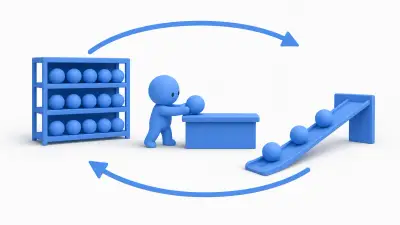
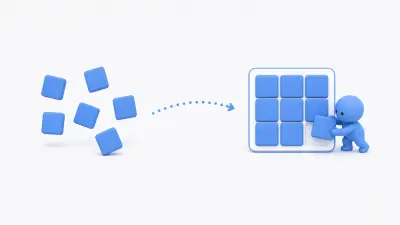
Object Pooling is an essential technique for dramatically improving game performance. Learn why Instantiate and Destroy are expensive, and how to implement a pooling system that reuses objects—with diagrams and code examples.
Why does adding objects slow things down? The key lies in 'draw calls.' Learn what draw calls are and how Unity's powerful 'batching' techniques reduce them for faster rendering.
Game running slow or stuttering? The Profiler is essential for identifying causes. Learn to visually analyze CPU usage, memory allocation, and rendering load to discover and optimize performance bottlenecks.
2D animations bring characters to life. Learn how to create animation clips using the Animation window and control playback with Animator Controllers.
Sprites are the foundation of 2D game visuals. Learn about sprite sheets that combine multiple images into one, and how to efficiently slice them using the Sprite Editor.
Physics for realistic 2D game movement. Learn the core components of Unity's 2D physics engine (Box2D): Rigidbody2D and Collider2D types.
Learn how to manage character animations with Unity's Animator Controller. Covers State Machine, Transitions, Parameters, and Blend Trees in detail.
Learn how to create vast natural environments using Unity's Terrain system. Covers terrain sculpting, texture painting, tree and grass placement, and performance optimization.
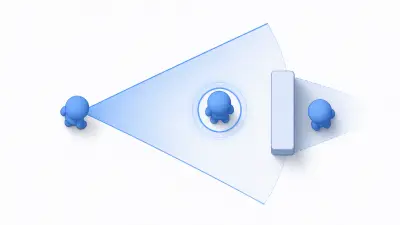
Master Physics.Raycast from basics to advanced usage. Learn LayerMask techniques to implement gaze detection and object selection.
Bring 3D characters to life with Animator Controllers. Learn to manage states like idle, walk, run, and jump using state machines, and smoothly transition between animations using parameters.
The essentials for using 3D models from Blender or Maya in Unity. From FBX export tips to Unity's material, mesh, and rig settings—a comprehensive import guide.
Essential knowledge for giving 3D models realistic surfaces—Materials and Shaders. Learn their relationship, how to use Unity's standard shaders (Lit/Unlit), and PBR (Physically Based Rendering) basics.
Lighting determines the atmosphere and realism of 3D scenes. Learn the fundamentals of controlling light and shadow—from light types (Directional, Point, Spot) to realtime vs baked lighting and Global Illumination concepts.
Enemy characters that avoid obstacles while chasing players. Learn the fundamental technique for implementing smart AI movement—NavMesh (Navigation Mesh). Comprehensive coverage from baking NavMesh to configuring NavMesh Agent and script control.
Rigidbody is the heart of physics simulation—applying gravity and enabling realistic collisions. Learn its role, how to move objects using AddForce and velocity, and essential properties.
From TextMeshPro introduction to rich text features and performance optimization. Achieve professional-quality text display in your Unity projects.
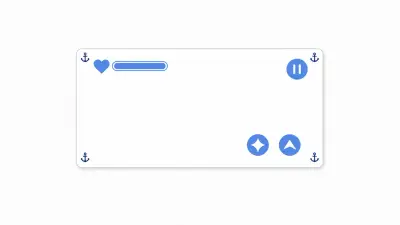
UI is essential for health bars and score displays. Learn the fundamentals of Unity's UI system (uGUI): Canvas, RectTransform, and the crucial 'Anchor' concept for maintaining layouts across different screen sizes.
Learn how to use Unity's official asset management system, Addressables. Automate complex AssetBundle management to easily reduce build sizes and deliver downloadable content.
Learn how to implement multi-language support using Unity's official Localization package. Covers text, image, and audio localization, as well as dynamic text with Smart Strings.
Learn how to achieve data-driven design with ScriptableObject. From basic concepts to event system applications with practical code examples.
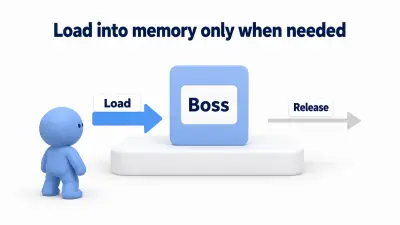
As projects grow, memory management and build time issues become critical. The Addressable Asset System is the modern solution that goes beyond Resources folder limitations, enabling dynamic asset loading and unloading.
Save functionality is essential for preserving player progress. Go beyond PlayerPrefs limitations and learn how to save and load complex game data to files using JSON format and Unity's JsonUtility class, with practical C# code examples.
PlayerPrefs is a feature for saving simple data like volume settings and high scores. Learn basic usage (SetInt, GetInt), cases where you shouldn't use it, and the importance of encryption.
Building exports your game as executable applications others can play. Learn build methods for major platforms (PC, WebGL, iOS, Android) and important platform-specific settings.
Resolution settings let players customize their experience. Learn how to use the Screen class for dynamic resolution changes, fullscreen mode switching, and default build settings configuration.
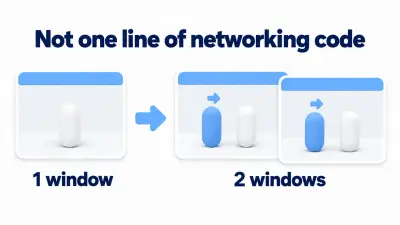
Fundamentals of online multiplayer game development. Learn basic concepts using Unity's official networking solution 'Netcode for GameObjects': object synchronization, client/server roles, and RPC (Remote Procedure Call).