Player movement works. Enemies are placed. The sword-swing animation is in. Then you start writing "when the attack hits, HP goes down" — and the parade of strange bugs begins. One swing deals damage three times. Touching an enemy drains HP like a waterfall. A dead enemy can still be hit, and the death logic runs twice.
Every one of these is a classic symptom of the same omission: no decision about roles and hit-counting in your damage pipeline. Building on trigger/collision basics and C# events, this article assembles health, attack detection, and invincibility frames into a complete, working arena.
What you'll learn
- The two causes behind "one swing, three hits"
- The Health / Hitbox / Hurtbox role split
- A Health component with one damage entrance (no negative HP, death fires once)
- An attack window that opens and closes with the swing
- Limiting hits to once per target per swing
- Separating invincibility (rule) from damage flashing (visuals)
- Hands-on: a complete player-vs-enemy arena
Tested with: Unity 2022.3 LTS / Unity 6
- The classic symptom: one swing, three hits
- Split the roles: Health, Hitbox, Hurtbox
- The Health component: one damage entrance
- Attacks only exist inside the window
- One hit per target, per swing
- Invincibility: separate the rule from the visuals
- Hands-on: finish the player-vs-enemy arena
- Bonus: things worth knowing early
- Summary
The classic symptom: one swing, three hits
First, know exactly why it breaks. Multi-hit bugs boil down to two causes.
- The target has multiple Colliders: if an enemy has separate Colliders for head, torso, and feet, one sword pass fires
OnTriggerEnteronce per Collider. The code is working correctly — it's just counting "three Colliders" instead of "one enemy" - Re-contact while the hitbox stays out: leave the attack Collider enabled and every tiny enemy movement produces Exit→Enter pairs, landing several hits in one swing. Written with
OnTriggerStay, it drains HP every physics update — fifty times a second
Unity doesn't know what "one swing" is. All it reports is how many times things overlapped. So what you need are two rules: what to count (targets, not Colliders) and when to count (once per swing). The rest of this article turns those two rules into components.
Split the roles: Health, Hitbox, Hurtbox
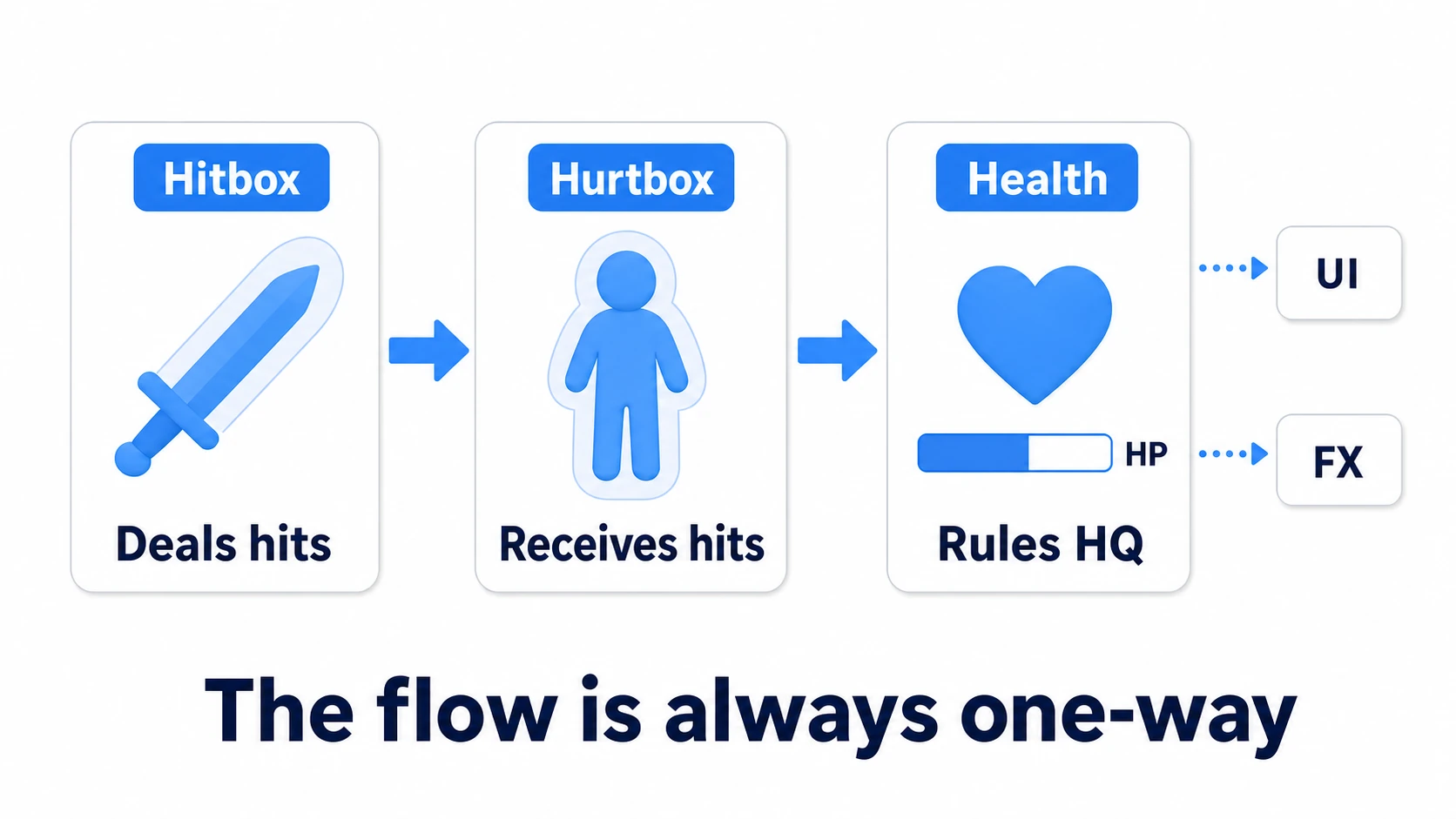
Write damage handling in one script and attack, defense, and presentation tangle until they collapse. Action games settle on three roles.
| Role | Responsibility | Owner |
|---|---|---|
| Hitbox | "Where the attack can land right now." Knows the damage amount | Sword, bullet, enemy body slam |
| Hurtbox | "Where attacks are accepted." The Collider itself | Player and enemy bodies |
| Health | Every rule: HP changes, invincibility, death | Player, enemies, breakables |
The flow is always one-directional: Hitbox touches Hurtbox → damage is handed to the target's Health → Health applies the rules and broadcasts the result as events. UI and sound effects just listen to Health's events; they never participate in damage math.
tips: The
IDamageableinterface — one entrance for hitting anything that can take damage — was built in the C# classes hands-on. This article's Health is its evolution: the sameTakeDamageentrance, now with counting and invincibility rules added.
The Health component: one damage entrance
Build the rules headquarters first. The point: narrow all HP changes to a single TakeDamage(), and concentrate every rule inside it.
// Health.cs — the same component goes on players and enemies
using System;
using UnityEngine;

public class Health : MonoBehaviour
{
    [SerializeField] private int maxHealth = 50;
    [SerializeField] private float invincibleTime = 0.5f; // post-hit invincibility (seconds)

    public int Current { get; private set; }
    public bool IsInvincible => Time.time < invincibleUntil;

    private float invincibleUntil;
    private bool isDead;

    // All outcomes go out as events (UI, audio, and effects listen to these)
    public event Action<int, int> OnChanged; // (current, max)
    public event Action OnDamaged;           // the moment of a hit (drives effects)
    public event Action OnDied;              // death (fires exactly once)

    void Awake()
    {
        Current = maxHealth;
    }

    public void TakeDamage(int amount)
    {
        // Rule 1: the dead take no damage (no re-firing events on a corpse)
        if (isDead) return;

        // Rule 2: ignore hits while invincible
        if (IsInvincible) return;

        // Rule 3: HP never goes below zero
        Current = Mathf.Max(0, Current - amount);
        invincibleUntil = Time.time + invincibleTime;
        Debug.Log($"{name} HP: {Current}"); // For checking (counts hits in the hands-on)

        OnChanged?.Invoke(Current, maxHealth);
        OnDamaged?.Invoke();

        // Rule 4: the death event fires once, when the flag is set
        if (Current == 0)
        {
            isDead = true;
            Debug.Log($"{name} died"); // For checking
            OnDied?.Invoke();
        }
    }
}
With this class alone, half the FAQ symptoms — per-frame drain (stopped by invincibility), negative HP from overkill (stopped by the clamp), double death (stopped by the dead flag) — become structurally impossible. However carelessly the attacker spams TakeDamage, Health holds the line.
Attacks only exist inside the window
Now the attacking side. Instead of leaving the sword's Collider on, open the hit detection only for the instant the swing should connect — the attack window.
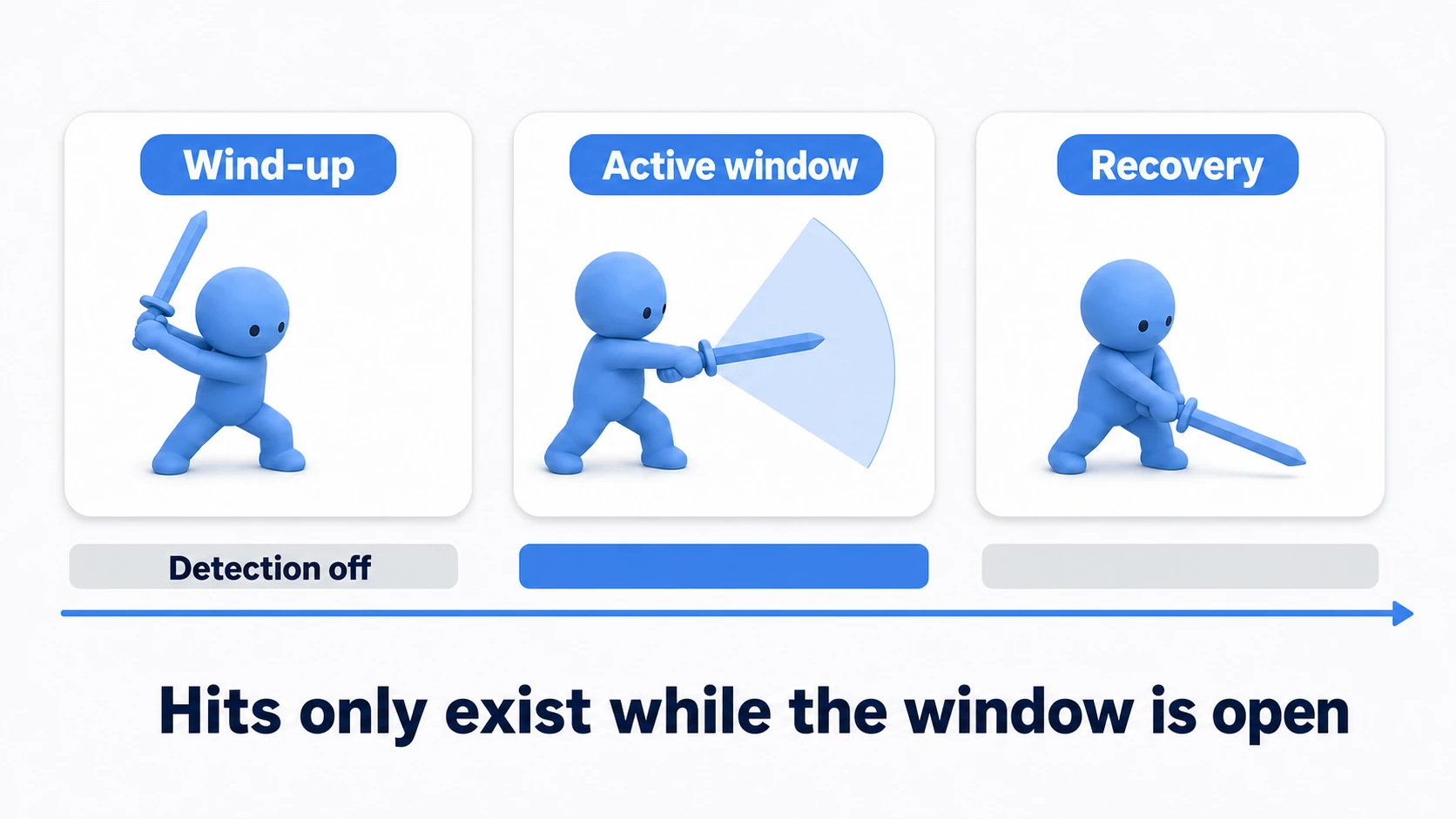
It's the fighting-game idea of startup, active, and recovery frames. The window buys you two things:
- Visuals and detection agree: an enemy brushing the blade during the wind-up takes nothing. The unfair "it hit before you swung" disappears
- It starves multi-hits: the shorter the window, the fewer chances for re-contact double hits
Implementation is just "keep the Collider disabled, open and close it with a coroutine" (included in the next section's code). When you want frame-accurate sync with the animation, Animation Events tied to the swing are the next step (an Animation Event can only call scripts on the same GameObject as the Animator, so put a receiver on the body and have it call the sword's Swing()).
One hit per target, per swing
The last rule is counting. Each multi-hit cause gets its own tool.
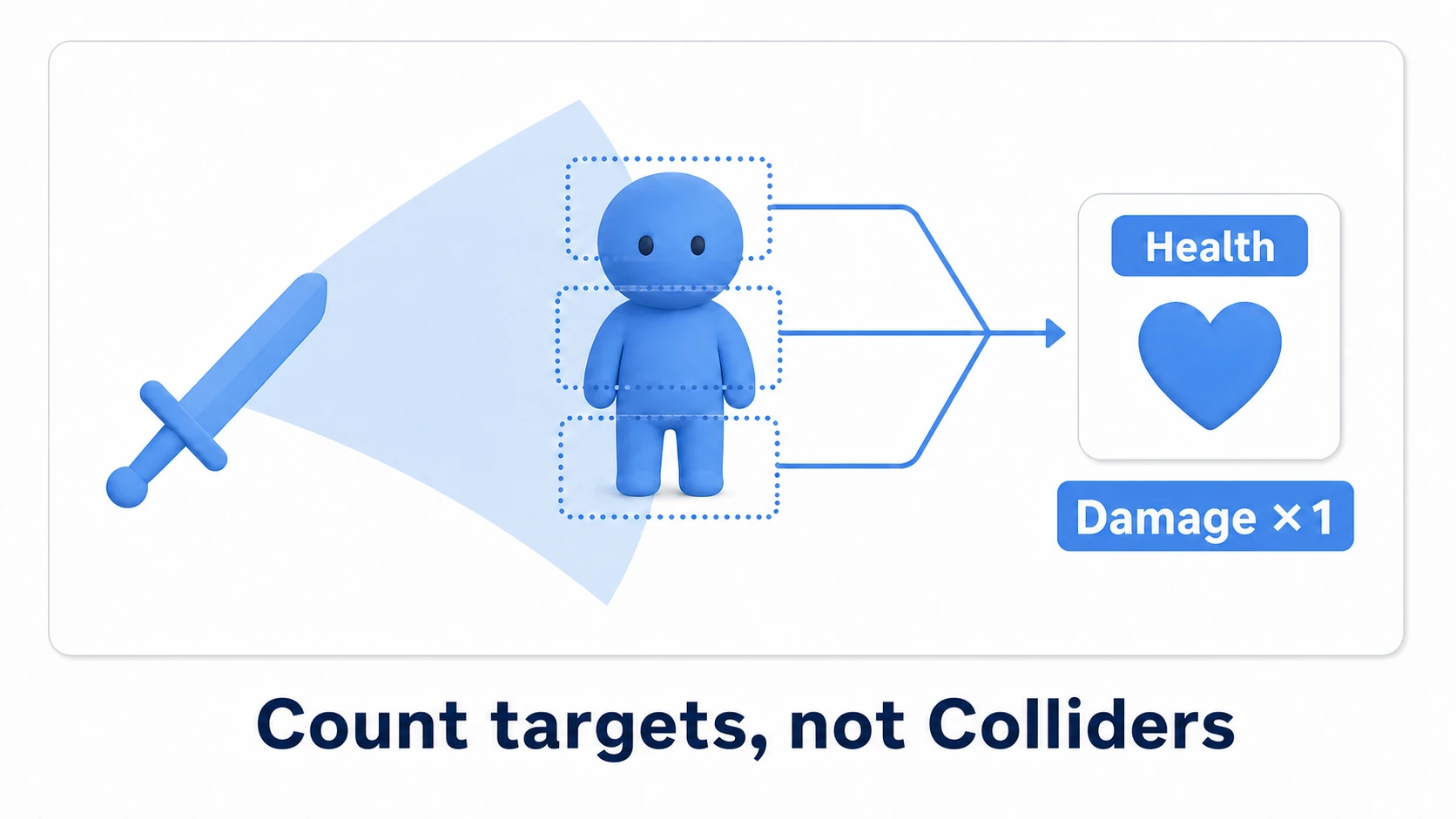
- Bundle Colliders into targets: from the touched Collider, take
GetComponentInParent<Health>()— the parent body's Health. Head, torso, or feet, every contact resolves to the same single Health - Remember who this swing already hit: clear a
HashSet<Health>when the swing starts and record every victim. Already in the set? Skip — once per swing, guaranteed
// SwordHitbox.cs — attack window + once-per-swing management
using System.Collections;
using System.Collections.Generic;
using UnityEngine;

[RequireComponent(typeof(Collider))]
public class SwordHitbox : MonoBehaviour
{
    [SerializeField] private int damage = 10;
    [SerializeField] private float activeTime = 0.2f; // window length

    private Collider hitCollider;
    private readonly HashSet<Health> hitThisSwing = new HashSet<Health>();

    void Awake()
    {
        hitCollider = GetComponent<Collider>();
        hitCollider.isTrigger = true;
        hitCollider.enabled = false; // detection stays closed by default
    }

    // Whatever reads attack input (PlayerAttack etc.) calls this
    [ContextMenu("Swing once")] // For checking. You can also swing from the Inspector menu
    public void Swing()
    {
        StopAllCoroutines();
        StartCoroutine(OpenWindow());
    }

    IEnumerator OpenWindow()
    {
        hitThisSwing.Clear();        // reset this swing's records
        hitCollider.enabled = true;  // open the window
        yield return new WaitForSeconds(activeTime);
        hitCollider.enabled = false; // close it
    }

    void OnTriggerEnter(Collider other)
    {
        // Whichever Collider was touched, bundle to the one body Health
        Health health = other.GetComponentInParent<Health>();
        if (health == null) return;

        // True only if this swing hasn't hit them yet
        if (hitThisSwing.Add(health))
        {
            health.TakeDamage(damage);
        }
    }
}
That's the attacking side done. Open the window (Swing) → count contacts per body → let one hit through per swing. Three rules in sixty lines.
Invincibility: separate the rule from the visuals
The invincibility inside Health is a rule. But the player needs to see they're invincible — the classic cue is a flashing sprite or model.
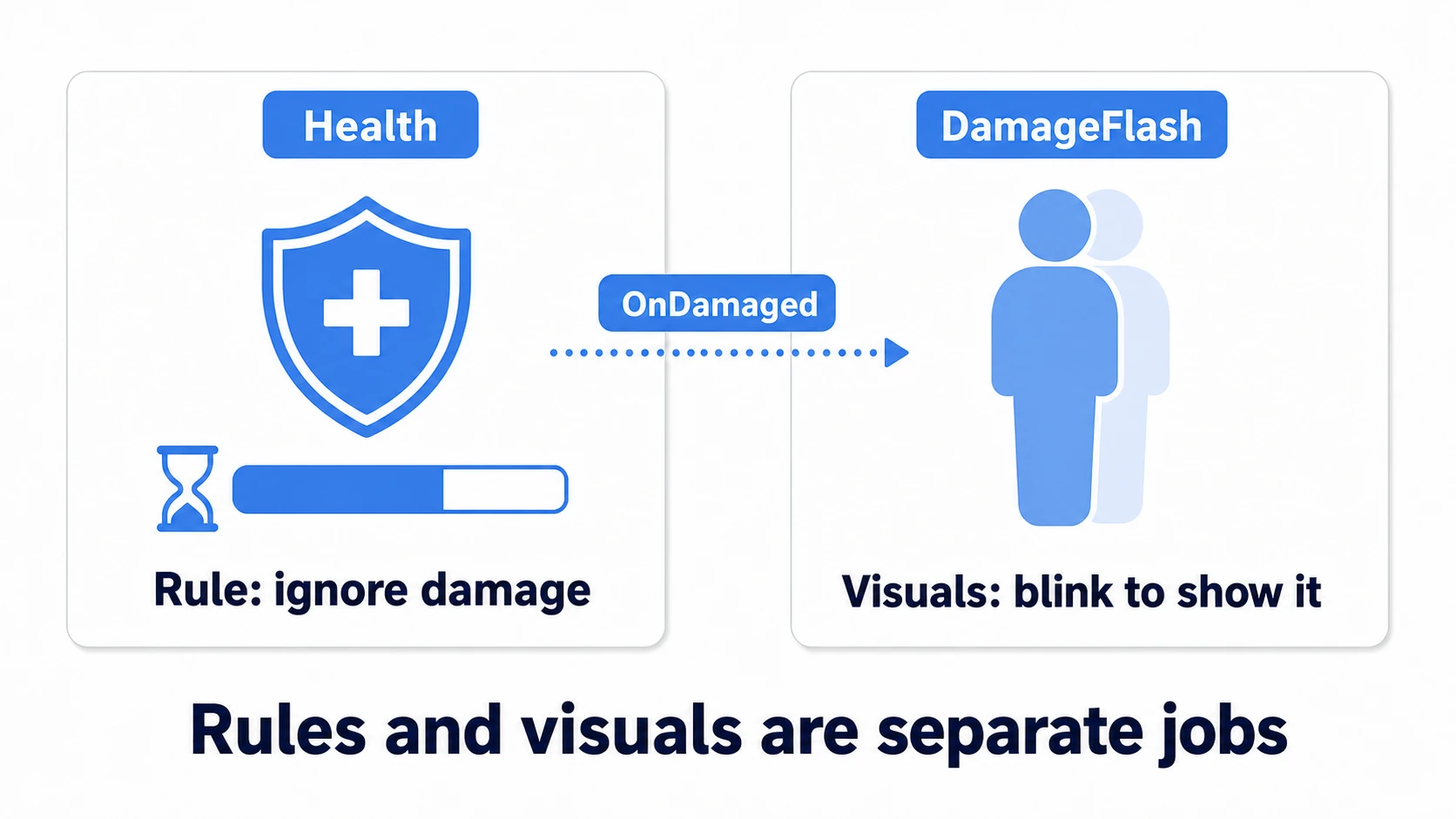
The important part: don't write the flashing inside Health. Invincibility is "whether damage is accepted"; flashing is "how that's shown." Put them in separate components, connected by Health's events. Flashing is the lamp; invincibility is the switch. Remove the lamp, and the switch (the window where damage is ignored) keeps working.
// DamageFlash.cs — visuals: blink for as long as invincibility lasts
using System.Collections;
using UnityEngine;

public class DamageFlash : MonoBehaviour
{
    [SerializeField] private Health health;
    [SerializeField] private Renderer bodyRenderer;
    [SerializeField] private float flashInterval = 0.1f;

    void OnEnable()
    {
        health.OnDamaged += StartFlash;
    }

    void OnDisable()
    {
        health.OnDamaged -= StartFlash; // never forget to unsubscribe
    }

    void StartFlash()
    {
        StopAllCoroutines();
        StartCoroutine(Flash());
    }

    IEnumerator Flash()
    {
        // The visuals (blinking) last exactly as long as the rule (invincibility)
        while (health.IsInvincible)
        {
            bodyRenderer.enabled = !bodyRenderer.enabled;
            yield return new WaitForSeconds(flashInterval);
        }
        bodyRenderer.enabled = true; // always end visible
    }
}
With this split, switching from blinking to a white flash — or adding a sound — touches zero characters of Health. You just add another listener.
Hands-on: finish the player-vs-enemy arena
All the parts exist. Build the small arena — player's sword versus enemy's body slam — and watch every rule do its job. A metroidvania's melee, a top-down ARPG's close combat, a roguelike's contact damage: all of them are variations of this exact setup.

The setup:
- Player:
Health+DamageFlash+ a body Collider + aRigidbody(with Is Kinematic on). A child object holds the sword withSwordHitbox(Collider set to IsTrigger) - Enemy:
Health+DamageFlash. Its body's trigger Collider gets the contact damage below
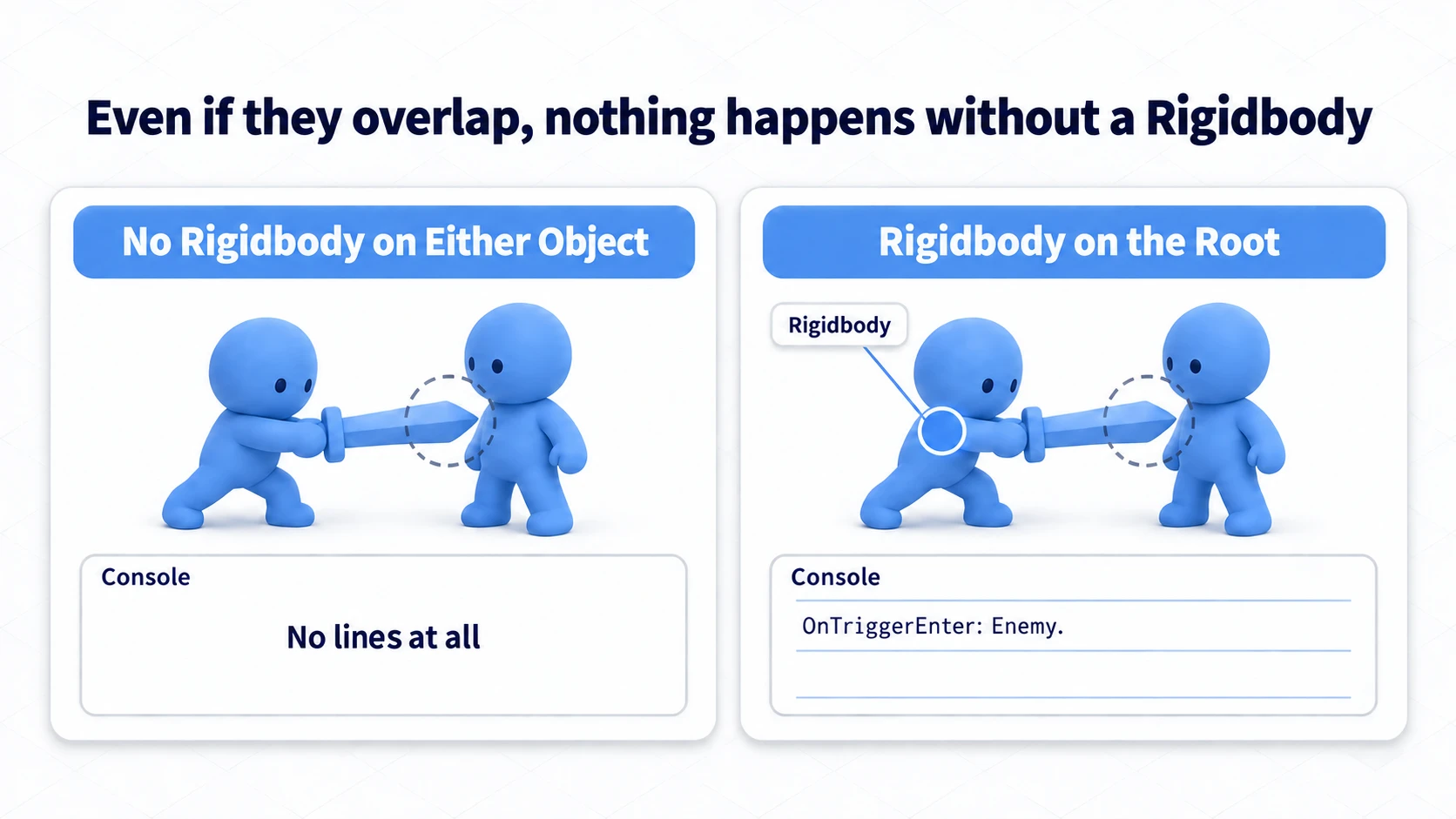
Trigger events are never called, with no error at all, unless at least one of the two touching Colliders has a Rigidbody. Here, one on the player's root covers both the sword and the body.
// EnemyContactDamage.cs — body slam: ATTEMPT damage while touching
using UnityEngine;

public class EnemyContactDamage : MonoBehaviour
{
    [SerializeField] private int damage = 5;
    private Health self; // This enemy's own Health

    void Awake()
    {
        self = GetComponentInParent<Health>();
    }

    void OnTriggerStay(Collider other)
    {
        if (self.Current == 0) return; // A fallen enemy doesn't body-slam
        if (other.isTrigger) return;   // Touching the player's sword (a trigger) doesn't hurt its owner

        Health health = other.GetComponentInParent<Health>();
        if (health != null)
        {
            // Called every physics update — but Health ignores it while invincible.
            // Throttling is the RULE side's job (Health), not the attacker's
            health.TakeDamage(damage);
        }
    }
}
Notice that OnTriggerStay attempts damage every physics update, yet HP doesn't waterfall. The receiving Health meters the intake with its invincibility window, so the attacker gets to stay simple. Contact naturally produces the action-game rhythm of "one hit each time invincibility expires."
Press Play and poke the historically fragile spots, in order. To swing, select the sword in the Hierarchy and choose Swing once from the "⋮" menu at the top right of SwordHitbox in the Inspector (place the sword so it overlaps the enemy). Count HP changes with the enemy's log lines in the Console.
- Give the enemy two Colliders (head and torso), set the enemy's
Invincible Timeto 0, and swing once through both: if there's one HP log line, the bundling and the record set are doing their jobs (with invincibility left on, it would block the second hit even without the record, so the check would prove nothing) - Before pressing Play, set the enemy's
Max Healthto 1 and hit it with the 10-damage sword: HP stops at 0, and the "died" log prints exactly one line - Hit that enemy once more: nothing happens, which means the dead flag works end to end
If any of these breaks, you already know where to look — multi-hits point to GetComponentInParent and the HashSet; negative HP or double deaths point to the two guards at the top of TakeDamage. If swinging does nothing at all, put Debug.Log("OnTriggerEnter: " + other.name) at the top of SwordHitbox's OnTriggerEnter. If not a single line appears, suspect the physics setup (Rigidbody, Is Trigger), not your code.
Two takeaways. All rules live inside Health (attackers merely attempt — so adding new attack types breaks nothing). Count per target, per swing (the moment you count per Collider, multi-hits return).
Bonus: things worth knowing early
- Bullets, traps, and healing use the same entrance: a projectile is a "moving Hitbox," a trap is a "stationary Hitbox," and healing is a
Heal()next toTakeDamage— the single-entrance design absorbs all of them. For projectile hit detection itself, see the Raycast article - Decide the knockback exception up front: does invincibility block damage but allow pushback, or block everything? Both are buildable — starting without deciding is what tangles the code
- Careful with mass enemy disposal: if dead enemies return to an object pool instead of
Destroy, then resetting HP and the invincibility timer — and unsubscribing events — becomes part of the pool-return routine - Make hits feel like hits: for hit stop and screen shake that sell the impact, see game feel
Summary
- Multi-hits come from counting per Collider or leaving the hitbox out
- Three roles: Hitbox (attack), Hurtbox (receive), Health (rules) — flow is always one-directional
- Concentrate every rule in Health's
TakeDamage: clamp, invincibility, dead flag, events firing once - Attacks exist only inside the window; bundle targets with
GetComponentInParentand record them in aHashSetfor once-per-swing - Invincibility is a rule; flashing is a visual. Connect them with events; never write effects inside Health
Swap one of your game's enemies for one with two Colliders right now — how many times does the damage land? If the answer is once, this system is already finished.