You fire a stream of bullets, and the game hitches with every shot. Frame rates drop during enemy rushes or effect-heavy scenes. Open the Profiler and there they are at the top: Instantiate and GC.Collect.
Instantiate() (creation) and Destroy() (destruction) are expensive operations that allocate and free memory. Worse, destroyed objects become garbage, which triggers GC spikes on top of everything else. One bullet at a time is fine, but repeat it dozens of times per second and stutters are guaranteed.
The solution is object pooling—the technique of "once you've made something, reuse it instead of throwing it away."
What You'll Learn
- Why
Instantiate/Destroyare expensive- The three steps of pooling—pre-instantiate, get, release
- Understanding the mechanism with a simple hand-rolled implementation (Queue-based)
- How to use Unity's official
ObjectPool<T>(UnityEngine.Pool, Unity 2021+)- Practical: running hit effects through a pool with automatic return
Tested with: Unity 6 (6000.x)
What Is Object Pooling?
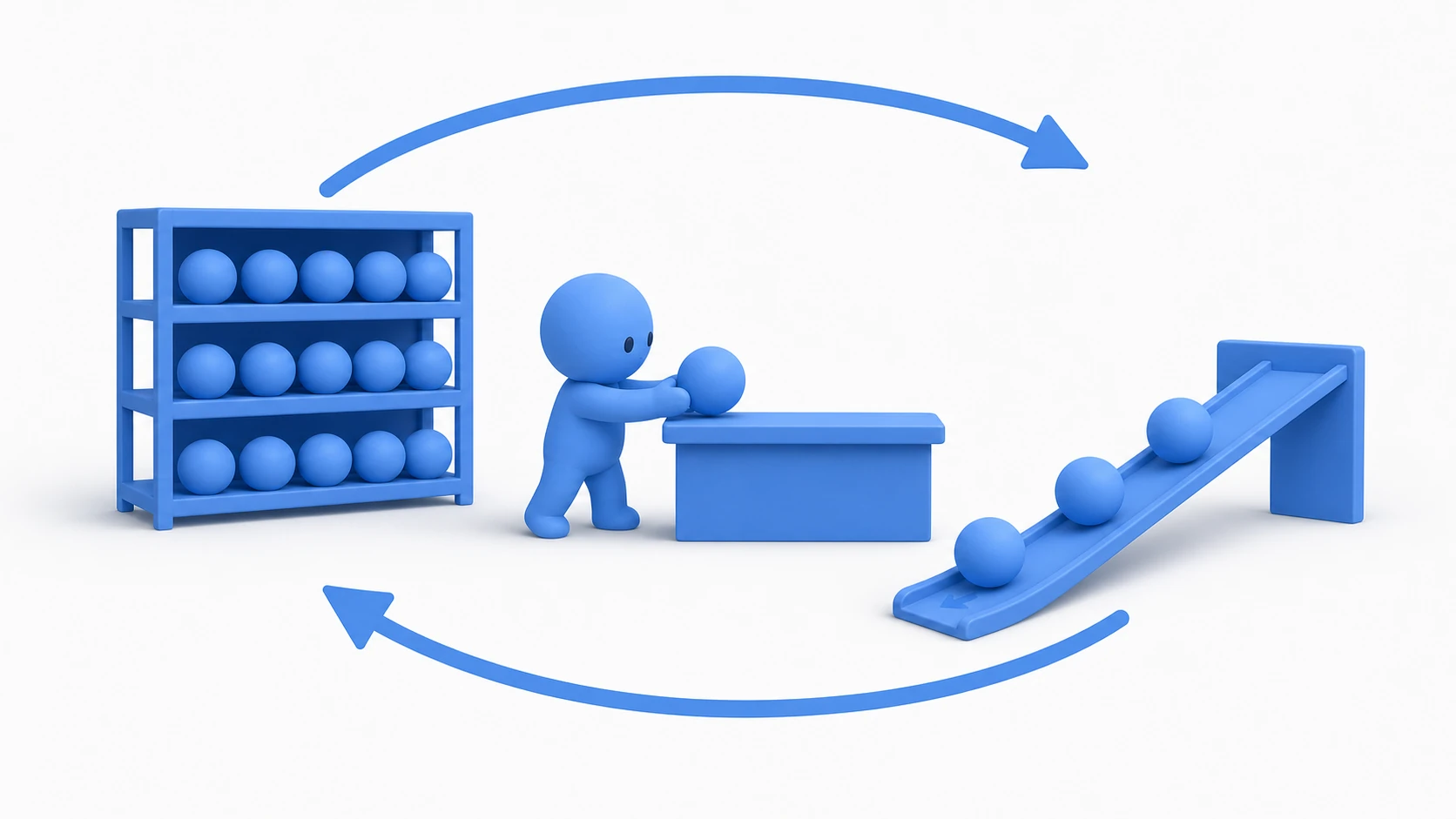
Think of it like a rental shop. Instead of manufacturing (Instantiate) and discarding (Destroy) a product (object) every single time, you keep it on the shelf, lend it out, and take it back when the customer is done—then repeat the cycle.
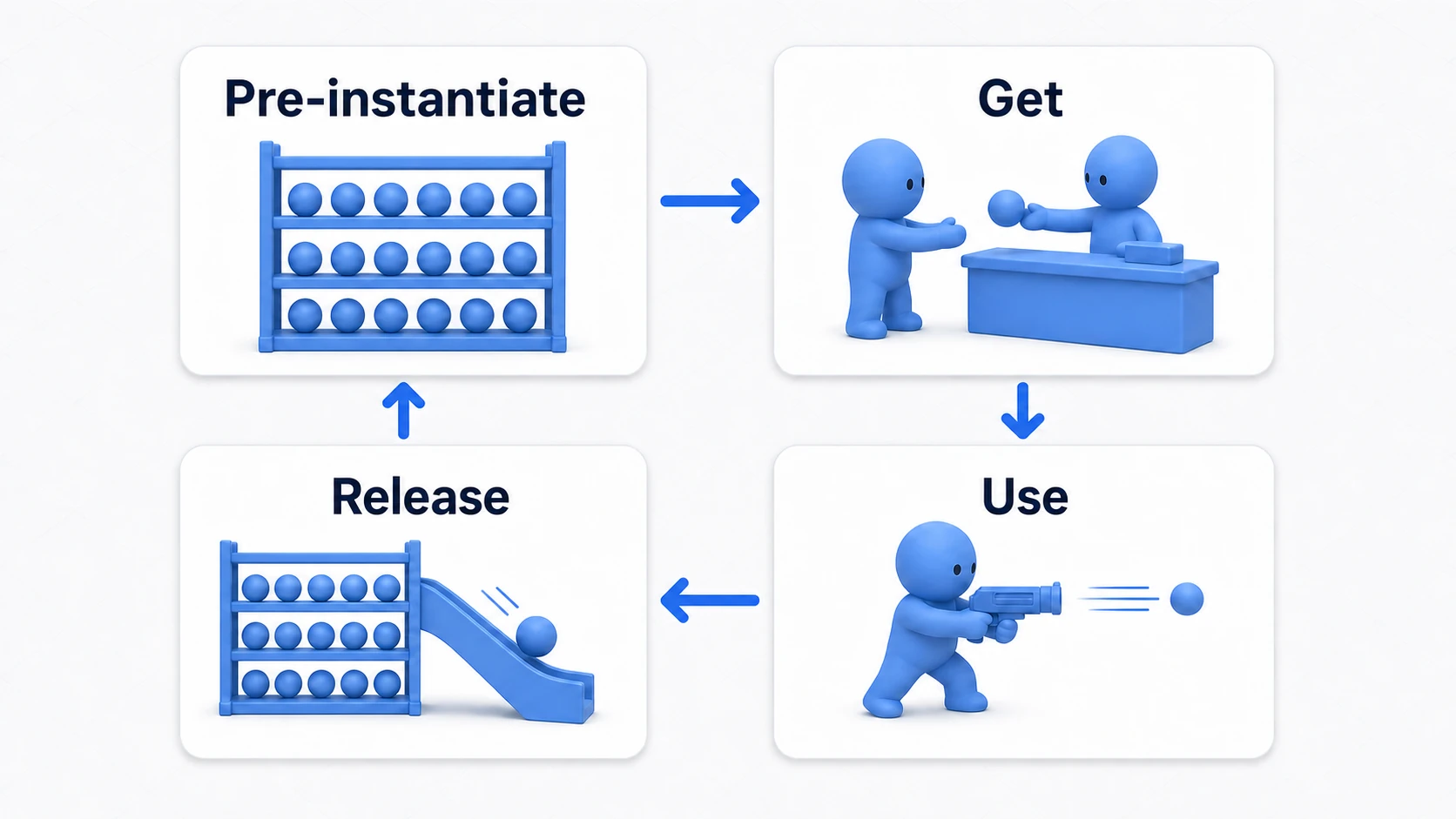
- Pre-instantiate: At a time when the load doesn't matter—such as game startup—
Instantiatethe number you need (e.g., 30 bullets), put them all to sleep withSetActive(false), and store them in the "pool." - Get: When you need a bullet, take one from the pool instead of calling
Instantiate, set it toSetActive(true), reset its position and rotation, and use it. - Release: When a bullet hits something or leaves the screen, return it to the pool with
SetActive(false)instead of callingDestroy.
With this, Instantiate/Destroy calls during gameplay drop to zero. When you compare them by load, the difference is obvious at a glance.
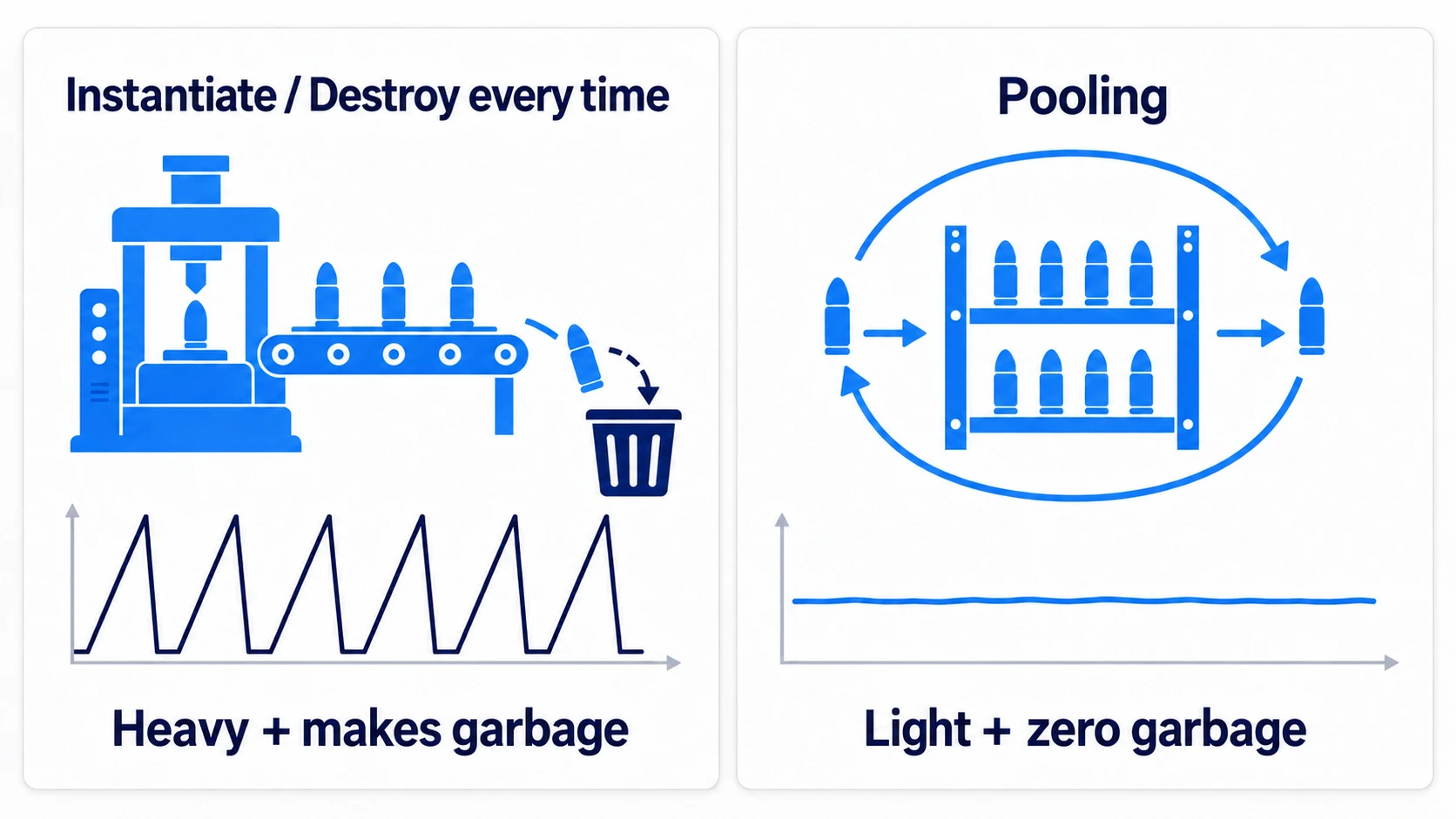
The left side, repeating creation and destruction, scatters garbage on top of the CPU spikes and plants a time bomb of GC spikes for later. The right side—pooling—is almost flat apart from the cost you pay up front, all at once.
Build It Yourself to Understand the Mechanism
First, here's a minimal implementation where the mechanism is plain to see. A Queue manages the inactive objects.
// ObjectPool.cs
using System.Collections.Generic;
using UnityEngine;

public class ObjectPool : MonoBehaviour
{
    public GameObject objectToPool; // Prefab to pool (bullets, etc.)
    public int amountToPool = 30;   // Number to create up front

    private Queue<GameObject> pooledObjects;

    void Start()
    {
        pooledObjects = new Queue<GameObject>();

        for (int i = 0; i < amountToPool; i++)
        {
            GameObject obj = Instantiate(objectToPool);
            obj.SetActive(false);
            pooledObjects.Enqueue(obj);
        }
    }

    public GameObject GetPooledObject()
    {
        if (pooledObjects.Count > 0)
        {
            GameObject obj = pooledObjects.Dequeue();
            obj.SetActive(true);
            return obj;
        }
        // If the shelf is empty, create more and grow the pool
        // (costs some performance, but better than running out of bullets)
        return Instantiate(objectToPool);
    }

    public void ReturnObjectToPool(GameObject obj)
    {
        obj.SetActive(false);
        pooledObjects.Enqueue(obj);
    }
}
On the caller's side, all you do is replace Instantiate with GetPooledObject() and Destroy with ReturnObjectToPool().
// PlayerShooter.cs (excerpt)
void Fire()
{
    GameObject bullet = bulletPool.GetPooledObject();
    bullet.transform.SetPositionAndRotation(firePoint.position, firePoint.rotation);
    bullet.GetComponent<Bullet>().SetPool(bulletPool); // So the bullet can return itself
}

// Bullet.cs (excerpt): returns itself to the pool on impact
void OnCollisionEnter(Collision collision)
{
    myPool.ReturnObjectToPool(gameObject);
}
Using the Official ObjectPool<T>
Unity 2021 and later ships with an official pooling API, UnityEngine.Pool. On top of everything the hand-rolled version does, it includes capacity management, double-release checks, and cleanup on destruction—which makes it the first choice in real projects.
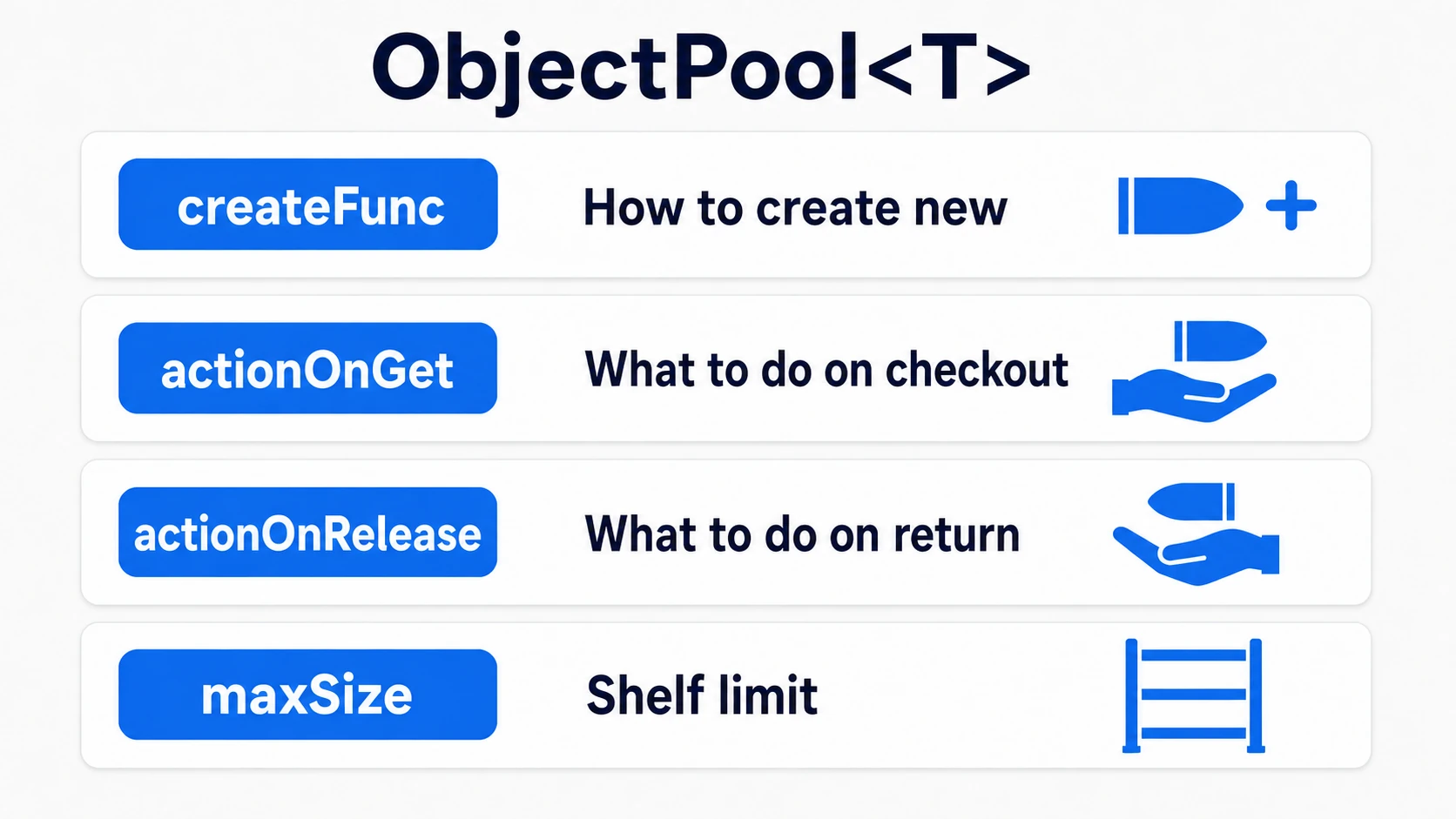
The constructor looks like it has a lot of arguments, but once you sort out their roles, it reads exactly like a rental shop's operating manual.
// BulletSpawner.cs
using UnityEngine;
using UnityEngine.Pool;

public class BulletSpawner : MonoBehaviour
{
    public Bullet bulletPrefab;
    private ObjectPool<Bullet> pool;

    void Awake()
    {
        pool = new ObjectPool<Bullet>(
            createFunc: () =>
            {
                Bullet bullet = Instantiate(bulletPrefab); // How to create when the shelf is empty
                bullet.Init(() => pool.Release(bullet));   // Hand over the way back just once, at creation
                return bullet;
            },
            actionOnGet: bullet => bullet.gameObject.SetActive(true),   // On checkout
            actionOnRelease: bullet => bullet.gameObject.SetActive(false), // On return
            actionOnDestroy: bullet => Destroy(bullet.gameObject), // Disposal of overflow beyond the limit
            defaultCapacity: 30, // The size of the internal container; it doesn't create this many up front
            maxSize: 100 // How many to keep on the shelf; anything returned beyond this gets Destroyed
        );
    }

    public void Fire(Vector3 position, Quaternion rotation)
    {
        Bullet bullet = pool.Get(); // Get
        bullet.transform.SetPositionAndRotation(position, rotation);
    }
}
defaultCapacity isn't a number to create up front, so the first Instantiate only runs at the first Get(). On the bullet's side, it simply calls the return action it was given once its lifetime ends.
// Bullet.cs
using System;
using UnityEngine;

public class Bullet : MonoBehaviour
{
    private Action returnToPool;

    public void Init(Action returnAction)
    {
        returnToPool = returnAction;
    }

    void OnCollisionEnter(Collision collision)
    {
        returnToPool?.Invoke(); // Return to the pool instead of Destroy
    }
}
Anything beyond maxSize is destroyed on release, which prevents the pool from staying bloated after a moment when you "briefly needed a huge burst."
The decision rule fits in one line: "If the same Prefab gets Instantiated many times per second, pool it." Bullets, enemies, hit effects, and damage numbers are the classic candidates.
Practical: Running Hit Effects Through a Pool
After bullets, the next thing that benefits most from pooling is hit effects. Slash impacts in a melee action game, spark bursts from bullet impacts in a shmup, area attacks that engulf enemies in a roguelite—regardless of genre, effects are the prime pooling target: spawned "constantly, in large numbers, and short-lived" throughout combat.
Unlike bullets, though, effects don't have an obvious return trigger like "return on impact." So we build in a mechanism where they return to the shelf on their own once playback finishes. The key is the ParticleSystem's Stop Action.
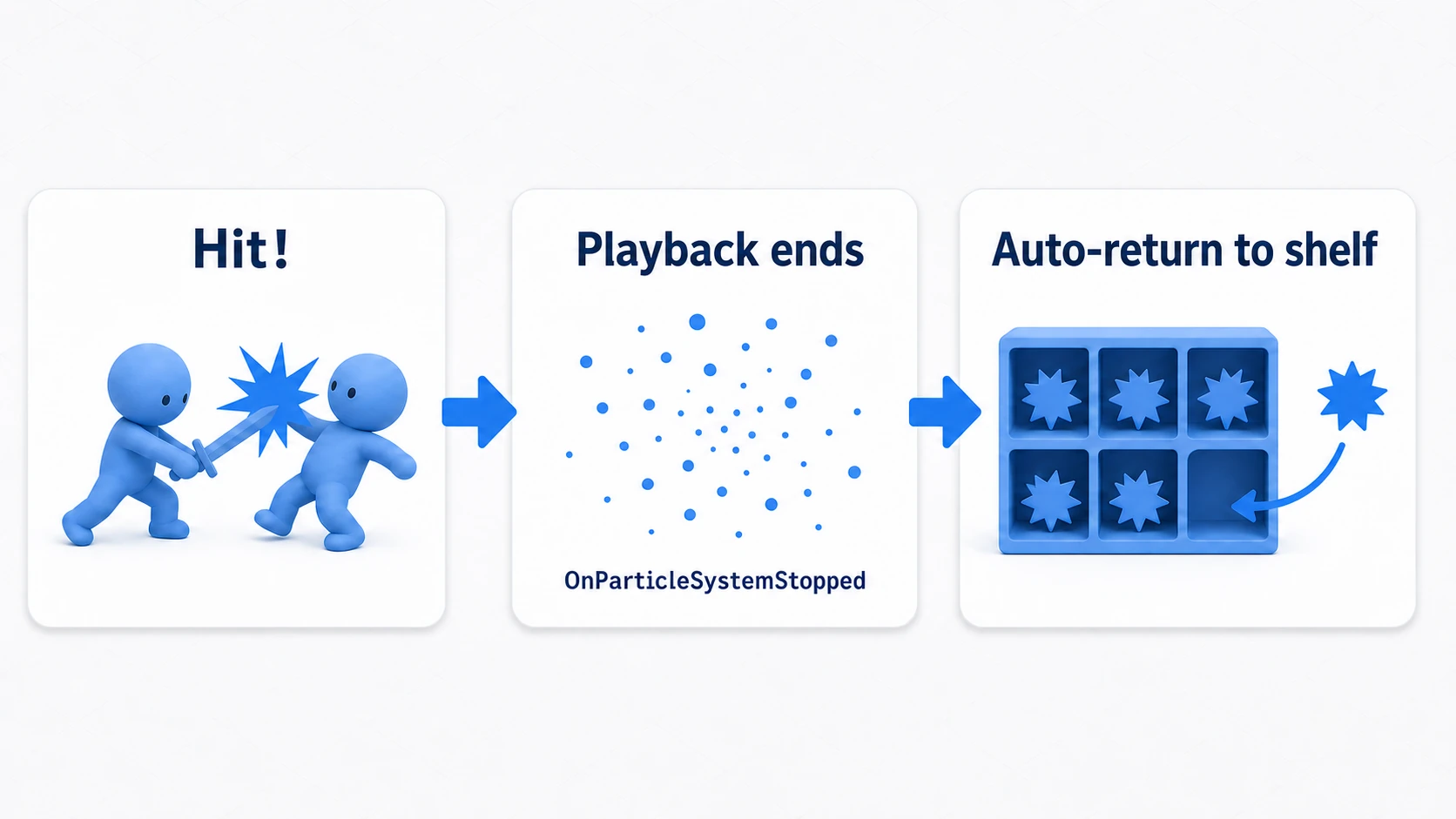
First, on the effect's Prefab, set the Stop Action in the ParticleSystem's Main module to Callback. Now OnParticleSystemStopped() is called the instant playback finishes. Also turn Looping and Play On Awake off. With Looping on, playback never finishes, so it's never called.
// HitEffect.cs (attach to the effect Prefab)
using System;
using UnityEngine;

public class HitEffect : MonoBehaviour
{
    private Action returnToPool;

    public void Init(Action returnAction)
    {
        returnToPool = returnAction;
    }

    // With Stop Action set to Callback, this is called when playback ends
    void OnParticleSystemStopped()
    {
        returnToPool?.Invoke();
    }
}
// EffectPool.cs (place one in the scene)
using UnityEngine;
using UnityEngine.Pool;

public class EffectPool : MonoBehaviour
{
    public HitEffect effectPrefab;
    private ObjectPool<HitEffect> pool;

    void Awake()
    {
        pool = new ObjectPool<HitEffect>(
            createFunc: () =>
            {
                HitEffect effect = Instantiate(effectPrefab);
                effect.Init(() => pool.Release(effect)); // Teach the way back once, at creation
                return effect;
            },
            actionOnGet: effect => effect.gameObject.SetActive(true),
            actionOnRelease: effect => effect.gameObject.SetActive(false),
            actionOnDestroy: effect => Destroy(effect.gameObject),
            defaultCapacity: 20,
            maxSize: 50
        );
    }

    // Just call this at the spot where an attack lands
    public void PlayAt(Vector3 position)
    {
        HitEffect effect = pool.Get();
        effect.transform.position = position;
        effect.GetComponent<ParticleSystem>().Play();
    }
}
On the caller's side, you just make a single call—effectPool.PlayAt(hitPoint)—inside the code that damages an enemy. Effects return to the pool on their own when they finish playing, so it's fire-and-forget, no management needed—even if dozens of hits land per second in a melee, Instantiate only runs for the first few.
There are two key points: "give the object itself ownership of the return timing" (Stop Action + OnParticleSystemStopped), and "hand over the way back (pool.Release) just once at creation, in createFunc." This same shape carries straight over to damage-number popups and footstep dust. For how to make the effects themselves, see Introduction to the Particle System, and for measuring the impact of pooling, see Using the Profiler.
Bonus: Good to Know for Later
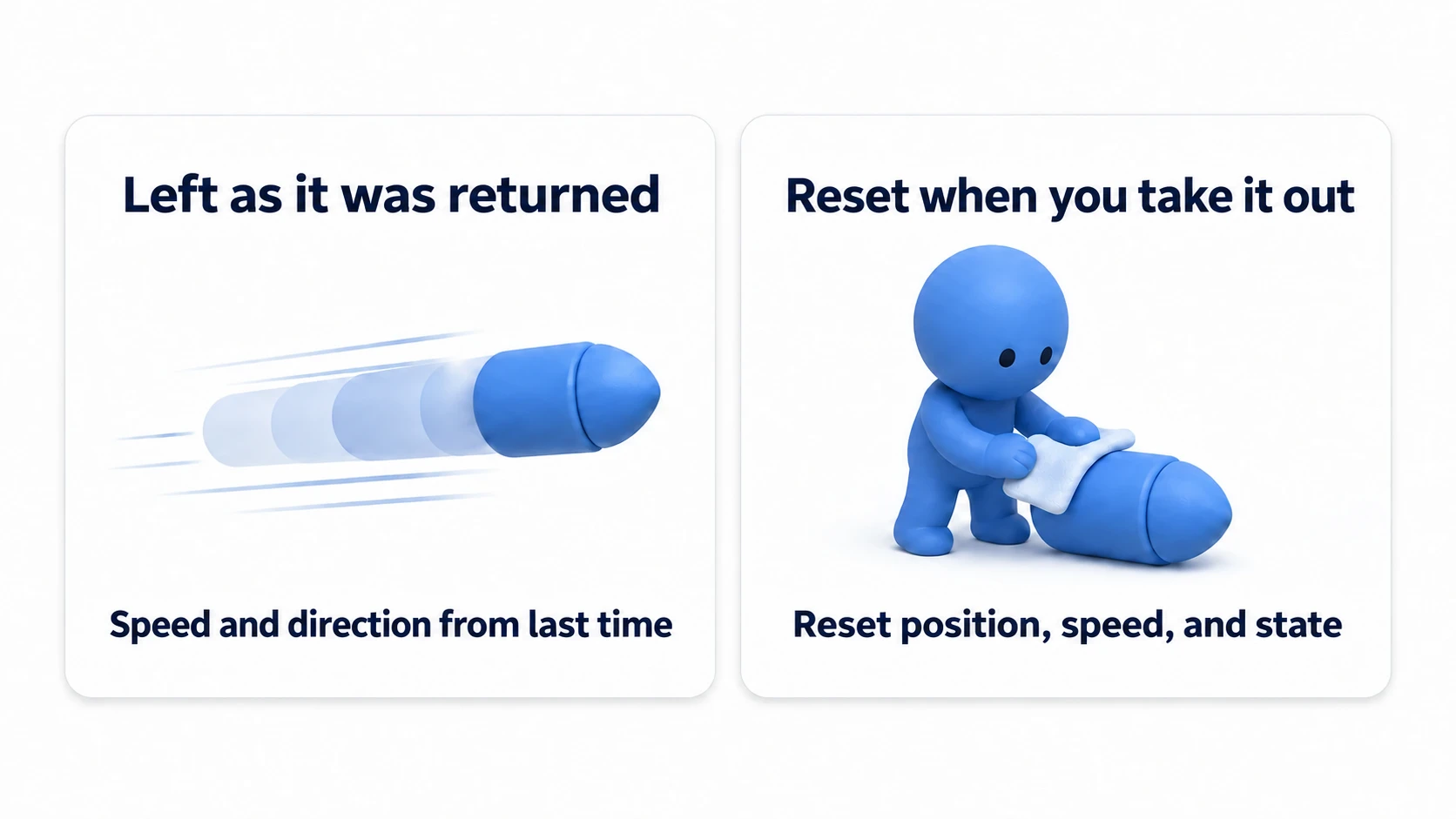
- Watch out for stale state on reuse: An object coming out of the pool still carries its state from last time. Reset things like Rigidbody velocity, health, and trail remnants in
OnEnable()or right after getting it. This is the classic cause of the "my second bullet flies off in a random direction" bug.
- TrailRenderer ghosting: When reused, the trail visually connects from the previous position. Call
trailRenderer.Clear()on release or on get. - Watch out for double-release: Releasing the same object twice is caught with an error by the official
ObjectPool<T>(via the constructor'scollectionCheckargument, which defaults to true; note that this check only runs when you're playing in the Editor). In a hand-rolled implementation, the same object ends up in the Queue twice, producing the eerie bug of the same bullet firing from two places later. - There are pools for collections too:
UnityEngine.Poolalso providesListPool<T>andDictionaryPool<K,V>, useful as a GC countermeasure when you "need a temporary List every frame."
Summary
- Repeated
Instantiate/Destroycalls are the two biggest performance killers, causing both CPU load and GC spikes. - Pooling reduces creation and destruction to zero with three steps: pre-instantiate → get → release.
- On Unity 2021 and later, the official
ObjectPool<T>is the first choice. Capacity management and double-release checks come built in. - For effects with a vague return trigger, use Stop Action +
OnParticleSystemStoppedto make them "return on their own." - An object out of the pool carries its previous state. Make resetting it right after getting it a habit.
- To decide what to pool, ask: "Does the same Prefab get Instantiated many times per second?"
Especially on mobile, pooling is not "recommended"—it's mandatory. Which Prefab in your project gets Instantiated the most? That's the first candidate for pooling.