The Rotation field in the Inspector shows just three numbers—X, Y, and Z—yet the moment you touch transform.rotation in a script, four values suddenly appear: x, y, z, w. This is the first stumbling block most Unity developers hit with rotation. You might think, "Aren't X, Y, Z axis angles enough to describe a rotation?" But that intuitive representation hides a trap called gimbal lock.
This article explains the role of Quaternions, which power all rotation in Unity, when to use them versus Euler angles, why directly manipulating eulerAngles is a common beginner mistake, and how to control rotation in practice with LookRotation and Slerp.
What You'll Learn
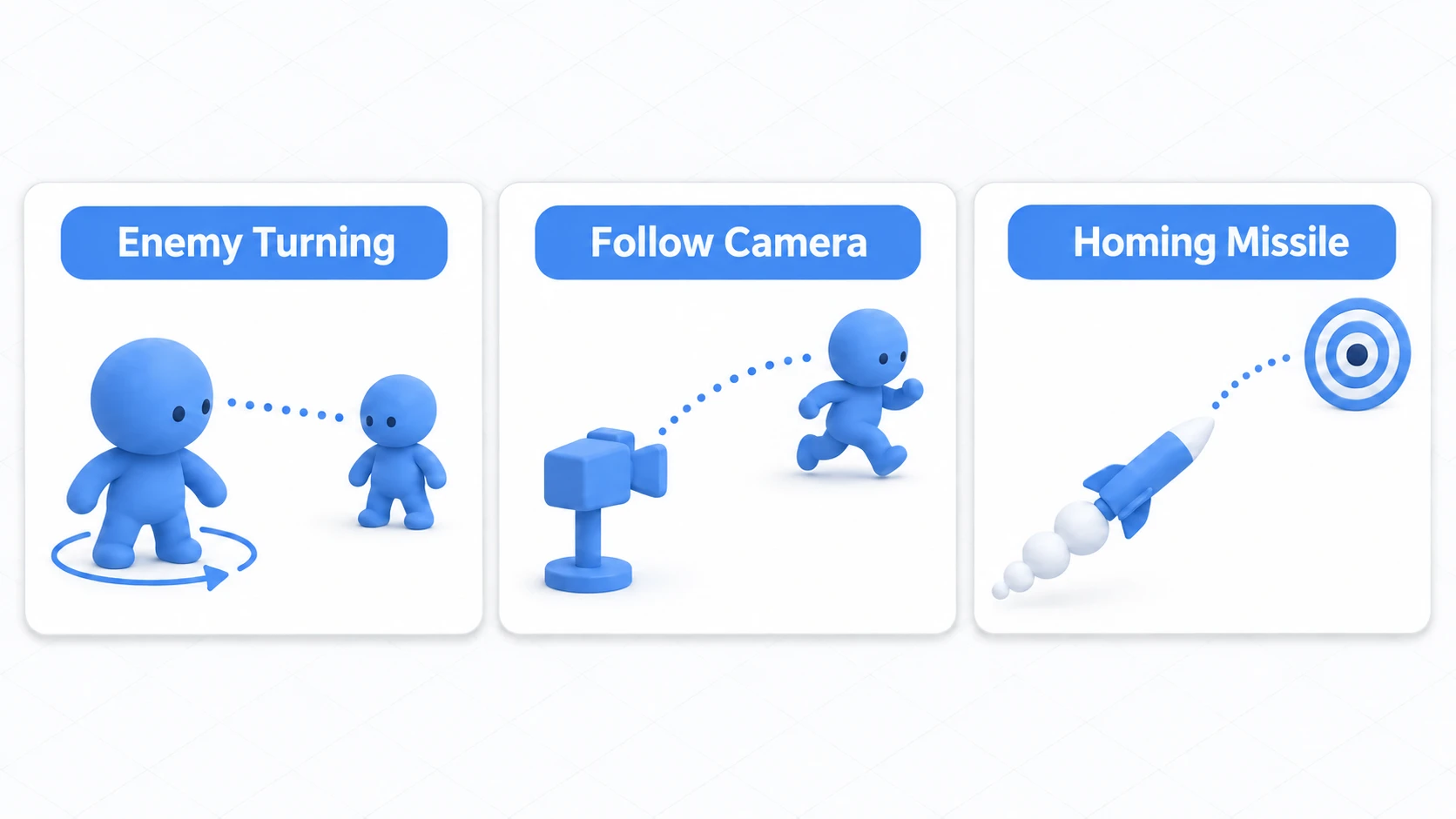
- Where Quaternions show up in game development: turning to face a target, follow cameras, homing missiles
- How a Quaternion represents rotation as "an axis and an amount of rotation" (no heavy math required)
- When to use Euler angles versus Quaternions, and why gimbal lock happens
- Why reading and writing
eulerAnglesevery frame makes rotation go haywire- Practical rotation control with
Quaternion.LookRotationandSlerp
Tested with: Unity 6 (6000.x)
Where Do You Need It in Game Development?
Let's start with the bottom line: Quaternions aren't math trivia—they're the foundation of every piece of code that animates rotation. Here are some classic examples where you'll use them:
- An enemy smoothly turning toward the player: build the target direction with
LookRotation, then rotate smoothly withSlerp - A follow camera swinging around behind the character: interpolate the camera's orientation every frame
- A homing missile curving in an arc: create turn-rate-limited homing with
RotateTowards(capped at N degrees per second)
Put another way, if all you do is type numbers into the Inspector (just "placing" a rotation), Euler angle knowledge is enough. The moment you start animating rotation every frame, problems like "the camera suddenly flips over" or "the turn animation stutters" show up—and that's when you need to understand Quaternions.
What Is a Quaternion?
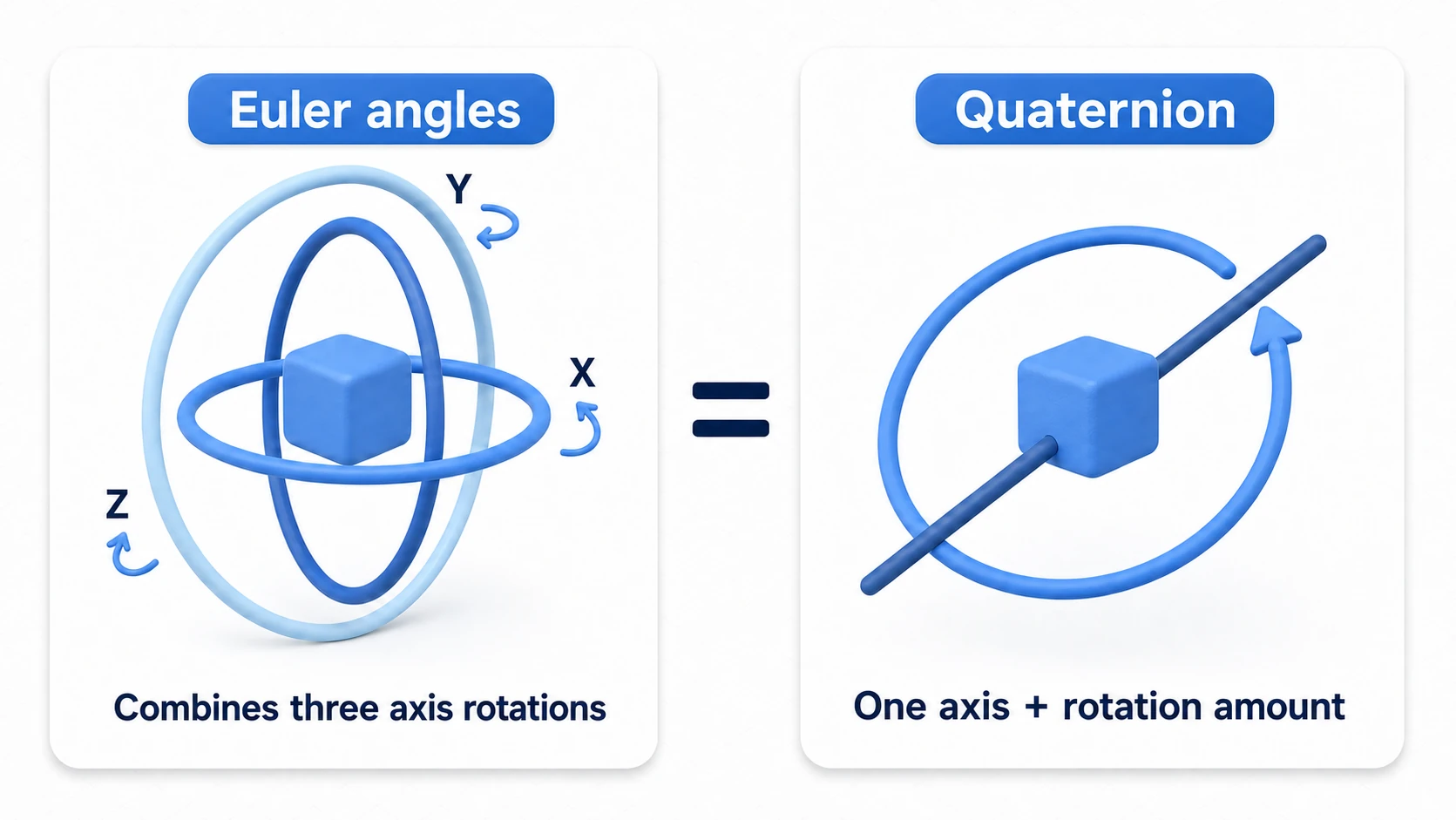
A Quaternion is a mathematical construct for representing rotation, made up of four components (x, y, z, w). In Unity, the rotation property of the Transform component uses this type, and all rotations in Unity are managed internally as Quaternions.
While Euler angles express a rotation as a combination of three axis rotations—"X degrees around X, Y degrees around Y, Z degrees around Z"—a Quaternion expresses "how far you've rotated around a single axis." Because the rotation is represented as one operation, the axes never interfere with each other, and as long as you keep, combine, and interpolate rotations as Quaternions, you avoid gimbal lock.
You don't need to understand what the four values mean. In real-world development, it's enough to follow one rule: never touch a Quaternion's components directly—create it with the dedicated methods and pass it along.
Terminology Notes
- Euler Angles: A representation using rotation angles around the X-axis (pitch), Y-axis (yaw), and Z-axis (roll). This is what the Rotation field in the Inspector shows.
- Gimbal Lock: A phenomenon in Euler angle representation where, at a specific rotation (in Unity, X-axis at ±90 degrees), the remaining two axes align and rotate in the same direction, losing one degree of rotational freedom.
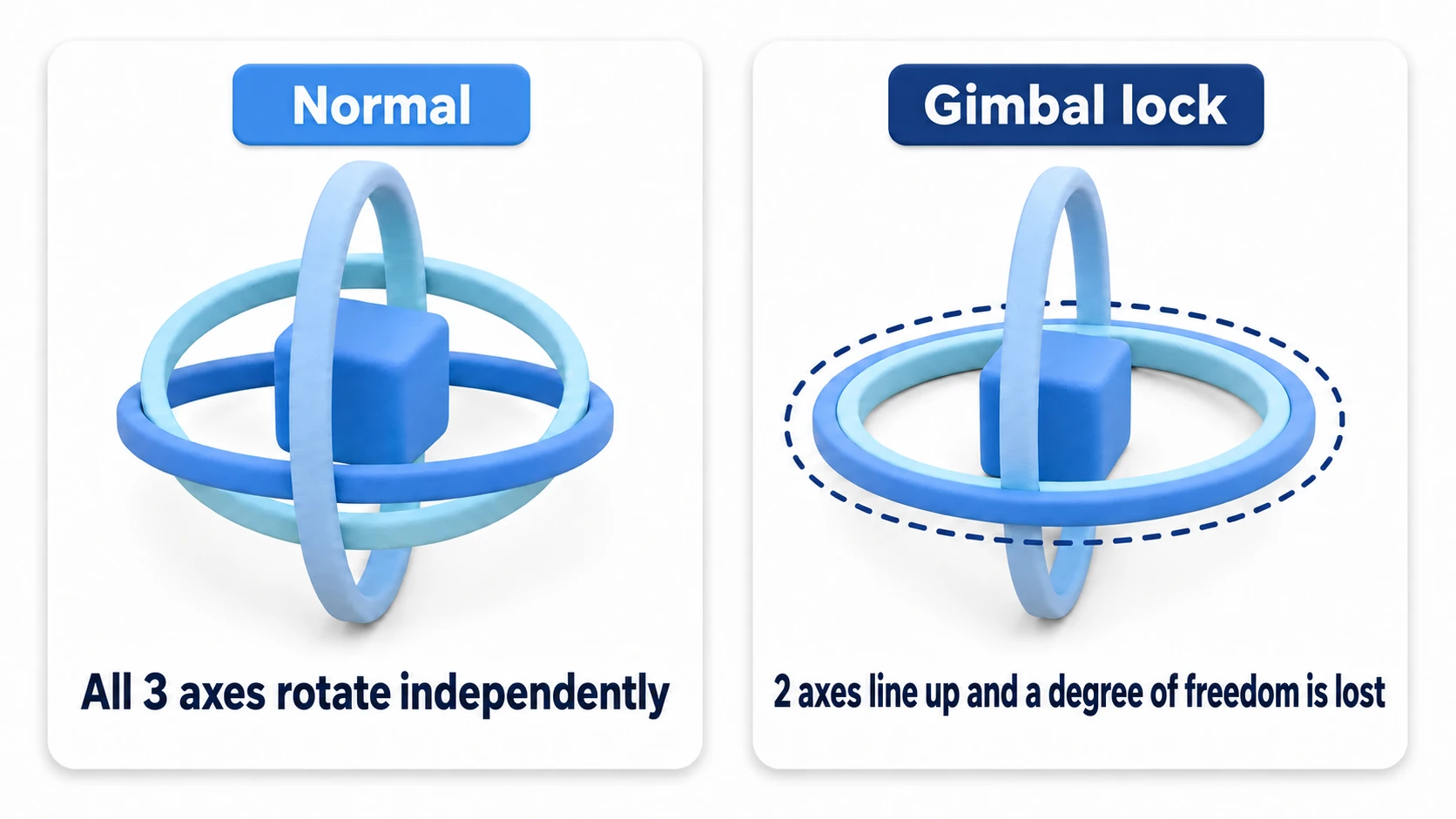
Note: The classic in-game example is an FPS camera. If you control the camera with Euler angles alone, the moment the player looks straight up (X=90 degrees), "turning left/right" and "tilting the head" become the same rotation, which can lead to a bug where the view suddenly flips over. Unity's Transform uses Quaternions internally precisely to prevent this.
Euler Angles vs. Quaternions: When to Use Which
Unity lets you access Euler angles through the transform.eulerAngles property, but these values are recalculated on the fly from the internal Quaternion.
| Feature | Euler Angles (transform.eulerAngles) | Quaternion (transform.rotation) |
|---|---|---|
| Representation | 3 angles (X, Y, Z) | 4 components (x, y, z, w) |
| Intuitiveness | High (easy for humans to understand) | Low (don't touch the internals) |
| Issues | Gimbal lock / multiple representations for the same rotation | Values aren't intuitively meaningful |
| Usage | Inspector settings, specifying angles | Calculations in scripts, rotation interpolation |
Common Beginner Pitfall: Reading and Writing eulerAngles Every Frame
Assigning to eulerAngles works fine on its own. The danger is a pattern where you read the value every frame and add to it (writing transform.eulerAngles.x += 1f; in one line won't even compile, with CS1612, which is why the code below copies it into a variable first).
// Dangerous example: reading eulerAngles every frame and adding to it
void Update()
{
    Vector3 angles = transform.eulerAngles; // Recalculated from the internal Quaternion
    angles.x += 30f * Time.deltaTime;
    transform.eulerAngles = angles;
}
The same rotation has more than one Euler angle representation (e.g., X=170, Y=0, Z=0 and X=10, Y=180, Z=180 describe the same orientation). Since there's no guarantee which one the conversion returns, continuously adding to the value you read back makes the rotation suddenly jump or jitter past certain angles.
Solution: When you want to work in angles, either track the angle in your own variable, or multiply in a rotation created with Quaternion.Euler().
// Correct example 1: track the angle in your own variable
private float pitch = 0f;

void Update()
{
    pitch += 30f * Time.deltaTime;
    transform.rotation = Quaternion.Euler(pitch, 0f, 0f);
}
// Correct example 2: multiply in a rotation "delta"
void Update()
{
    // Combine the current rotation with "a small rotation around the X-axis"
    transform.rotation *= Quaternion.Euler(30f * Time.deltaTime, 0f, 0f);
}
Note: The
*operator between Quaternions means "composing rotations." The order changes the result:transform.rotation * deltaadds the delta relative to the current facing (on the object's local axes), whiledelta * transform.rotationadds it on the world axes.
Practical Quaternion Usage and Code Examples
Quaternions really shine when you need to generate a specific rotation or smoothly interpolate between two rotations.
1. Generating a Rotation That Faces a Direction (Quaternion.LookRotation)
When you want a character to face a specific target, Quaternion.LookRotation is extremely handy.
using UnityEngine;

public class LookAtTarget : MonoBehaviour
{
    public Transform target; // The target's Transform

    void Update()
    {
        if (target == null) return;

        // 1. Calculate the direction vector toward the target
        Vector3 direction = target.position - transform.position;

        // 2. Generate a Quaternion that faces that direction
        // The second argument says which way is up. It prevents rolling sideways, but if the target is high up, the whole body tilts (the turret below splits this)
        Quaternion targetRotation = Quaternion.LookRotation(direction, Vector3.up);

        // 3. Apply the generated Quaternion to the current rotation
        transform.rotation = targetRotation;
    }
}
2. Smooth Rotation Interpolation (Quaternion.Slerp)
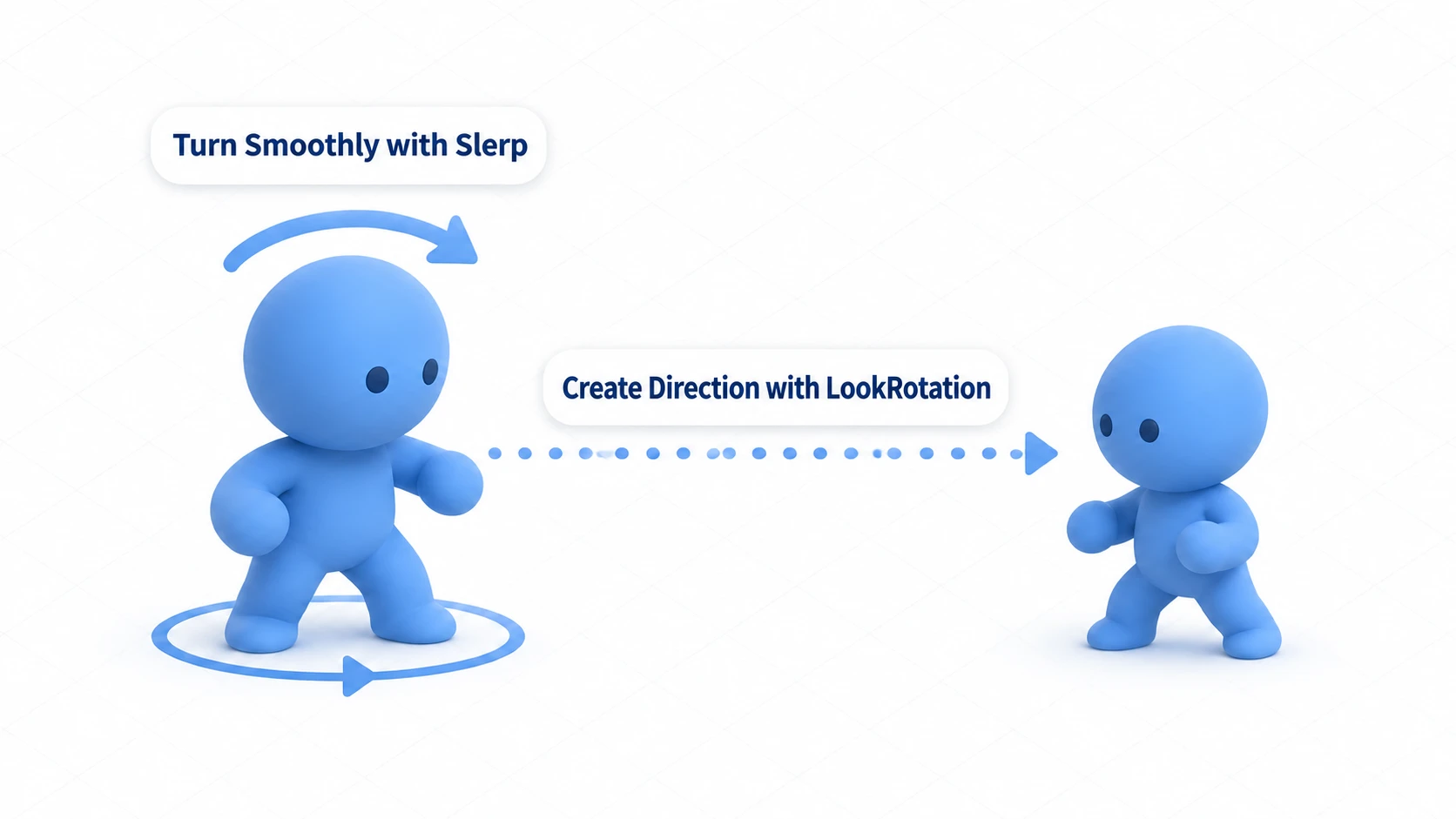
The code above snaps to face the target instantly. To get a gradual, natural turn, interpolate between the current rotation and the target rotation with Quaternion.Slerp (spherical linear interpolation).
using UnityEngine;

public class SmoothRotation : MonoBehaviour
{
    public Transform target;
    public float rotationSpeed = 5.0f; // How fast to turn

    void Update()
    {
        if (target == null) return;

        // 1. Calculate the target Quaternion for facing the target
        Vector3 direction = target.position - transform.position;
        Quaternion targetRotation = Quaternion.LookRotation(direction);

        // 2. Interpolate between the current and target rotations with Slerp
        // Moving a fixed fraction toward the target each frame produces
        // a natural turn that eases out near the end
        transform.rotation = Quaternion.Slerp(
            transform.rotation, // Current rotation
            targetRotation,     // Target rotation
            Time.deltaTime * rotationSpeed // Interpolation factor
        );
    }
}
The Difference Between Lerp and Slerp
Using Vector3.Lerp (linear interpolation) for rotation can produce uneven angular speed mid-rotation and look unnatural. Quaternion.Slerp interpolates along an arc on a sphere, so it always behaves naturally as a rotation. Use Slerp for rotation interpolation. For a deeper look at choosing between interpolation functions, see the Lerp and Slerp article.
Hands-On: A Turret That Tracks Horizontally While Only the Barrel Pitches
To finish, let's complete a classic gadget that uses every tool from this article. A tower-defense cannon, a fixed machine gun in a TPS, an auto-turret in a space shooter — they all share the same requirement: the base swivels horizontally only, and only the barrel aims up and down. If you just hand the whole direction to LookRotation, the entire turret tips backward the moment the enemy climbs onto high ground.
Hierarchy setup (the trick is splitting rotation into one layer per job):
Turret (attach this script here)
└─ BasePivot (the base; rotates on Y only)
   └─ BarrelPivot (barrel joint; rotates on local X only)
      └─ Barrel mesh (Z+ pointing out of the muzzle)
// File name: TurretController.cs
using UnityEngine;

public class TurretController : MonoBehaviour
{
    public Transform target;        // Who to track (the player, etc.)
    public Transform basePivot;     // The base (Y-axis rotation only)
    public Transform barrelPivot;   // The barrel (local X-axis rotation only)
    public float turnSpeed = 90f;   // Turn speed (degrees per second)

    void Update()
    {
        if (target == null) return; // Wait quietly when the target is gone (no per-frame warnings)

        Vector3 toTarget = target.position - basePivot.position;

        // --- Base: track only the horizontal direction, height stripped out ---
        Vector3 flatDirection = new Vector3(toTarget.x, 0f, toTarget.z);

        // If the enemy is directly above or at the same position, there's no direction to build.
        // Never pass a zero-length vector to LookRotation
        if (flatDirection.sqrMagnitude > 0.0001f)
        {
            Quaternion baseGoal = Quaternion.LookRotation(flatDirection);
            basePivot.rotation = Quaternion.RotateTowards(
                basePivot.rotation, baseGoal, turnSpeed * Time.deltaTime);
        }

        // --- Barrel: aim up/down (pitch) only ---
        // Measure the aim from the barrel's pivot (measuring from the base is off by the pivot's height)
        // Compute the elevation angle from horizontal distance and height difference.
        // The higher it aims, the more negative local X becomes
        Vector3 fromBarrel = target.position - barrelPivot.position;
        float horizontal = new Vector2(fromBarrel.x, fromBarrel.z).magnitude;
        float pitch = -Mathf.Atan2(fromBarrel.y, horizontal) * Mathf.Rad2Deg;
        Quaternion barrelGoal = Quaternion.Euler(pitch, 0f, 0f);
        barrelPivot.localRotation = Quaternion.RotateTowards(
            barrelPivot.localRotation, barrelGoal, turnSpeed * Time.deltaTime);
    }
}
Two things make this work. Strip the height out of the direction you give the base (zero out y), and drive the barrel as a child of the base, moving only the X axis of its localRotation. When the base swivels, the barrel swivels with it, so the barrel can focus on its one job: pitch. And because RotateTowards caps the turn rate (degrees per second), an enemy that circles behind the turret creates a deliciously game-like opening — the turret "can't turn fast enough to get the shot off."
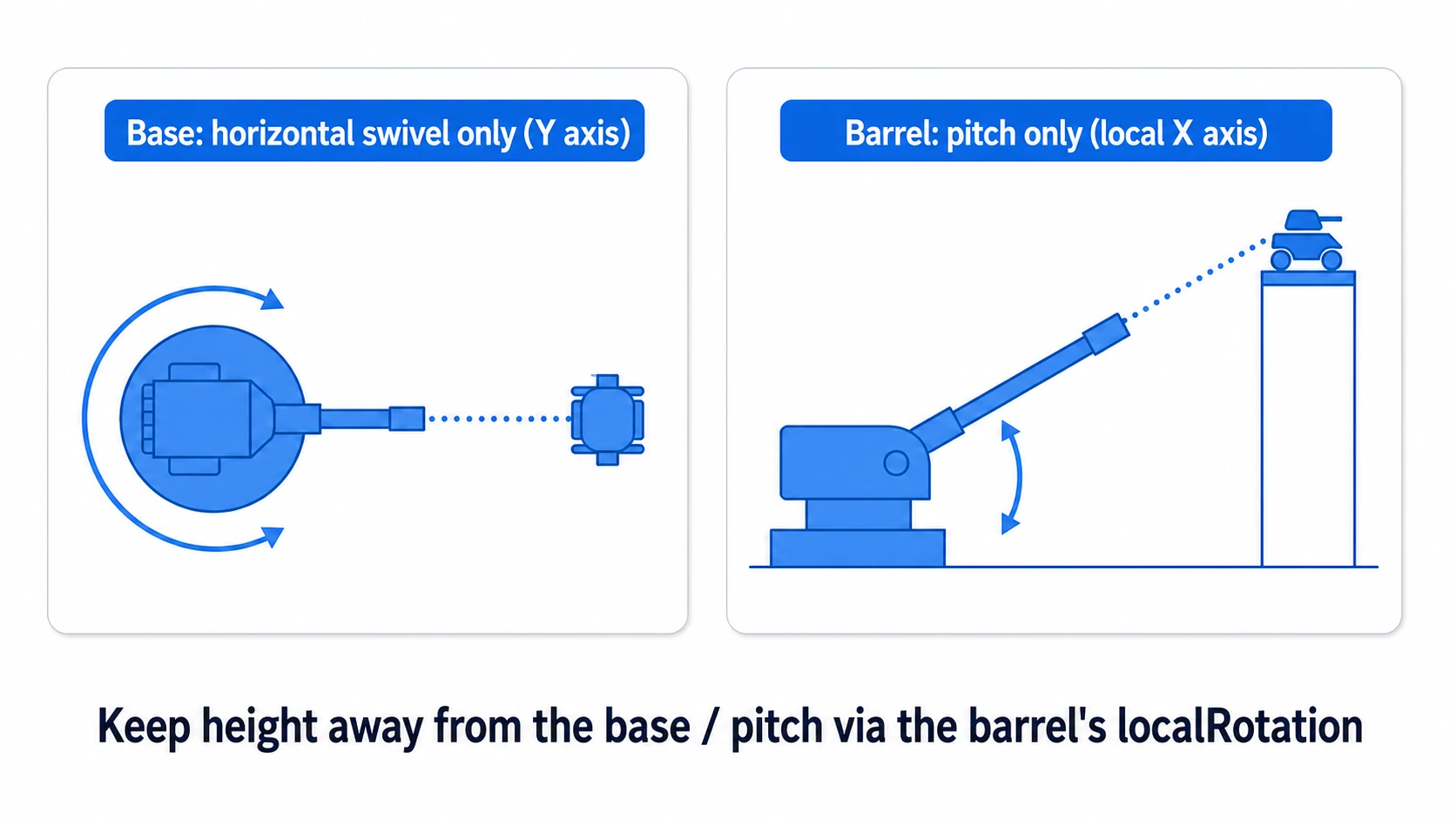
To wrap up, let the enemy run circles around the turret and just watch. The base only swivels, staying perfectly level; when the enemy climbs onto high ground, only the barrel tilts up. If you can see those two motions — and the Console stays quiet even with the enemy directly overhead — the division of labor and the guards are both doing their jobs.
Bonus: Good to Know for Later
Once you have the Quaternion basics down, these topics are worth exploring next.
- Interpolating Euler angles goes the long way around: Write a swivel as an angle interpolation like
Mathf.Lerp(currentY, goalY, t), and a 350° → 10° turn spins 340° the wrong way instead of the 20° it should take. Quaternion'sRotateTowards/Slerpalways take the shortest path, so this doesn't happen. - The "Look rotation viewing vector is zero" warning: It appears when you pass a zero-length direction to
LookRotation. In the turret, that's the horizontal direction when the enemy is directly overhead, which is why thesqrMagnitudeguard skips it. - Go deeper on interpolation: Practical questions like "why does the turn slow down as it approaches the target?" and "use
RotateTowardsfor constant-speed rotation" are covered in detail in the Lerp and Slerp article. - Rotate physics objects through
Rigidbody: Rotating an object that has a Rigidbody viatransform.rotationfights the physics simulation. The right approach isrb.MoveRotation(targetRotation). See the Rigidbody article for details. - For quick-and-simple spinning, use
transform.Rotate(): If all you need is a constant rotation each frame, there's the convenient APItransform.Rotate(0f, 30f * Time.deltaTime, 0f). It performs the Quaternion composition for you internally.
Summary
This article covered Quaternions, the backbone of rotation control in Unity development.
- A Quaternion represents rotation as "a single axis and an amount of rotation around it," which avoids gimbal lock. All of Unity's rotations are Quaternions internally.
- Euler angles are handy in the Inspector and for specifying angles, but reading and adding to them every frame causes erratic rotation. Track angles in your own variables instead.
- To build a rotation from angles, use
Quaternion.Euler(); to build one from a direction, useQuaternion.LookRotation(). - For smooth turning, use
Quaternion.Slerp(); for constant-speed rotation, useQuaternion.RotateTowards(). - The
*operator between Quaternions composes rotations. You never need to touch the four internal values directly.
"Create with Euler/LookRotation, interpolate with Slerp, compose with *"—remember these three, and Quaternions are nothing to be afraid of.