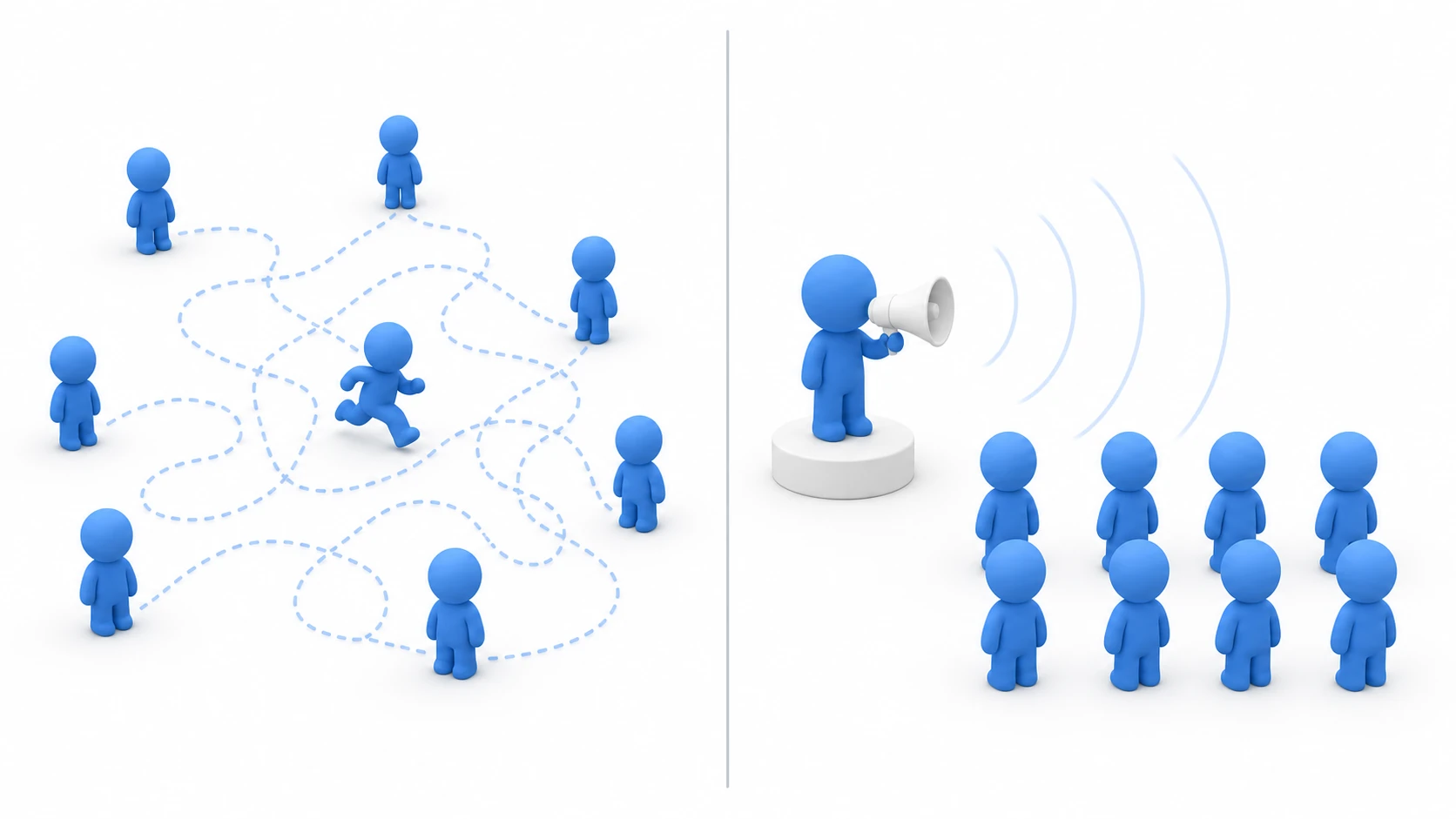
Bullet hell patterns, enemy swarms, piles of pickups — once your moving objects climb past a few hundred, Update.ScriptRunBehaviourUpdate in the Profiler starts creeping upward. Even though each object's Update() body is lightweight.
The truth is, Update() costs something just by being called. This article explains why, and walks through an advanced optimization that consolidates those calls into one place: the Custom Update Manager.
What You'll Learn
- Why calling
Update()costs anything at all (the native⇄managed bridge)- The manager pattern that consolidates calls into a single one
- An implementation using IUpdatable + a singleton
- When to apply it and the common pitfalls
- Practical: pulling off-screen enemies out of the update loop entirely
Tested with: Unity 6 (6000.x)
Why Update() Gets Slow
A MonoBehaviour's Update() is called by the Unity engine itself (native C++ code). Every single call into a C# Update() has to cross the "bridge" connecting the native and managed (C#) worlds and come back, and this bridge toll is charged even when the Update() body is empty.
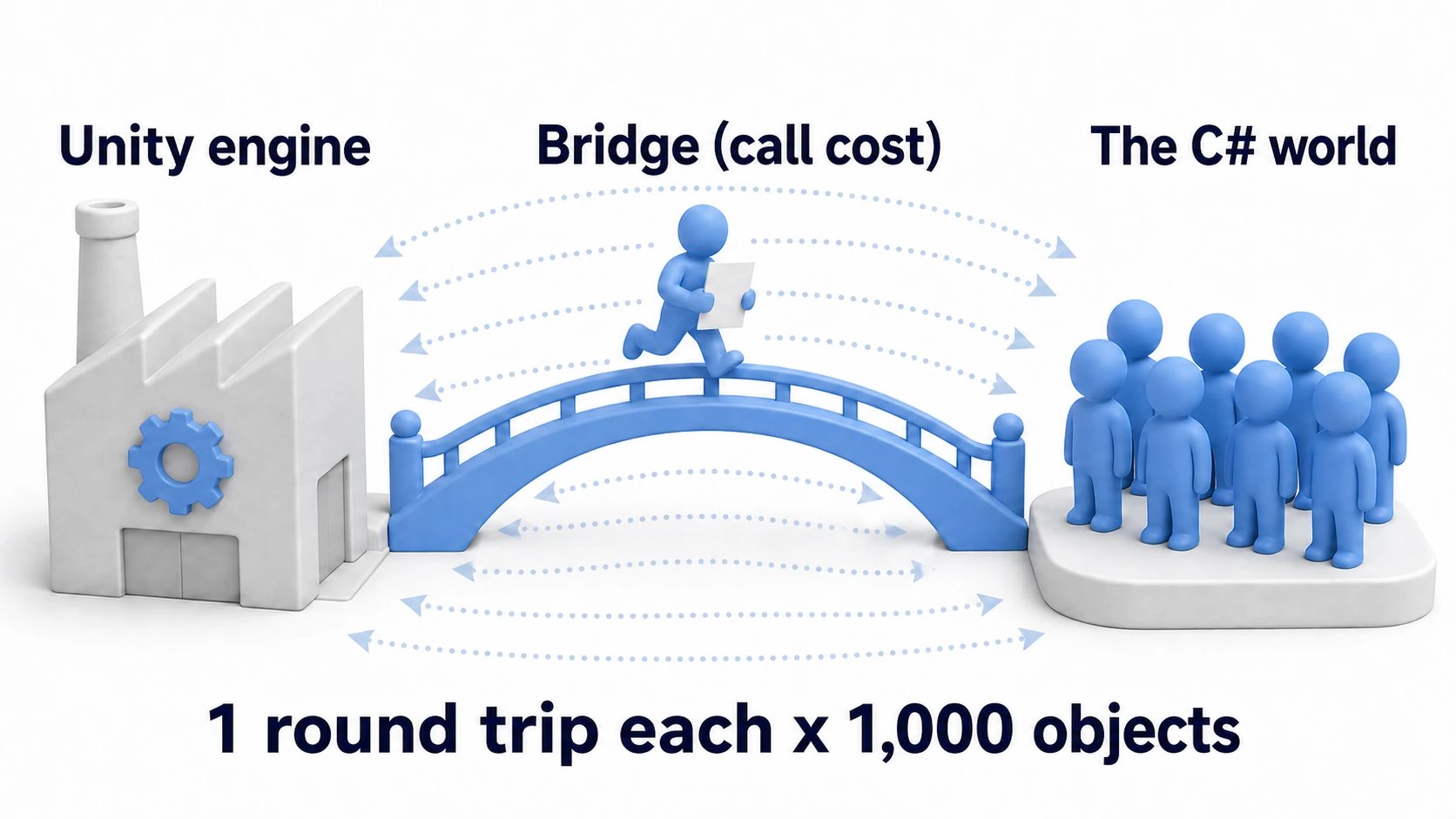
With 1,000 objects, that's 1,000 bridge round trips every frame. Worse, objects that early-return at the top of Update() with "nothing to do right now" are paying the toll just to return. Each crossing is tiny on its own, but at scale it adds up to something clearly visible in the Profiler.
The Idea Behind the Custom Update Manager
The fix is simple in concept.
"Only one manager receives Update() from Unity, and the manager directly calls the update methods of every other object within C#."
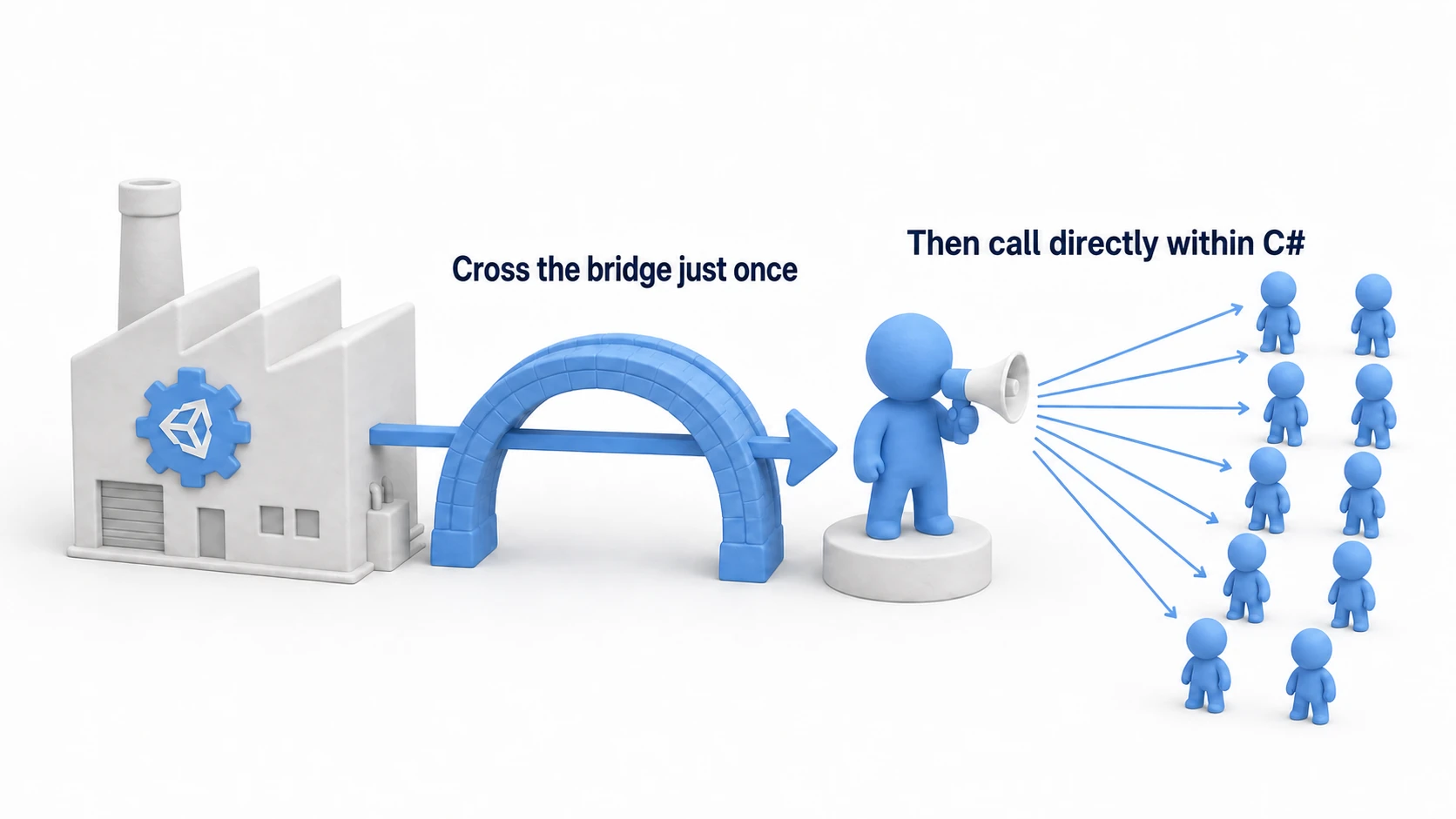
Crossing the bridge happens just once per frame — for the manager. All the calls from the manager to individual objects stay entirely inside C#, so no bridge toll applies. That said, if ManagedUpdate uses Unity features such as transform, those round trips remain; what goes away is the round trip just to make the call.
Implementation
Step 1: Define the "Rules" for Objects Being Updated
The whole setup is a three-piece set: the "rule" (an interface), the "caller" (the manager), and the "callees."
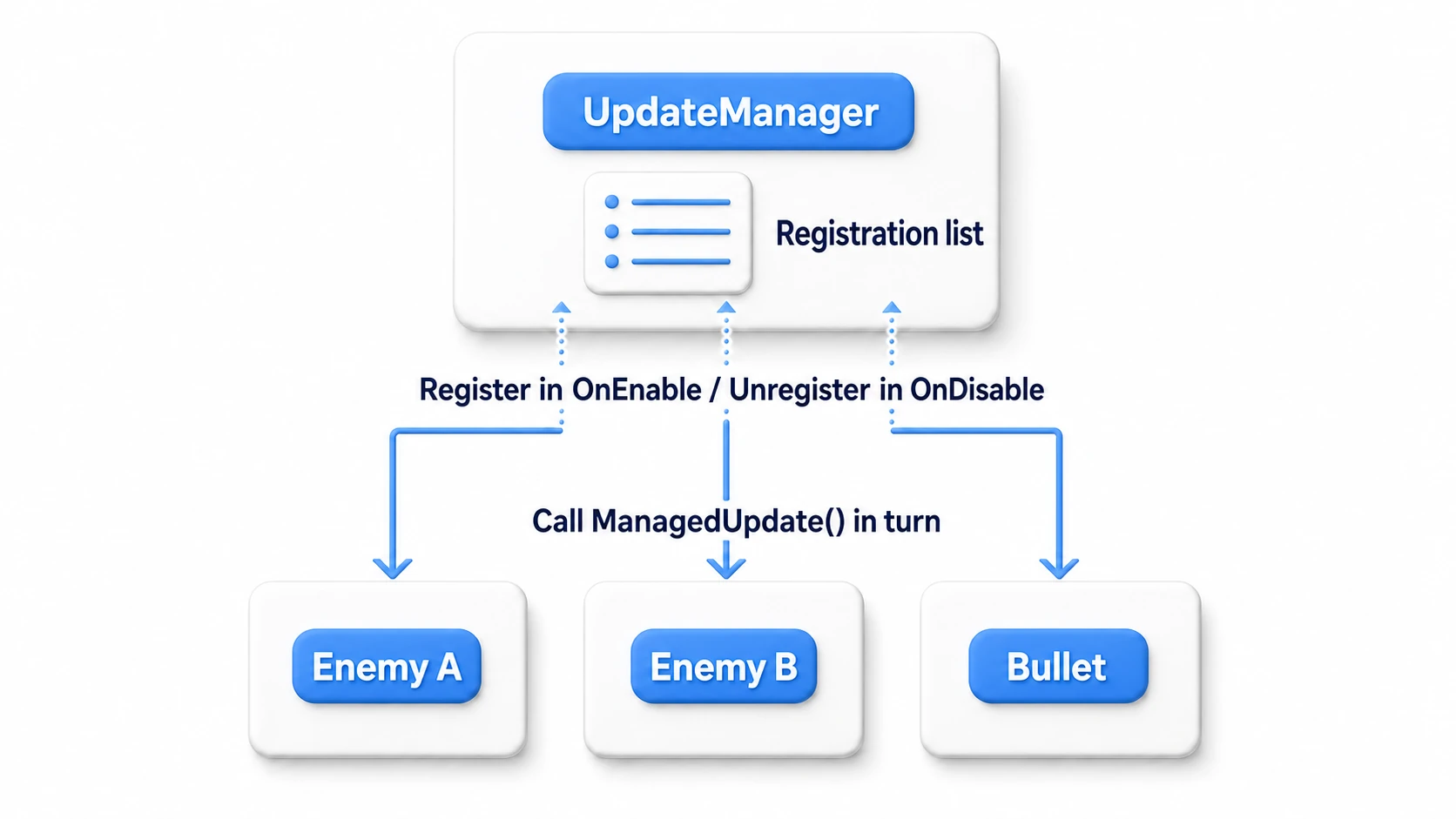
Define an interface so the manager can call objects without knowing their concrete types.
// IUpdatable.cs
public interface IUpdatable
{
    void ManagedUpdate(float deltaTime);
}
Step 2: Create the Manager
A singleton manager that lives once per scene. It receives Unity's Update() and calls ManagedUpdate() on each registered object in turn.
// UpdateManager.cs
using System.Collections.Generic;
using UnityEngine;

public class UpdateManager : MonoBehaviour
{
    public static UpdateManager Instance { get; private set; }

    private readonly List<IUpdatable> updatables = new List<IUpdatable>();

    void Awake()
    {
        if (Instance == null)
        {
            Instance = this;
        }
        else
        {
            Destroy(gameObject);
        }
    }

    void Update()
    {
        float dt = Time.deltaTime;
        // This Update() is the only bridge crossing. Everything from here on stays in C#
        for (int i = 0; i < updatables.Count; i++)
        {
            updatables[i].ManagedUpdate(dt);
        }
    }

    public void Register(IUpdatable updatable)
    {
        if (!updatables.Contains(updatable))
        {
            updatables.Add(updatable);
        }
    }

    public void Unregister(IUpdatable updatable)
    {
        updatables.Remove(updatable);
    }
}
Step 3: Implement the Objects Being Updated
Implement IUpdatable, registering in OnEnable and unregistering in OnDisable. This class no longer has an Update() at all.
// EnemyMover.cs
using UnityEngine;

public class EnemyMover : MonoBehaviour, IUpdatable
{
    public float speed = 2f;

    void OnEnable()
    {
        UpdateManager.Instance.Register(this);
    }

    void OnDisable()
    {
        // Null check: the manager may already be destroyed during scene teardown
        if (UpdateManager.Instance != null)
        {
            UpdateManager.Instance.Unregister(this);
        }
    }

    // Called by the manager instead of Update()
    public void ManagedUpdate(float deltaTime)
    {
        transform.Translate(Vector3.forward * speed * deltaTime);
    }
}
Warning (initialization order): During a scene load, the execution order between
UpdateManager'sAwakeand each object'sOnEnableis not guaranteed across objects (see the lifecycle article). If an enemy'sOnEnableruns first,Instanceis still null and registration fails. The fix is making sure the manager goes first—settingUpdateManagerto an earlier slot (e.g.-100) inEdit > Project Settings > Script Execution Orderis the simplest reliable way.
Drop an UpdateManager into the scene and you're done. The visible behavior is identical to the Update() version, but in the Profiler's Hierarchy, the EnemyMover.Update() row under Update.ScriptRunBehaviourUpdate (with the enemy count in its Calls column) is gone, leaving a single UpdateManager.Update() row (Calls 1).
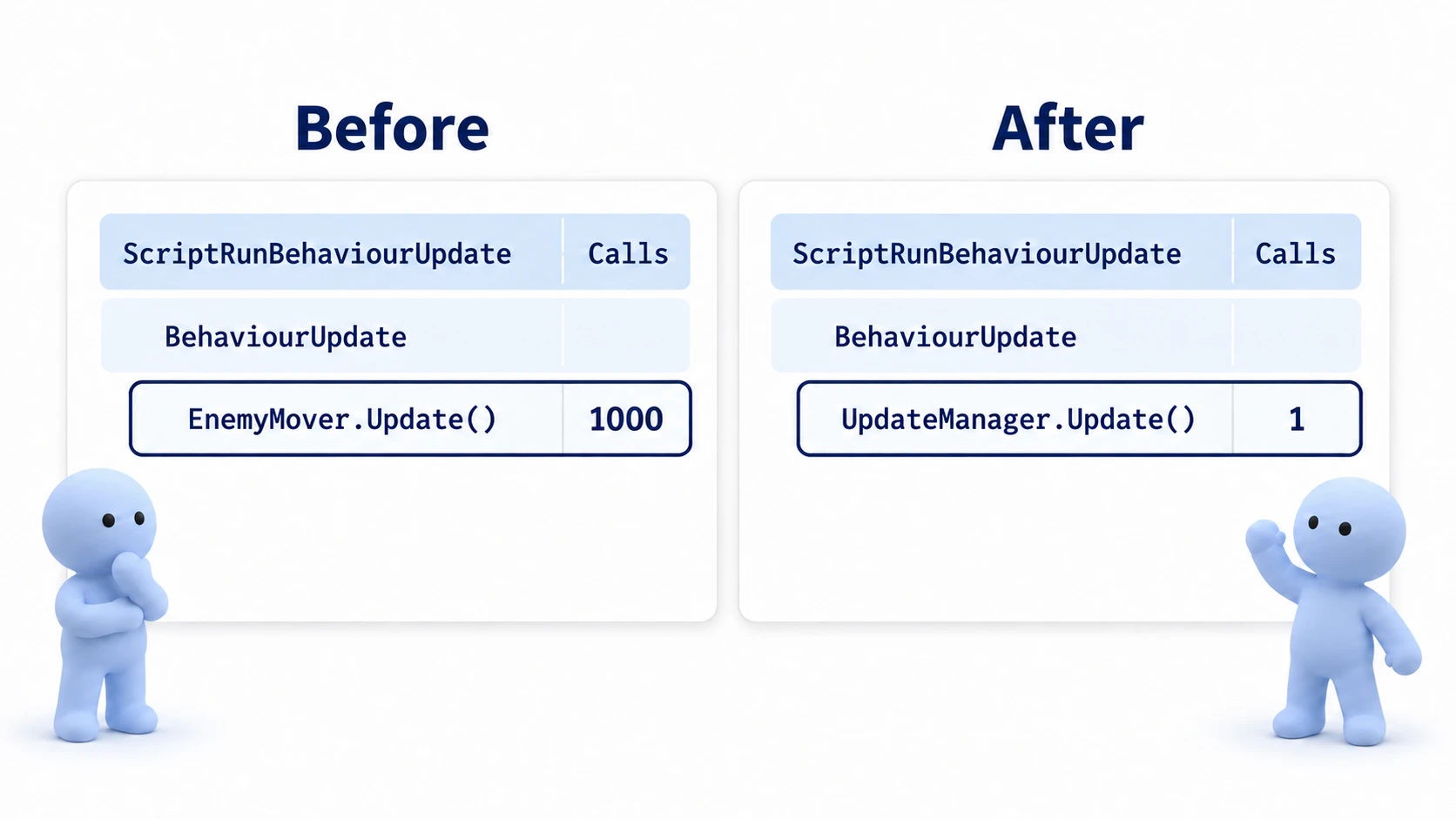
The behavior looks the same and only the numbers get lighter — and "confirming the effect with numbers" is what completes one round of optimization (for the measuring workflow, see how to use the Profiler).
Benefits and Caveats
- Benefit: The bridge round trip drops to once per frame. On top of that,
Register/Unregisterlets you toggle updates on and off through simple list operations, so "enemies that aren't doing anything right now" can be pulled out of the update loop entirely (far more fundamental than an early-return if statement). - Caveat (scope): There's no need to rewrite your whole project. The cost-effective move is to limit it to objects that exist in bulk — bullets, enemy swarms, effects.
- Caveat (execution order):
ManagedUpdateruns in list-registration order. If you have order-dependent logic, you'll control it on the manager side rather than with Script Execution Order.
The decision rule fits in one line: "Adopt it only when you have hundreds of the same kind of object and the Profiler confirms the call cost is truly the culprit." At the scale of a few dozen objects, the added complexity of managing registration outweighs the gain—it's counterproductive. Until then, plain Update() is perfectly fine.
Practical: Moving a Huge Enemy Swarm "Only When Needed"
The swarms that fill the screen in a survivors-like, idle units in an RTS, distant NPCs walking through a faraway village in an open world — in games with masses of objects, the majority are individuals that actually don't need to move at this exact moment. The real power of the manager pattern isn't just saving the bridge toll; it's being able to pull these "no-need-to-move" individuals out of the update loop entirely with a list operation.
Let's extend EnemyMover a little to make an enemy that updates only while it's on screen.
// SwarmEnemy.cs
using UnityEngine;

public class SwarmEnemy : MonoBehaviour, IUpdatable
{
    public float speed = 2f;
    private Transform target; // the player, etc.

    void Awake() // OnBecameVisible can arrive before Start, so grab the reference in Awake
    {
        target = GameObject.FindGameObjectWithTag("Player").transform;
    }

    // The moment it appears on screen, it joins the update list
    void OnBecameVisible()
    {
        UpdateManager.Instance.Register(this);
    }

    // The moment it leaves the screen, it drops off the update list
    void OnBecameInvisible()
    {
        if (UpdateManager.Instance != null)
        {
            UpdateManager.Instance.Unregister(this);
        }
    }

    public void ManagedUpdate(float deltaTime)
    {
        // Move toward the player (only on-screen enemies run this)
        Vector3 dir = (target.position - transform.position).normalized;
        transform.Translate(dir * speed * deltaTime, Space.World);
    }
}
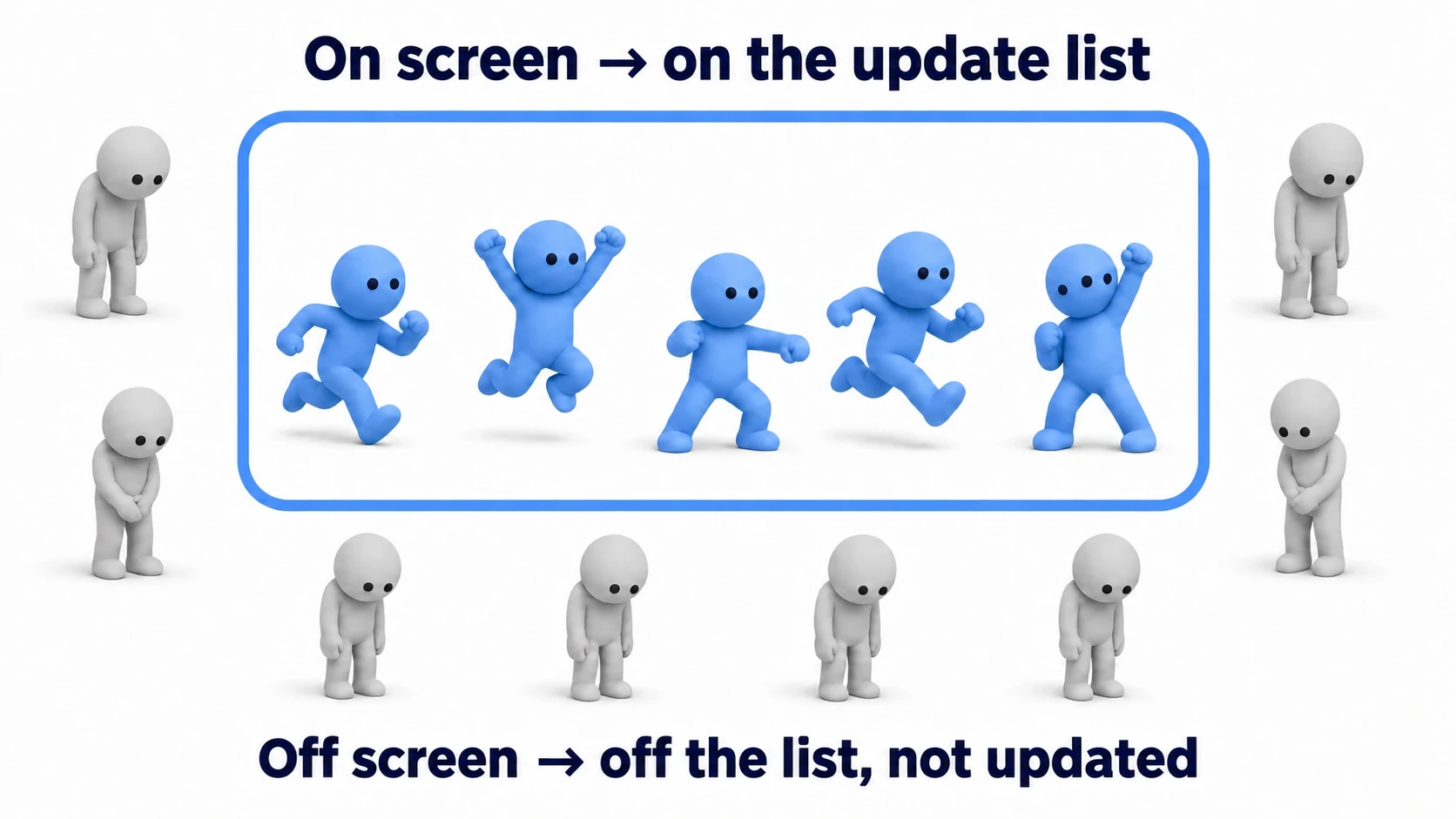
OnBecameVisible / OnBecameInvisible are event functions Unity calls when a renderer becomes visible to / disappears from a camera (in the Editor, they're also called for the Scene view camera, so close the Scene view or switch to another tab when you check). Even with 2,000 enemies, only the 200 on screen run ManagedUpdate, and the remaining 1,800 are not even on the list, so none of their update code runs (rendering, physics, and other work are a separate matter) — a level the early-return approach in Update() can never reach.
There are two key points: "express updates on and off as entering and leaving the list rather than with an if statement" (the check itself disappears), and "let your game's rules decide when to pull things off." Beyond off-screen, "during a death animation," "waiting to spawn," "while the pause menu is up" — any "moment it doesn't need to move" in your game becomes exactly the timing for an Unregister. On the spawning side, pairing this with object pooling is the standard move.
Bonus: Good to Know for Later
- Delete empty Update() methods: A leftover empty
Update() {}still pays the bridge toll. The rule of thumb is to delete unused event functions entirely, method and all. - Beware of Unregister during the loop: Calling
Unregister()from insideManagedUpdate()mutates the list while it's being iterated, causing elements to be skipped. The standard fixes are to queue removals in a pending list and process them after the loop, or to iterate in reverse. - FixedUpdate/LateUpdate variants: The same structure works for
ManagedFixedUpdateandManagedLateUpdatemanagers. For the differences in execution timing, see Update vs FixedUpdate: When to Use Which. - The world beyond: At tens of thousands of objects, mechanisms "outside MonoBehaviour" like the C# Job System and ECS (Entities) come into view. The custom update manager is the last line of defense before that — the furthest you can push while staying in MonoBehaviour territory.
- When the math itself is heavy: to spread large amounts of computation across CPU cores, see Jobs + Burst
Summary
Update()costs something just by being called (the native⇄C# bridge toll).- The custom update manager is a pattern that consolidates bridge crossings into one per frame.
- The implementation is a three-piece set: an interface + a singleton + a list.
- Its real power is toggling updates through list operations — you can pull "no-need-to-move" individuals out entirely.
- Limit it to objects that exist in bulk. No need to rewrite everything.
Simply knowing what happens behind the scenes of Update() adds another tool to your performance-tuning toolbox. That "moving thing" you have the most of in your game — does its Update() really need to run for every single one, every frame?