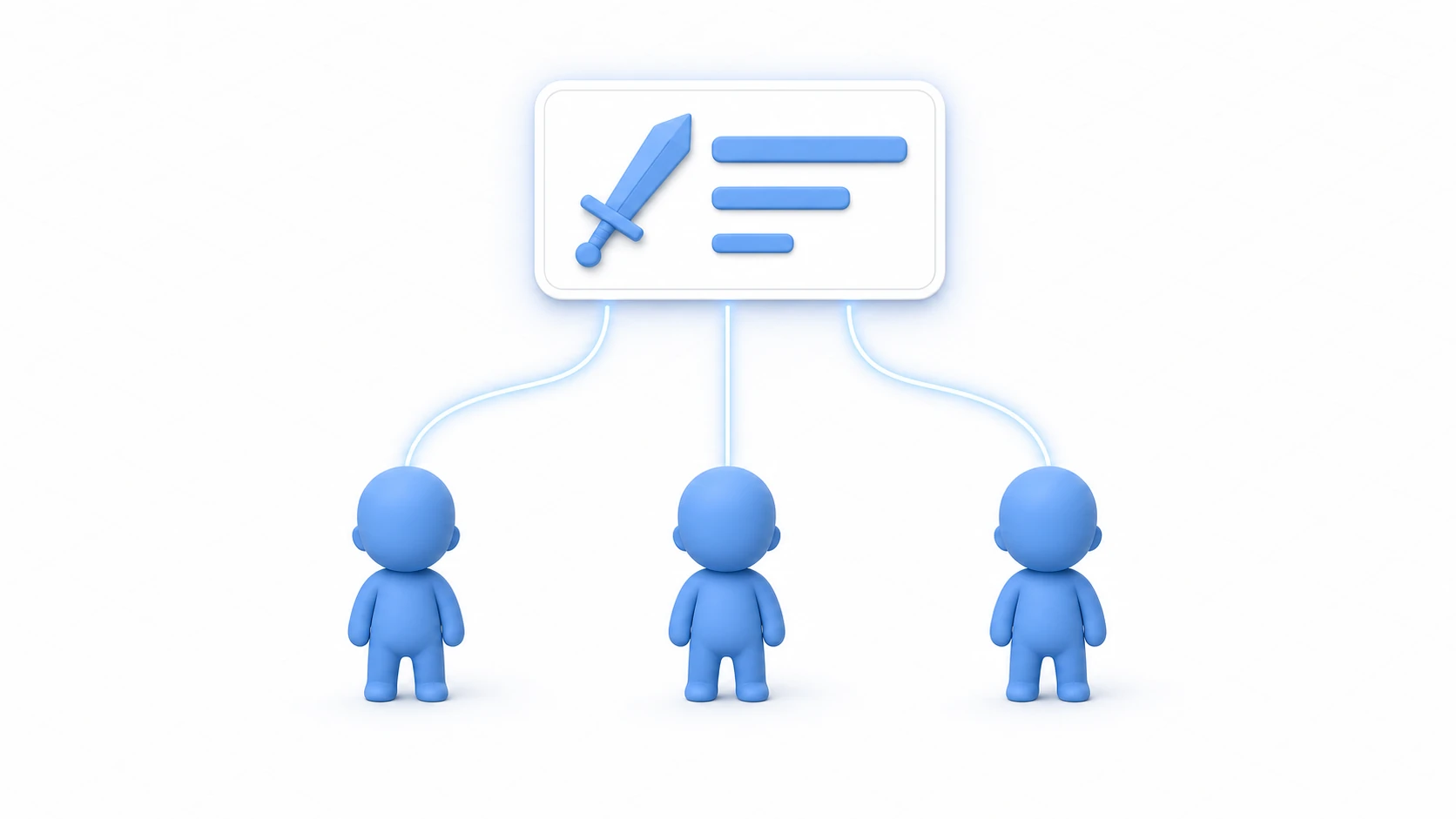
The report that hurts most after releasing a game is this one: "my 10-hour save file is gone." The causes are never exotic. The app crashed mid-save. The file got corrupted and won't parse. An update changed the data structure and old saves stopped loading.
The JSON save/load article got you to "it saves." This article is the sequel: "it saves" and "it doesn't break" are different achievements. Before you ship a demo, early access, or 1.0 — build in the machinery that protects your players' progress.
What you'll learn
- The three accidents that destroy save data (interrupted writes, corruption, structure changes)
- Writing via a temp file + swap instead of overwriting (
File.Replace)- The free backup generation you get from that same swap
- Defensive loading with try-catch and value clamping
- Carrying old saves forward with saveVersion and migration
- Hands-on: corrupt your own save on purpose and watch the recovery work
Tested with: Unity 6 (6000.x)
- "It saves" and "it doesn't break" are different things
- Give your save data a saveVersion
- Never overwrite directly: temp file, then swap
- Load with suspicion: fallbacks and clamping
- Surviving game updates: migration
- Hands-on: break your save and watch it recover
- Bonus: things worth knowing early
- Summary
"It saves" and "it doesn't break" are different things
Know your enemy first. Save-destroying accidents fall into roughly three categories.
- Interrupted writes: a crash, force-quit, or power loss hits during the write. The file ends up "first half new, second half missing" — and the original data is gone with it
- Corruption and tampering: storage hiccups, or the player's own file mishaps, leave content that no longer parses as JSON
- Structure changes: your update adds or renames fields, and old saves no longer match the shape
The scary part: none of these will ever happen on your development machine. You can test saving fifty times and call it perfect — but when hundreds of players save thousands of times, low-probability accidents become certainties. So aim the design not at "hope it doesn't happen" but at "it happens, and nothing breaks."
Give your save data a saveVersion
The foundation: make the save data itself declare which generation of the format it is. It's one int field, but it becomes the lifeline for migration later.
using System.Collections.Generic;

[System.Serializable]
public class SaveData
{
    public int saveVersion;       // format version of this data (no initializer)

    public string playerName = "";
    public int level = 1;
    public int hp = 100;
    public int stamina = 100;     // added in v2

    // Items are stored as stable ID strings
    public List<string> itemIds = new List<string>();
}
The other groundwork is stable IDs. Save items as "entry number 3 in the item table" and the moment you reorder that table, every player's inventory silently transforms. Store an ID string you'll never change — "potion_small" — instead. If your items are defined as ScriptableObjects, giving each asset an ID field is the standard pattern.
Notice that saveVersion alone has no initializer (= 2). In Unity 6, JsonUtility.FromJson leaves the class's initial value in any field the JSON lacks. Write = 2 and old saves without saveVersion also claim to be "2," so the migration you add later gets skipped. With no initializer, an old save without the key reads as 0. The current version is written at save time (Save in the next section).
Never overwrite directly: temp file, then swap
The fix for interrupted writes is just a change of procedure: don't write to the save file. Write everything to a temporary file, then swap the finished product in.
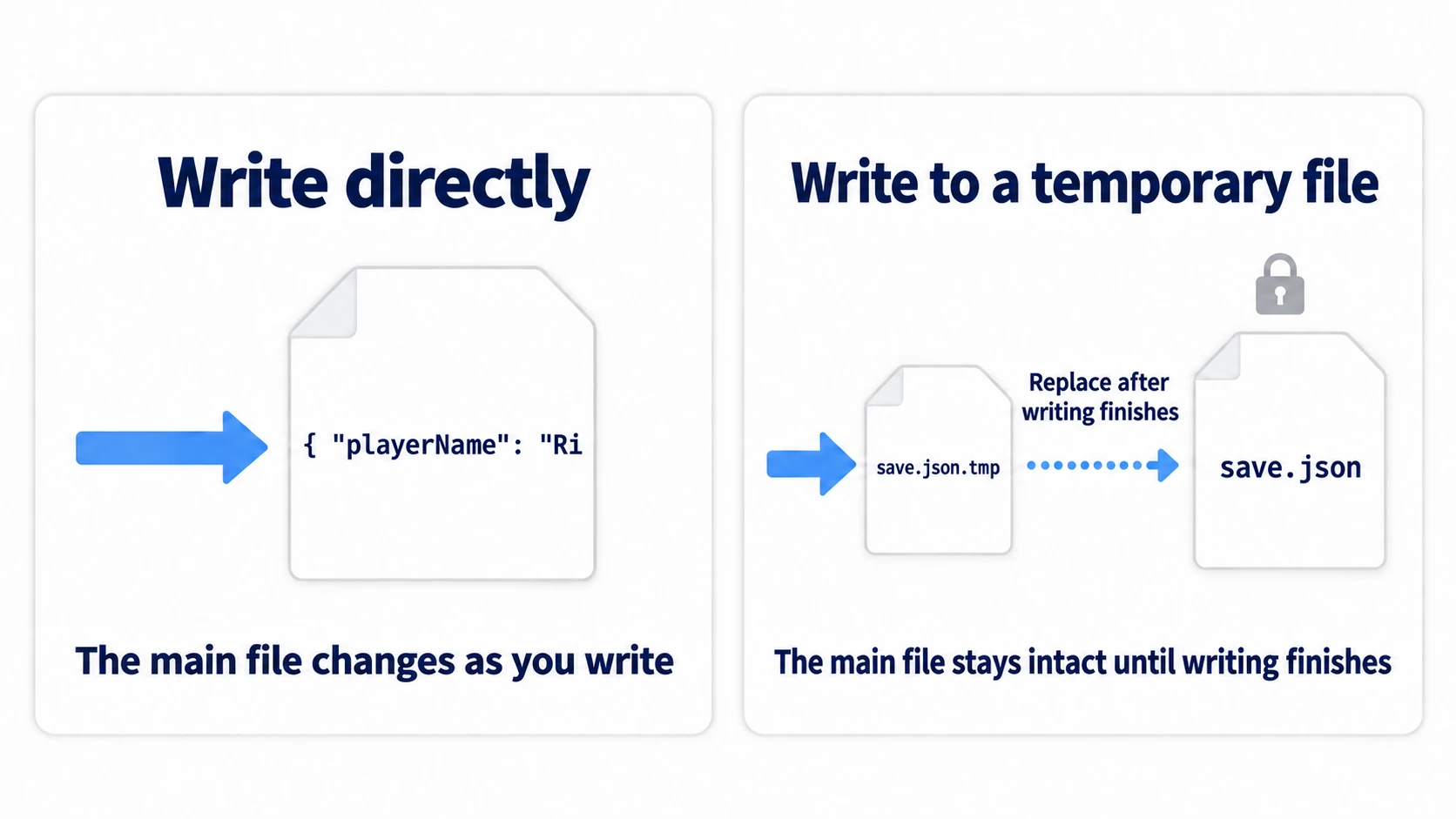
The logic is simple. With direct overwriting, there is a moment when the file is "half-written." With the temp-file approach, a crash mid-write only breaks the temp file — the real save is untouched until the final instant of the swap.
using System.IO;
using UnityEngine;

public static class SaveManager
{
    public const int CurrentVersion = 2;   // the current save format

    static string MainPath => Path.Combine(Application.persistentDataPath, "save.json");
    static string BackupPath => MainPath + ".bak";
    static string TempPath => MainPath + ".tmp";

    public static void Save(SaveData data)
    {
        data.saveVersion = CurrentVersion;   // saved data is always the current format (migrated on load)
        string json = JsonUtility.ToJson(data, true);

        // 1. Write EVERYTHING to the temp file first
        File.WriteAllText(TempPath, json);

        if (File.Exists(MainPath))
        {
            // 2. Swap the finished temp file in as the real save.
            //    The previous save is automatically kept as .bak
            File.Replace(TempPath, MainPath, BackupPath);
        }
        else
        {
            // First save ever: nothing to swap, just promote it
            File.Move(TempPath, MainPath);
        }
    }
}
Look at the third argument of File.Replace. The "previous save" pushed out by the swap is automatically kept as a .bak file. This one pattern buys you crash-proof writes and a one-generation backup at the same time.
Load with suspicion: fallbacks and clamping
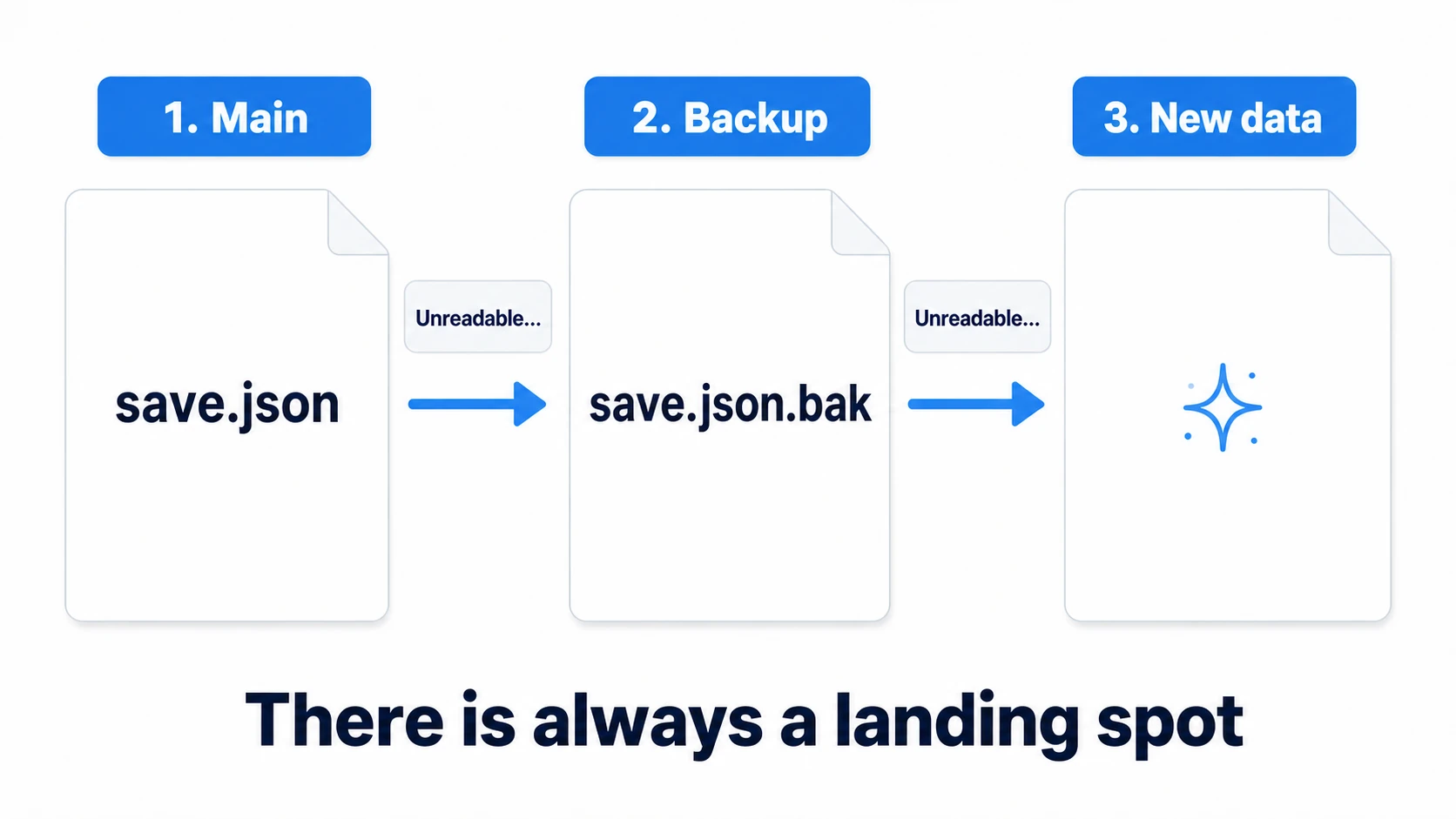
With writes hardened, turn to loading. The policy: step down one level whenever a read fails. Main save, then backup, then a fresh new game — the one outcome you never allow is a game that won't boot.
public static SaveData Load()
{
    // Step 1: the main save
    SaveData data = TryLoad(MainPath);

    // Step 2: fall back to the backup
    if (data == null)
    {
        Debug.LogWarning("Main save unreadable. Recovering from backup");
        data = TryLoad(BackupPath);
    }

    // Step 3: last resort — fresh data (never fail to boot)
    if (data == null)
    {
        Debug.LogWarning("Backup unreadable too. Starting with new data");
        return new SaveData();
    }

    Migrate(data);   // upgrade old versions to the current shape (next section)
    Validate(data);  // clamp anything suspicious
    return data;
}

static SaveData TryLoad(string path)
{
    try
    {
        if (!File.Exists(path)) return null;

        string json = File.ReadAllText(path);
        return JsonUtility.FromJson<SaveData>(json);
    }
    catch (System.Exception e)
    {
        // Corrupted JSON throws here. Don't crash — return null and move down a step
        Debug.LogWarning("Failed to load save: " + path + "\n" + e.Message);
        return null;
    }
}
Then add one more layer: the case where the JSON parses but the contents are wrong. Missing fields stay at the class's initial values (0 or null if you didn't write any), and a player may have edited HP to -9999. Don't trust parsed values — clamp them into range.
static void Validate(SaveData data)
{
    data.level = Mathf.Clamp(data.level, 1, 100);
    data.hp = Mathf.Max(1, data.hp);

    // If it ever ends up null, repair it to an empty list
    if (data.itemIds == null)
    {
        data.itemIds = new List<string>();
    }
}
Surviving game updates: migration
The last enemy is your own updates. Say v1.1 adds a stamina field and reorganizes item IDs. Do nothing, and every v1.0 player's save loads as broken data — zero stamina, inventory full of unknown IDs.
This is where saveVersion pays off. Check the loaded data's version, and if it's old, apply the transformations that fill the gap, in order. That's migration.
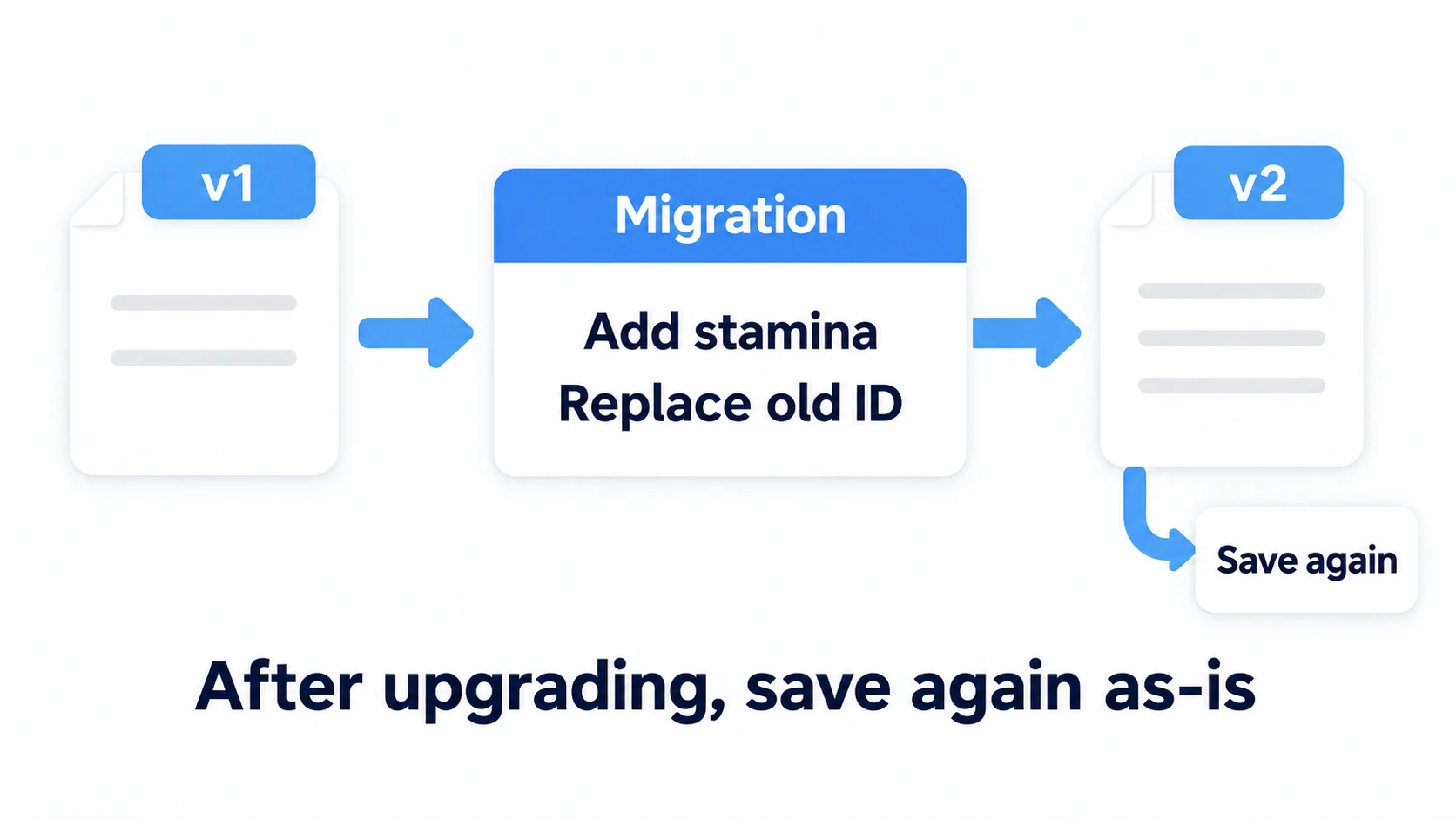
static void Migrate(SaveData data)
{
    // v1 → v2: data from the generation before stamina existed
    if (data.saveVersion < 2)
    {
        // Decide the new field's value explicitly here
        data.stamina = 100;

        // Map reorganized old IDs to the new ones
        for (int i = 0; i < data.itemIds.Count; i++)
        {
            if (data.itemIds[i] == "potion_old")
            {
                data.itemIds[i] = "potion_small";
            }
        }

        data.saveVersion = 2;
    }

    // When v3 exists someday, add if (data.saveVersion < 3) right here
}
The beauty of this shape is that transforms stack up in version order. A v1 save passes through v1→v2, then (someday) v2→v3, so whichever generation a returning player brings, it arrives in the current format. The rest of your game only ever deals with "the latest SaveData" — knowledge of old formats stays quarantined inside Migrate. Once you've converted, Save right away so the next launch doesn't repeat the same conversion.
Hands-on: break your save and watch it recover
The machinery is in place. But letting backup recovery run for the first time in production is terrifying. Using an RPG as the setup, cause the accident yourself and watch the recovery work.
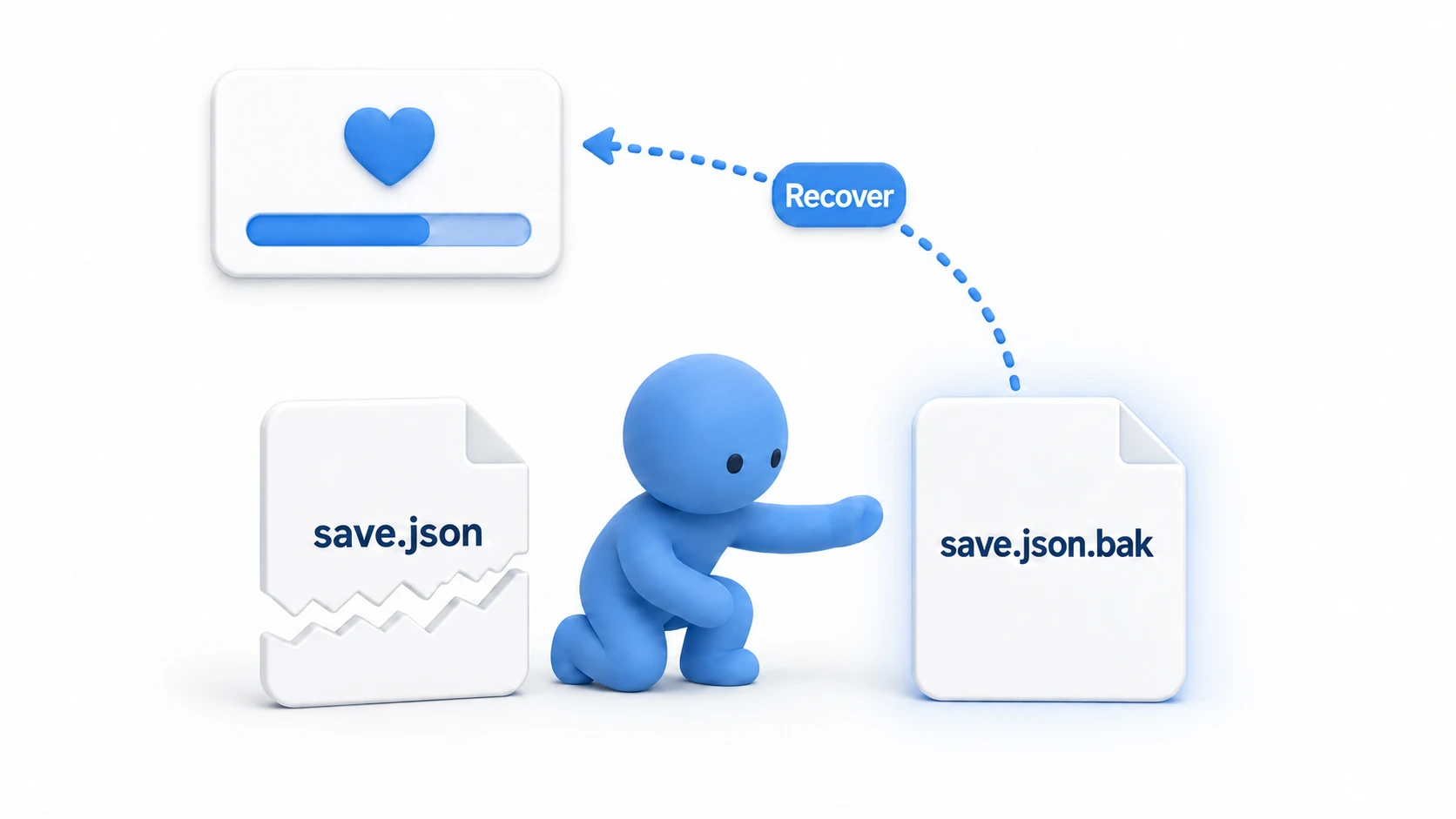
The steps:
- Start the game, set a name, gain some levels, and save twice (the second save creates the
.bak) - Open the
Application.persistentDataPathfolder (Debug.Log(Application.persistentDataPath)tells you where) - Open
save.jsonin a text editor and delete the second half of it (simulating corruption) - Restart the game
The Console shows "Main save unreadable. Recovering from backup" — and the game starts from your previous save point. You lose the few minutes between the two saves. Compare that to losing ten hours.
Now break it one level deeper. Corrupt save.json.bak the same way and restart: this time it falls through to "Starting with new data" — and the game still boots normally. If instead you get an exception here, hunt for a naked File.ReadAllText living outside TryLoad — every read belongs under the try-catch umbrella, no exceptions.
Two takeaways. Writes go one way only: temp file → swap (File.Replace gives you crash-safety and the backup in one call). Loads are a three-step net: main → bak → new (there is always a landing spot; the game never fails to boot).
Bonus: things worth knowing early
- Autosave at boundaries: saving every frame is pointless load on storage and performance. Save at meaningful boundaries — checkpoint passed, scene transition, menu closed. On mobile,
OnApplicationPause(true)(the moment the player switches away) is a classic save trigger - Show a "saving" indicator: a player quitting the instant you save is an interrupted-write accident. Even a small icon saying "saving now" is both accident prevention and player reassurance
- Cloud saves are the next step: device failure or replacement needs external storage — Steam Cloud, mobile cloud APIs. Harden local saves the way this article does, and cloud support becomes "put the same JSON in one more place"
Summary
- Save accidents come in three kinds — interrupted writes, corruption, structure changes — and the design goal is "it happens, and nothing breaks"
- Write via temp file, then
File.Replace: the real save stays untouched, and a.bakappears for free - Load through a main → bak → new three-step net, with try-catch and value clamping. Never fail to boot
- When the structure changes, bump saveVersion and migrate. Store items by stable ID, not table position
- Watch the recovery work once, by breaking things yourself — before production does it for you
Is your game's save still one bare File.WriteAllText overwrite? Swapping in this article's SaveManager takes half an hour — half an hour that protects your players' ten.