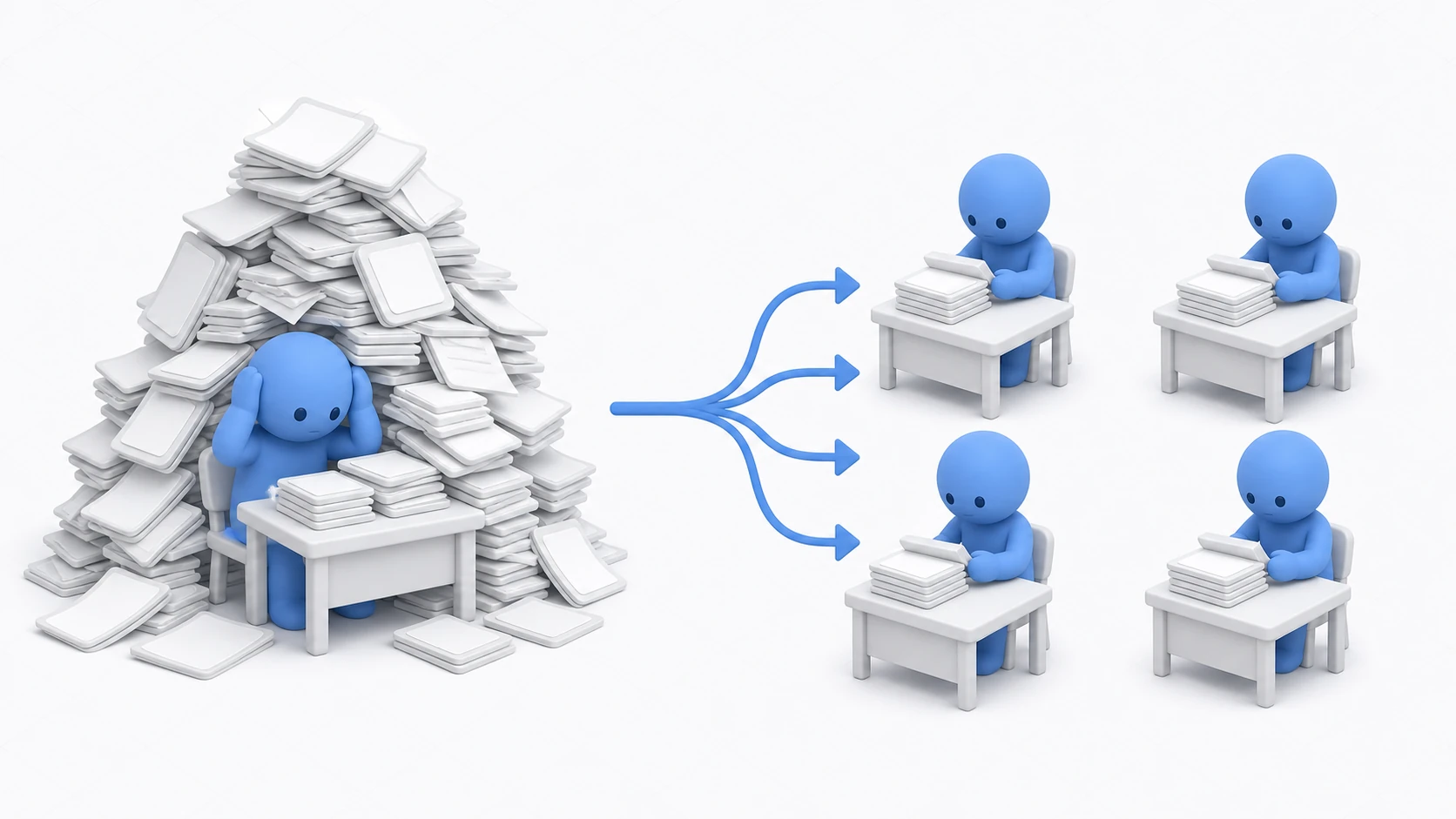
You identified the culprit with the Profiler, did the GC work and the Update Manager — and the mountain in the graph still won't go away. If the culprit is thousands to tens of thousands of numeric computations themselves — say, distance from every enemy to the player — then call-count optimizations can't help. The total amount of math is what it is. Someone has to do it.
So stop making one thread do it alone. Today's CPUs have multiple cores, and Unity ships an official mechanism to distribute computation across worker threads — the Job System — plus a compiler that turns that distributed code into fast native code: Burst. As the realistic on-ramp before ever considering ECS, this article walks into Jobs + Burst through one example: distance computation for 10,000 enemies.
What you'll learn
- That Jobs are not universal speedup but a tool specifically for independent bulk computation (and how to judge fit)
- NativeArray, the container for passing data to Jobs, and the Dispose responsibility
- The minimal
IJobParallelFor+ Burst implementation, and the correct Schedule → other work → Complete order- Why Jobs can't touch
transformand other GameObject APIs, and the workaround- And how to decide "not yet — plain C# is fine for now"
Tested with: Unity 6 (6000.x) (Burst and Collections packages — check them in the Package Manager)
- Work That Suits Jobs, Work That Doesn't
- The Mechanism: Main Thread Hands Out, Workers Compute
- NativeArray: The Dedicated Container for Job Data
- The Minimal IJobParallelFor + Burst
- The Schedule → Other Work → Complete Order
- Hands-On: Parallelizing Distances for 10,000 Enemies
- Bonus: Good Things to Know Ahead of Time
- Summary
Work That Suits Jobs, Work That Doesn't
Let's be clear up front: a Job is not "attach it and everything gets faster" magic. The round trip of handing work to workers costs something, so it only pays for work worth handing out.
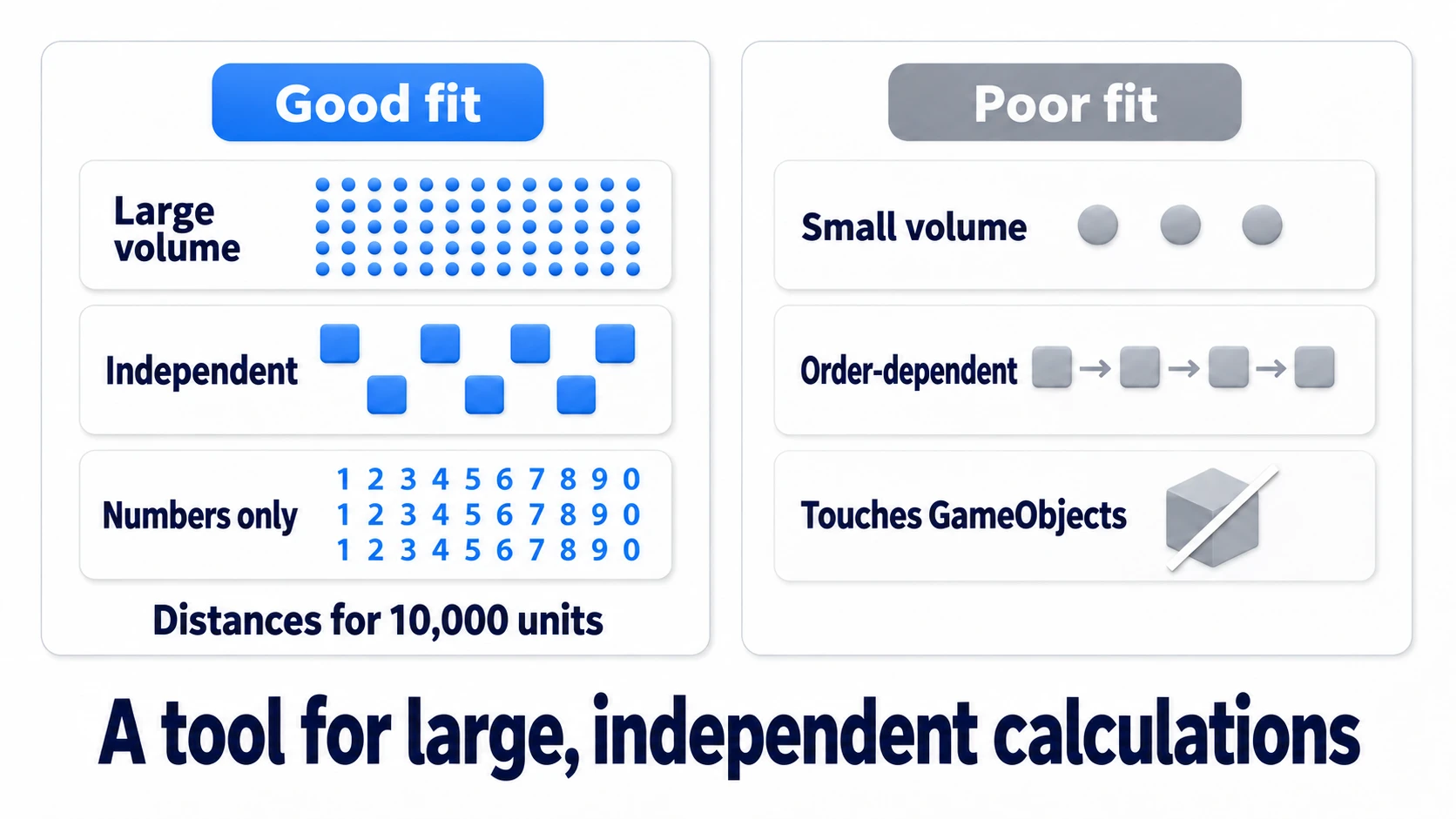
Suitable work checks all three boxes:
- Massive: thousands to tens of thousands of items. For dozens, distribution is pure loss
- Independent: each item's computation doesn't depend on any other item's result (each of 10,000 distance checks is oblivious to the rest)
- Numbers only: input and output are pure numeric data. In games: distance/visibility checks against all enemies, flocking (Boids) movement vectors, procedural terrain vertices — the classics
Conversely, order-dependent processing (the next step consumes the previous result), small workloads, and anything touching GameObjects (reason below) don't fit. Master this judgment and half the article is already yours.
tips: "Does my game have suitable work?" — your Profiler knows. Using the Profiler article's workflow, Deep Profile and hunt for a mountain where one method grinds through masses of the same computation. That's your candidate.
The Mechanism: Main Thread Hands Out, Workers Compute
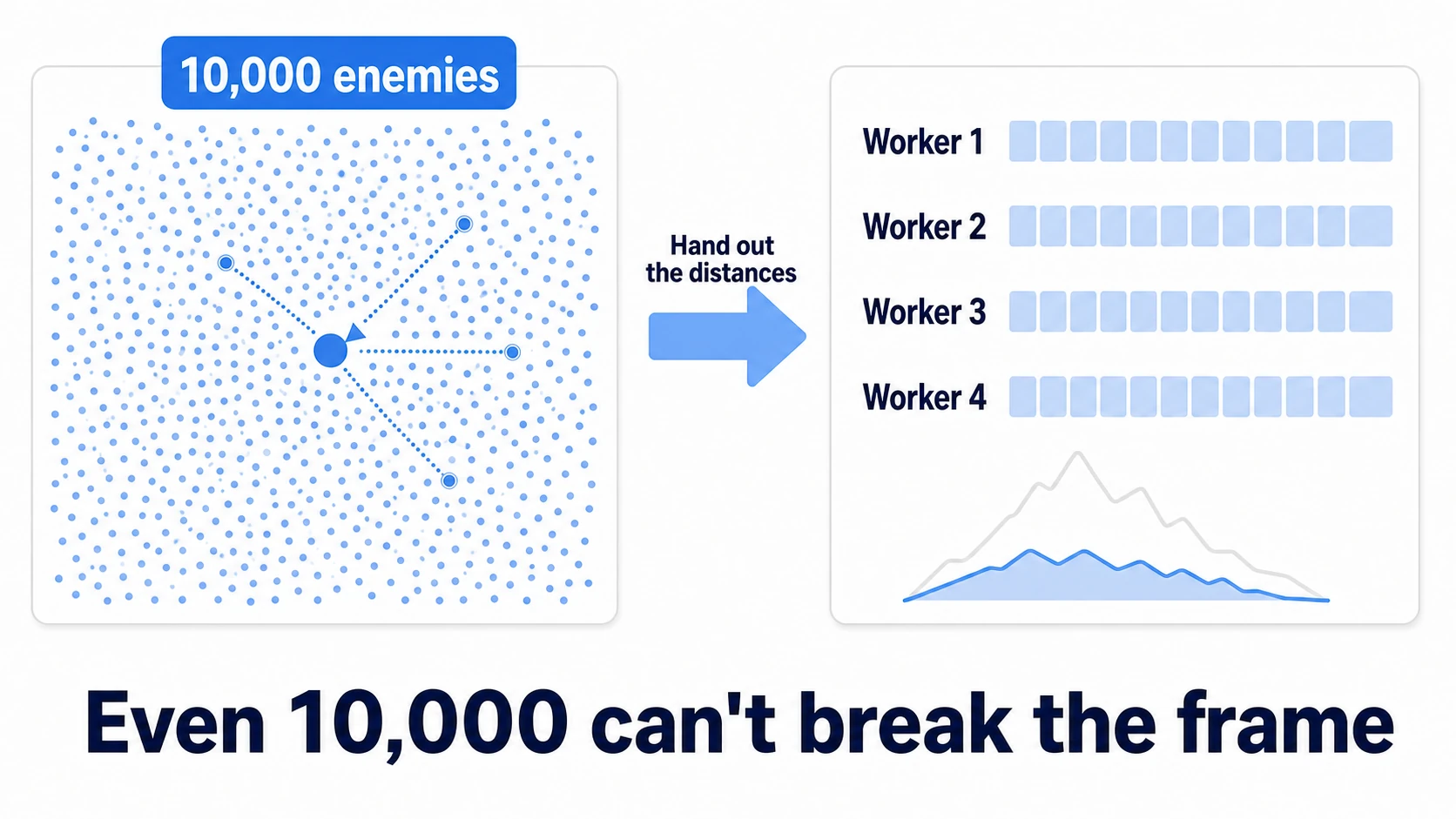
The Job System's picture is simple. The main thread — which used to do everything alone — hands a bundle of work to worker threads, keeps doing its own tasks, and collects the results later. That's the whole idea.
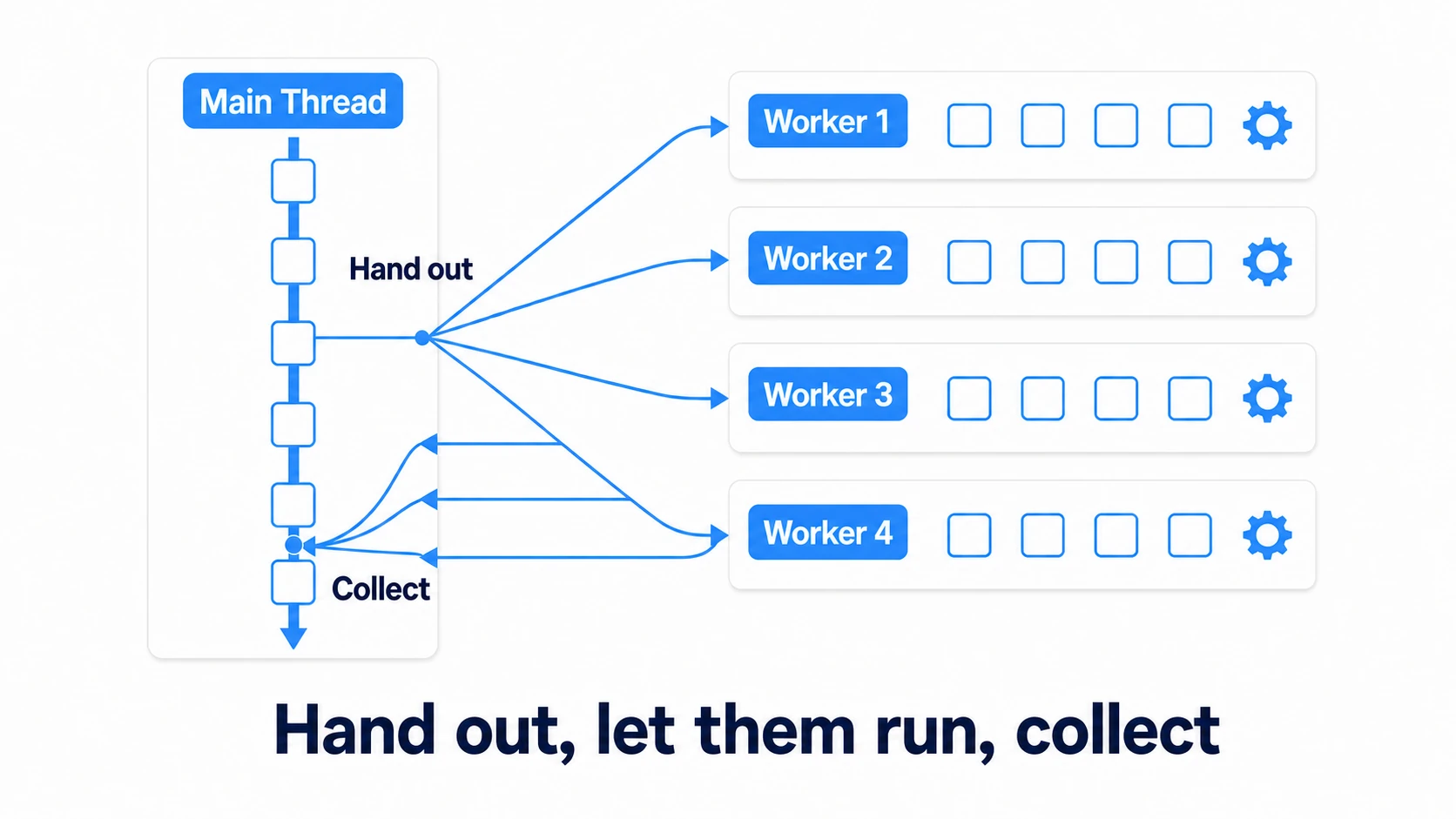
Unity spins up worker threads automatically based on your CPU's core count. All we write is "how to compute one item" (the Job's Execute) — which items land on which worker is Unity's problem. The scary parts of multithreading — spawning threads yourself, taking locks — never appear.
And Burst is the compiler that converts your Job code into fast native code exploiting SIMD instructions and more. One attribute line can make the same computation several times faster (how much depends on what you're computing). Treat Jobs and Burst as a permanent pair.
NativeArray: The Dedicated Container for Job Data
Handing work to workers means handing them data. Ordinary C# arrays and Lists are not allowed here. Instead you use NativeArray<T> — a container for passing data safely between Jobs and the main thread.
It differs from a normal array in exactly two ways, both important:
- You specify a home (Allocator) at allocation:
Allocator.TempJobfor passing to a Job and returning within a few frames (up to 4),Allocator.Persistentfor reuse across frames - You must return it with
Dispose(): NativeArrays live outside garbage collection, so whoever allocates, returns. Forget, and the "A Native Collection has not been disposed" warning comes to scold you
using Unity.Collections;

var distances = new NativeArray<float>(10000, Allocator.TempJob);
// ...use in a Job...
distances.Dispose(); // allocate and return: always a pair
tips: Allocating and disposing with
TempJobevery frame makes the bookkeeping itself non-trivial. For a Job that runs every frame, the standard play is allocate once withPersistent, reuse, and return inOnDestroy.
The Minimal IJobParallelFor + Burst
Tools ready — time to write the Job itself. The Job for "apply the same computation to every element of an array" is IJobParallelFor. Define it as a struct and write one item's computation in Execute(int index).
using Unity.Burst;
using Unity.Collections;
using Unity.Jobs;
using UnityEngine;

[BurstCompile] // this one line triggers native-code compilation
public struct DistanceJob : IJobParallelFor
{
    [ReadOnly] public NativeArray<Vector3> positions; // input: every enemy's position
    public Vector3 playerPosition;                     // input: the player's position

    public NativeArray<float> distances;               // output: distances

    public void Execute(int index)
    {
        // write only "item number index"'s computation; which worker runs it is not your concern
        distances[index] = Vector3.Distance(positions[index], playerPosition);
    }
}
Two unfamiliar bits. [BurstCompile] is the Burst trigger. [ReadOnly] declares "this data is read-only," so the safety checks tell you if you accidentally write to it, and it can run at the same time as other Jobs that read the same array (the output distances is already safe as-is, since each Execute(index) writes only to its own index).
The Schedule → Other Work → Complete Order
The code that launches the Job has an ordering discipline that decides your performance.
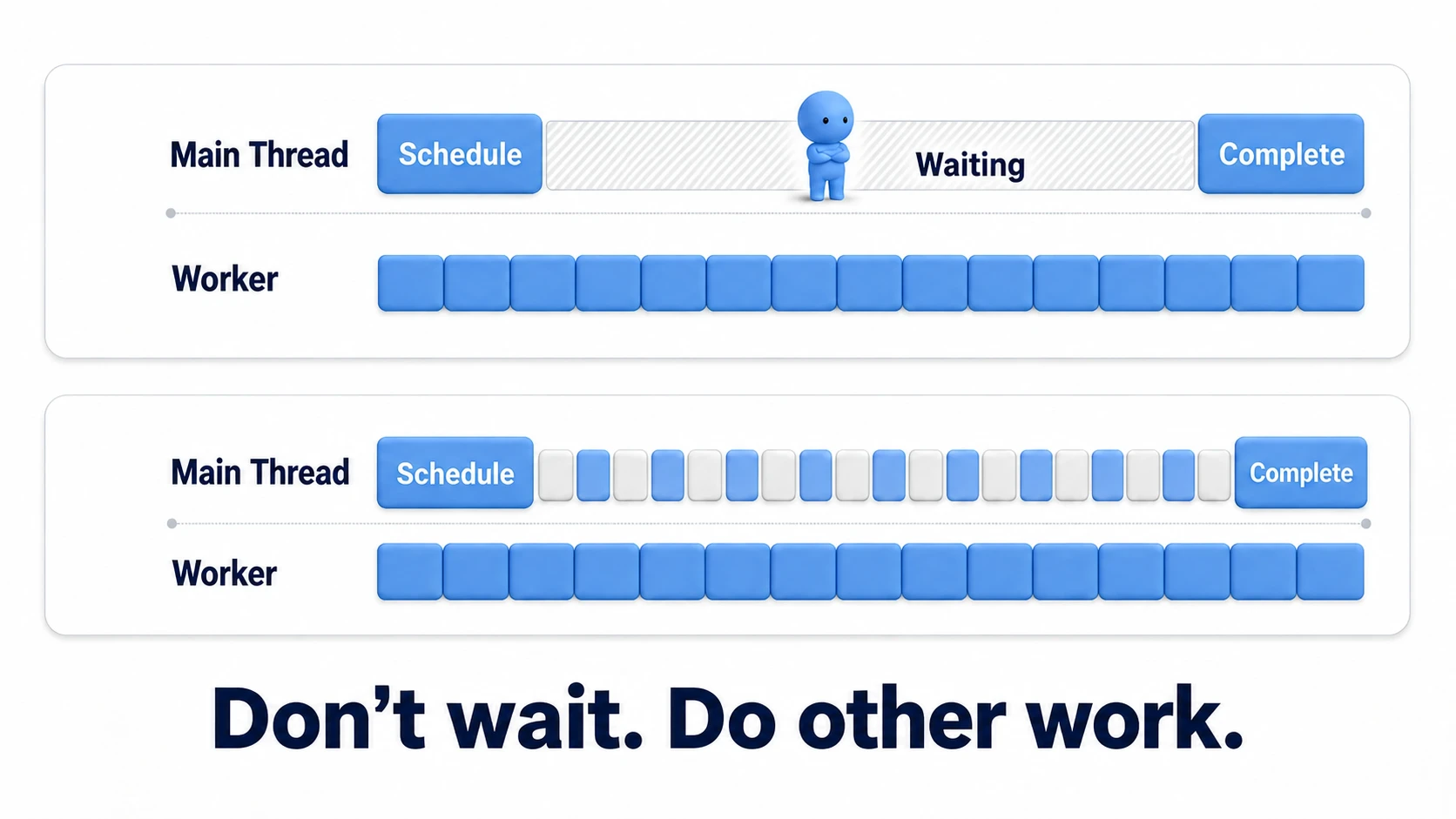
// 1. Schedule: hand out the work (no results yet)
JobHandle handle = job.Schedule(positions.Length, 64); // 64 = items per batch

// 2. The main thread advances other work (this is where parallelism earns its keep)
//    input handling, UI updates, other game logic…

// 3. Complete: collect right before the results are needed
handle.Complete();

// 4. From here on, distances is readable
Schedule merely "hands out and returns immediately" — when it returns, the computation may or may not be done. Before reading results, you must wait for completion with Complete(). The classic mistake is calling Complete right after Schedule — that leaves the main thread standing there with folded arms, halving the point of parallelizing. The ideal shape is "squeeze the main thread's other work between hand-out and collection" (scheduling in Update and completing in LateUpdate is an easy placement to adopt).
Hands-On: Parallelizing Distances for 10,000 Enemies
Time to assemble the whole thing. The subject: "compute the distance between 10,000 enemies and the player, every frame" — horde-survivor targeting, RTS range checks, tower-defense target picking; this computation shows up in every genre.
using Unity.Collections;
using Unity.Jobs;
using UnityEngine;

public class EnemyDistanceSystem : MonoBehaviour
{
    [SerializeField] private Transform player;

    private NativeArray<Vector3> positions;
    private NativeArray<float> distances;
    private JobHandle handle;

    private void Start()
    {
        // reused every frame, so allocate once with Persistent
        positions = new NativeArray<Vector3>(10000, Allocator.Persistent);
        distances = new NativeArray<float>(10000, Allocator.Persistent);
    }

    private void Update()
    {
        // 1. fill the input (copy enemy positions from their registry)
        //    EnemyRegistry is your own game-side class that holds the enemy positions (an example)
        for (int i = 0; i < positions.Length; i++)
            positions[i] = EnemyRegistry.GetPosition(i);

        // 2. hand out
        var job = new DistanceJob
        {
            positions = positions,
            playerPosition = player.position,
            distances = distances,
        };
        handle = job.Schedule(positions.Length, 64);
        // the rest of Update's work can continue here
    }

    private void LateUpdate()
    {
        // 3. collect, then use
        handle.Complete();

        // e.g. find the nearest enemy for targeting
        int nearest = 0;
        for (int i = 1; i < distances.Length; i++)
            if (distances[i] < distances[nearest]) nearest = i;
        EnemyRegistry.SetNearestToPlayer(nearest);
    }

    private void OnDestroy()
    {
        // 4. the return responsibility (wait first if the Job is mid-flight)
        handle.Complete();
        if (positions.IsCreated) positions.Dispose();
        if (distances.IsCreated) distances.Dispose();
    }
}
Before pressing Play, record a "before" in the Profiler — always. Parallelization gains vary wildly with hardware and item counts, so the only honest evaluation is a before/after comparison per the Profiler article, never gut feel. Switch CPU Usage to the Timeline view: the computation mountain that used to stand alone on the main thread now appears split across the worker rows, running simultaneously — that sight is your proof the parallelism is working. While you're there, comment out the [BurstCompile] line and measure again; the difference in mountain height will show you viscerally how much Burst contributes.
Two takeaways. The containers were allocated once with Persistent and reused, confining allocate/return to startup and teardown. And scheduling in Update while completing in LateUpdate overlapped the computation with the main thread's in-between work.
Bonus: Good Things to Know Ahead of Time
- Jobs refusing GameObject access is by design:
transform.positionand friends are main-thread-only; touching them from workers would break safety, so Jobs won't compile them. Copy the values you need into a NativeArray before scheduling — that's the baseline - Need to move lots of Transforms?: when it's not reading but "drive 10,000 Transforms from a Job," there's a dedicated mechanism:
IJobParallelForTransformwithTransformAccessArray. A good second step once distance checks feel comfortable - Small scale? Plain C# wins: for a few hundred computations, the Job round-trip cost and code complexity aren't worth it. If the Profiler isn't complaining, not using Jobs is the correct call. Save this tool for the day things get genuinely heavy
- ECS lies further down this road: ECS (DOTS), which redesigns the whole game data-oriented, is a larger commitment built on Jobs and Burst. Getting the feel of parallelization with standalone Jobs first makes that future learning curve one notch gentler
Summary
- Jobs pay off for massive, independent, numbers-only computation. Small, order-dependent, or GameObject-touching work doesn't fit
- Data travels via NativeArray; the allocator bears the Dispose responsibility (reuse with Persistent for every-frame jobs)
- The implementation is
IJobParallelFor+[BurstCompile]— write one item's computation and Unity handles distribution - The order is Schedule → other work → Complete. Never wait right after handing out
- Judge results with Profiler before/after, not gut feel. And at small scale, have the courage not to use it
The computation one thread carried alone got distributed to a team today. The tallest mountain in your Profiler — is it work you could hand out?