Every few seconds during play, the game hitches for a moment. It happens more often in scenes packed with enemies and bullets. Open the Profiler and you'll see a massive spike labeled GC.Collect—that's a spike caused by garbage collection (GC).
In C#, the garbage collector automatically cleans up memory you no longer need. It's a convenient system that frees you from manual memory management, but while that "cleanup" runs, your game stops executing. This article explains how GC causes stuttering and how to write code that doesn't produce garbage in the first place.

What You'll Learn
- How GC causes stuttering—the stack and the heap, Stop-The-World
- Four typical garbage-generating code patterns and how to rewrite them
- Incremental GC—a setting that pays the pause off in installments
- How to pinpoint allocation sources with the Profiler's GC Alloc column
Tested with: Unity 6 (6000.x)
Why GC Stops Your Game
C# stores memory in two main places. Picture your desk (the stack) and a warehouse (the heap).
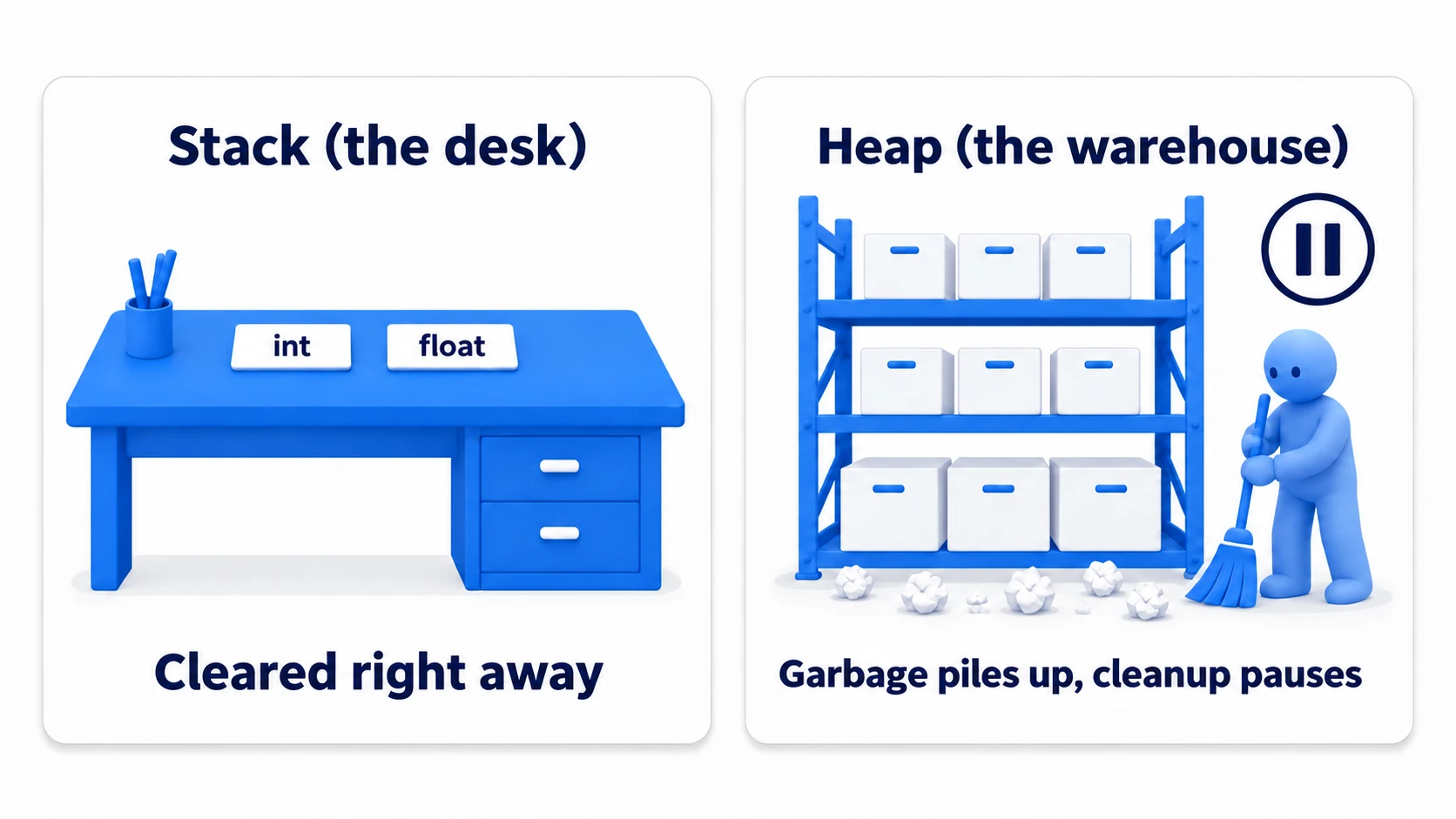
- The stack (your desk): Home to value types like
intandfloat, and local variables. Everything is cleared away automatically the instant the function returns—no cleanup required. - The heap (the warehouse): Home to class instances created with
new, strings (string), and arrays. Anything no longer in use becomes "garbage" and lingers in the warehouse.
When the warehouse gets crowded, the garbage collector kicks in, hunting down and collecting the trash. During this cleanup, game processing stops (Stop-The-World). If the cleanup takes 10ms, that frame takes 10ms longer, and the player feels it as a hitch. Unity 6 has Incremental GC (covered below) on by default, so cleanup is normally paid in small pieces over several frames, but when there's too much garbage it can't keep up and you get a big stall like this.
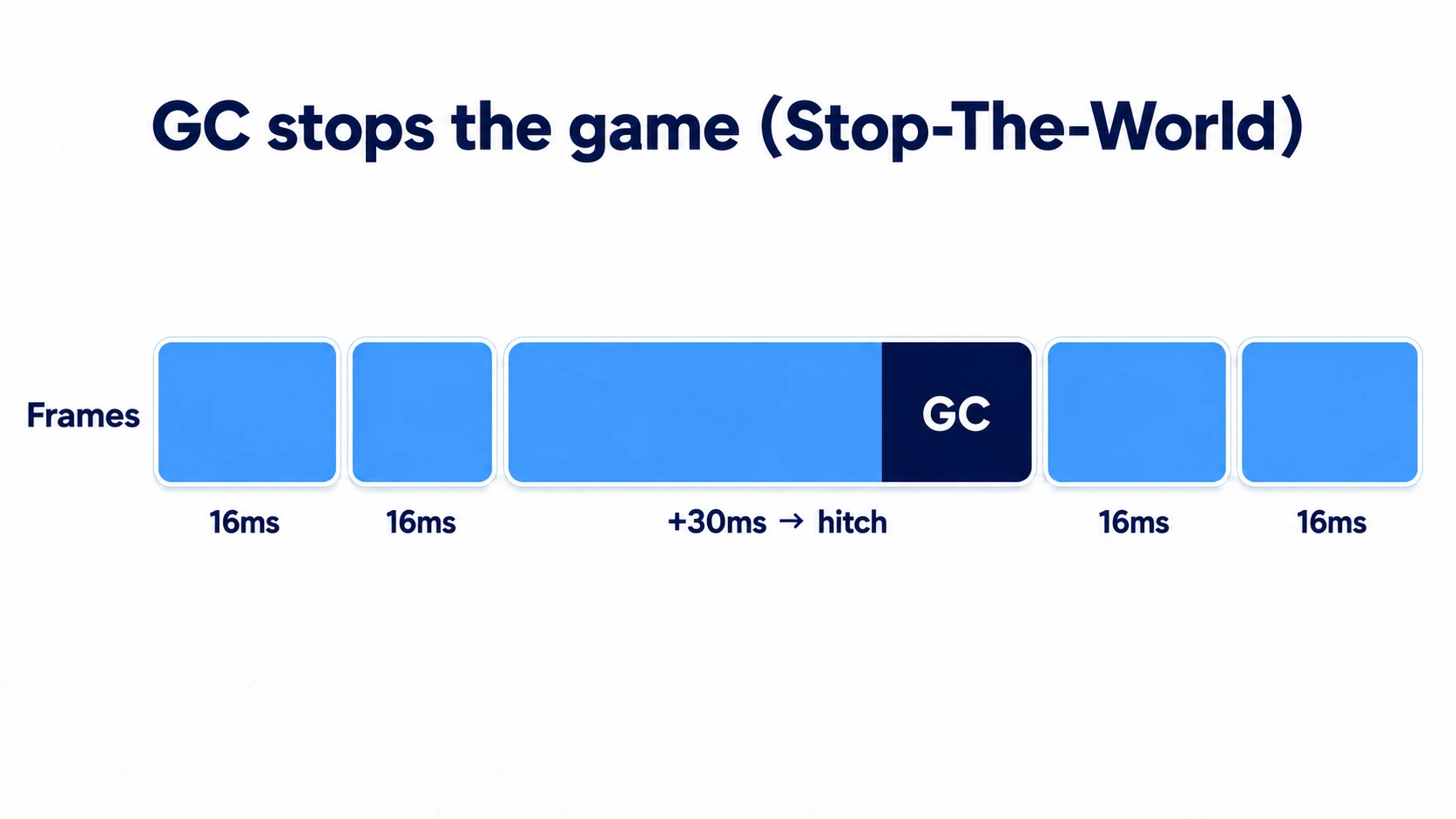
In other words, the real battle isn't with GC itself. It's about "not producing garbage every frame" in the first place.
Typical Garbage-Generating Code and Fixes
Code that runs every frame, like Update(), is the main battleground. Even a tiny 60 bytes of garbage per call adds up to 3,600 bytes per second at 60fps—those crumbs pile up and invite regular GC runs. The culprit is almost always one of these four patterns.
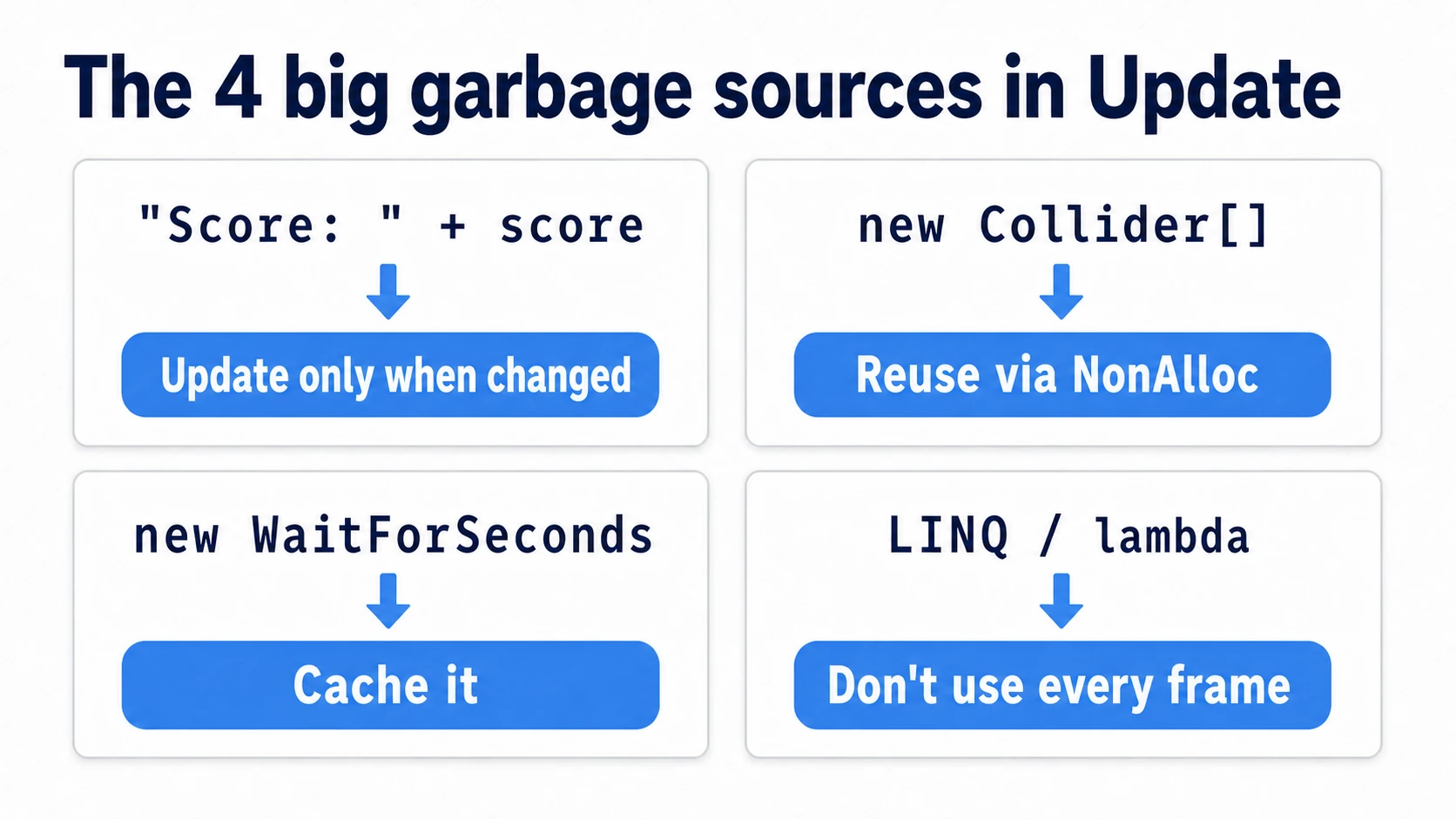
1. String Concatenation
Bad example: The string + operator creates a new string on the heap with every concatenation. It's a common trap in per-frame UI updates like score displays.
void Update()
{
    // A new string is allocated on the heap every frame
    scoreText.text = "Score: " + currentScore;
}
Fix 1 (best): Only update when the value actually changes. If the score only changes at the moment of pickup, there's no need to rebuild the string every frame in Update().
Fix 2: If you truly need per-frame updates (like a timer display), reuse a StringBuilder.
private StringBuilder sb = new StringBuilder();

void UpdateTimerText(float time)
{
    sb.Clear();
    sb.Append("Time: ");
    sb.Append(Mathf.CeilToInt(time));
    timerText.text = sb.ToString(); // Turning the number into text and ToString() still allocate
}
If you're using TextMeshPro, SetText with the number passed as an argument lets you insert numbers without building a string.
2. Creating Classes and Arrays with new
Bad example: Calling new on arrays or class instances every frame turns all of them into garbage.
void Update()
{
    // A new array is allocated on every search
    Collider[] enemies = Physics.OverlapSphere(transform.position, searchRadius);
}
Fix: The standard approach is the NonAlloc pattern—allocate a buffer once and reuse it.
private Collider[] buffer = new Collider[32]; // Allocated only once

void Update()
{
    // Results are written into the reused buffer. Zero garbage
    int count = Physics.OverlapSphereNonAlloc(transform.position, searchRadius, buffer);
}
When spawning and destroying things is the whole point—bullets, enemies, effects—use object pooling to eliminate the Instantiate/Destroy calls themselves.
3. new WaitForSeconds() in Coroutines
Bad example: Calling new WaitForSeconds() inside a loop produces garbage on every iteration.
IEnumerator SpawnLoop()
{
    while (true)
    {
        SpawnEnemy();
        yield return new WaitForSeconds(2f); // A brand-new instance every 2 seconds
    }
}
Fix: Create it once and cache it.
private WaitForSeconds spawnDelay = new WaitForSeconds(2f);

IEnumerator SpawnLoop()
{
    while (true)
    {
        SpawnEnemy();
        yield return spawnDelay; // Reused
    }
}
4. LINQ and Lambda Expressions
LINQ (Where, Select, OrderBy, etc.) is concise and convenient, but it often involves heap allocations under the hood, and so do lambda expressions that capture outside variables (closures). Feel free to use them in game initialization or menu screens; avoid them in code that runs every frame—make the call based on where the code lives.
The rule of thumb fits in one line: "No new and no string concatenation in code that runs every frame."
Incremental GC—Paying the Pause in Installments
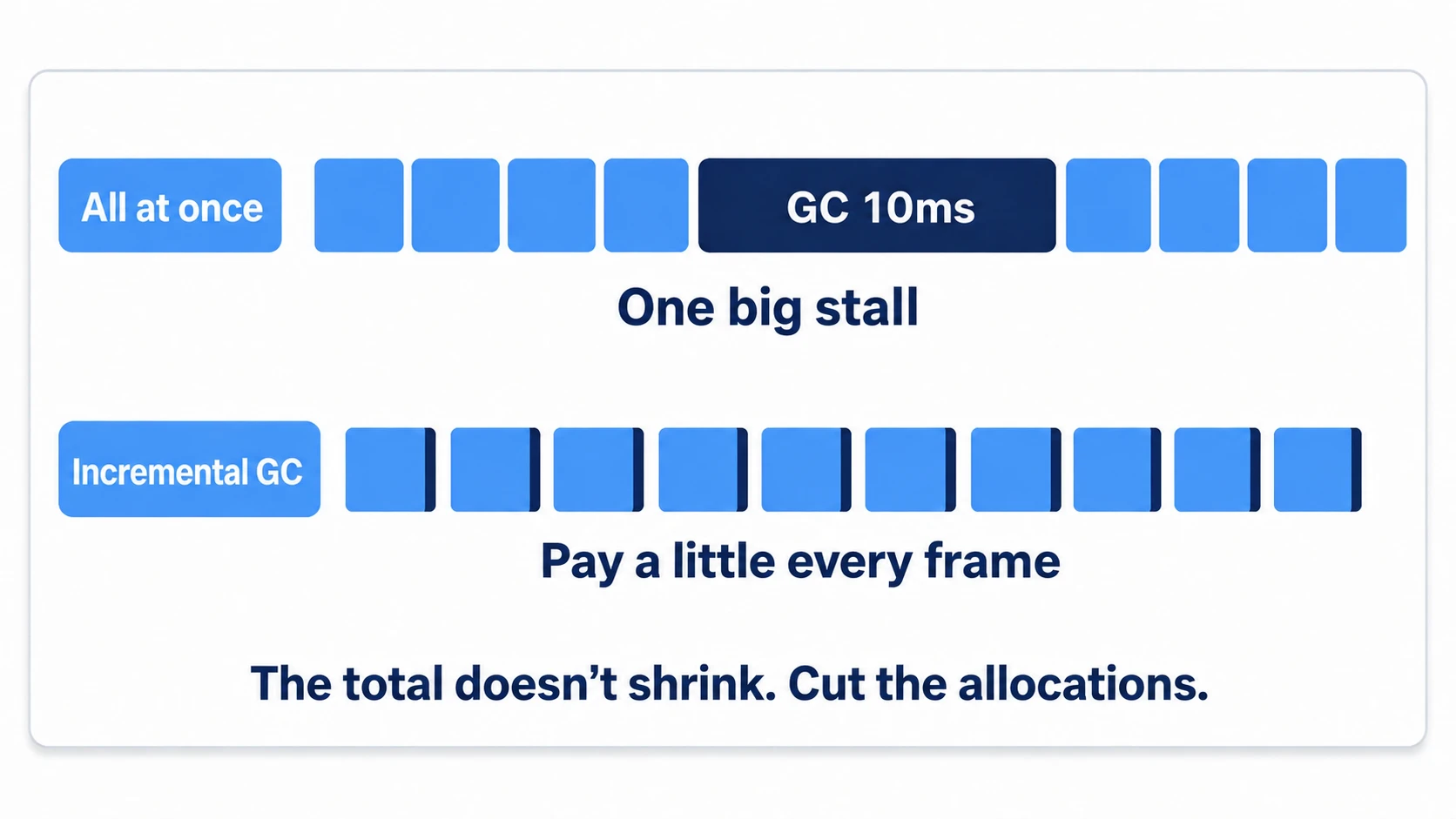
Unity offers Incremental GC, which splits GC cleanup across multiple frames, running a little at a time. You can toggle it via "Use incremental GC" under Configuration in "Project Settings > Player > Other Settings", and it's enabled by default in recent versions.
Instead of one lump-sum 10ms freeze, you pay roughly 1ms per frame—spikes become far less noticeable. However, the total amount of garbage doesn't decrease, and the installment cost keeps accruing every frame. Don't think "Incremental GC means it's fine to litter." Treat allocation reduction as the main strategy, and Incremental GC as insurance.
Pinpointing GC Allocations with the Profiler
Don't guess where the garbage comes from—pinpoint it with the Profiler.
- Record your game with the CPU Usage module, click a frame, and open the Hierarchy view
- Sort the GC Alloc column in descending order and expand the rows with large values
- Any of your own methods showing a nonzero value every frame is the culprit. Expand it and drill down to the specific line
One-time allocations (during initialization, for example) are fine. What you're hunting is anything that keeps allocating repeatedly—every frame or every second.
Practical: Making a Shmup's Targeting Zero-Alloc
A bullet-hell shmup with dozens of enemies and hundreds of bullets, a tower defense full of flying homing missiles, a chaotic survivor-like—"search for nearby enemies every frame" is exactly where garbage reduction pays off most dramatically. Let's fix a textbook "garbage-spewing homing bullet" by combining all four patterns.
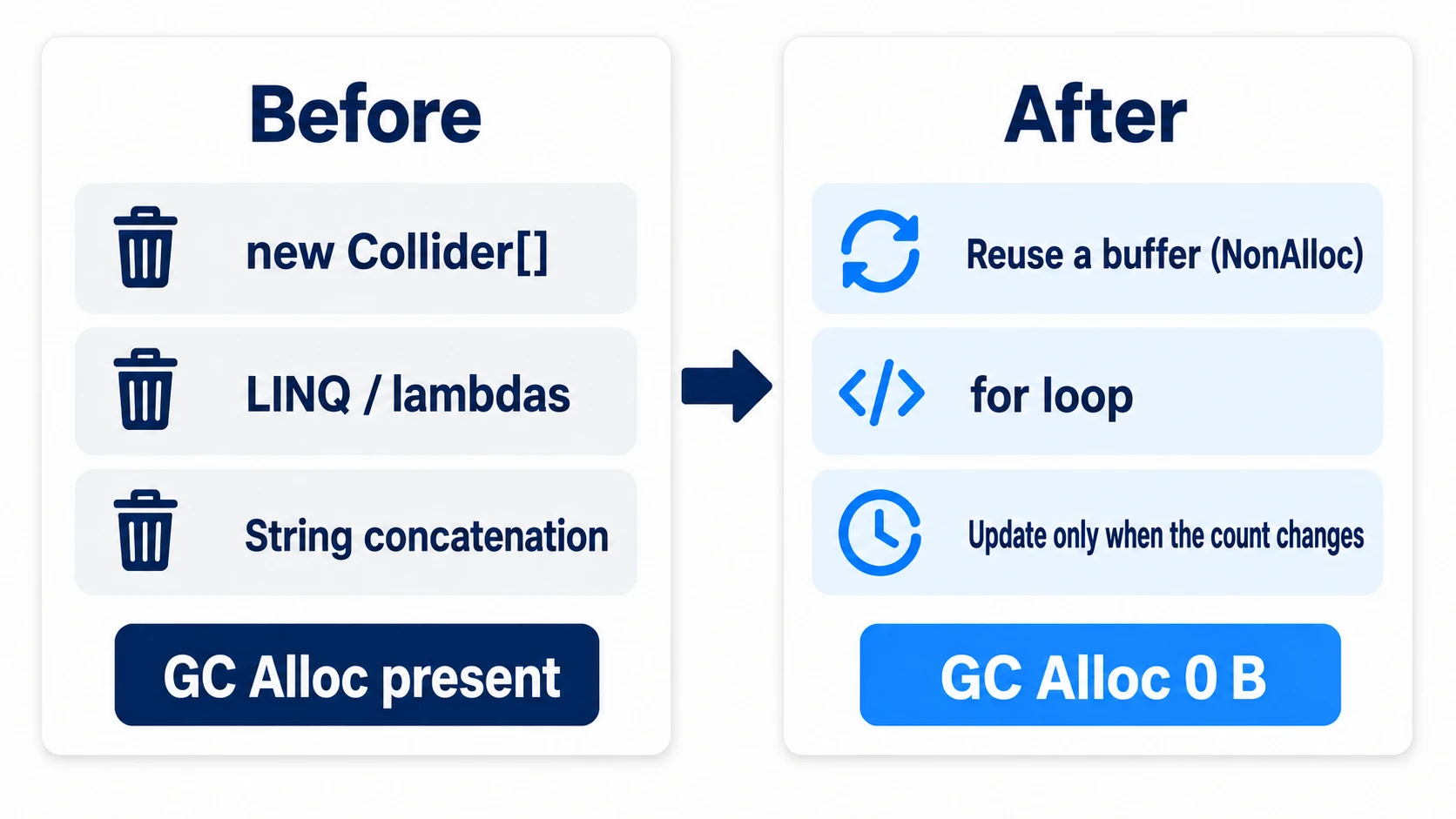
// ── Before: three kinds of garbage every frame ──
void Update()
{
    Collider[] hits = Physics.OverlapSphere(transform.position, 10f);   // (1) a brand-new array every frame
    var targets = hits.Where(h => h.CompareTag("Enemy"))                 // (2) LINQ + lambda
                      .OrderBy(h => Vector3.Distance(transform.position, h.transform.position));
    debugText.text = "targets: " + targets.Count();                      // (3) string allocation every frame
}
// ── After: zero allocations in steady state ──
private readonly Collider[] buffer = new Collider[64];   // (1) allocate the buffer once

void Update()
{
    // Write into the reused buffer with NonAlloc (zero garbage)
    int count = Physics.OverlapSphereNonAlloc(transform.position, 10f, buffer);

    // (2) Drop LINQ; find the nearest enemy with a for loop
    Collider nearest = null;
    float nearestSqr = float.MaxValue;
    for (int i = 0; i < count; i++)
    {
        if (!buffer[i].CompareTag("Enemy")) continue;
        // Compare distances with sqrMagnitude (skips the square root too)
        float sqr = (buffer[i].transform.position - transform.position).sqrMagnitude;
        if (sqr < nearestSqr) { nearestSqr = sqr; nearest = buffer[i]; }
    }

    // (3) Update the debug display only when the count changes
    if (count != lastCount) { debugText.text = $"targets: {count}"; lastCount = count; }
}
private int lastCount = -1;
There are two key points.
- "Allocate once, reuse every frame" is the backbone: The buffer,
WaitForSeconds,StringBuilder—the shape differs, but every fix is an application of this one principle. Remember it as "move it out to a field and deletenewfrom insideUpdate." - Confirm "0 B" in the Profiler's GC Alloc column to finish: Don't stop at feeling like you fixed it—use the steps in the Profiler article to verify with numbers that steady-state GC Alloc is zero. When the spawning and destruction of bullets or enemies is itself the heavy part, the next move is object pooling.
Bonus: Good to Know for Later
- Deliberately cleaning up during loading screens: Calling
System.GC.Collect()manually runs GC at a time of your choosing. Getting the cleanup done during moments nobody will notice—scene transitions, loading screens—is a battle-tested technique. - Why strings are brand-new every time: C# strings are immutable—you can't "modify part of one." That's why every concatenation creates an entirely new string.
- foreach's old bad reputation: In older Unity (compilers before 5.5),
foreachitself could generate garbage, and "never use foreach" was a standard tip. That issue is essentially resolved today, so plain collection enumeration is nothing to worry about (combining it with LINQ is a separate matter, though). - structs live on the stack: Making your own small data types a
struct(value type) instead of aclasscan avoid the heap entirely in some situations. This is whyVector3produces no garbage even when used in massive quantities.
Summary
- GC is trash cleanup in the heap (the warehouse). The game pauses during cleanup, which players feel as stuttering.
- The real fix isn't suppressing GC—it's "not producing garbage in code that runs every frame."
- The four usual suspects are string concatenation,
new, uncached WaitForSeconds, and LINQ. - Incremental GC pays the pause in installments. Good insurance, but no substitute for reducing allocations.
- Pinpoint the source with the Profiler's GC Alloc column. Never guess.
Once "garbage-aware coding" becomes a habit, it costs virtually nothing to write. Whenever you write code that runs every frame, make it a reflex to ask yourself just once: "Is this leaving trash behind?"