"Wait 3 seconds, then explode." "Switch screens once loading finishes." The moment you try to write code that waits and search for examples, you find some written with coroutines and others with async/await — and suddenly you're stuck wondering, "So which one am I supposed to use?" It's a fork in the road every Unity developer hits at some point.
Here's the short answer up front: they aren't rivals — they're tools with different specialties. In this article we'll build an intuition for how each mechanism works, establish clear criteria for choosing between them, look at the official Awaitable type (added in Unity 2023.1 and standard in Unity 6), and cover async's signature pitfall: code that keeps running on destroyed objects.
What You'll Learn
- How coroutines (frame-driven) and async/await (completion-driven) differ under the hood
- Why the rule of thumb is "coroutines for effects, async for IO and networking"
- What Unity 6's official
Awaitablelets you do- The async pitfall: code that keeps running on destroyed objects, and
destroyCancellationToken
Tested with: Unity 6 (6000.x)
Picturing the Two Mechanisms
Let's start by comparing how each one actually implements "waiting."
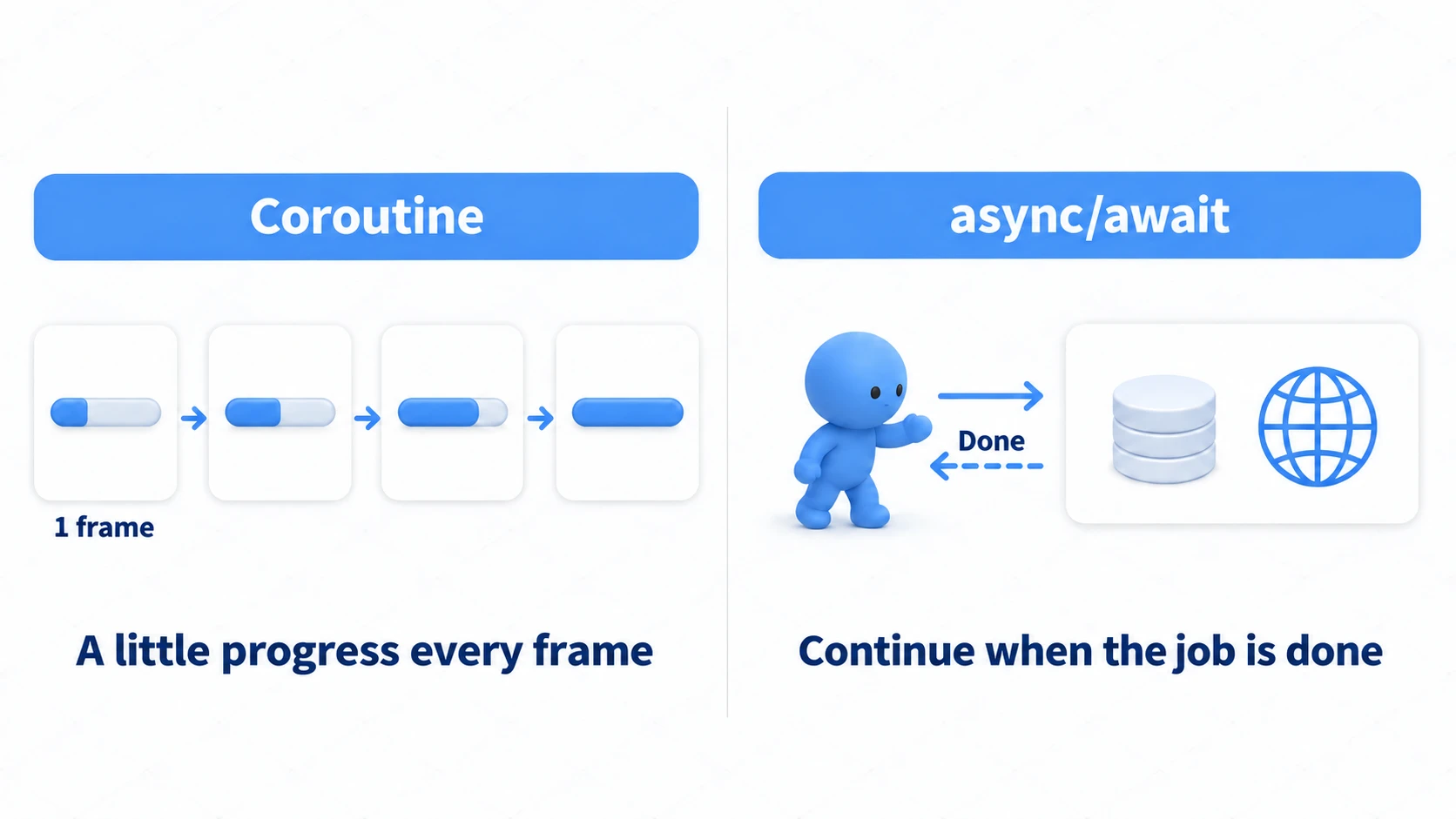
A coroutine rides the "frame train." Every yield return pauses the method, and it resumes on the next frame (or on whichever frame matches the condition you specified). Because it advances in lockstep with Unity's game loop, it's a natural fit for frame-by-frame effects like "fade out a little bit each frame." For a deeper look at the syntax, see the coroutines article.
async/await works like "handing a job to a worker and waiting for the callback." The rest of the method is put on hold until the await-ed operation (a file read, a network request, an asset load) finishes, then resumes. The key trait is that progress is driven by whether the work is done, completely independent of frames.
// The same "wait 1 second, then show" written both ways

// Coroutine version: ride the frame train
IEnumerator ShowAfterOneSecond()
{
    yield return new WaitForSeconds(1f);
    panel.SetActive(true);
}

// async/await version (using Unity 6's Awaitable): wait for completion
async Awaitable ShowAfterOneSecondAsync()
{
    await Awaitable.WaitForSecondsAsync(1f);
    panel.SetActive(true);
}
Looking at this example alone, they seem identical — but the gap between their strengths widens as what you're waiting for gets more complex.
When Coroutines Shine
Anything tied to in-game time and frames is coroutine territory.
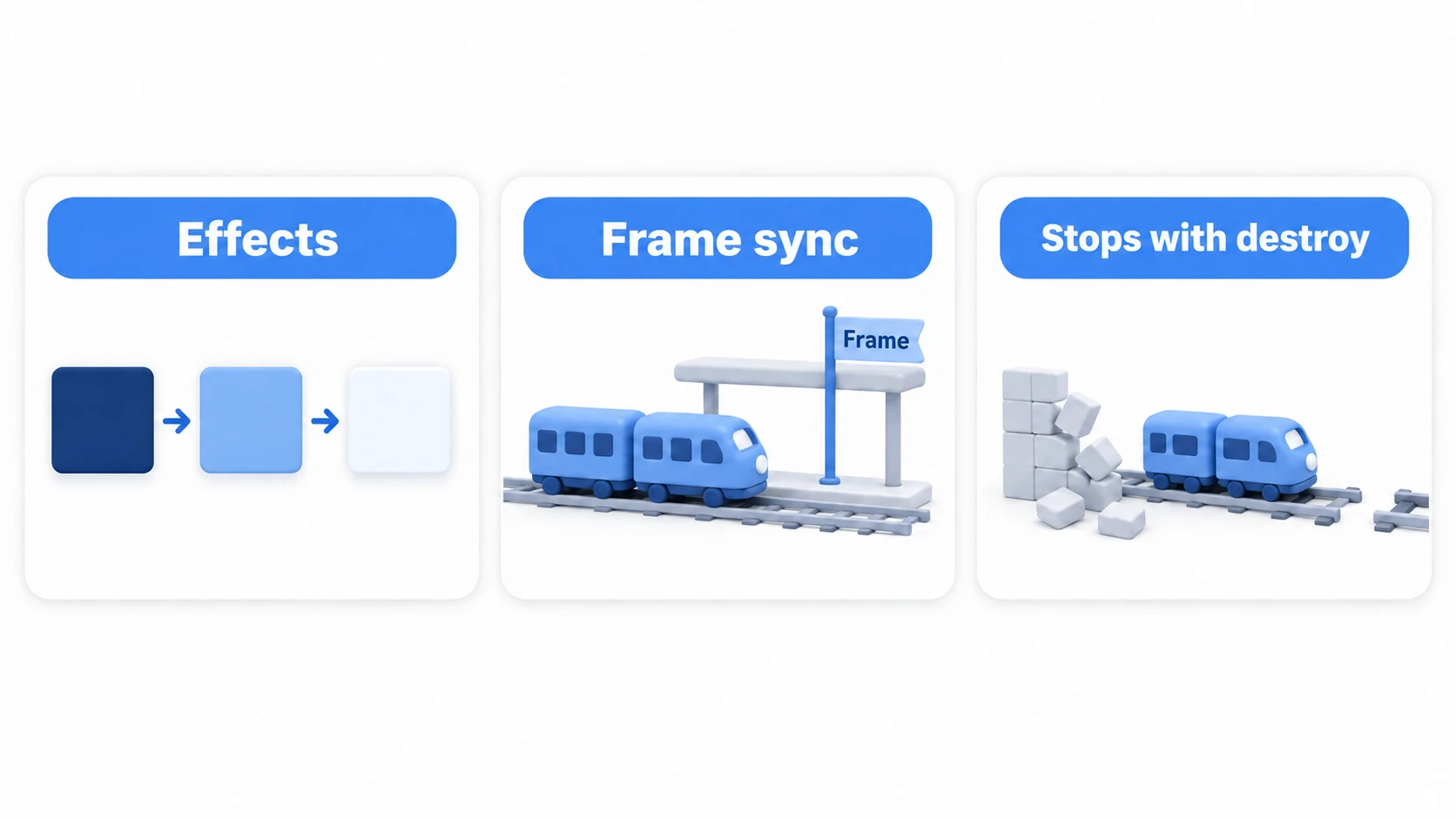
- Visual effects: fade-ins, blinking, knockback, camera shake — anything in the "a little bit every frame" family
- Frame-synced logic: waiting one frame with
yield return null, or waiting for the physics step withWaitForFixedUpdate - Processing that should share the GameObject's fate: coroutines stop automatically when their GameObject is destroyed, so there's no cleanup to worry about
That third point is quietly important. If an enemy gets killed mid-way through its blinking effect, a coroutine simply stops on its own.
When async/await Shines
Waiting for work happening "outside the game" to finish is async/await territory.
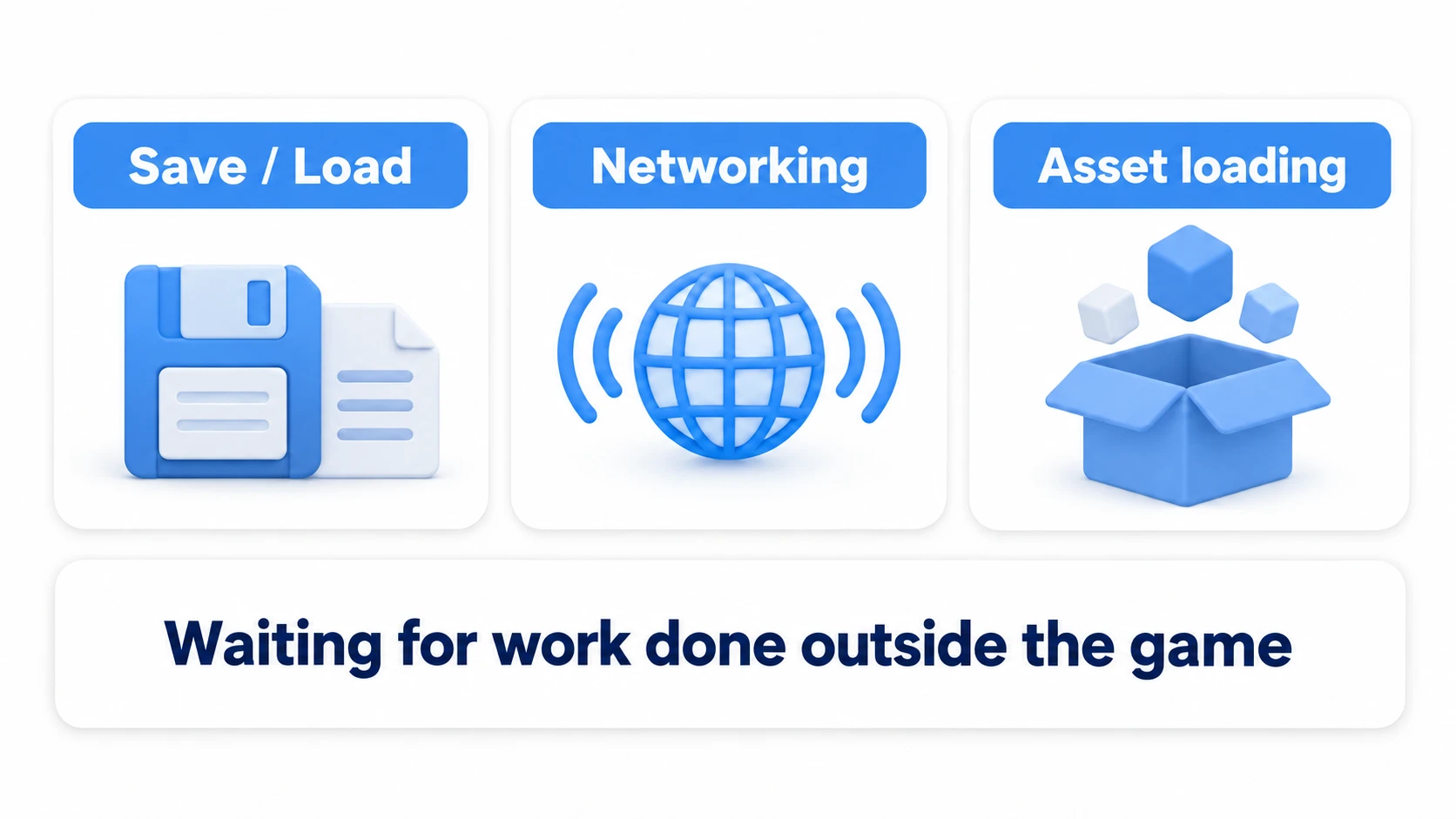
- File IO: saving and loading save data asynchronously
- Network communication: fetching leaderboards, calling APIs
- Asset loading: Addressables'
LoadAssetAsyncreturns a handle whoseTaskproperty you can await, as inawait handle.Task - Async operations that return a value: coroutines can't hand back a result directly as a return value, but
async Task<T>andasync Awaitable<T>can return a result
using UnityEngine;

public class SaveService : MonoBehaviour
{
    // Returning a value is async's strength (coroutines can't return one directly)
    public async Awaitable<string> LoadRankingAsync()
    {
        await Awaitable.WaitForSecondsAsync(0.5f); // dummy wait standing in for a network call
        return "1st place: 12000 pts";
    }
}
"Wait on a job whose duration in frames is unknown, then take the result and continue" — the moment your code takes that shape, it's async's turn.
Official Support in Unity 6: Awaitable
The old refrain that "async/await in Unity takes some extra work" existed because there was no official waiting primitive equivalent to a coroutine's yield return. The Awaitable class arrived in Unity 2023.1 and is standard in Unity 6, which has all but closed that gap (Unity 2022 LTS doesn't have it).
| What you want to do | Coroutine | async/await (Awaitable) |
|---|---|---|
| Wait N seconds | yield return new WaitForSeconds(1f) | await Awaitable.WaitForSecondsAsync(1f) |
| Wait one frame | yield return null | await Awaitable.NextFrameAsync() |
| Wait for the physics step | yield return new WaitForFixedUpdate() | await Awaitable.FixedUpdateAsync() |
| Wait until end of frame rendering | yield return new WaitForEndOfFrame() | await Awaitable.EndOfFrameAsync() |
Note that WaitForSecondsAsync, like WaitForSeconds, runs on game time (Time.timeScale), so it never finishes while timeScale = 0 during a pause. Awaitable has no real-time version like WaitForSecondsRealtime. With the syntax now on equal footing, the "I want to standardize on async" camp can get there using only official APIs. That said, hold off on a wholesale migration until you've read the next section.
Caution: async Keeps Running After the Object Dies
This is where the two mechanisms differ most in personality. Coroutines stop automatically when their GameObject is destroyed — async methods do not.
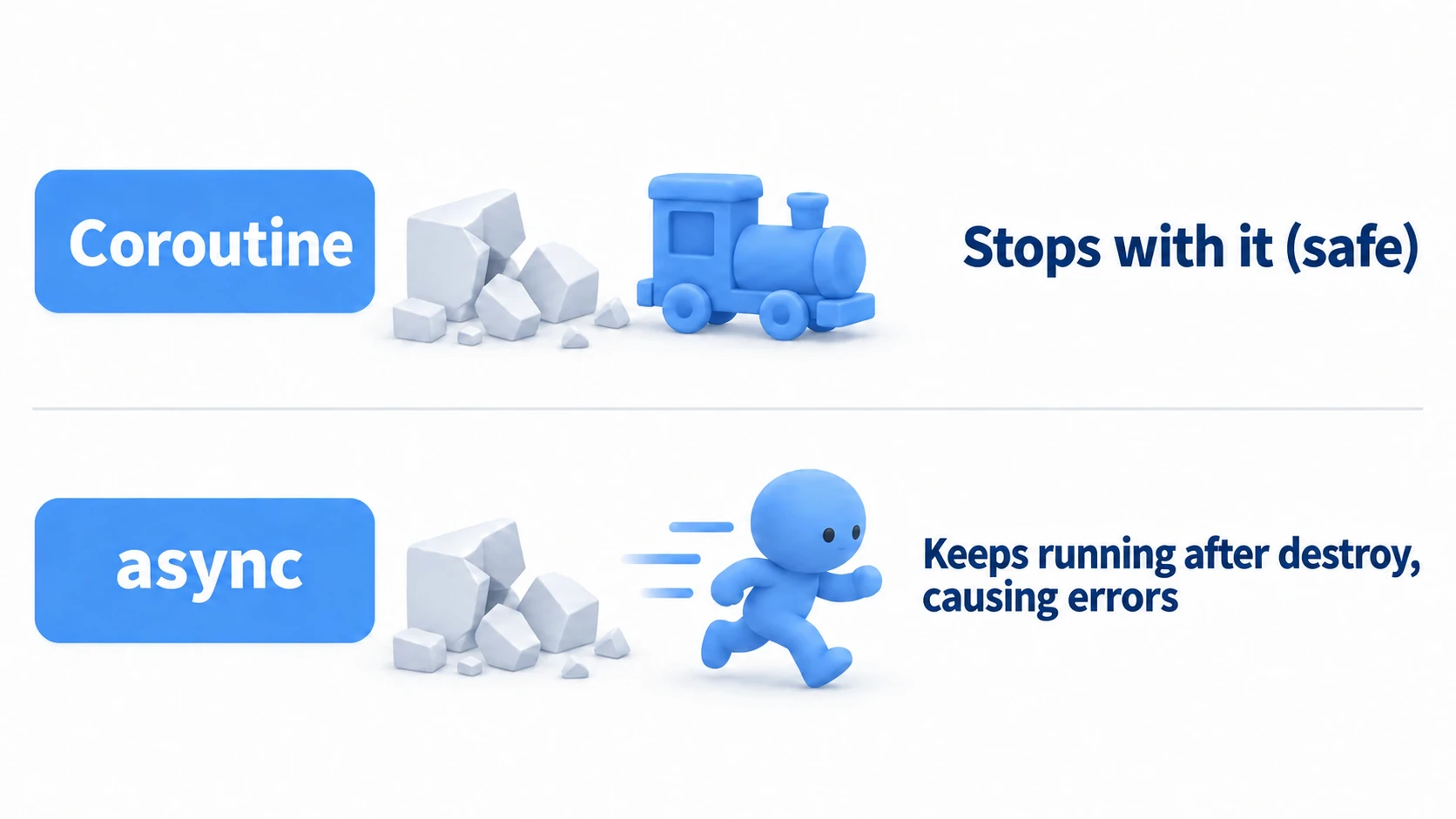
Even after a scene transition or an enemy's defeat removes the object, the code after await still runs and touches a destroyed component, throwing an error — the classic bug of any async migration. The fix is to pass destroyCancellationToken, which every MonoBehaviour provides out of the box.
using UnityEngine;

public class ExplosionTimer : MonoBehaviour
{
    async void Start()
    {
        try
        {
            // If this script (or its GameObject) is destroyed, the wait is cancelled along with it
            await Awaitable.WaitForSecondsAsync(3f, destroyCancellationToken);

            Explode(); // If already destroyed, execution never reaches here
        }
        catch (System.OperationCanceledException)
        {
            // Cancelled by destruction. That's a normal way to end, so do nothing
        }
    }

    private void Explode()
    {
        Debug.Log("Boom!");
    }
}
Note: A cancelled
awaitis interrupted via an exception (OperationCanceledException). An exception that reaches the top of anasync voidmethod is picked up by the Unity engine and logged to the Console—it doesn't just vanish quietly. If you want cancellation to count as a "normal exit," catchOperationCanceledExceptionwith atry-catch. This is exactly why async is said to be "one notch harder than coroutines."
Bonus: Good to Know for Later
Once you've got the basic decision framework down, these topics come into view next.
- Solidify your coroutine fundamentals: The varieties of
yield returnand how to stop coroutines are covered in the coroutines article — it's the foundation this article builds on. - The battle-tested library: UniTask: The community-built
UniTaskwas the backbone of async in Unity long before Awaitable arrived. With allocation-free waits and a rich operator set, it's more powerful than the official APIs in many respects — well worth a look if you're adopting async seriously. - Loading — where async truly shines: Asynchronous scene and asset loading is a perfect application. The
LoadSceneAsynccoverage in the SceneManager article and the Addressables introduction are great places to put this into practice.
Summary
Coroutines and async/await aren't a question of newer or better — they're tools with different jobs.
- Coroutines: ride the frame train. Best for effects, frame-synced logic, and anything that should share a GameObject's lifetime. Their superpower is stopping automatically on destroy.
- async/await: completion-driven. Best for file IO, networking, asset loading, and any operation where you need a return value.
- Unity 6's
Awaitablelets you write coroutine-style waits — seconds, frames, and more — officially in async form. - async keeps running after destroy. Wiring up cancellation with
destroyCancellationTokenis the iron rule. - The two can and should coexist. "Coroutines for in-game time, async for out-of-game work" is a practical starting point.
Rather than learning one and calling it a day, get in the habit of asking, "Is this wait about frames, or about a job finishing?" — and the hesitation will disappear.