"Spawn an enemy after 3 seconds," "fade the screen out gradually" — try writing this kind of time-spanning logic with Update and timer variables, and your code gets messy fast.
Unity has a feature built exactly for this: coroutines. A coroutine is a function that can "take a break mid-execution and pick up where it left off at the timing you specify," making time-based logic and heavy-work splitting surprisingly simple to write. This article walks through how they work and how to use them, centered on IEnumerator and yield return.

What You'll Learn
- How coroutines work (pausing and resuming)
- The three essentials:
IEnumerator,yield return, andStartCoroutine- Choosing the right pause condition (time waits, frame splitting, and more)
- How to stop a coroutine (
StopCoroutine)
Tested with: Unity 6 (6000.x) / Input System
What is a Coroutine?
A coroutine is a special function that can pause execution temporarily and resume later at a specific time. While a regular function must run to completion once called, a coroutine can hand control back to Unity mid-execution with instructions like "resume next frame" or "resume in 5 seconds."
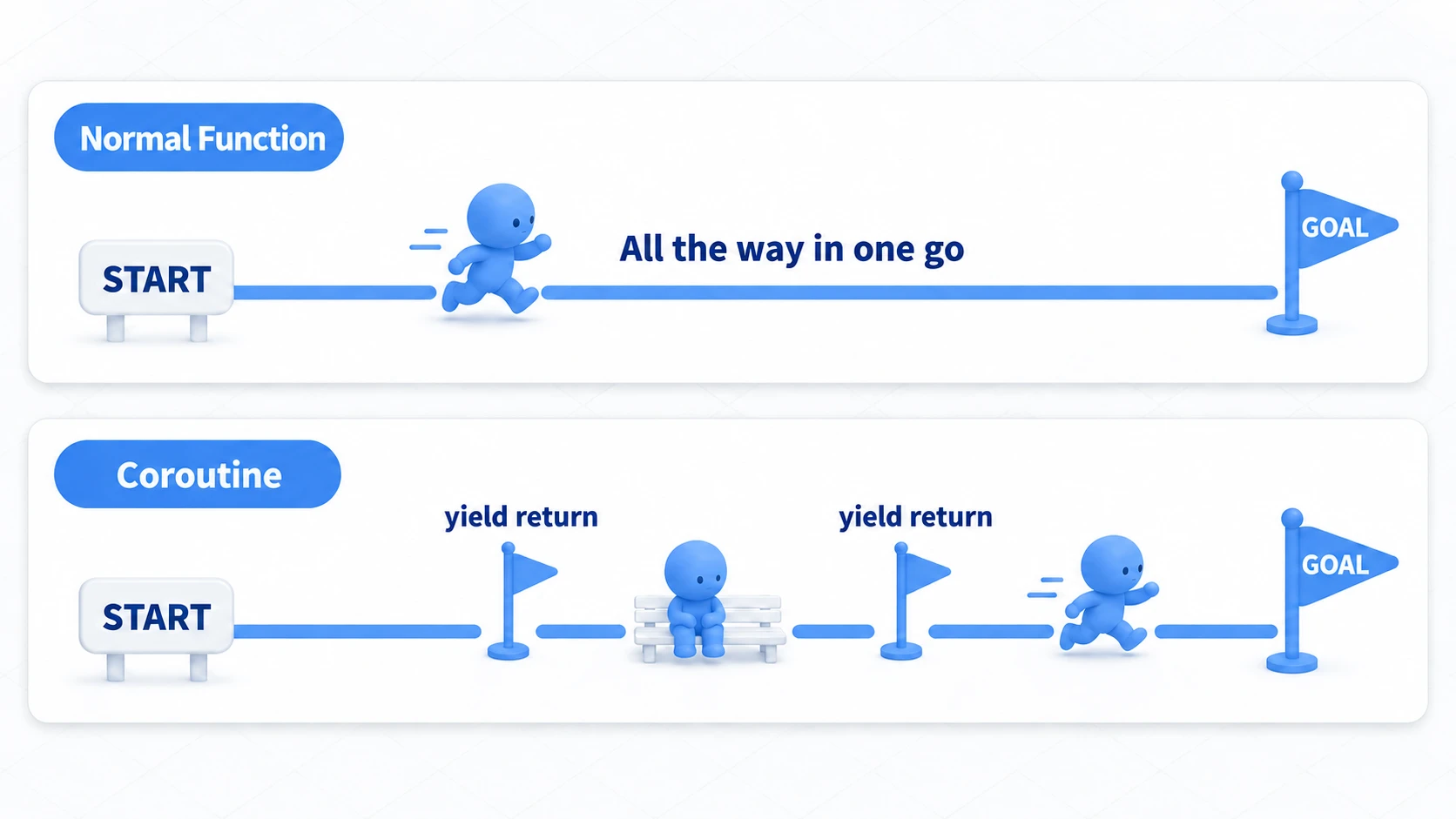
This lets you implement time-based events and processing splits intuitively, without complicating your Update function.
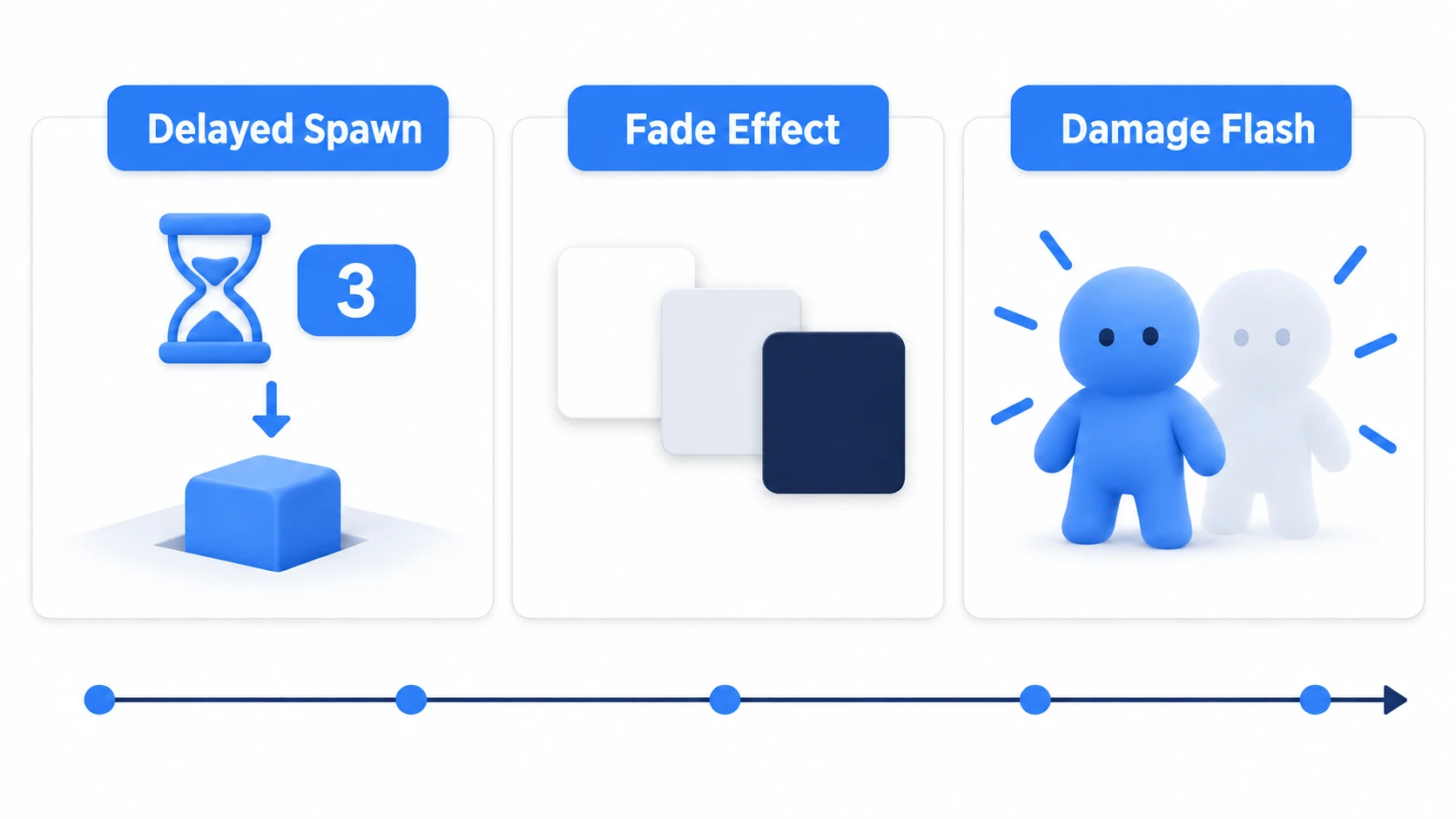
Here are the three classic use cases where coroutines shine. What they all have in common: each one spans time.
Basic Coroutine Usage
Implementing a coroutine requires three elements:
- A function returning
IEnumerator: This is the coroutine body.IEnumeratoris a standard C# interface meaning "something enumerable." yield return: The keyword that pauses the coroutine and returns control to Unity. The resume condition goes after it.StartCoroutine(): The method that starts your coroutine.
Waiting for Time
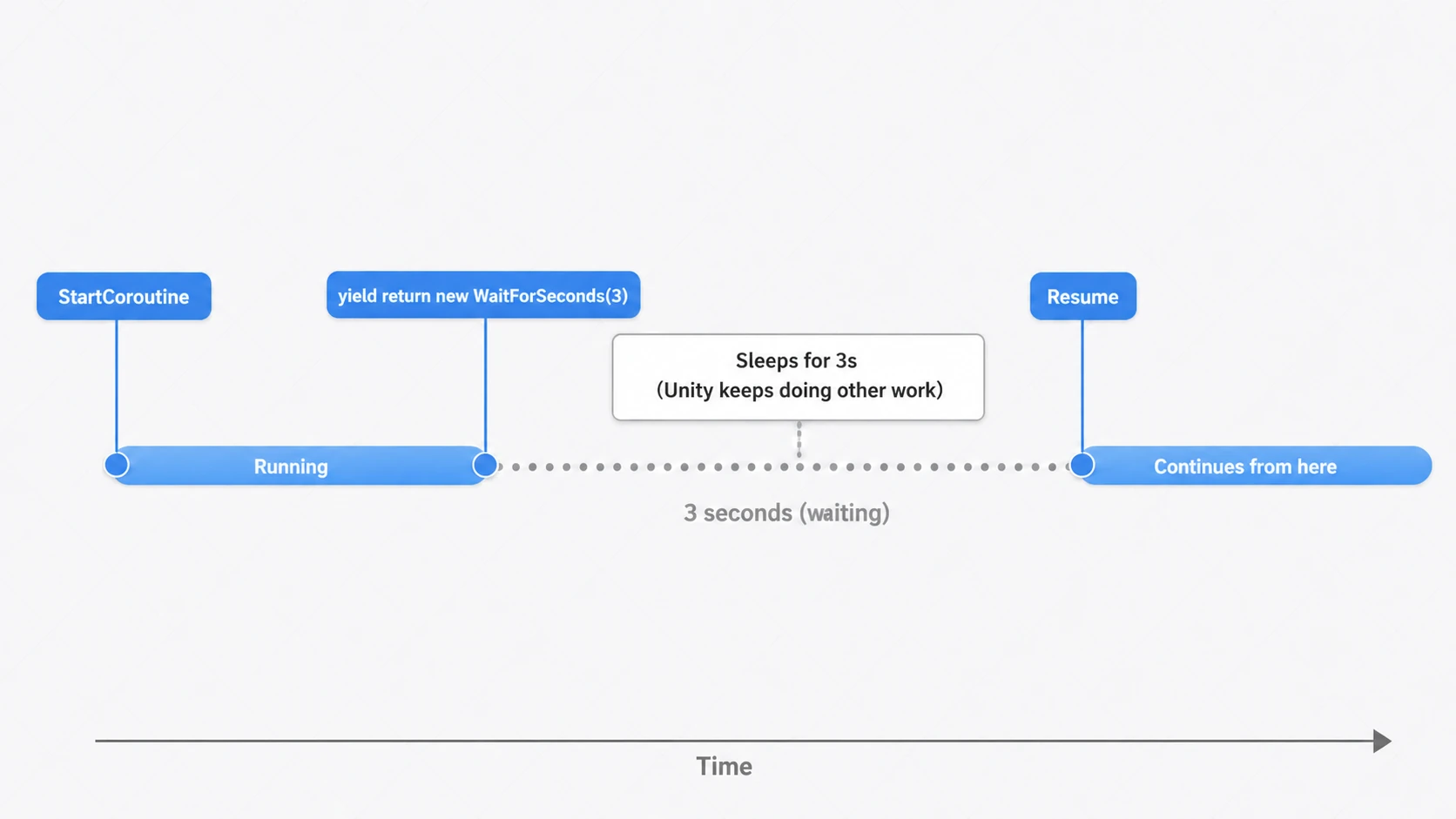
The most basic pattern waits a set amount of time before resuming. Use yield return new WaitForSeconds(float seconds).
using System.Collections;
using UnityEngine;

public class CoroutineExample : MonoBehaviour
{
    void Start()
    {
        Debug.Log("Starting coroutine.");
        // Start the coroutine as a method call
        StartCoroutine(WaitAndPrint());
    }

    // Define the coroutine as an IEnumerator-returning function
    IEnumerator WaitAndPrint()
    {
        // Pause execution for 3 seconds
        yield return new WaitForSeconds(3.0f);

        // Execution resumes here after 3 seconds
        Debug.Log("3 seconds have passed!");
    }
}
Running this script displays "Starting coroutine." immediately, then "3 seconds have passed!" three seconds later. The Start function finishes right after starting the coroutine, but the coroutine keeps waiting in the background and resumes once the specified time has elapsed.
Note: You can also start a coroutine by passing the method name as a string, like
StartCoroutine("WaitAndPrint"), but typos go unnoticed and renames won't be picked up. Prefer the method-call form (StartCoroutine(WaitAndPrint())) shown above. The string form is only needed in a few limited cases, such as when you want to stop a coroutine by string withStopCoroutine.
Various Pause Conditions with yield return
Beyond WaitForSeconds, yield return accepts a variety of pause/resume conditions:
| After yield return | Resume Timing |
|---|---|
null | Resumes after the next frame's Update is called. |
new WaitForSeconds(t) | Resumes after the specified number of seconds. |
new WaitForSecondsRealtime(t) | Resumes after t seconds of real time, unaffected by Time.timeScale (keeps running while paused). |
new WaitForEndOfFrame() | Resumes right after the frame finishes rendering (end of that frame). |
new WaitForFixedUpdate() | Resumes after the next FixedUpdate. |
new WaitUntil(() => condition) | Resumes once the specified condition becomes true. |
StartCoroutine(AnotherCoroutine()) | Resumes after AnotherCoroutine fully completes. Lets you nest coroutines. |
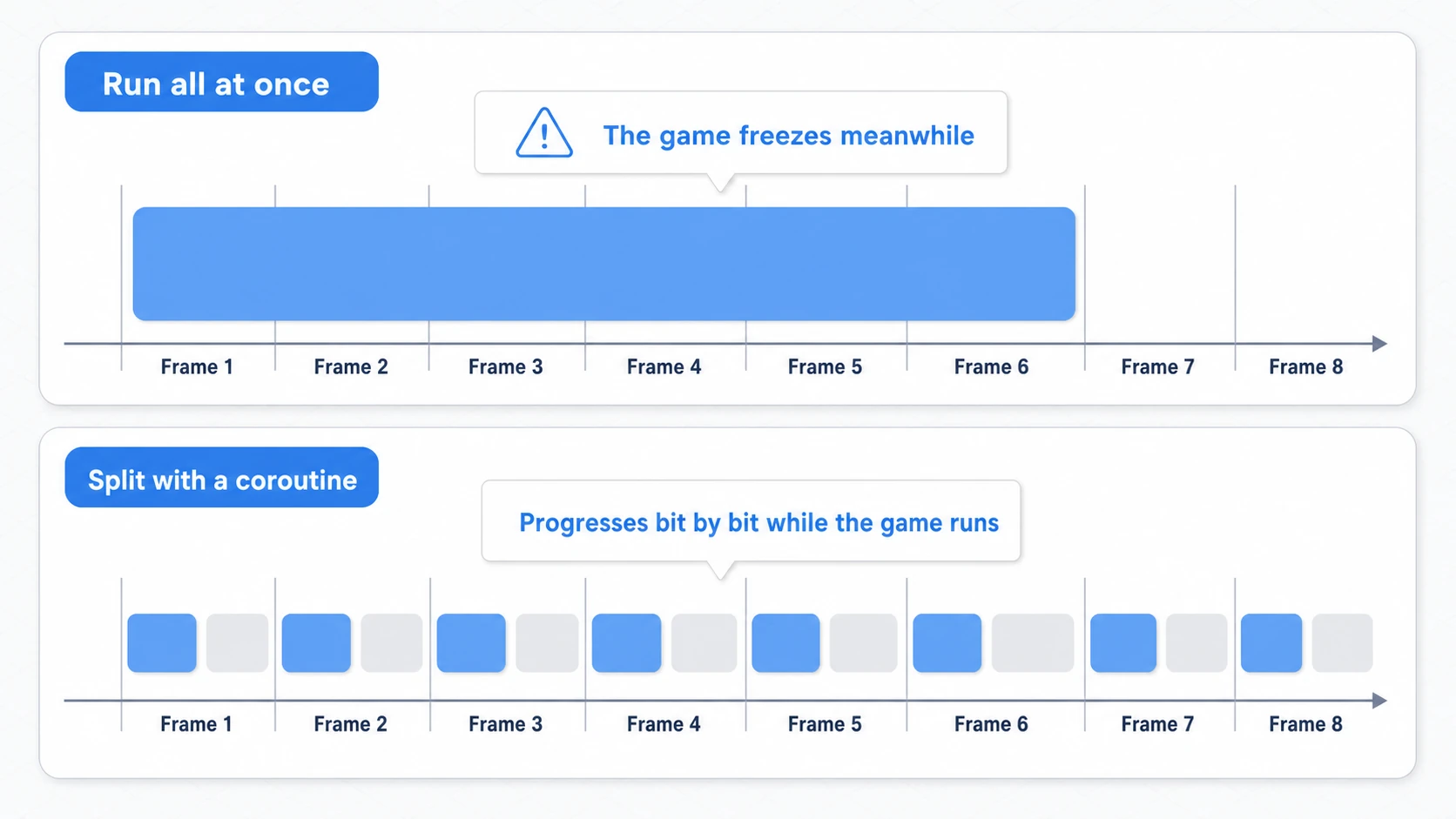
yield return null; is a common choice for splitting up heavy work. Running everything at once would freeze the game while it churns, but spreading the work across frames lets the game keep running while the job finishes.
IEnumerator HeavyProcess()
{
    for (int i = 0; i < 10000; i++)
    {
        // Heavy calculation
        DoSomethingHeavy(i);

        // Wait 1 frame every 100 iterations
        if (i % 100 == 0)
        {
            Debug.Log(i + " iterations processed. Taking a 1-frame break.");
            yield return null; // Pause here, resume next frame
        }
    }
}
Stopping Coroutines
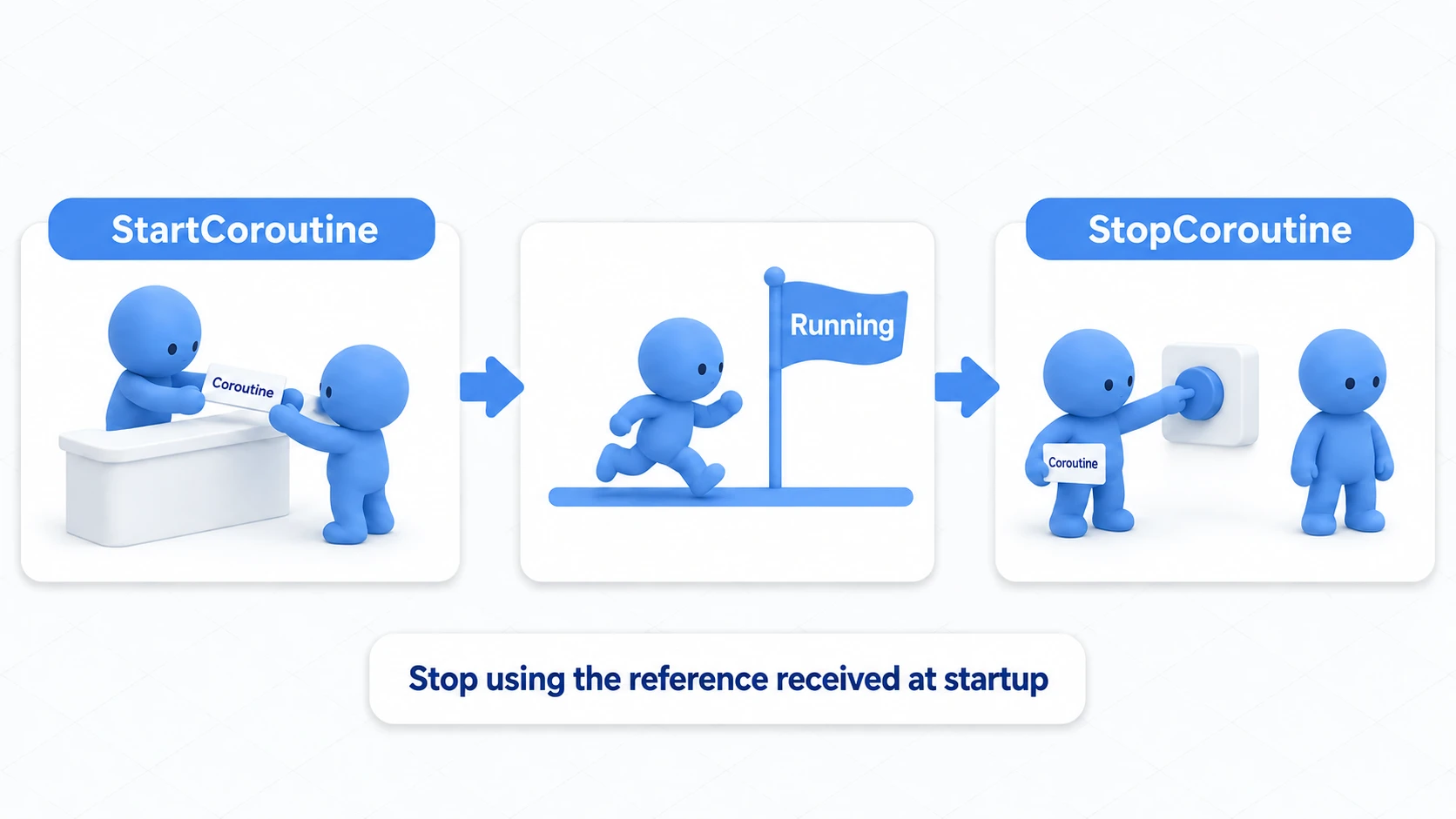
Once started, a coroutine can also be stopped mid-execution. To stop one, save the return value of StartCoroutine in a Coroutine variable and pass it to StopCoroutine. Think of it like a ticket stub: hold on to the reference you got when the coroutine started, and use it to cancel whenever you want.
using System.Collections;
using UnityEngine;
using UnityEngine.InputSystem;

public class StoppableCoroutine : MonoBehaviour
{
    private Coroutine myCoroutine;

    void Start()
    {
        Debug.Log("Starting a coroutine that runs something in 10 seconds.");
        myCoroutine = StartCoroutine(LongProcess());
    }

    void Update()
    {
        // Stop the coroutine when the C key is pressed
        if (Keyboard.current != null && Keyboard.current.cKey.wasPressedThisFrame)
        {
            if (myCoroutine != null)
            {
                Debug.Log("Coroutine cancelled.");
                StopCoroutine(myCoroutine);
                myCoroutine = null; // Clear the reference after stopping, just to be safe
            }
        }
    }

    IEnumerator LongProcess()
    {
        yield return new WaitForSeconds(10f);
        Debug.Log("10 seconds passed! Processing executed.");
    }
}
StopAllCoroutines() stops every coroutine running on that script at once.
Hands-On: Sequencing an Automatic Door with a Warning Light
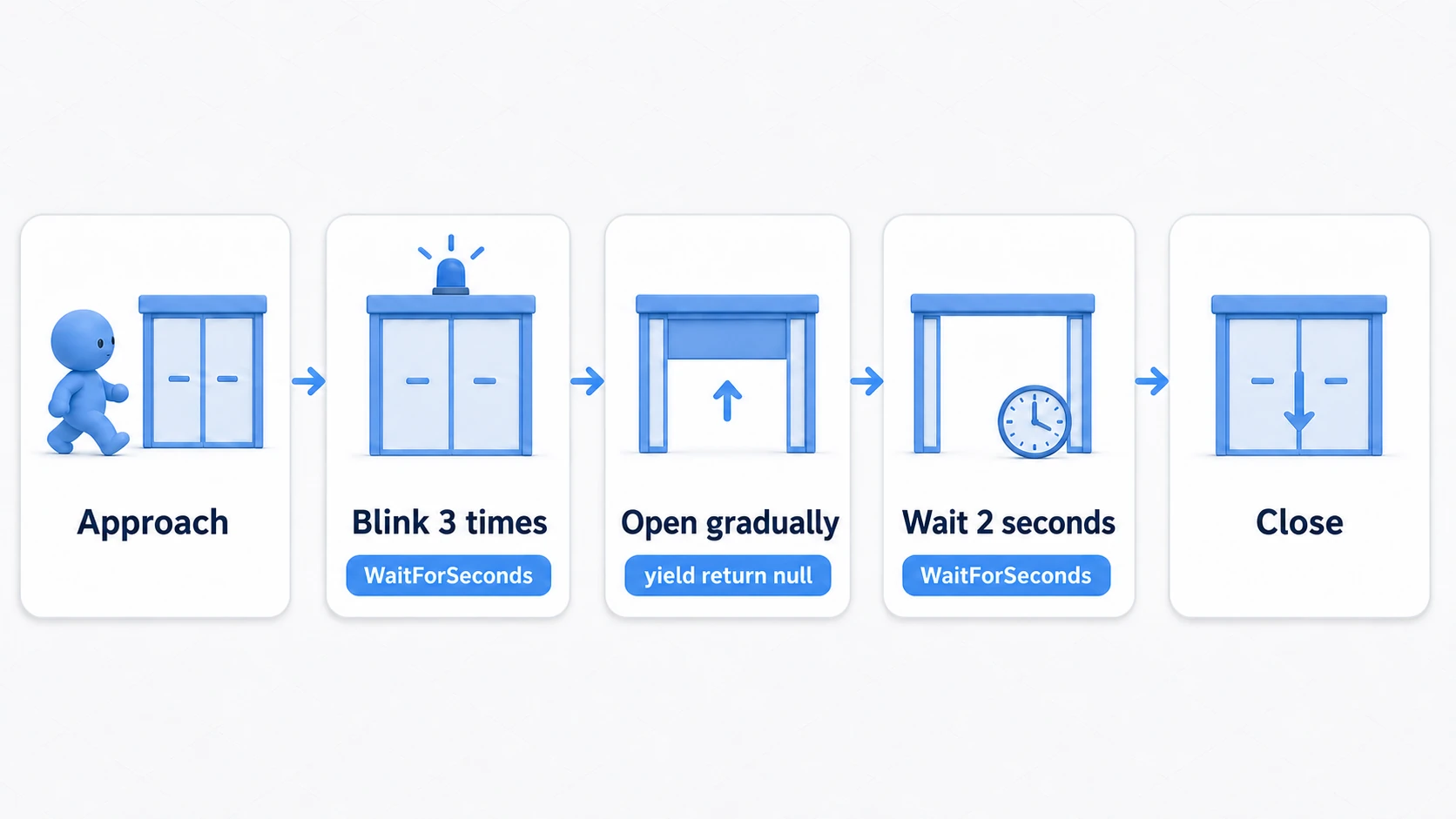
With all the parts in hand, let's build one complete effect. A sci-fi base's automatic door, a dungeon's trick gate, a factory stage's shutter—the classic sequence of "approach, warning light blinks, the door slides open slowly, waits a moment, then closes." Writing this with Update and timer variables is misery; with a coroutine, you write it top to bottom in the order things happen.
using System.Collections;
using UnityEngine;

public class AutoDoor : MonoBehaviour
{
    [SerializeField] private Light warningLight;  // The warning light
    [SerializeField] private Transform doorPanel; // The door panel that slides up/down (make it a child of an empty parent at localPosition (0,0,0))
    [SerializeField] private float openHeight = 3f;
    [SerializeField] private float openSpeed = 2f;

    private Coroutine doorRoutine; // The "ticket stub" for the running sequence

    private void OnTriggerEnter(Collider other)
    {
        if (!other.CompareTag("Player")) return;
        if (doorRoutine != null) return; // Don't start again mid-sequence (two at once make the door thrash)

        doorRoutine = StartCoroutine(DoorSequence());
    }

    private IEnumerator DoorSequence()
    {
        // 1. Blink the warning light three times (0.2s steps via WaitForSeconds)
        for (int i = 0; i < 3; i++)
        {
            warningLight.enabled = true;
            yield return new WaitForSeconds(0.2f);
            warningLight.enabled = false;
            yield return new WaitForSeconds(0.2f);
        }

        // 2. Open the door—waiting for another coroutine to COMPLETE
        yield return MoveDoor(openHeight);

        // 3. Hold it open for two seconds
        yield return new WaitForSeconds(2f);

        // 4. Close it
        yield return MoveDoor(0f);

        doorRoutine = null; // Sequence over; accept the next approach
    }

    // Move to the target height a little each frame (yield return null's moment)
    private IEnumerator MoveDoor(float targetY)
    {
        Vector3 target = new Vector3(0f, targetY, 0f);
        while (Vector3.Distance(doorPanel.localPosition, target) > 0.01f)
        {
            doorPanel.localPosition = Vector3.MoveTowards(
                doorPanel.localPosition, target, openSpeed * Time.deltaTime);
            yield return null; // One step per frame
        }
        doorPanel.localPosition = target;
    }

    private void OnDisable()
    {
        // Stop the sequence and reset the stub and the visuals
        // (avoids the "comes back half-open and freaks out" accident).
        // Unchecking the script (enabled = false) alone doesn't stop coroutines, so stop them here
        StopAllCoroutines();
        doorRoutine = null;
        doorPanel.localPosition = Vector3.zero;
        warningLight.enabled = false;
    }
}
Notice that every kind of waiting from this article shows up in exactly the order the effect needs it. The blink interval uses WaitForSeconds, the smooth door movement is a yield return null loop, and the open/close ordering uses yield return MoveDoor(...) (waiting for another coroutine to finish). yield return StartCoroutine(MoveDoor(...)) also waits for completion, but it runs as a separate coroutine, so stopping the parent with StopCoroutine leaves the door moving. Once you can read a coroutine not as "a list of features" but as "the script of a performance," you've got it.
The final check happens in Play mode. Dart in and out of the doorway as fast as you like and the sequence stays single; disable and re-enable the object mid-motion and the door never thrashes half-open. If both hold, your ticket stub (the Coroutine reference) is doing its job — and coroutines have quietly become what they should be: a tool for scripting your effects.
Bonus: Good to Know for Later
Once you start using coroutines, you'll eventually run into these topics:
- Coroutines live and die with their object: A coroutine is tied to the MonoBehaviour that called
StartCoroutine, so it stops when that object is deactivated or destroyed (unchecking the script,enabled = false, alone doesn't stop it). It's not suited for "logic that should keep running across scenes." This behavior clicks once you pair it with the lifecycle article. async/awaitis the other async option: C#'s standardasync/awaitcan do similar things and is a better fit for file loading and networking. As a rough rule: presentation and frame-synced work → coroutines; IO waits → async.StopCoroutine(DoorSequence())doesn't stop anything: The moment you writeDoorSequence(), you create a brand-new IEnumerator unrelated to the one that's running. Always stop it with the ticket stub you received at start time (doorRoutine).- Pause menus and
WaitForSeconds: Pausing the game withTime.timeScale = 0also stopsWaitForSeconds. For things that should keep moving while paused (menu animations, etc.), useWaitForSecondsRealtime.
Summary
Coroutines are the foundation of asynchronous processing in Unity — master them and you can express remarkably rich logic with simple code.
- Coroutines are special functions that can pause and resume execution.
- They return
IEnumeratorand pause withyield return. - Start them with
StartCoroutine(), stop them withStopCoroutine(). new WaitForSeconds(t)for time waits andnullfor one-frame waits are the basics.
Timed effects, AI thinking routines, splitting heavy processing — the applications for coroutines are endless. Start with a simple time wait and see how convenient they are for yourself.