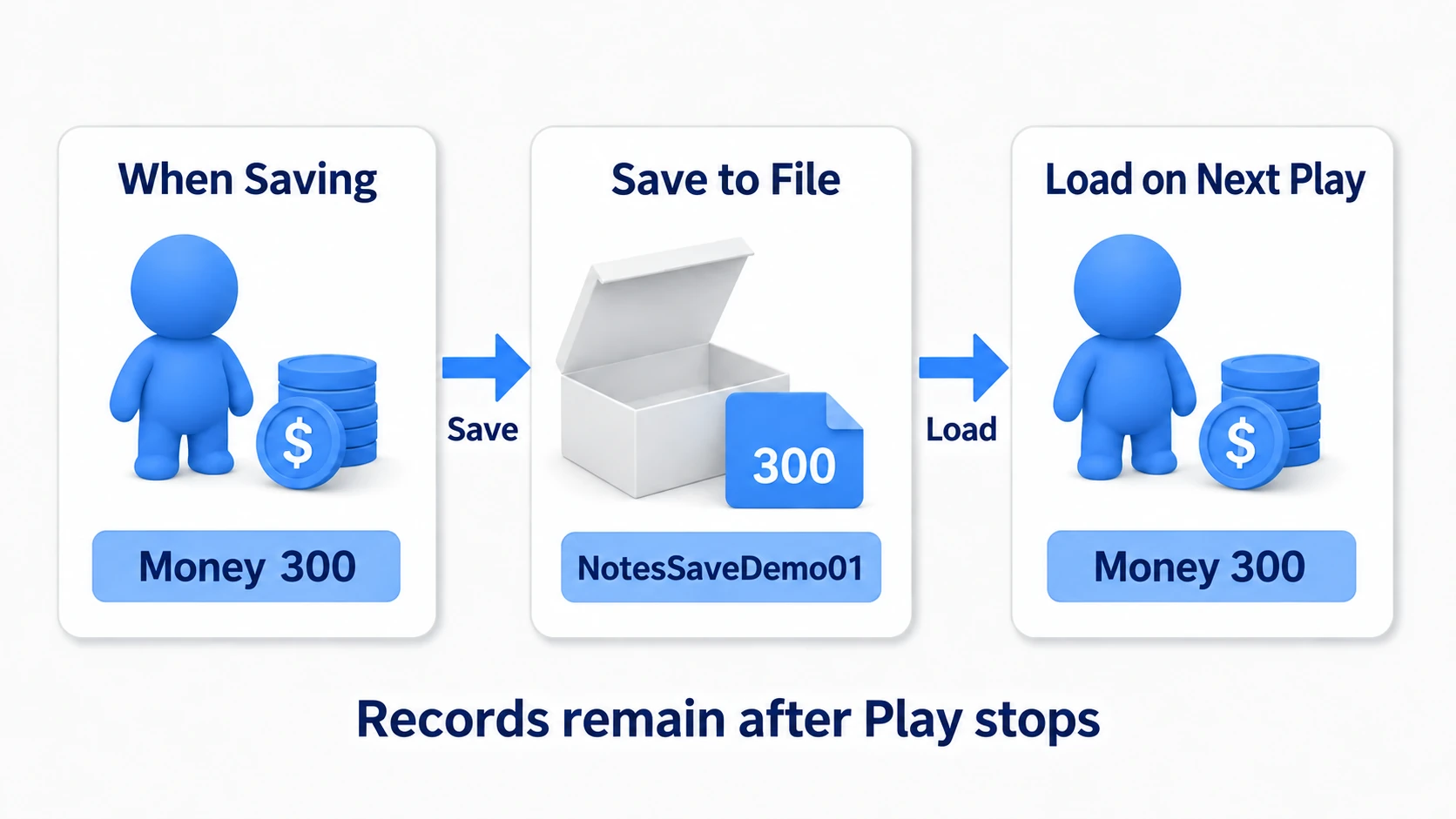
When adding enemy kinds, if all you want to change is name, HP, and appearance, you do not need to copy the logic that drives them. Being able to tell a shared Blueprint "use this enemy's settings this time" makes both adding and tuning easier.
The container that gathers those settings is a Data Asset. Create data for a slime and for a goblin, for example, and assign each to two Actors placed from the same Blueprint. With the same logic, the look and HP change according to the data received.
In other engines: this corresponds to Unity's ScriptableObject and Godot's Resource (.tres). Even the usage of authoring settings one at a time and swapping them into the same logic is the same.
In this article we build both the data type and the actual data entirely in Blueprint. Using UE's standard sphere and cube for the look, we go as far as adding one data file to add an enemy kind.

What You'll Learn
- Creating a Data Asset holding a name, max HP, and mesh
- Specifying which data each placed Actor reads
- Applying the values to the mesh and current HP, and confirming through output
- Duplicating a Data Asset to add a new enemy's settings
It assumes you have added components and variables to an Actor. If you would rather learn managing numbers in a table first, the Data Table article is also a useful reference.
How it works: separating what makes the data from what uses it
A Data Asset is game settings saved as a file inside the project. Here we bundle "name, max HP, and which mesh to use." A mesh is data holding a 3D shape such as a sphere or a cube.
Distinguishing these three at the start makes the work easy to follow.
| What you make | Its name here | Role |
|---|---|---|
| The data type | BPDA_EnemyDefinition | Decides which fields it holds |
| The actual data | DA_Slime, DA_Goblin | Holds the name, HP, and mesh values |
| The Actor using it | BP_DataAssetEnemyDemo | Reads the values and sets the in-game look and HP |

DA_Goblin is the goblin's settings, not the goblin standing in the level. What you place in the level is BP_DataAssetEnemyDemo. You tell that Actor which settings to use by specifying DA_Goblin. Epic's Data Assets documentation
Building things this way — handing swappable data to shared logic — is called data-driven. Even as enemy kinds multiply, the logic that sets look and HP stays shared.
Choose against a Data Table by which is easier to edit
A Data Table is also a tool for separating numbers from logic. Which to use can be decided from how you edit the data.
| What you want to do | Easier choice |
|---|---|
| Open one enemy kind's screen and set HP while picking a mesh | Data Asset |
| Stack 100 enemies' HP vertically to compare and tune in bulk via CSV | Data Table |
Data Tables can hold references to meshes too. Rather than splitting on "can it hold anything but numbers," choose by whether opening one entry is easier to read, or comparing in a table is.
Preparation: creating two Data Assets
1. Create the data type in Blueprint
- Right-click in the content browser and choose "Blueprint Class."
- Open "All Classes" in the parent class picker.
- Search
PrimaryDataAssetand choose "Primary Data Asset." - Name it
BPDA_EnemyDefinition.
Since we build the type entirely in Blueprint, we use Primary Data Asset as the parent. It is a Data Asset that also supports the Asset Manager loading system, though we do not need that configuration in this exercise. Epic's Primary Data Asset API
Open BPDA_EnemyDefinition and add these three variables.
| Variable | Type | Default | Meaning |
|---|---|---|---|
| EnemyName | Text | Empty | The enemy's displayed name |
| MaxHealth | Integer | 100 | Max HP |
| EnemyMesh | Object Reference to Static Mesh | None | The 3D shape to display |
An Object Reference is the type for designating an asset you want to use. Choose the sphere mesh for EnemyMesh and you can use that sphere's shape data. Choose an Object Reference to Static Mesh, not a Static Mesh Component or a Class Reference.
Enable "Instance Editable" on all three and leave "Private" disabled. That lets you enter values from the editing screen of the Data Assets you create next, and read those values from another Blueprint. Compile and save.
2. Create two data files and enter values
Right-click in the content browser and choose "Miscellaneous" → "Data Asset." Select BPDA_EnemyDefinition in the class list and create DA_Slime. Create DA_Goblin the same way.
What this procedure creates is a Data Asset holding values of type BPDA_EnemyDefinition. Distinguish it from creating a child Blueprint with "Create Child Blueprint Class."
Double-click each, enter the following values, and save.
| Asset name | EnemyName | MaxHealth | EnemyMesh |
|---|---|---|---|
| DA_Slime | Slime | 30 | Sphere |
| DA_Goblin | Goblin | 60 | Cube |

For Sphere and Cube, use the standard Static Meshes in /Engine/BasicShapes/. If several assets share a name, hover to check the path. Enabling "Show Engine Content" in the picker's settings lets you find engine-bundled assets. Epic's tutorial using standard shapes
Nothing appears in game yet. What you have made so far is two enemies' settings. Next we build the Actor that reads them.
Hands-On: applying look and HP to the same Actor
On Play, one becomes a sphere with HP 30 and the other a cube with HP 60. Name and HP go to the screen with Print Text, and the look is confirmed by the mesh change. The blue in the diagrams is for explanation; actual color follows the mesh's material.

1. Prepare the Actor and its display part
Create a Blueprint BP_DataAssetEnemyDemo with "Actor" as parent class. Add a Static Mesh component under "Components" and name it Visual.
Set Visual's mesh to Cube at first. Set Mobility to "Movable" so the shape can be swapped at runtime. Disable Simulate Physics so it does not fall through physics. We build no movement or combat here; we confirm the result of loading settings.
Add these variables too, then Compile.
| Variable | Type | Default | Setting |
|---|---|---|---|
| EnemyData | Object Reference to BPDA_EnemyDefinition | None | Enable Instance Editable |
| CurrentHealth | Integer | 0 | An ordinary variable |
EnemyData is the variable holding which Data Asset this Actor uses. Choosing a Class Reference would make it impossible to designate actual data such as DA_Goblin, so choose Object Reference.
2. Check for a forgotten data assignment
In the event graph, connect Is Valid from Event BeginPlay, which runs at startup. Choose the node with white exec pins that splits into "Is Valid" and "Is Not Valid."
Drag EnemyData from the variable list into the graph and choose "Get," which reads the value. Connect its output to Is Valid's "Input Object."
Connect a Print Text from "Is Not Valid" and enter EnemyData is not set in "In Text." "Is Valid" proceeds to the mesh setup next.

What you confirm here is whether the Data Asset to read is designated. Trying to read the contents while it is None gives an error about a missing read target. Splitting it first makes a forgotten assignment easy to spot. An example using Is Valid with exec pins
3. Hand the Data Asset's mesh to Visual
Drag from EnemyData's Get and create Get Enemy Mesh. "Target" ends up connected to EnemyData. That connection means "read that data's EnemyMesh field."

Next, drag Visual from Components into the graph and create Set Static Mesh from it. Connect it as in the next diagram. The Is Valid and Get Enemy Mesh marked "from the previous diagram" are the same nodes you already placed. There is no need to create another of each.

| Set Static Mesh input | What to connect |
|---|---|
| White exec input | Is Valid's "Is Valid" output |
| Target | A Get of the Visual component |
| New Mesh | Get Enemy Mesh's output |
Target is "the part whose shape changes," and New Mesh is "the shape that part uses." Both pins are blue, but their roles differ. You do not connect the Data Asset itself to Target. Epic's Set Static Mesh API
4. Put max HP into your own current HP
Create Get Max Health from EnemyData's Get and pass its integer output to Set CurrentHealth. Connect the white exec line from the Set Static Mesh above.

Now the slime's data starts at current HP 30 and the goblin's at 60. The point is that you read the Data Asset's max HP and put it into this Actor's own variable.
5. Display the name and current HP
Confirm the values landed correctly in text as well. Create Get Enemy Name from EnemyData and place a Get of CurrentHealth too.
Add a Format Text and enter the following in "Format."
{Label}: HP {HP}
{Label} and {HP} are the slots where values go. Connect Get Enemy Name to the Label input and CurrentHealth to the HP input that appear.

Place another Print Text for the success case and pass Format Text's "Result" to "In Text." Connect the white exec line after Set CurrentHealth.

Format Text and variable Gets have no white exec pins. They produce the values needed for display, so they connect with colored lines. Print Text, meanwhile, is logic that outputs text, so a white line also specifies when it runs. Epic's APIs for Format Text and Print Text
On both Print Texts, enable "Print to Screen" and "Print to Log," set "Duration" to 10, and leave "Key" as None. Expand the details pin to reveal hidden settings.
6. Place two and confirm
- Compile and save the Blueprint.
- Place two
BP_DataAssetEnemyDemoin the level. - Space them apart on the floor so they do not overlap.
- Select the first and set
EnemyDatain the details panel toDA_Slime. - Set the second to
DA_Goblin, then Play.
Success is one sphere and one cube, with Slime: HP 30 and Goblin: HP 60 displayed. The output also stays in the Output Log. Confirm by the name-and-HP pairs rather than display order.
Stop Play and also try setting one of them back to None for EnemyData. Play again and EnemyData is not set appears while that Actor stays the original Cube. Re-assign the Data Asset afterwards.
While stopped, both look like the default Cube. Since we change the look in BeginPlay, the result of reselecting a Data Asset is confirmed on the next Play.
Extra: duplicating data to make a Goblin King
Let's add a higher-HP enemy through the same mechanism as the goblin.
- Stop Play and duplicate
DA_Goblinin the content browser. - Name it
DA_GoblinKing. - Open it and set
EnemyNametoGoblin KingandMaxHealthto180. Leave EnemyMesh as Cube. - Save, and place another
BP_DataAssetEnemyDemoin the level. - Set that Actor's
EnemyDatatoDA_GoblinKing, then Play.

Success is Goblin King: HP 180 displayed with the original goblin still at HP 60. What increased was data; the nodes that set look and HP stayed shared.
This duplication creates a separate Data Asset. Changing DA_Goblin's HP after duplicating does not change DA_GoblinKing's HP automatically. Conversely, if you assigned the same DA_Goblin to two Actors, changing that data and playing again starts both at the new value.
Bonus: Good to Know Up Front
Separate the Data Asset's max HP from the Actor's current HP
Actors using the same DA_Goblin read the same settings. Even so, you do not want damaging one to reduce both their HP.
The CurrentHealth prepared in the hands-on is for that. When you add combat later, start by copying the Data Asset's max HP of 60 and reduce the hit Actor's CurrentHealth on damage. Use the Data Asset as per-kind settings and manage in-combat state on the Actor side.

When settings don't appear or the shape doesn't change
| Symptom | Where to check |
|---|---|
| You can't edit fields when opening DA_Slime and friends | Instance Editable on the BPDA side, Compile, save |
| You can't choose DA_Goblin in the Actor's EnemyData field | Whether EnemyData's type is an Object Reference to BPDA_EnemyDefinition |
| The not-set message appears | Whether the placed Actor's EnemyData is None |
| HP changes but the shape doesn't | The DA's EnemyMesh, Set Static Mesh's Target = Visual and New Mesh, Visual's Mobility |
| The name appears but HP is 0 | Set CurrentHealth's value and white line, and whether display comes after the assignment |
Choosing between this and a child Blueprint
Data Assets are not the only way to keep logic shared. Inheritance, where a child Blueprint inherits a parent's logic and changes settings and parts, works too. It is not the case that "more enemy classes always means duplicated logic."
Decide from the difference: a Data Asset when you want to swap appearance and numbers as independent settings, a child Blueprint when you also want to derive the Actor's component layout and behavior.
When the data itself needs a relationship like "inherit the normal goblin's settings and change only part," there is also a Data Only Blueprint, a way of authoring child Blueprints that mainly set defaults. That differs from duplicating a Data Asset as we did. Epic recommends this approach when dealing with inheritance of Blueprint-defined data or updating a parent class. About data inheritance
When you want to compare several Data Assets in a table
To compare numbers across several Data Assets, the Property Matrix works. It is an editing screen that lays several assets' fields out in a table. Multi-select the targets in the content browser and look for the Property Matrix editing item under the right-click "Asset Actions." Epic's Property Matrix documentation
When load time or memory becomes a concern
With the Object Reference used here, loading the Data Asset makes the designated mesh a load target too. Once you handle many large meshes, consider soft references and async loading. A soft reference records the asset's location and is used in combination with logic that loads it when needed.
Using Primary Data Asset as parent does not automatically make loading asynchronous. Build the swappable form first and tidy up loading once you need to.
Summary
- A Data Asset is "settings the author prepares"; an Actor is "the thing that reads them and runs"
- Swap the data each placement reads and one Blueprint is enough
- Add a new enemy by duplicating a Data Asset and changing values
The question when authoring is "is this a value that varies per instance, or one decided per kind?" If per kind, move it out to a Data Asset.
When you want to hold a lot of it in table form, go to Data Tables and CSV; to handle it as a grouped structure, go to Structs.