Step, step, step. The motion matches the feet, but when exactly the same sound repeats, the mechanical loop starts to grate.
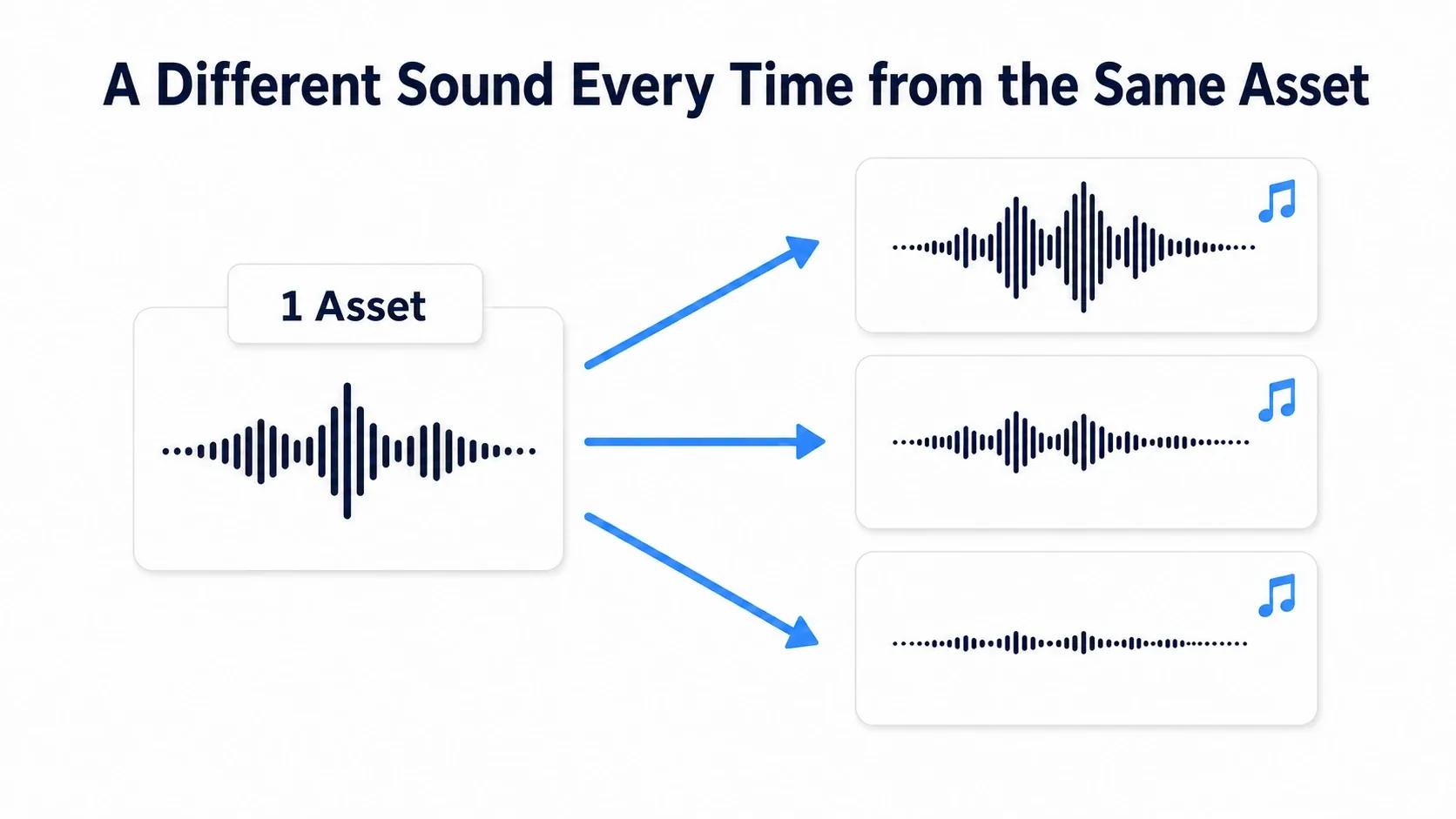
When that happens, pick one of several footstep clips and vary the pitch and volume a little. In UE you handle a Sound Wave, which holds the audio material , separately from a Sound Cue, which assembles how it plays .
What You'll Learn
- The difference between a Sound Wave (material) and a Sound Cue (playback)
- Varying the same footstep every time with Random and Modulator
- Firing it the moment the foot lands, using an Animation Notify
- Why distance falloff and room reverb are tuned separately
We build footsteps inside a Sound Cue, listen and compare a few times, then fire them on the character's landing.
A Sound Wave is the audio material
Drag a footstep .wav into the Content Browser and a Sound Wave is created. It is a recorded sound turned into an asset UE can use.

A Sound Wave holds the audio data and playback settings, and can be played directly. Rules for combining, such as "pick one of three footsteps", are prepared separately.
To play from Blueprint, use nodes like these.
| Node | How it plays | Example uses |
|---|---|---|
| Play Sound 2D | Plays regardless of position in space | Button clicks, BGM |
| Play Sound at Location | Plays at a specified position | Footsteps, explosions |
Specifying a position is a separate setting from getting quieter with distance. To change volume by distance, also set up Attenuation, described later.
For a button click or a line of dialogue where you want one clip as-is, a Sound Wave is enough. Creating a Sound Cue does not by itself make audio better.
A Sound Cue is the blueprint for playback
A Sound Cue is an asset that takes Sound Waves as material and uses nodes to assemble "which one to pick" and "how much to vary it".
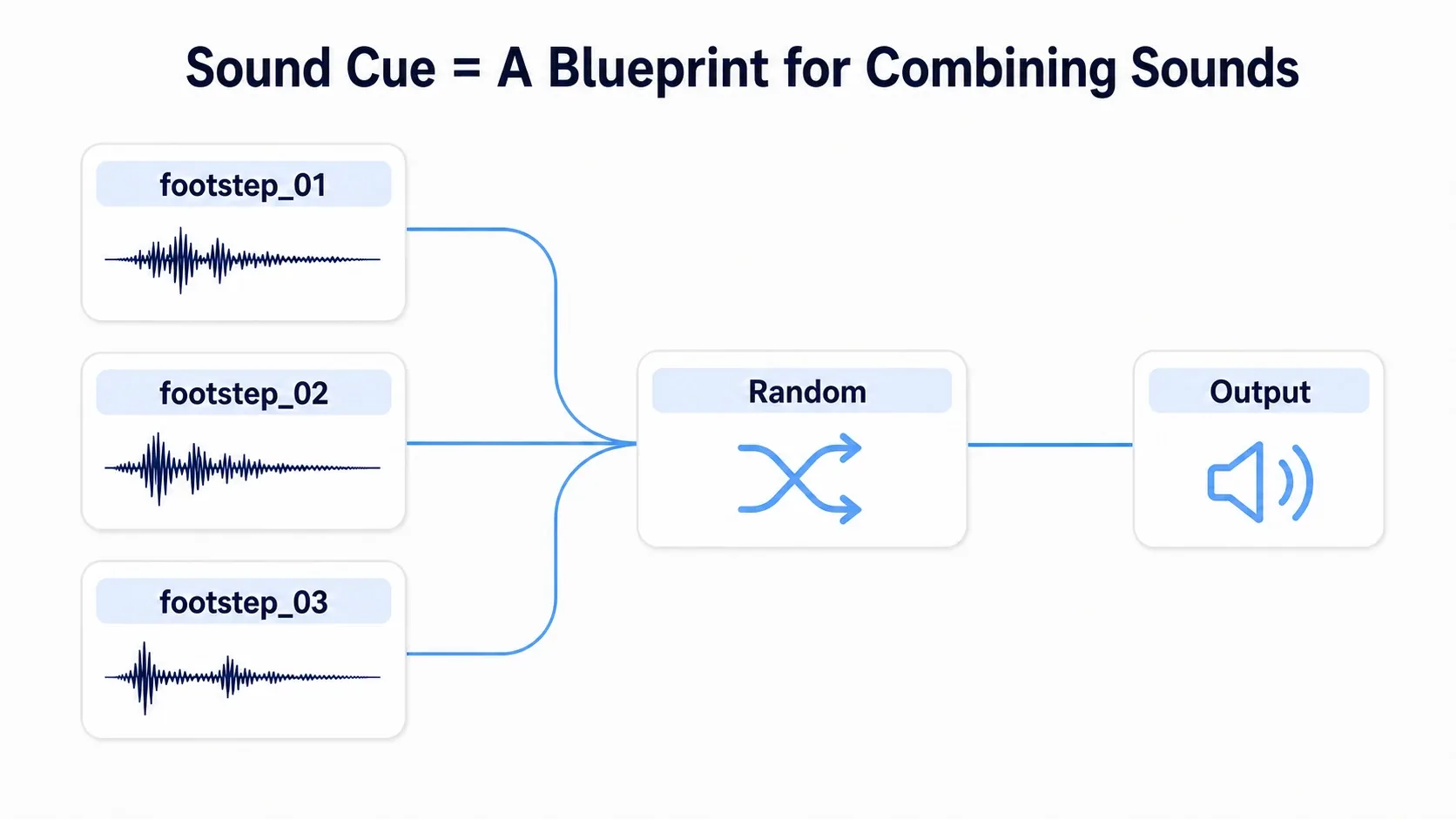
The "Sound" input on Blueprint's Play Sound 2D and Play Sound at Location accepts both a Sound Wave and a Sound Cue . Change a direct clip reference to SC_Footstep and the same play node fires the footstep Cue.
That way, adding more footsteps later or softening the pitch variation is a matter of opening the Cue. Keeping "when it plays" separate from "what plays" is the advantage.
Random picks, Modulator varies
Start with these two.
Random picks one of the connected clips to play. Prepare three footsteps for the same floor and you reduce the state where only one recording ever plays.
Modulator picks pitch and volume from a specified range each time it plays. Pitch is how high the sound is; Volume is loudness. It adds differences like "a bit lower" or "a bit quieter".
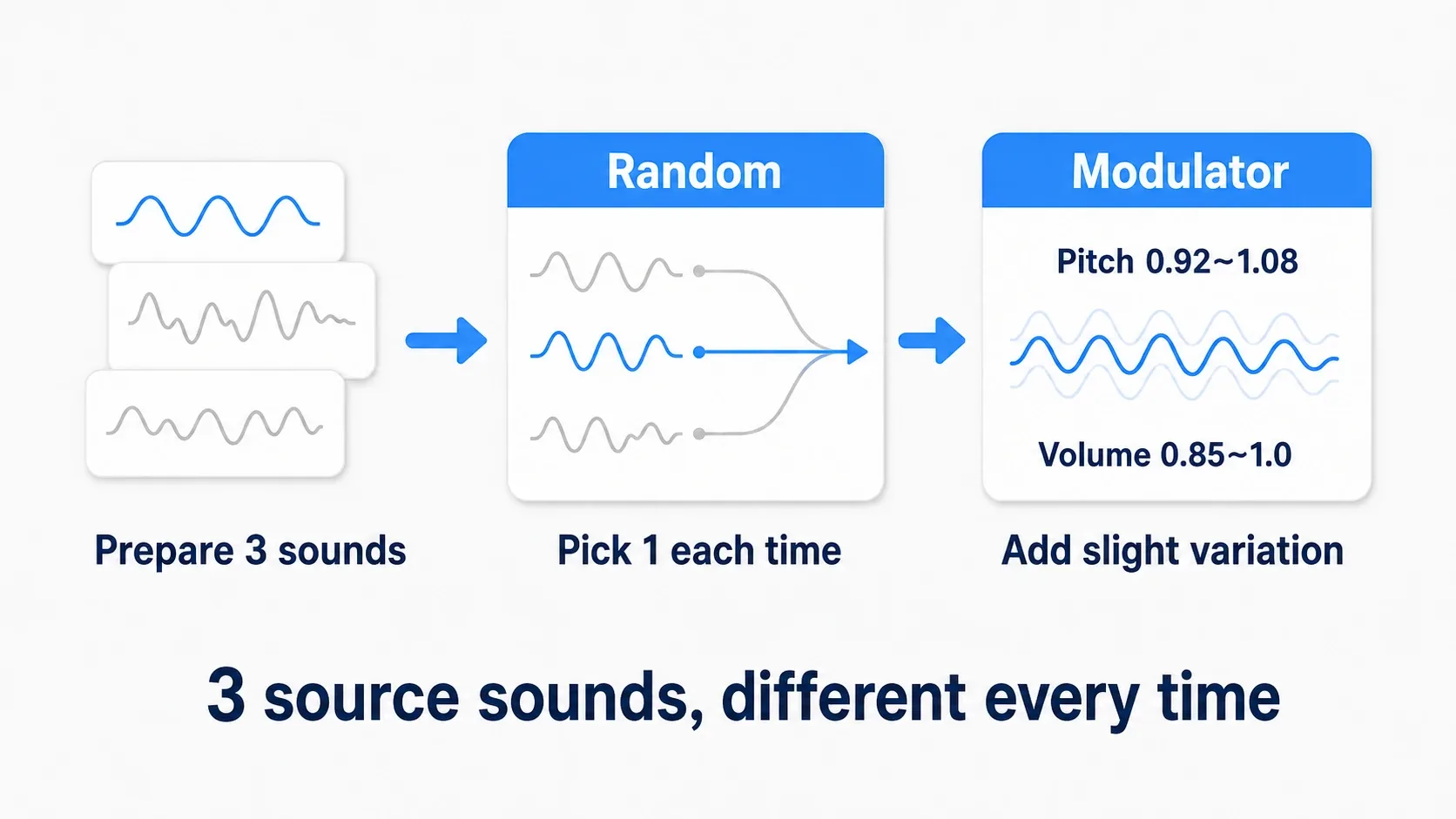
The waveforms in this diagram illustrate the change in how it sounds. It does not mean Modulator keeps wobbling the value throughout one playback. Here we re-pick the values each time a footstep fires .
If Random simply picks at random, the same clip can repeat. We check the setting that adjusts repetition in the next steps.
Hands-On: build a footstep Cue and compare
Before wiring anything to a character, check the sound on its own. Prepare three short footstep .wav files. Clips with one step per file and no long silence at the start are easiest to work with.
Pick the same floor and the same shoe with slightly different steps. Matching the loudness of the clips prevents one step from suddenly jumping out. Three copies of the same file will not produce any variation.
1. First, play a single sound
- Drag the three audio files into the Content Browser to import them.
- Name them
SW_Footstep_01,SW_Footstep_02, andSW_Footstep_03, and audition each. - Right-click in the Content Browser and create a "Sound Cue" from the audio category (Audio / Sounds). Name it
SC_Footstep. - Open the Cue and drag SW_Footstep_01 into the graph.
- Connect the Wave Player that plays the clip to the input of the Output node that is already there.
Output is this Cue's final destination. Press "Play Cue" in the toolbar, and if one step plays, the first stage worked. Leave the Wave Player's "Looping" off.
2. Change it to pick from three
Drag SW_Footstep_02 and 03 into the graph as well. Add a Random node from the graph's right-click menu and disconnect the direct Wave Player to Output link.
Connect the three Wave Player outputs to separate inputs on Random. If there are not enough inputs, add them with Random's "Add Input".
Select Random and set the following in the Details panel.
| Property | Setting | Intent |
|---|---|---|
| Weights | 1.0 on all three | Do not favor any one clip |
| Randomize Without Replacement | On | Run through all of them before the next round |
| Preselect at Level Load | 0 | Do not reduce the candidate pool here |
Weights is the likelihood of being picked. Start with equal values so you compare the clips under the same conditions.
Randomize Without Replacement temporarily removes a picked clip from the pool. Once 01, 02, and 03 have all been picked, all three return. Distinguish that from a setting that "never picks the same clip twice in a row".
3. Vary pitch and volume a little
Add a Modulator and connect Random's output to Modulator's input, and Modulator's output to Output's input.
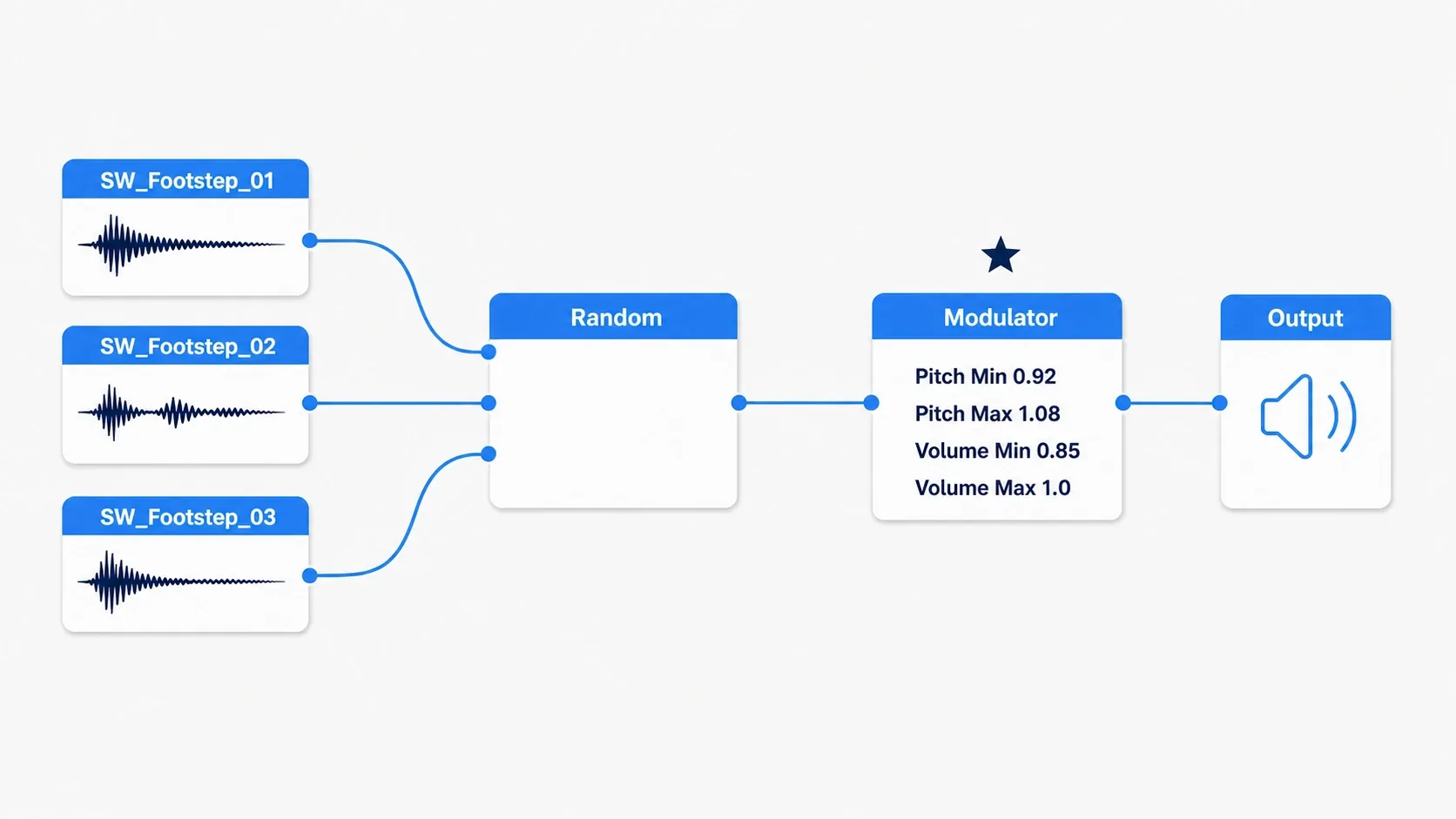
Select Modulator and set the Details panel as follows.
| Property | Value | Meaning |
|---|---|---|
| Pitch Min | 0.92 | Slightly lower than the original |
| Pitch Max | 1.08 | Slightly higher than the original |
| Volume Min | 0.85 | Slightly quieter |
| Volume Max | 1.0 | The original volume |
1.0 is the multiplier that leaves the original value unchanged. Pitch below 1 is lower, above 1 is higher. Here we use a range of 8 percent either side. The 0.85 volume is a multiplier applied to the original signal, not a guarantee that perceived loudness is exactly 85 percent.
Listen with this range first, and if the change is too big, move Pitch Min and Max closer to 1. Start with differences small enough that the clip's character survives.
4. Listen to one setting at a time
Save, then press "Play Cue" once and wait for the sound to finish before repeating. That reads more clearly than mashing the button and overlapping sounds.

- Hear only the clip differences : set all four Modulator values to 1.0 and play.
- Hear the pitch differences : return Pitch to 0.92–1.08 and leave both Volume values at 1.0.
- Hear the finished result : return Volume Min to 0.85.
If you can tell the three sounds apart and it still sounds like walking on the same floor, the Cue side is ready.
Firing it the moment the foot lands
Next, match the Cue to walking. From here we assume your character can already play walk and run animations. If that foundation is missing, build it from Animation Blueprint Basics.
A Notify is a marker that calls work at a specific point in an animation. Place a sound notify where the foot meets the ground and the footstep fires along with the animation.

- Open the Animation Sequence (one continuous animation clip) actually used for walking. If you use a Blend Space, open the walk clip it references.
- Pause the preview and step through time to find the moment one foot touches the ground.
- Right-click the child track under "Notifies" (initially named "1") at that point in the timeline.
- Add "Add Notify" → "Play Sound".
- Select the added notify and set SC_Footstep in the Details panel's "Sound".
- Leave Volume Multiplier and Pitch Multiplier at 1.0 and leave Follow off.
- Place an identical notify at the moment the other foot lands, and save.
With Follow off, the sound stays where it started playing. This example uses a short one-step clip to check the landing timing.
The frame number for the notify differs per clip. Rather than copying a fixed number, watch the foot contact in the preview and match it. Add the same way to the run Animation Sequence. If a footstep notify already exists, replace its Sound rather than layering a new one.
Play and try walking, running, and stopping. Confirm it fires on landing and that no new footsteps play after you stop. The Cue picks the sound and the Notify decides when it fires — that division comes together here.
Creating custom notifies is covered in the Animation Montage and Notify article. To change the sound by ground material, call work there, inspect the ground, and extend it to picking a Cue.
Distance and room reverb are tuned separately
With variation and timing done, tune the relationship with the surroundings. An enemy sounding quieter as they walk away and a cave echoing are separate mechanisms.
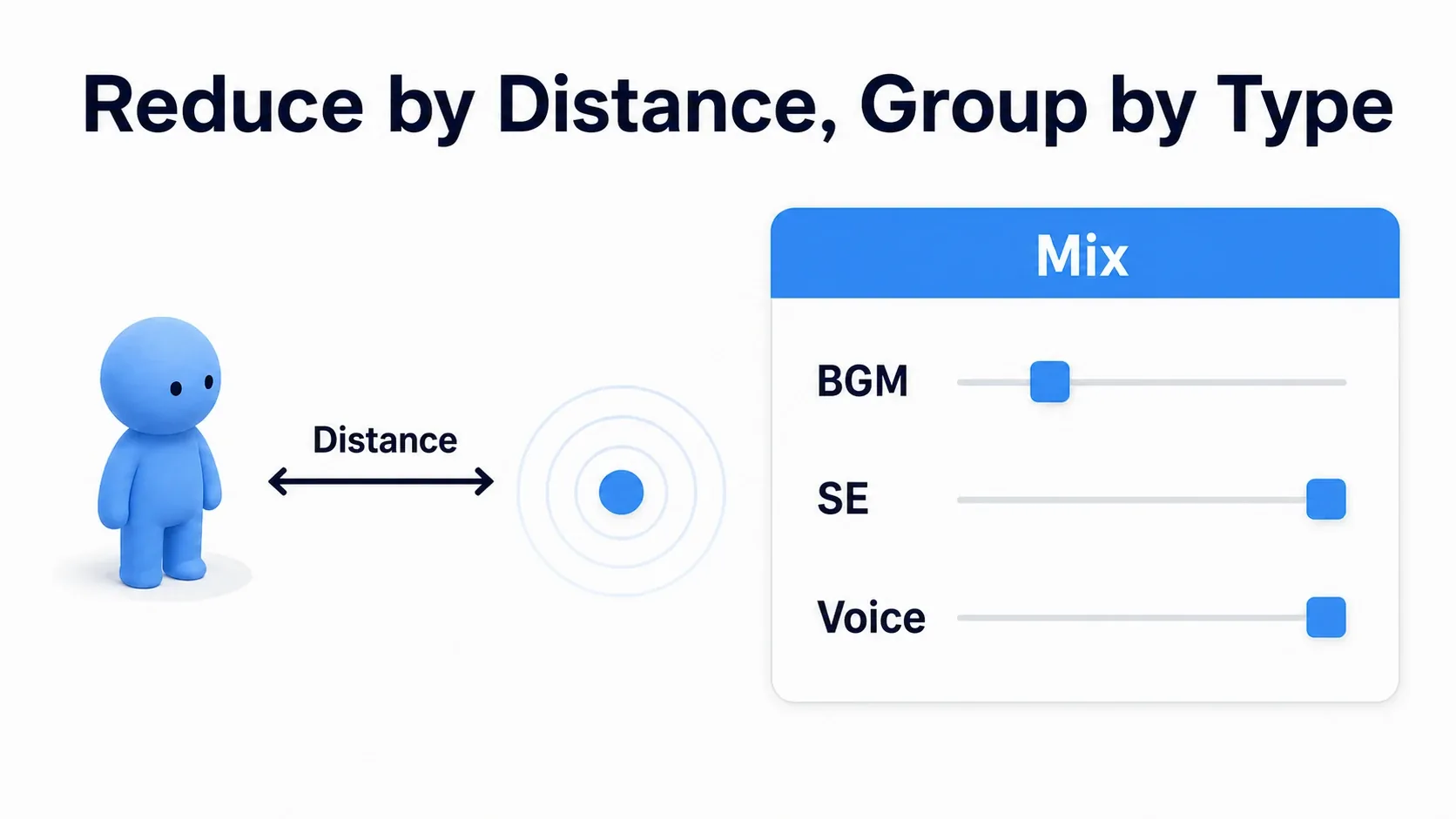
Attenuation is the setting for volume and more as a function of distance. Create a Sound Attenuation asset and set it in the Cue's "Attenuation Settings", and the same footstep sounds different near and far. Concrete distance and range settings continue in 3D sound and mixing.
Reverb is the lingering reflection you hear in a room or cave. Keep it separate from the Cue's random clip selection.

| Mechanism | Role | Example |
|---|---|---|
| Submix | A destination that gathers and processes sounds | Apply the same effect to gathered audio |
| Audio Volume | Places a region in the level where audio settings change | Reverb increases when you enter a cave |
| Sound Class | Categorizes sounds and adjusts volume in bulk | Lower the volume of all SFX |
You do not wire a reverb node after Random in a normal Sound Cue graph. If you set reverb on a cave's Audio Volume, the sound side must also be configured to send to reverb. Placing a region does not automatically make every sound echo.
Splitting things this way lets the same footstep Cue work both outdoors and in a cave.
When it does not work
Checking in the order audition the clip → audition the Cue → animation → in game makes it easier to trace where the sound changed.
| Symptom | Where to check |
|---|---|
| No sound from the Cue | Does the clip play alone, is Wave Player connected through to Output |
| Only the same sound plays | Are three different clips connected, Weights, and the clips themselves |
| Silent only in game | The Sequence actually playing, the notify's Sound, the attenuation range |
| It fires later than the landing | Not just the notify position, but silence at the head of the clip |
| It doubles on one step | Overlap with existing footstep logic, duplicate notifies, walk/run blending |
| Sounds pile up when running | Whether the one-step clip is too long, whether the notify fires twice |
Midway through a blend between walk and run, notifies from both animations can be involved. First confirm one sound per step in the Sequence alone; if it doubles, check settings that decide which animation emits notifies, such as AnimBP Sync Groups. A Sync Group is a group that keeps several animations in step.
Bonus: Good to Know Up Front
Add other Cue nodes as you need them
To layer several sounds at once use Mixer ; to chain them in order use Concatenator . That extends to cases like layering an explosion body with debris sounds.
To loop ambience seamlessly, use a clip suited to looping and turn on the Wave Player's Looping inside the Cue. The Sound Cue "Looping" node repeats a block of work and does not guarantee a seamless audio join. Leave the footstep Wave Player off.
Tune volume and concurrency too
Volume Multiplier's 1.0 is the original multiplier, not a ceiling. Still, pushing it high or layering many sounds can distort. Adjust while playing alongside music and other effects, not in isolation.
Sound Concurrency decides how many sounds play at once and what happens when the limit is reached. Consider it when enemies multiply and footsteps get dense. Whether the new sound or the old one gets stopped depends on the setting.
When to move on to MetaSounds
If you want to synthesize sound itself, or control music transitions at fine timing, MetaSounds is a candidate. It is not a drop-in replacement for the same Sound Cue nodes; it uses a different graph for building audio.
The experience here of "pick a clip and vary it a little" carries over. Changing sound from runtime values is something you can try in MetaSounds Basics.
Summary
A Sound Wave is the audio material; a Sound Cue is the blueprint for playback. Here we picked one with Random, shifted pitch and volume with Modulator, and matched the foot landing with a Notify.
Start by playing one step, then listen to the clip differences and the pitch differences in turn. Look for the point where it feels varied but still like walking on the same floor, and footsteps get much easier to tune.
Further Reading