Spawn a bullet with Spawn Actor each shot and remove it with Destroy Actor when it finishes flying. That is fine to start with, but for rapid-fire weapons and heavy enemy fire, the creating and cleaning up itself can become a cost.
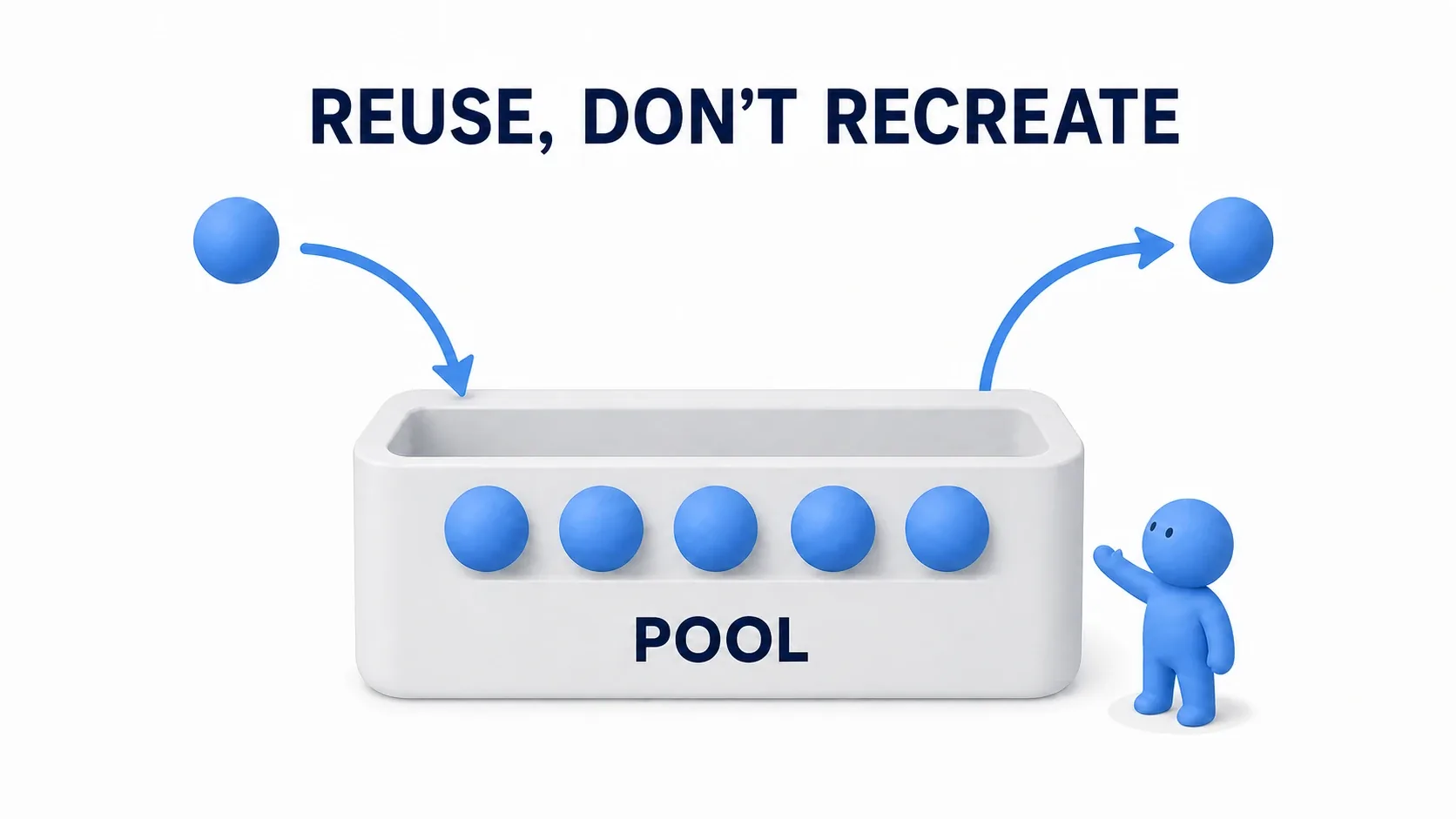
That is where object pooling helps. Keep prepared bullets resting and wake one when you need it. A bullet that finished flying is not destroyed; it waits for its next turn.
This article builds a small experiment firing three bullets automatically. Confirm that the same Actors remain even while the bullets appear to be gone.
What You'll Learn
- The difference between spawn-and-destroy and rest-and-reuse
- The in-use check, and why timers and movement are reset
- Repeatedly firing three bullets in Blueprint
- Deciding what to do when the pool is empty, and measuring pooling's effect
- Turn "destroy" into "rest"
- Hands-On: fire three bullets automatically
- Build the logic that rests a bullet
- Wake a bullet and return it after 2 seconds
- Prepare three and find a free one
- Fire repeatedly and confirm
- Deciding empty-pool behavior and pool size
- Build it into a game and measure the effect
- Bonus: Good to Know Up Front
- Summary
Turn "destroy" into "rest"
A pool is where things you reuse are managed together. Think of loaner balls. Rather than making a new ball each time you play, you use a free one and return it when done.
In UE, that ball is an Actor , the unit you place in the game world. "Returning" does not mean moving it to some warehouse. It means stopping its display and motion and restoring it to a reusable state.

Spawn Actor does more than place an Actor. It allocates memory, registers components, and, during play, runs initialization such as BeginPlay . Calling Destroy Actor when finished ends the Actor's activity, and a later garbage collection (GC) reclaims the unneeded memory. GC is the mechanism cleaning up what is no longer used.
Pooling reduces how often the same bullet is created and destroyed. On the other hand, resting bullets stay in memory, and you pay for creating them all up front and for the logic managing free slots.
| Point of comparison | Spawn / Destroy every time | Reusing from a pool |
|---|---|---|
| Firing a bullet | Creates a new Actor | Wakes a free Actor |
| Removing a bullet | Destroys the Actor | Stops motion and hides it |
| Preparing for the next shot | Left to initialization on creation | You restore the previous state |
| Resting Actors | None held in stock | Kept in memory |
Pooling does not stop the game's GC. Rendering and collision for bullets in flight also remain. Build the ordinary way first and consider this when spawn and destroy cost becomes a problem.
Hands-On: fire three bullets automatically
We fire a sphere from a launcher every 0.5 seconds and rest it after 2 seconds. Only three spheres exist. While all are in use, firing is skipped, and it resumes when one returns.
The first experiment uses no collision, building up to spheres flying straight. Confirm the reuse mechanism first so you can add wall collision and damage later.

Prepare the bullet and the manager
Prepare a project with the Blueprint Third Person template . Right-click in the Content Browser, choose "Blueprint Class" with Actor as the parent, and create these two.
| Blueprint | Role |
|---|---|
BP_PooledBullet | One bullet, holding logic to wake and rest itself |
BP_BulletPool | The manager of three bullets, asking a free one to fire |
Open BP_PooledBullet , add a Sphere Collision from "Add", and name it Sphere . Drag it above DefaultSceneRoot in Components to make it the root. As its child, add a Static Mesh named BulletMesh and then a Projectile Movement .

| Target | Settings |
|---|---|
Sphere | Sphere Radius 20 , Collision Presets NoCollision , Mobility Movable |
BulletMesh | Static Mesh Sphere ( /Engine/BasicShapes/Sphere ), Scale (0.4, 0.4, 0.4) , Collision Presets NoCollision , Simulate Physics off |
Projectile Movement | Initial Speed 0 , Max Speed 1200 , Projectile Gravity Scale 0 , Auto Activate off, Should Bounce off |
| Class Defaults | Initial Life Span 0 , Actor Tick's Start with Tick Enabled off |
If the engine Sphere is missing from the mesh picker, turn on "Show Engine Content" in the picker's settings. The default white sphere color is fine.
The root is the part serving as the basis for the whole Actor's position and orientation. Here Projectile Movement moves Sphere and the child BulletMesh moves with it. Movable means it can change position during play.
We do not use the Actor's own Event Tick . Projectile Movement moves the bullet, so turning Actor Tick off still leaves that component's motion to manage separately.
Record whether it is in use
Add these variables from BP_PooledBullet 's "My Blueprint" and compile.
| Variable name | Type | Default | Role |
|---|---|---|---|
bInUse | Boolean | false | true while this bullet is in use |
ReturnHandle | Timer Handle | Unset | The information needed to stop the return timer |
The b in bInUse is a prefix marking a true/false variable. Leave Private off so the manager can read it.
The point is separating being visible from being in use . Even when an effect temporarily hides a bullet, an in-use bullet is not handed to another shot.
Build the logic that rests a bullet
Build the return path for a finished bullet first. Create a RestInPool function from the "+" on BP_PooledBullet 's "Functions". No inputs or outputs are needed.
First place Clear and Invalidate Timer by Handle and connect a Get of ReturnHandle to Handle. That cancels the "return in N seconds" reservation.

Reusing with a timer still running can cut short a newly fired bullet because of the previous reservation. Passing through this node on the first call, when no timer exists yet, is fine.
Target here means "what to act on" and Self means "this Blueprint itself". Use Self when hiding the whole bullet and Projectile Movement when stopping motion.
Then wire white exec in this order. Drag Projectile Movement from Components into the graph to create a reference and connect it to each Target.

Stop Movement Immediatelywith Target Projectile Movement, zeroing velocity.Deactivateon the same Projectile Movement.Set Actor Hidden In Gamewith Target Self and New Hidden on, hiding the bullet.Set bInUseto false so it is usable as free again.

BP_PooledBullet / RestInPool (no inputs or outputs)
  → Clear and Invalidate Timer by Handle (ReturnHandle)
  → Stop Movement Immediately (Projectile Movement)
  → Deactivate (Projectile Movement)
  → Set Actor Hidden In Game (Self, true)
  → Set bInUse (false)
RestInPool is also called right after a bullet is first created. It only stops display and motion, so calling it on an already resting bullet returns it to the same waiting state.
We start at NoCollision here. When adding collision for real attacks, also turn Set Actor Enable Collision off when resting. Hiding alone does not stop collision.
Wake a bullet and return it after 2 seconds
Now the reverse. Create a LaunchFromPool function on the same Blueprint with two inputs.
| Input name | Type | Meaning |
|---|---|---|
LaunchLocation | Vector | Where to fire from |
LaunchRotation | Rotator | Which way to fire |
Restore the position, then resume motion
First set Set bInUse to true, then place Set Actor Location And Rotation . Connect the LaunchLocation input to New Location and LaunchRotation to New Rotation. Target is Self, Sweep off, Teleport on.

That returns the bullet from where it finished flying to the new firing position. Without Sweep, it does not test collisions along the way.
Next place Set Updated Component with Target Projectile Movement and New Updated Component connected to the Sphere reference.

Updated Component is what this movement component moves. We specify the root Sphere. In particular, when collision is added later and the bullet stops, that assignment can be cleared. Re-specifying it on reuse removes one cause of "the first shot flies but the second does not move".
Set the velocity again
Add Set Velocity from the Projectile Movement reference. Build the new velocity by multiplying Get Actor Forward Vector (Target Self) 's output by 1200 . Connect them as a Vector times Float multiplication.

Forward Vector is a length-1 vector representing that Actor's forward. Multiplying the direction by 1200 gives 1200 cm per second. Since we rotated it to the firing direction just before, it flies that way every time.
Connect Set Updated Component's exec output to Set Velocity and then to Activate . Activate's Target is also Projectile Movement with Reset on. The order is: prepare the position, the moved component, and the velocity, then resume motion.
Show it and reserve the return
After Activate, connect Set Actor Hidden In Game (Self, New Hidden off). Then place Set Timer by Function Name and configure it as follows.
| Entry | Value |
|---|---|
| Object | Self |
| Function Name | RestInPool |
| Time | 2.0 |
| Looping | Off |

Place a Set of the ReturnHandle you created and connect Return Value and the white exec wire.
A timer handle is the information for referring to a set timer later. When returning a bullet early, RestInPool uses that handle to cancel the reservation.
Function Name is a string, so type RestInPool exactly. If you rename the function, fix this field too. This example calls an argument-less function from the timer.
That is one LaunchFromPool function. Do not create separate functions per diagram; continue from the previous diagram's exec output.
BP_PooledBullet / LaunchFromPool (LaunchLocation, LaunchRotation)
  → Set bInUse (true)
  → Set Actor Location And Rotation (Self, the input position and rotation)
  → Set Updated Component (Projectile Movement, Sphere)
  → Set Velocity (Projectile Movement, Get Actor Forward Vector × 1200)
  → Activate (Projectile Movement, Reset = true)
  → Set Actor Hidden In Game (Self, false)
  → Set Timer by Function Name (Self, RestInPool, 2.0 s, no looping)
  → Set ReturnHandle (the timer's Return Value)
Leave Initial Life Span at 0. Life Span destroys an Actor when its time is up, which does not fit our goal of returning without destroying.
Prepare three and find a free one
Now edit the manager, BP_BulletPool . Create these variables in "My Blueprint" and compile.
| Variable name | Type | Default |
|---|---|---|
Pool | Array of BP_PooledBullet Object References | Empty |
PoolSize | Integer | 3 |
A reference specifies an already created Actor later. Pool holds references to three bullets in order rather than copies of the bullets. Set the type to a BP_PooledBullet Object Reference and switch the container to Array on the right of the type field. Array basics are covered in the Array, Map, and Set article.
Create the stock on BeginPlay
Connect For Loop from Event BeginPlay in the Event Graph. First Index is 0 and Last Index is PoolSize - 1 . Here Loop Body runs three times, for 0, 1, and 2. Keep PoolSize at 1 or more.

From Loop Body, call Spawn Actor from Class with Class BP_PooledBullet. Connect Get Actor Transform (Self) to Spawn Transform and choose Always Spawn, Ignore Collisions for Collision Handling Override.
Drag from Spawn's Return Value to call RestInPool , resting the created bullet. Then place an Add on the Pool array with the same Return Value as Item.

BP_BulletPool / Event BeginPlay
  → For Loop (0 to PoolSize - 1)
      Loop Body → Spawn Actor from Class (BP_PooledBullet)
                 → RestInPool (Target = the created bullet)
                 → Add (Target Array = Pool, Item = the created bullet)
"Create, rest, register in the array" is one bullet. Repeating it in the BeginPlay loop gives you three in stock before firing starts.
Fire only one bullet that is not in use
Create a FireOne function on BP_BulletPool with no inputs or outputs. Connect a Get of Pool to For Each Loop 's Array and wire exec from the function entry.
Drag from Array Element to create Get bInUse and connect it to a Branch's Condition. Wire exec from Loop Body to the Branch.

Leave the Branch's True side unconnected. In-use bullets do nothing and the loop moves to the next element. On False, call that Array Element's LaunchFromPool .
Connect Get Actor Location (Self) to that call's LaunchLocation and Get Actor Rotation (Self) to LaunchRotation. Self is the manager BP_BulletPool , so bullets fire from where the manager sits and faces.

Finally place a Return Node and connect LaunchFromPool's exec output to it. No output value is needed. It ends the function once one bullet was fired . Without it, you would fire every free bullet at once.
For Each Loop's Completed is the path when nothing was free after checking everything. Print Pool empty with Print String and end. Do not add another Spawn.

BP_BulletPool / FireOne (no inputs or outputs)
  → For Each Loop (Pool)
      Loop Body → Branch (Array Element's bInUse)
        True  → do nothing, continue to the next element
        False → LaunchFromPool (Target = Array Element)
                LaunchLocation = the manager's position
                LaunchRotation = the manager's rotation
              → Return Node (end the function)
      Completed → Print String (Pool empty)
A fired bullet has bInUse set true at the start of LaunchFromPool. The next FireOne call skips it and looks for another free one. There is no need to remove it from the array when it returns. The design keeps all stock in the array and distinguishes free slots only by bInUse .
Fire repeatedly and confirm
Add an auto-fire timer. Return to BP_BulletPool's Event Graph and connect Set Timer by Function Name to the Completed of the For Loop that built the stock.

Object is Self, Function Name is FireOne , Time is 0.5 , and Looping is on. Connecting to Completed rather than Loop Body starts the timer after all three exist. Since we test-fire throughout Play, this timer's Return Value need not be stored.
Compile and save both Blueprints, then confirm with Play in Editor (PIE).
- Place one BP_BulletPool in an open area of the level, about 100 cm above the floor with Scale
(1, 1, 1). - Set the firing direction with Rotation's Yaw. Bullets travel along the manager's local X, so point the Transform's red X axis toward open space.
- Play and watch the spheres from the side, a little away. Press
F8to leave character control and survey with the editor camera if needed. - Search for
BP_PooledBulletin the World Outliner during PIE and confirm there are still three bullets. Do this check in editor Play.
It attempts a shot every 0.5 seconds and each bullet hides after 2 seconds. With all three in use, Pool empty prints and no shot fires that round. When one returns, the same bullet fires again.
Next, stop Play, open BP_BulletPool, change PoolSize's default to 6 , and compile. Try again and the stock has slack, making free bullets easier to find at the normal 0.5-second cadence. Compared with three, that shows the firing gaps caused by insufficient stock .
Change the orientation and replay and the spheres fly the new way, because the rested bullet's velocity is set again on firing.
| Symptom | Where to check |
|---|---|
| Spheres are visible from the start | Whether RestInPool is called with the created bullet as Target right after Spawn |
| All three fire at once | Whether FireOne has a Return Node right after LaunchFromPool |
| They fly once and never come back | Whether the timer's Function Name matches RestInPool and Time is 2.0 |
| Pool empty continues though they returned | Whether RestInPool sets bInUse back to false at the end |
| Spheres appear but do not move | Whether Sphere is the root. Check Set Updated Component's target, Velocity, and Activate's Target |
| The sphere count keeps growing | Whether you added a Spawn to FireOne. Only BeginPlay creates stock |
What we verify here is that the same Actors are being reused , not a speed improvement. Three spheres do not need to show a performance difference.
Deciding empty-pool behavior and pool size
Having everything in use with nothing free is called exhaustion . What happens then is decided by the game.

| Policy | What happens on screen | What to consider |
|---|---|---|
| Do not fire this time | One bullet or effect is skipped | Skipping decoration is fine, but whether to drop a player's attack is another matter |
| Create one more | It fires as requested | Spawn cost at that instant, and growing stock and memory. Also set an upper limit |
| Return an old in-use one | The old bullet vanishes and becomes the new one | Its in-flight attack and collision vanish too. Use it for things like damage numbers |
Our experiment chose "do not fire this time" so the difference is visible. Whether to ship that as is depends on your weapon and effect design.
A first estimate for stock size is shots per second times seconds alive . Firing 10 per second with a 3-second life gives about 30. Add slack for overlapping bursts and timing. When several weapons share a pool, use the combined fire rate.
Recording the maximum concurrent usage and the number of skipped shots during play makes the needed stock easier to decide. Preparing a huge amount is not automatically safe; also watch the resting memory and the initial creation time.
Build it into a game and measure the effect
Return without destroying on impact too
Once test firing works, configure Sphere's collision following the Spawn Actor and Projectile Movement article. Replace where a hit bullet went to Destroy Actor with RestInPool .
But also fill in the rest and wake logic. RestInPool turns collision off, and LaunchFromPool turns it back on after position, velocity, and the return timer are prepared . Unless you change Sphere's NoCollision setting to an attack configuration, turning it on at the Actor level alone will not collide.
Check bInUse at the start of the Hit event and continue to damage and return only when true, so notifications on a not-in-use bullet do not process the same attack twice. Also confirm that after Projectile Movement stops on impact, LaunchFromPool's Updated Component and velocity get it moving again.
Compare against the Spawn version under the same conditions
When comparing performance, align shot count, bullet lifetime, meshes, and collision between the normal Spawn / Destroy version and the pooled version. If exhaustion reduces the shots fired, the loads are not comparable. Remove Print Strings during measurement.
Run the same scene with an execution method that reduces editor influence, such as Standalone Game . Watch Game time with stat unit and, if needed, watch its variation with stat unitgraph . Game is CPU-side time advancing the game's logic.

| What to look at | What you want to confirm |
|---|---|
| Game time | Whether processing time dropped in the scene where shots concentrate |
| Unreal Insights capture | Which of creation, initialization, destruction, or GC took time in heavy stretches |
| Initialization time and memory | Whether the up-front stock is too large |
| Game behavior | Whether dropped shots or missed returns changed the comparison conditions |
A smaller peak in the graph alone does not prove "GC stopped". Investigate the detailed cause with the captures described in the Unreal Insights article. Basic number reading is in the stat commands article.
If there is almost no difference, the original spawn and destroy may have been light enough already. Judge from your measurements whether adding pool management is worth it.
Bonus: Good to Know Up Front
Reuse does not run BeginPlay each time. Configuring HP, damage, who fired, and effect state only in BeginPlay leaves the previous shot's information behind. Values that change per use go into LaunchFromPool's inputs or into reset logic on return. For a damage-number pool, that means the previous number, position, and animation progress.
Actor pools are managed within that World. A World is the game world running at that moment. Storing references in a GameInstance or its Subsystem does not carry over Actors destroyed by a normal level change. Placing a dedicated Actor and building stock at level start, as we did, is enough to begin. The GameInstance article covers the difference between carried data and Actors.
Adjust when you create large stock. Creating everything on BeginPlay concentrates initialization cost there. For large counts, consider preparing during a loading screen or spreading it across frames.
What to stop on return differs per component. We deactivated Projectile Movement, but AI thinking, looping audio, effects, and other components' Ticks do not stop automatically. Before reusing a whole complex enemy, start with low-state things like bullets and damage numbers so missed resets are easier to track.
Summary
Pooling rests a finished Actor and wakes it for its next turn. Our example kept all stock in an array and picked free ones with bInUse. Returning stops the timer and movement, and firing sets position, orientation, and velocity again.
What to confirm first is that the same bullet is reused repeatedly and that an empty pool behaves as you decided. Then compare against the original Spawn version and measure whether it reduces creation and destruction cost.
If what bothers you is not spawning and destroying Actors but "meshes loaded before they are needed", go to soft references and async loading next.
Reference: Actor lifecycle, Projectile Movement Component, Using timers.